
ആമുഖം
വാങ്ങിയതിന് നന്ദി.asing the Craig CS2304 Portable Stereo Cassette Player/Recorder. This device allows you to play and record audio cassettes, listen to AM/FM radio, and enjoy your music on the go. Please read this manual carefully to ensure proper operation and to maximize your listening experience.
ഉൽപ്പന്ന സവിശേഷതകൾ

ചിത്രം: കഴിഞ്ഞുview of the Craig CS2304's key features, including one-touch recording, AM/FM radio, built-in microphone, rotary volume control, stereo earphones, and an auto-stop cassette system.
- Cassette Player with Auto Stop System
- വൺ-ടച്ച് റെക്കോർഡിംഗ്
- AM/FM Radio Tuner
- ബിൽറ്റ്-ഇൻ മൈക്രോഫോൺ
- റോട്ടറി വോളിയം നിയന്ത്രണം
- Includes Stereo Earphones
- നീക്കം ചെയ്യാവുന്ന ബെൽറ്റ് ക്ലിപ്പ്
സജ്ജമാക്കുക
1. ബാറ്ററി ഇൻസ്റ്റാളേഷൻ

Image: The Craig CS2304 unit with illustrations of 2x 'AA' batteries, included earphones, and the removable belt clip.
- യൂണിറ്റിന്റെ പിൻഭാഗത്ത് ബാറ്ററി കമ്പാർട്ട്മെന്റ് കവർ കണ്ടെത്തുക.
- കവർ തുറക്കുക.
- Insert two (2) 'AA' size batteries (not included), ensuring correct polarity (+/-).
- ബാറ്ററി കമ്പാർട്ട്മെൻ്റ് കവർ സുരക്ഷിതമായി അടയ്ക്കുക.
2. ഇയർഫോണുകൾ ബന്ധിപ്പിക്കുന്നു
Plug the included stereo earphones into the ഹെഡ്ഫോൺ jack (3.5mm) located on the side of the unit. The built-in speaker will automatically mute when earphones are connected.
3. ഒരു കാസറ്റ് ടേപ്പ് ചേർക്കൽ
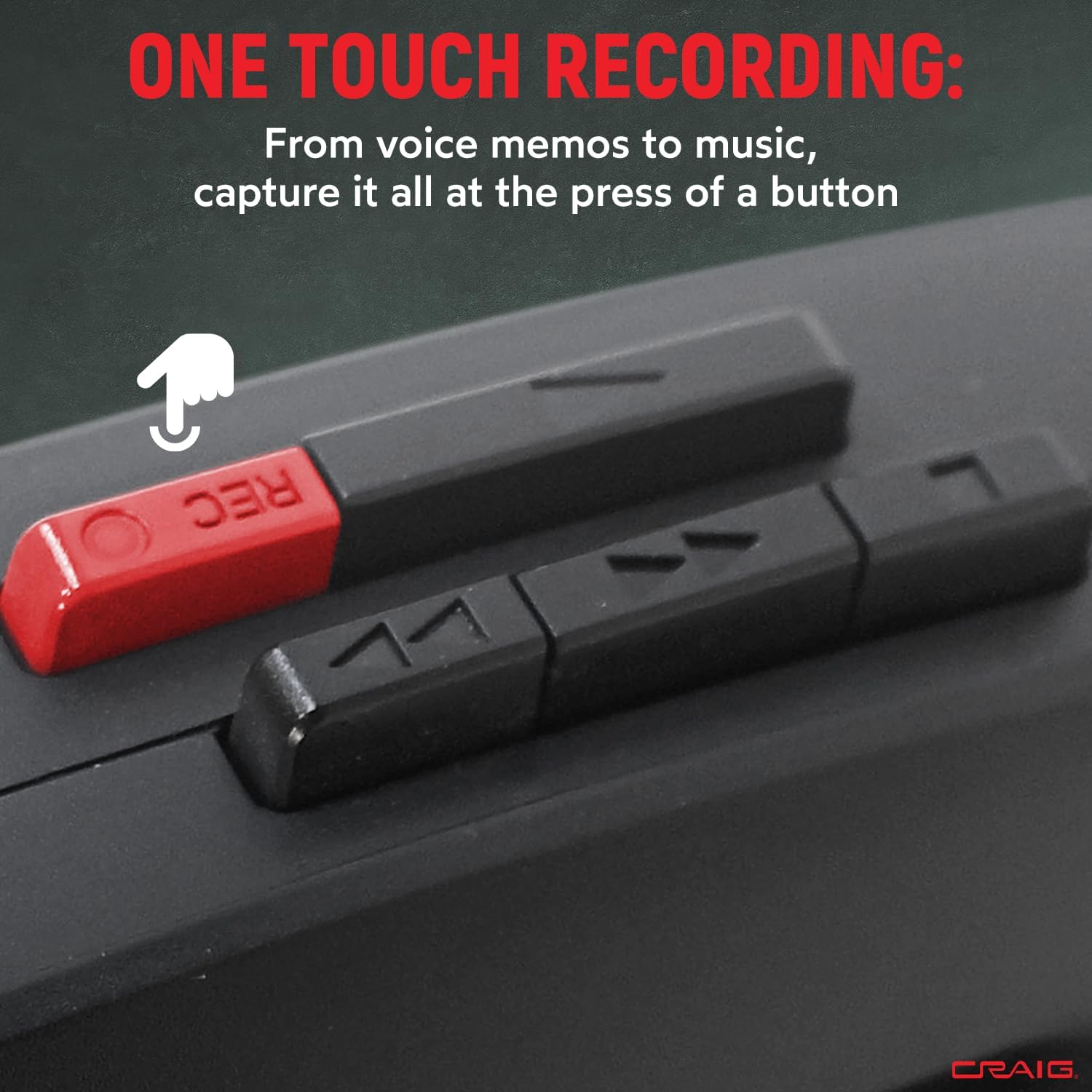
Image: The Craig CS2304 with its cassette compartment open, ready for tape insertion.
- അമർത്തുക നിർത്തുക/പുറത്തള്ളുക button to open the cassette compartment door.
- Insert a cassette tape with the exposed tape facing upwards and the open edge facing the unit.
- Gently close the cassette compartment door until it clicks into place.
4. ബെൽറ്റ് ക്ലിപ്പ് ഘടിപ്പിക്കുന്നു
The removable belt clip can be attached to the back of the unit for convenient portability. Slide the clip into the designated slot until it locks securely.
പ്രവർത്തന നിർദ്ദേശങ്ങൾ
1. കാസറ്റ് പ്ലേബാക്ക്

Image: The Craig CS2304 unit highlighting its auto-stop system feature.
- സജ്ജീകരണ വിഭാഗത്തിൽ വിവരിച്ചിരിക്കുന്നതുപോലെ ഒരു കാസറ്റ് ടേപ്പ് തിരുകുക.
- അമർത്തുക കളിക്കുക button. The tape will begin to play.
- ഉപയോഗിച്ച് വോളിയം ക്രമീകരിക്കുക വോളിയം നിയന്ത്രണ ഡയൽ.
- വേഗത്തിൽ മുന്നോട്ട് പോകാൻ, അമർത്തുക ഫാസ്റ്റ് ഫോർവേഡ് ബട്ടൺ.
- റിവൈൻഡ് ചെയ്യാൻ, അമർത്തുക റിവൈൻഡ് ചെയ്യുക ബട്ടൺ.
- പ്ലേബാക്ക് നിർത്താൻ, അമർത്തുക നിർത്തുക/പുറത്തള്ളുക button. The auto-stop system will also stop playback automatically when the tape reaches its end.
2. റെക്കോർഡിംഗ്

ചിത്രം: ഒരു ക്ലോസ്-അപ്പ് view of the red 'REC' (Record) button on the Craig CS2304.
- Insert a blank cassette tape or a tape you wish to record over.
- അമർത്തുക രേഖപ്പെടുത്തുക button (red button). The കളിക്കുക button will also engage simultaneously.
- The built-in microphone will begin recording audio. Ensure the microphone is not obstructed.
- റെക്കോർഡിംഗ് നിർത്താൻ, അമർത്തുക നിർത്തുക/പുറത്തള്ളുക ബട്ടൺ.
3. AM/FM റേഡിയോ പ്രവർത്തനം

Image: The Craig CS2304 unit with a graphic indicating its AM/FM radio functionality.
- സ്ലൈഡ് ചെയ്യുക ഫങ്ഷൻ രണ്ടിലേക്കും മാറുക AM or FM.
- തിരിക്കുക ട്യൂണിംഗ് നിങ്ങൾക്ക് ആവശ്യമുള്ള റേഡിയോ സ്റ്റേഷൻ തിരഞ്ഞെടുക്കാൻ ഡയൽ ചെയ്യുക.
- ഉപയോഗിച്ച് വോളിയം ക്രമീകരിക്കുക വോളിയം നിയന്ത്രണ ഡയൽ.
- For optimal FM reception, extend the telescopic antenna. For AM reception, rotate the unit for best signal.
മെയിൻ്റനൻസ്
1. Cleaning the Tape Head and Pinch Roller
Regular cleaning of the tape head and pinch roller is essential for optimal sound quality and to prevent tape damage. Use a cotton swab lightly moistened with isopropyl alcohol to gently clean these components after every 10-20 hours of use.
2 ജനറൽ ക്ലീനിംഗ്
ഒരു സോഫ്റ്റ്, ഡി ഉപയോഗിച്ച് യൂണിറ്റിൻ്റെ പുറംഭാഗം തുടയ്ക്കുകamp തുണി. അബ്രാസീവ് ക്ലീനറുകളോ ലായകങ്ങളോ ഉപയോഗിക്കരുത്, കാരണം അവ ഫിനിഷിന് കേടുവരുത്തും.
3. ബാറ്ററി പരിചരണം
If the unit will not be used for an extended period, remove the batteries to prevent leakage and potential damage to the device.
ട്രബിൾഷൂട്ടിംഗ്
- ശക്തിയില്ല:
Ensure batteries are inserted correctly with proper polarity. Check if batteries are depleted and replace them if necessary. - Cassette Play Button Does Not Stay Down:
This typically indicates that a cassette tape is not properly inserted or the auto-stop mechanism is engaged due to the tape reaching its end or being jammed. Ensure the tape is fully inserted and not at its end. If the issue persists, the mechanism may require inspection. - No Sound from Speaker/Earphones:
Check the volume level. Ensure earphones are fully plugged in if using them. If using the speaker, ensure earphones are unplugged. - മോശം റേഡിയോ സ്വീകരണം:
Extend the telescopic antenna fully for FM. For AM, try rotating the unit to find the best signal. Move away from sources of interference like other electronic devices. - മോശം റെക്കോർഡിംഗ് നിലവാരം:
Ensure the built-in microphone is not obstructed. Use a new, good quality cassette tape. Check battery levels, as low power can affect recording performance.
സ്പെസിഫിക്കേഷനുകൾ
| ബ്രാൻഡ് | ക്രെയ്ഗ് |
| മോഡൽ നമ്പർ | CS2304 |
| നിറം | കറുപ്പ് |
| ഉൽപ്പന്ന അളവുകൾ (L x W x H) | 1.77" x 3.54" x 4.72" |
| ഇനത്തിൻ്റെ ഭാരം | 7 ഔൺസ് |
| പവർ ഉറവിടം | 2 AA ബാറ്ററികൾ (ഉൾപ്പെടുത്തിയിട്ടില്ല) |
| ട്യൂണർ ടെക്നോളജി | എഎം, എഫ്എം |
| പ്രത്യേക സവിശേഷതകൾ | Built-in microphone, Built-in speaker, Auto-stop system |
| ഉൾപ്പെടുത്തിയ ഘടകങ്ങൾ | Earphones, Removable belt clip |
| കണക്റ്റിവിറ്റി ടെക്നോളജി | Auxiliary (for earphones) |
വാറൻ്റിയും പിന്തുണയും
For warranty information or technical support, please refer to the warranty card included with your product or visit the official Craig Electronics website. You may also contact customer service directly for assistance with product operation or troubleshooting.