
1. ആമുഖം
Thank you for choosing the Lichamp DLA06GD Dimmable LED Desk Lamp. നിങ്ങളുടെ പുതിയ കമ്പ്യൂട്ടറിന്റെ സുരക്ഷിതവും കാര്യക്ഷമവുമായ ഉപയോഗത്തിന് ആവശ്യമായ വിവരങ്ങൾ ഈ മാനുവൽ നൽകുന്നു.amp. ഈ എൽamp features adjustable brightness and color temperature, a flexible gooseneck design, and a convenient USB charging port.

ചിത്രം 1: കഴിഞ്ഞുview of the Lichamp DLA06GD LED Desk Lamp, highlighting its dimensions (14.2 inches arm, 16.5 inches height, 7.9 inches base width) and features such as touch control, eye protection, seven lighting modes, USB energy, and foldable design.
2. സുരക്ഷാ നിർദ്ദേശങ്ങൾ
- എൽ ഉറപ്പാക്കുകamp ടിപ്പിംഗ് തടയാൻ ഒരു സ്ഥിരതയുള്ള, പരന്ന പ്രതലത്തിൽ സ്ഥാപിച്ചിരിക്കുന്നു.
- എൽ വെളിപ്പെടുത്തരുത്amp അമിതമായ ഈർപ്പം അല്ലെങ്കിൽ ഉയർന്ന താപനിലയിലേക്ക്.
- Use only the provided UL certified AC adapter.
- l ഡിസ്അസംബ്ലിംഗ് ചെയ്യാനോ പരിഷ്ക്കരിക്കാനോ ശ്രമിക്കരുത്amp. Refer servicing to qualified personnel.
- കുട്ടികൾക്ക് ലഭ്യമാകാതെ സൂക്ഷിക്കുക.
- എൽ അൺപ്ലഗ് ചെയ്യുകamp from the power outlet before cleaning or when not in use for extended periods.
3. പാക്കേജ് ഉള്ളടക്കം
പാക്കേജിൽ എല്ലാ ഇനങ്ങളും ഉണ്ടെന്ന് ഉറപ്പാക്കുക:
- ലിച്ച്amp DLA06GD LED Desk Lamp (1 യൂണിറ്റ്)
- UL Certified AC Adapter (1 unit)
- ഉപയോക്തൃ മാനുവൽ (1 യൂണിറ്റ്)
4. സജ്ജീകരണം
- അൺപാക്ക്: പാക്കേജിംഗിൽ നിന്ന് എല്ലാ ഘടകങ്ങളും ശ്രദ്ധാപൂർവ്വം നീക്കം ചെയ്യുക.
- സ്ഥാനം: എൽ സ്ഥാപിക്കുകamp ഒരു സ്ഥിരതയുള്ള, പരന്ന പ്രതലത്തിൽ അടിത്തറയിടുക.
- പവർ ബന്ധിപ്പിക്കുക: Insert the AC adapter cable into the power input port located on the back of the lamp base. Plug the AC adapter into a standard wall outlet.

Image 2: The Lichamp DLA06GD LED Desk Lamp connected to its UL certified AC adapter, ready for use.
5. പ്രവർത്തന നിർദ്ദേശങ്ങൾ
5.1. പവർ ഓൺ/ഓഫ്, തെളിച്ച ക്രമീകരണം
എൽamp features touch-sensitive controls on its base.
- ശക്തി: പവർ ഐക്കൺ സ്പർശിക്കുക (⏻) എൽ തിരിക്കാൻamp ഓൺ അല്ലെങ്കിൽ ഓഫ്.
- തെളിച്ചം: Slide your finger along the brightness control bar to adjust the light intensity. The lamp offers multiple brightness levels.

Image 3: Detail of the lamp's base showing the touch-sensitive power and brightness controls.
5.2. വർണ്ണ താപനില ക്രമീകരണം
എൽamp offers 7 different lighting modes (color temperatures) to suit various activities and preferences.
- മോഡ് തിരഞ്ഞെടുക്കൽ: Touch the mode icon (☼) to cycle through the available color temperature settings, from cool white to warm yellow light.
- എൽamp includes a memory recall function, remembering your last selected light mode.
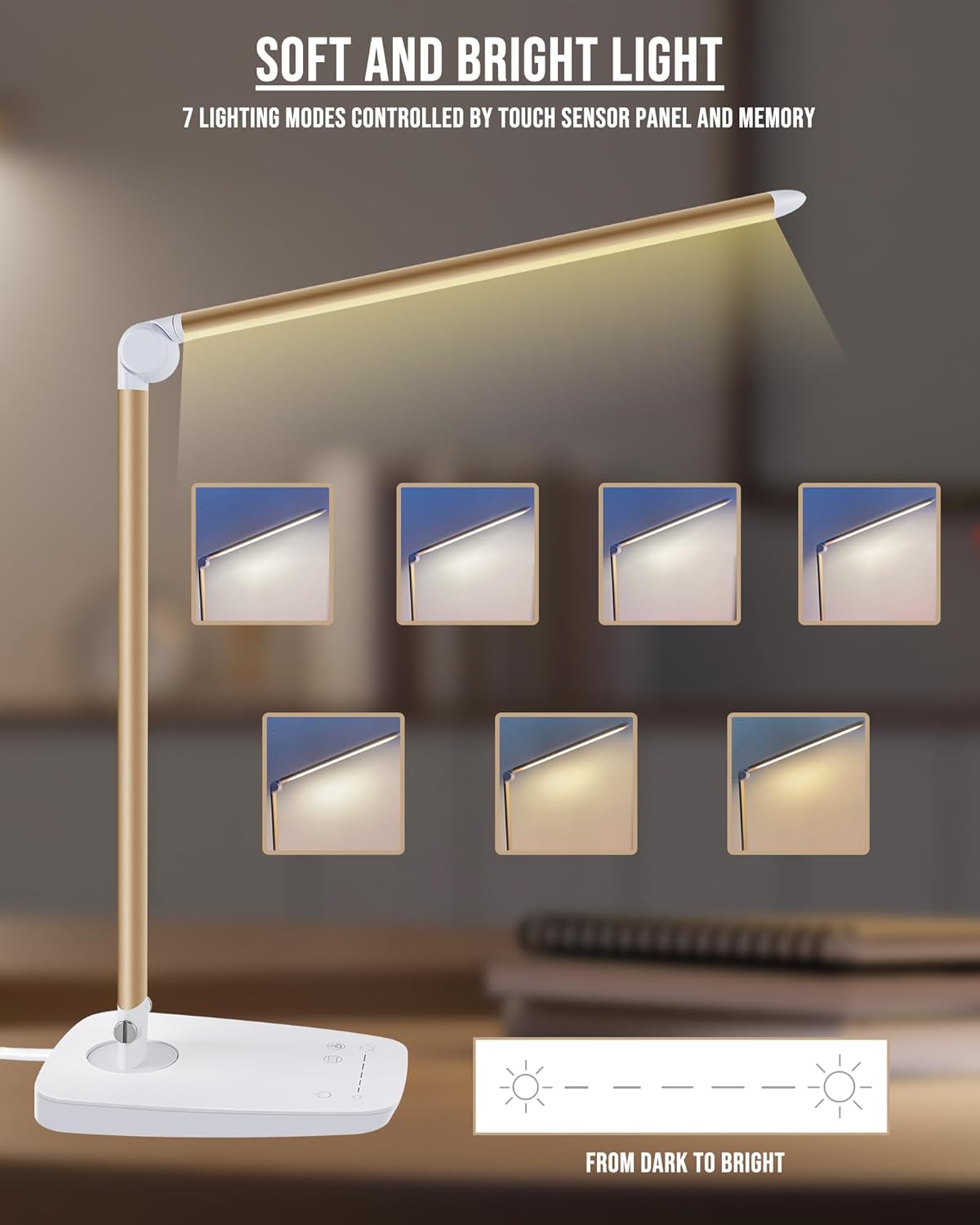
Image 4: Visual representation of the seven distinct lighting modes available on the Lichamp DLA06GD LED Desk Lamp, ranging from cool to warm light.
5.3. എൽamp Head and Arm Adjustment
എൽamp is designed for flexible positioning to direct light precisely where needed.
- The main arm can swivel 90 degrees left and right at the base.
- എൽamp head can move up and down by 135 degrees.
- എൽ ക്രമീകരിക്കുകamp gently to avoid damage to the joints.

Image 5: Illustrations of the lamp's flexible joints, demonstrating 90-degree left/right rotation at the base and 135-degree up/down movement of the lamp തല.
5.4. യുഎസ്ബി ചാർജിംഗ് പോർട്ട്
എൽamp base includes a 5V/1A USB output port for charging compatible electronic devices.
- Locate the USB port on the back of the lamp അടിസ്ഥാനം.
- Connect your device's USB charging cable to this port.
- എൽ ഉറപ്പാക്കുകamp is powered on for the USB port to function.

Image 6: A smartphone connected to the integrated USB charging port on the base of the Lichamp DLA06GD LED Desk Lamp.
6. പരിപാലനം
- വൃത്തിയാക്കൽ: വൃത്തിയാക്കുന്നതിന് മുമ്പ് വൈദ്യുതി ബന്ധം വിച്ഛേദിക്കുക. മൃദുവായതും ഉണങ്ങിയതുമായ തുണി ഉപയോഗിച്ച് എൽ തുടയ്ക്കുക.amp. ഉരച്ചിലുകളുള്ള ക്ലീനറുകളോ ലായകങ്ങളോ ഉപയോഗിക്കരുത്.
- സംഭരണം: When not in use, fold the lamp down to its compact position for easy storage.
7. പ്രശ്നപരിഹാരം
| പ്രശ്നം | സാധ്യമായ കാരണം | പരിഹാരം |
|---|---|---|
| Lamp ഓണാക്കുന്നില്ല. | Power cable not connected properly or no power from outlet. | Check if the AC adapter is securely plugged into the lamp വാൾ ഔട്ട്ലെറ്റും. മറ്റൊരു ഉപകരണം ഉപയോഗിച്ച് ഔട്ട്ലെറ്റ് പരിശോധിക്കുക. |
| യുഎസ്ബി ചാർജിംഗ് പോർട്ട് പ്രവർത്തിക്കുന്നില്ല. | Lamp is off or device cable is faulty. | എൽ ഉറപ്പാക്കുകamp is powered on. Try a different USB cable or device to confirm. |
| ലൈറ്റ് മിന്നിമറയുന്നു അല്ലെങ്കിൽ പൊരുത്തപ്പെടുന്നില്ല. | Unstable power supply or internal issue. | Ensure the power connection is stable. If the issue persists, contact customer support. |
8 സ്പെസിഫിക്കേഷനുകൾ
| ഫീച്ചർ | വിശദാംശങ്ങൾ |
|---|---|
| മോഡൽ നമ്പർ | DLA06GD |
| ബ്രാൻഡ് | ലിച്ച്amp |
| പ്രകാശ സ്രോതസ്സ് തരം | LED (108 pieces) |
| വാട്ട്tage | പരമാവധി. 12W |
| തിളങ്ങുന്ന ഫ്ലക്സ് | 1500 ല്യൂമെൻ |
| വർണ്ണ താപനില | 6000 Kelvin (Adjustable, 7 modes) |
| നിയന്ത്രണ രീതി | ടച്ച് നിയന്ത്രണം |
| USB ഔട്ട്പുട്ട് | 5V / 1A |
| മെറ്റീരിയൽ | Aviation Aluminum Alloy, Metal, Plastic |
| ഉൽപ്പന്ന അളവുകൾ | 17.52"D x 5.98"W x 2.28"H |
| ഇനത്തിൻ്റെ ഭാരം | 2 പൗണ്ട് |
| പവർ ഉറവിടം | AC (UL Certified Adapter) |
| പ്രത്യേക സവിശേഷതകൾ | Dimmable, Eye Care, Foldable, Gooseneck, USB Charging Port |
9. വാറൻ്റിയും പിന്തുണയും
ലിച്ച്amp products are designed for durability and safety. This product comes with an AC adapter that is UL certified. For any questions, concerns, or warranty claims, please contact Lichamp customer support. Refer to your purchase documentation for specific warranty details and contact information.
ലിച്ച്amp is committed to providing effective products and thorough services.