
1. ആമുഖം
This manual provides detailed instructions for the operation and maintenance of your FEELWORLD T7PLUS 7-inch DSLR Camera Monitor. Please read this manual thoroughly before using the product to ensure proper function and to prevent damage. Keep this manual for future reference.
2. ഉൽപ്പന്നം കഴിഞ്ഞുview
The FEELWORLD T7PLUS is a high-resolution 7-inch camera monitor designed for professional photography and video production. It features a 1920x1200 display, 4K HDMI input/output, and advanced monitoring tools.
2.1 പ്രധാന സവിശേഷതകൾ
- ഉയർന്ന മിഴിവുള്ള ഡിസ്പ്ലേ: 7-inch screen with 1920 x 1200 resolution, 1200:1 contrast ratio, and Rec.709 color standard for vivid and accurate image reproduction.
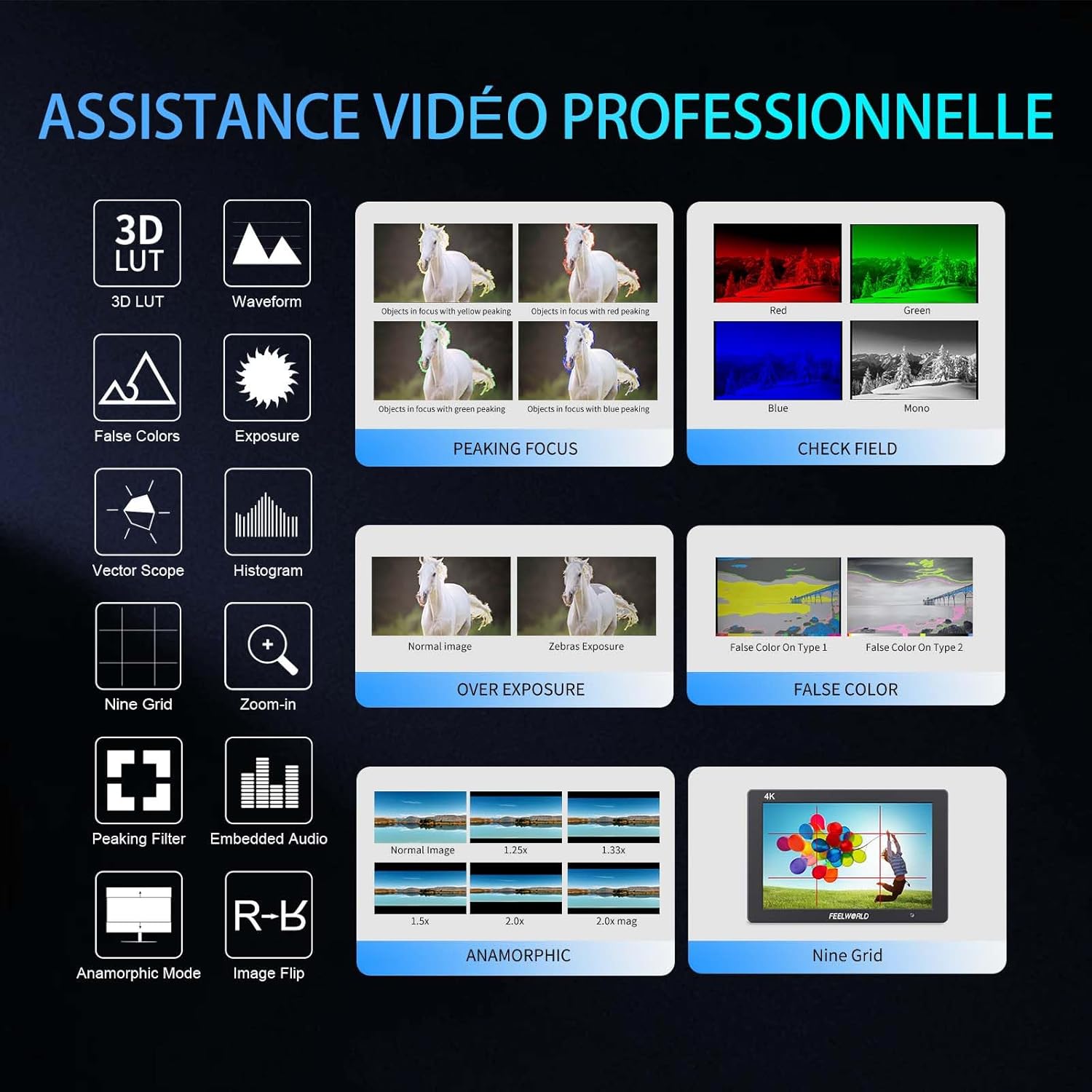
- Advanced Customization Functions: Supports 32 custom 3D LUTs and professional tools including waveform, vector scope, RGB histogram, peaking focus, false color, and more for precise control during shooting.
- ബഹുമുഖ കണക്റ്റിവിറ്റി: Equipped with 4K HDMI input and output, allowing simultaneous display and transmission of live signals to other monitors without compromising video quality.
- Lightweight and Durable Design: Slim 18mm aluminum casing, weighing only 320g.
- ഫ്ലെക്സിബിൾ പവർ ഓപ്ഷനുകൾ: Compatible with F550/F970 series batteries and DC 12V power input.
2.2 ഘടകങ്ങൾ
പാക്കേജിൽ ഇനിപ്പറയുന്ന ഇനങ്ങൾ ഉൾപ്പെടുന്നു:
- 1 x FEELWORLD T7PLUS Monitor
- 1 x മിനി HDMI കേബിൾ
- 1 x സൺഷെയ്ഡ്
- 1 x Warming Boot Holder
- 1 x F970 Battery Plate
- 1 x F550 Battery
- 1 x ഉപയോക്തൃ മാനുവൽ
- 1 x യുഎസ്ബി അഡാപ്റ്റർ കേബിൾ
- 1 x ബാഗ്

ചിത്രം: മുൻഭാഗം view of the FEELWORLD T7PLUS monitor, showcasing യുടെ 7 ഇഞ്ച് ഡിസ്പ്ലേ.

Image: A visual representation of all items included in the FEELWORLD T7PLUS package, including the monitor, cables, battery, and accessories.
3. സജ്ജീകരണം
3.1 മോണിറ്റർ മൌണ്ട് ചെയ്യൽ
The T7PLUS monitor can be mounted using the included warming boot holder or other compatible mounting solutions. Ensure the monitor is securely attached to your camera rig or stand.

Image: The FEELWORLD T7PLUS monitor shown mounted on top of a DSLR camera, ready for use.
3.2 പവർ കണക്ഷൻ
The monitor supports two power input methods:
- ബാറ്ററി പവർ: Attach a compatible F550 or F970 series battery to the F970 battery plate on the back of the monitor.
- DC 12V Power: Connect a 12V/1.5A DC power adapter to the DC 12V input port on the side of the monitor.

ചിത്രം: ക്ലോസ്-അപ്പ് view of the rear of the FEELWORLD T7PLUS monitor, highlighting the battery plate and DC 12V power input port.
3.3 HDMI കണക്ഷൻ
Connect your camera or video source to the HDMI-IN port using the provided Mini HDMI cable. If you need to output the signal to another monitor, use the HDMI-OUT port.
ചിത്രം: വശം view of the FEELWORLD T7PLUS monitor, showing the HDMI-IN and HDMI-OUT ports, along with the DC 12V input and headphone jack.
4. പ്രവർത്തന നിർദ്ദേശങ്ങൾ
4.1 അടിസ്ഥാന നിയന്ത്രണങ്ങൾ
നാവിഗേഷനും പ്രവർത്തന നിയന്ത്രണത്തിനുമായി മോണിറ്ററിൽ നിരവധി ബട്ടണുകൾ ഉണ്ട്:
- പവർ ബട്ടൺ: Press and hold to turn the monitor on/off.
- മെനു ബട്ടൺ: പ്രധാന മെനുവിൽ പ്രവേശിക്കുന്നു.
- അമ്പടയാള ബട്ടണുകൾ (മുകളിലേക്ക്/താഴേക്ക്/ഇടത്/വലത്): Navigate through menu options and adjust settings.
- F1-F4 Function Buttons: Customizable shortcut buttons for quick access to frequently used features.

Image: Close-up of the control buttons on the top edge of the FEELWORLD T7PLUS monitor, including power, menu, navigation, and customizable function buttons (F1-F4).
4.2 മെനു നാവിഗേഷൻ
Press the MENU button to open the main menu. Use the arrow buttons to navigate through categories and options. Press the MENU button again or the right arrow to confirm selections. To exit the menu, press the left arrow button repeatedly until the menu closes.
5. വിപുലമായ സവിശേഷതകൾ
5.1 3D LUT (Look Up Table)
The T7PLUS supports loading up to 32 custom 3D LUTs via a USB drive. This allows you to preview നിങ്ങളുടെ ഫൂtage with specific color grades in real-time.
- നിങ്ങളുടെ .cube LUT സംരക്ഷിക്കുക files to the root directory of a USB drive.
- Connect the USB drive to the monitor's USB port.
- Navigate to the "LUT" menu option.
- Select "Load LUT" and choose your desired LUT file.
- You can switch between loaded LUTs for quick comparison.

Image: The FEELWORLD T7PLUS monitor displaying the 3D LUT menu, showing options for loading and managing custom LUT fileഒരു USB ഡ്രൈവിൽ നിന്നുള്ള എസ്.
5.2 Waveform, Vector Scope, and Histogram
These tools provide detailed analysis of your video signal, helping you achieve accurate exposure and color balance.
- തരംഗരൂപം: Displays the luminance and chrominance levels of your video signal.
- വെക്റ്റർ വ്യാപ്തി: Shows the color hue and saturation.
- RGB ഹിസ്റ്റോഗ്രാം: Illustrates the distribution of red, green, and blue color channels.
These functions can be activated individually or simultaneously via the menu or assigned to a function button.
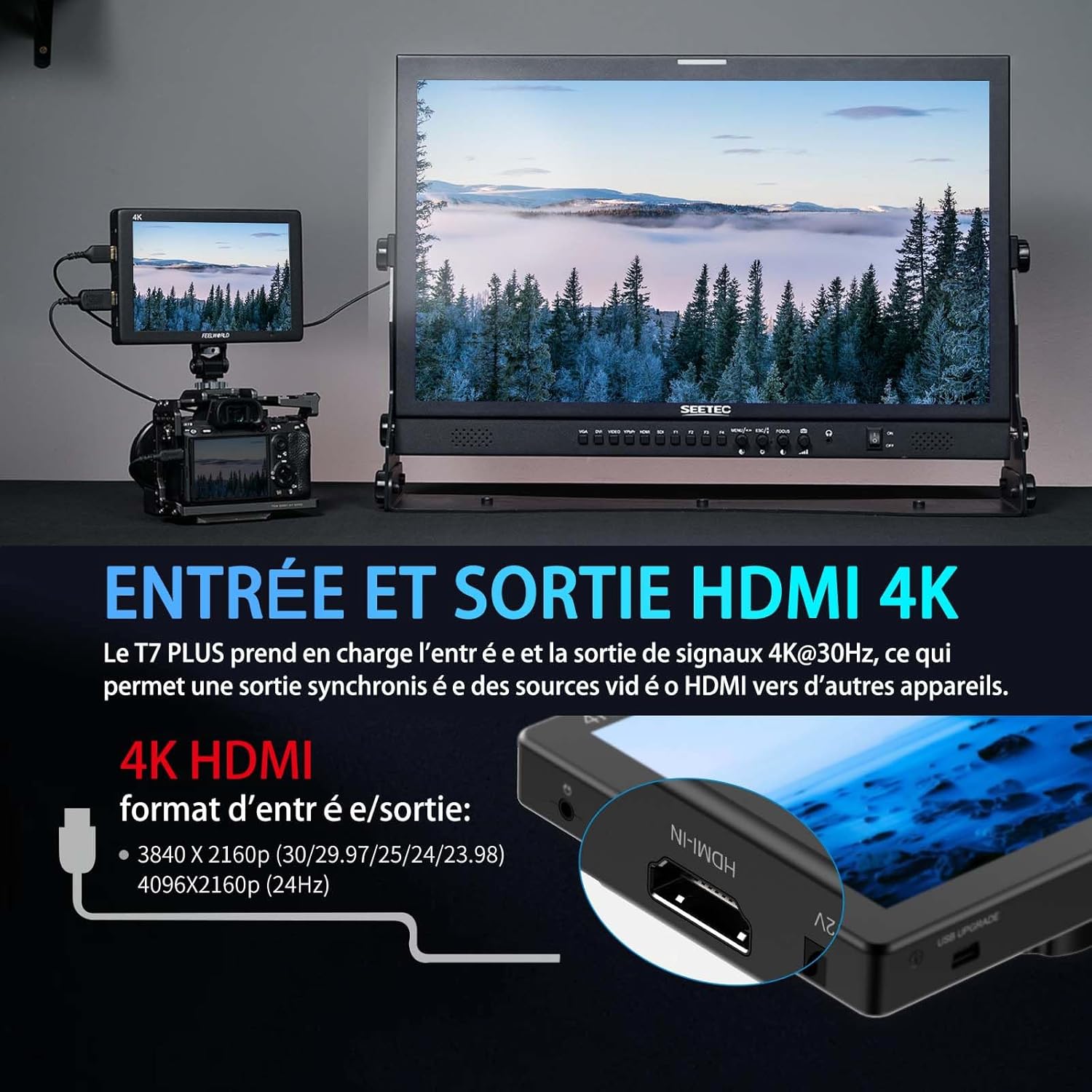
Image: The FEELWORLD T7PLUS monitor displaying a waveform monitor, showing the luminance and chrominance levels of the video input.
5.3 Other Monitoring Tools
- പീക്കിംഗ് ഫോക്കസ് അസിസ്റ്റ്: Highlights sharp edges to aid in achieving precise focus.
- തെറ്റായ നിറം: Displays exposure levels using a spectrum of colors.
- എക്സ്പോഷർ (സീബ്രകൾ): Indicates overexposed areas with zebra patterns.
- വലുതാക്കുക: ക്രിട്ടിക്കൽ ഫോക്കസിനായി ചിത്രത്തിന്റെ ഒരു ഭാഗം വലുതാക്കുന്നു.
- ഒമ്പത് ഗ്രിഡ്: Overlays a grid for composition assistance.
- അനാമോർഫിക് മോഡ്: അനാമോർഫിക് ഫൂ ഡീ-സ്ക്വീസസ് ചെയ്യുന്നുtage.
- ഇമേജ് ഫ്ലിപ്പ്: ചിത്രം തിരശ്ചീനമായോ ലംബമായോ ഫ്ലിപ്പുചെയ്യുന്നു.
- ഉൾച്ചേർത്ത ഓഡിയോ: HDMI ഇൻപുട്ടിൽ നിന്നുള്ള ഓഡിയോ ലെവലുകൾ പ്രദർശിപ്പിക്കുന്നു.
6 സ്പെസിഫിക്കേഷനുകൾ
| ഫീച്ചർ | സ്പെസിഫിക്കേഷൻ |
|---|---|
| ബ്രാൻഡ് | ഫീൽവേൾഡ് |
| മോഡൽ നമ്പർ | T7 പ്ലസ് |
| സ്ക്രീൻ വലിപ്പം | 7 ഇഞ്ച് |
| റെസലൂഷൻ | 1920 x 1200 (UXGA Wide) |
| വീക്ഷണാനുപാതം | 16:10 |
| കോൺട്രാസ്റ്റ് റേഷ്യോ | 1200:1 |
| തെളിച്ചം | 450 നിറ്റ് |
| പുതുക്കിയ നിരക്ക് | 60 Hz |
| Viewing ആംഗിൾ | 178 ഡിഗ്രി |
| കണക്റ്റിവിറ്റി ടെക്നോളജി | HDMI |
| HDMI പോർട്ടുകൾ | 1x HDMI-IN, 1x HDMI-OUT (Supports 4K@30Hz) |
| പ്രത്യേക ഫീച്ചർ | Advanced Customization with 3D LUT |
| അനുയോജ്യമായ ഉപകരണങ്ങൾ | DSLR Camera, Camcorder, Handheld Stabilizer |
| ഭാരം | 1 Kilogram (approx. 320g for monitor only) |
| പവർ ഇൻപുട്ട് | DC 12V, NP-F ബാറ്ററി പ്ലേറ്റ് |
7. പ്രശ്നപരിഹാരം
- ശക്തിയില്ല:
- Ensure the battery is fully charged and correctly inserted, or the DC adapter is securely connected to a power source.
- ശരിയായ ഇടപെടലിനായി പവർ ബട്ടൺ പരിശോധിക്കുക.
- സിഗ്നലില്ല:
- Verify that the HDMI cable is securely connected to both the camera/source and the monitor's HDMI-IN port.
- Confirm the camera's HDMI output settings are correct and active.
- മറ്റൊരു HDMI കേബിൾ പരീക്ഷിക്കുക.
- ഇമേജ് വികലമാക്കൽ/തെറ്റായ നിറങ്ങൾ:
- Check the monitor's color settings and ensure no LUTs are incorrectly applied.
- Verify the camera's video output format is compatible with the monitor.
- ബട്ടണുകൾ പ്രതികരിക്കുന്നില്ല:
- Restart the monitor by turning it off and on again.
- ബട്ടണുകളിൽ അവശിഷ്ടങ്ങൾ ഒന്നും തന്നെ തടസ്സമാകുന്നില്ലെന്ന് ഉറപ്പാക്കുക.
8. പരിപാലനം
- വൃത്തിയാക്കൽ: Use a soft, dry cloth to clean the monitor's body. For the screen, use a specialized screen cleaning solution and a microfiber cloth. Avoid harsh chemicals or abrasive materials.
- സംഭരണം: When not in use, store the monitor in a cool, dry place, away from direct sunlight and extreme temperatures. Use the provided bag for protection during transport.
- ബാറ്ററി കെയർ: If using batteries, ensure they are charged periodically even when not in use to maintain battery health.
9. വാറൻ്റിയും പിന്തുണയും
The FEELWORLD T7PLUS monitor comes with a 1 വർഷത്തെ വാറൻ്റി from the FEELWORLD Official Store. For technical support, service, or warranty claims, please contact FEELWORLD customer service through their official channels or the retailer where the product was purchased.
കൂടുതൽ വിവരങ്ങൾക്ക്, സന്ദർശിക്കുക FEELWORLD Brand Store.
10. ഉൽപ്പന്ന വീഡിയോ
Video: A short product showcase of the FEELWORLD T7PLUS monitor, demonstrating its physical design, various ports (HDMI-IN, HDMI-OUT, DC 12V), and control buttons. This video provides a visual overview of the monitor's external features and connectivity options.