
ആമുഖം
This manual provides detailed instructions for the setup, operation, maintenance, and troubleshooting of your Trust Urban Bluetooth Wireless Headphones, Model 22764. Please read this manual carefully before using the product to ensure proper functionality and to maximize your listening experience.
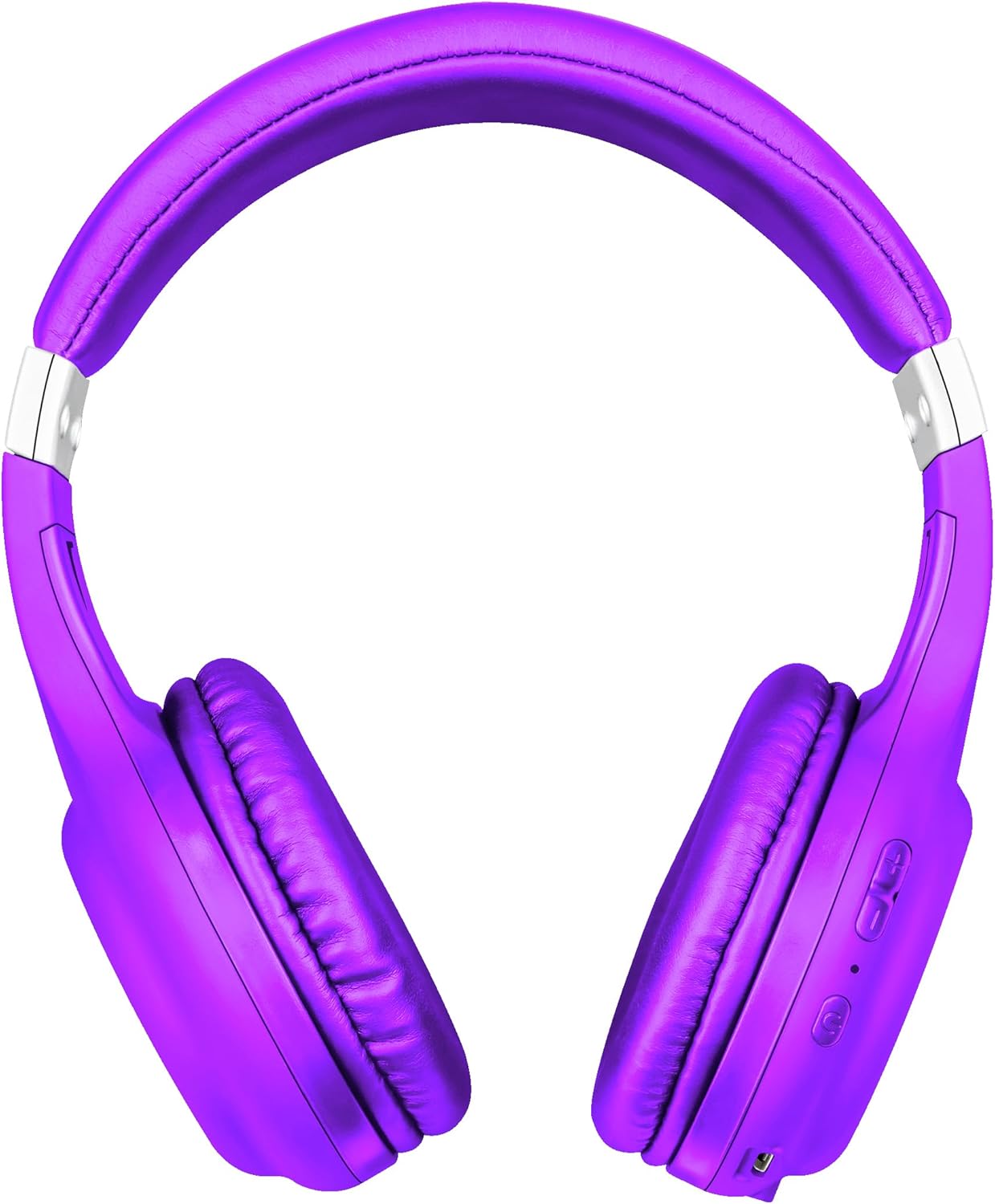
ചിത്രം: മുൻഭാഗം view of the Trust Urban Bluetooth Wireless Headphones in purple.
സജ്ജമാക്കുക
1. ഹെഡ്ഫോണുകൾ ചാർജ് ചെയ്യുന്നു
Before first use, fully charge your headphones. A USB charging cable is included.
- യുഎസ്ബി ചാർജിംഗ് കേബിളിന്റെ ചെറിയ അറ്റം ഹെഡ്ഫോണുകളിലെ ചാർജിംഗ് പോർട്ടുമായി ബന്ധിപ്പിക്കുക.
- Connect the larger end of the USB cable to a USB power source (e.g., computer USB port, USB wall adapter).
- The LED indicator on the headphones will show the charging status. It typically turns off or changes color when fully charged.
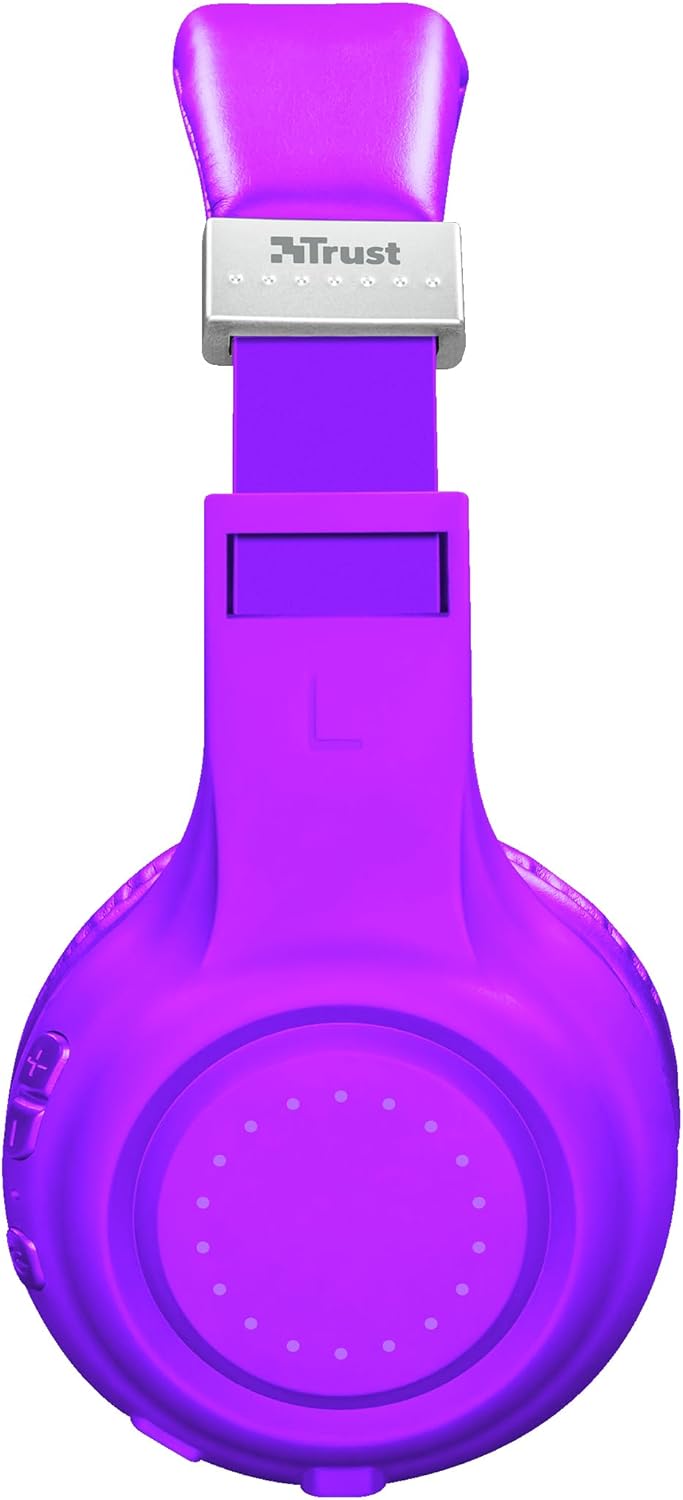
ചിത്രം: വശം view of the headphones, highlighting the charging port and control buttons.
2. ബ്ലൂടൂത്ത് ജോടിയാക്കൽ
നിങ്ങളുടെ ഹെഡ്ഫോണുകൾ ഒരു ഉപകരണത്തിലേക്ക് വയർലെസ് ആയി ബന്ധിപ്പിക്കാൻ:
- ഹെഡ്ഫോണുകൾ ചാർജ്ജ് ചെയ്തിട്ടുണ്ടെന്നും ഓഫാക്കിയിട്ടുണ്ടെന്നും ഉറപ്പാക്കുക.
- Press and hold the Power button on the headphones until the LED indicator flashes rapidly (usually blue and red), indicating pairing mode.
- നിങ്ങളുടെ ഉപകരണത്തിൽ (സ്മാർട്ട്ഫോൺ, ടാബ്ലെറ്റ്, ലാപ്ടോപ്പ്), ബ്ലൂടൂത്ത് പ്രവർത്തനക്ഷമമാക്കി പുതിയ ഉപകരണങ്ങൾക്കായി തിരയുക.
- Select "Trust Dura" or a similar name from the list of available devices.
- Once connected, the LED indicator on the headphones will typically flash slowly or turn solid blue.
The headphones have a wireless range of up to 10 meters.
3. വയർഡ് കണക്ഷൻ (ഓപ്ഷണൽ)
You can also use the headphones with a 3.5mm audio cable (not always included, check packaging) for a wired connection, which is useful when the battery is low or for devices without Bluetooth.
- Connect one end of the 3.5mm audio cable to the headphone jack on the headphones.
- മറ്റേ അറ്റം നിങ്ങളുടെ ഉപകരണത്തിന്റെ 3.5mm ഓഡിയോ ഔട്ട്പുട്ടിലേക്ക് ബന്ധിപ്പിക്കുക.
- ഹെഡ്ഫോണുകൾ സ്വയമേവ വയർഡ് മോഡിലേക്ക് മാറും.
പ്രവർത്തന നിർദ്ദേശങ്ങൾ
പവർ ഓൺ/ഓഫ്
- പവർ ഓൺ: പവർ ബട്ടൺ ഏകദേശം 3 സെക്കൻഡ് അമർത്തിപ്പിടിക്കുക.
- പവർ ഓഫ്: Press and hold the Power button for approximately 3-5 seconds.
സംഗീത പ്ലേബാക്ക്
- പ്ലേ/താൽക്കാലികമായി നിർത്തുക: മൾട്ടി-ഫംഗ്ഷൻ ബട്ടൺ (പലപ്പോഴും പവർ ബട്ടൺ) ഒരിക്കൽ അമർത്തുക.
- അടുത്ത ട്രാക്ക്: വോളിയം അപ്പ് (+) ബട്ടൺ അമർത്തിപ്പിടിക്കുക.
- മുമ്പത്തെ ട്രാക്ക്: വോളിയം ഡൗൺ (-) ബട്ടൺ അമർത്തിപ്പിടിക്കുക.
വോളിയം നിയന്ത്രണം
- വോളിയം വർദ്ധിപ്പിക്കുക: വോളിയം അപ്പ് (+) ബട്ടൺ അമർത്തുക.
- വോളിയം കുറയ്ക്കുക: വോളിയം ഡൗൺ (-) ബട്ടൺ അമർത്തുക.
കോൾ മാനേജുമെന്റ്
The headphones feature a built-in microphone for hands-free calls.
- ഉത്തരം/അവസാന കോൾ: മൾട്ടി-ഫംഗ്ഷൻ ബട്ടൺ ഒരിക്കൽ അമർത്തുക.
- കോൾ നിരസിക്കുക: മൾട്ടി-ഫംഗ്ഷൻ ബട്ടൺ ഏകദേശം 2 സെക്കൻഡ് അമർത്തിപ്പിടിക്കുക.
- അവസാന നമ്പർ വീണ്ടും ഡയൽ ചെയ്യുക: മൾട്ടി-ഫംഗ്ഷൻ ബട്ടൺ ഇരട്ട-അമർത്തുക.
വോയ്സ് അസിസ്റ്റൻ്റ്
Quickly access your smartphone's voice assistant (Siri, Google Assistant, etc.):
- വോയ്സ് അസിസ്റ്റന്റിനെ സജീവമാക്കുക: Press the Voice Assistant button (if available, or a specific combination as per device). Refer to your device's manual for specific button functions if not clearly marked.
മെയിൻ്റനൻസ്
- വൃത്തിയാക്കൽ: ഹെഡ്ഫോണുകൾ വൃത്തിയാക്കാൻ മൃദുവായതും ഉണങ്ങിയതുമായ തുണി ഉപയോഗിക്കുക. അബ്രാസീവ് ക്ലീനറുകളോ ലായകങ്ങളോ ഉപയോഗിക്കരുത്.
- സംഭരണം: നേരിട്ടുള്ള സൂര്യപ്രകാശത്തിൽ നിന്നും കടുത്ത താപനിലയിൽ നിന്നും മാറി തണുത്തതും വരണ്ടതുമായ സ്ഥലത്ത് ഹെഡ്ഫോണുകൾ സൂക്ഷിക്കുക.
- ബാറ്ററി കെയർ: ബാറ്ററി ലൈഫ് വർദ്ധിപ്പിക്കാൻ, ബാറ്ററി ഇടയ്ക്കിടെ പൂർണ്ണമായും ഡിസ്ചാർജ് ചെയ്യുന്നത് ഒഴിവാക്കുക. ദീർഘനേരം ഉപയോഗത്തിലില്ലെങ്കിൽ പോലും ഹെഡ്ഫോണുകൾ പതിവായി ചാർജ് ചെയ്യുക.
- ഈർപ്പം ഒഴിവാക്കുക: ഹെഡ്ഫോണുകൾ വെള്ളത്തിലോ അമിതമായ ഈർപ്പത്തിലോ തുറന്നുകാട്ടരുത്.
ട്രബിൾഷൂട്ടിംഗ്
| പ്രശ്നം | പരിഹാരം |
|---|---|
| ഹെഡ്ഫോണുകൾ ഓണാക്കുന്നില്ല. | Ensure the headphones are fully charged. Connect them to a power source using the USB cable. |
| ഒരു ഉപകരണവുമായി ജോടിയാക്കാൻ കഴിയില്ല. |
|
| ശബ്ദമില്ല അല്ലെങ്കിൽ കുറഞ്ഞ ശബ്ദമില്ല. |
|
| മൈക്രോഫോൺ പ്രവർത്തിക്കുന്നില്ല. |
|
സ്പെസിഫിക്കേഷനുകൾ
| മോഡലിൻ്റെ പേര് | ദുര |
| മോഡൽ നമ്പർ | 22764 |
| ബ്രാൻഡ് | വിശ്വസിക്കുക |
| നിറം | പർപ്പിൾ |
| ഫോം ഫാക്ടർ | ഓവർ-ചെവി |
| കണക്റ്റിവിറ്റി ടെക്നോളജി | വയർലെസ്സ് (ബ്ലൂടൂത്ത്), വയർഡ് (3.5mm ജാക്ക്) |
| വയർലെസ് ശ്രേണി | 10 മീറ്റർ |
| ബാറ്ററി ലൈഫ് (പ്ലേടൈം) | 6 മണിക്കൂർ വരെ |
| ബാറ്ററി തരം | Lithium-ion (rechargeable, included) |
| ചാർജിംഗ് പോർട്ട് | യുഎസ്ബി (കേബിൾ ഉൾപ്പെടുത്തിയിരിക്കുന്നു) |
| ബിൽറ്റ്-ഇൻ മൈക്രോഫോൺ | അതെ |
| നിയന്ത്രണ തരം | Buttons for volume, media, call management, voice assistant access |
| അനുയോജ്യമായ ഉപകരണങ്ങൾ | Mobile phones, Tablets, Laptops, Desktop computers |
| മെറ്റീരിയൽ | പ്ലാസ്റ്റിക് |
| ഉൽപ്പന്ന അളവുകൾ | 4 x 5.5 x 9.5 സെ.മീ; 190 ഗ്രാം |
വാറൻ്റി വിവരങ്ങൾ
Trust products are manufactured to high quality standards. For detailed warranty terms and conditions, please refer to the official Trust website or the warranty card included with your purchase. Typically, Trust offers a limited warranty against defects in materials and workmanship from the date of original purchase.
ഏതെങ്കിലും വാറന്റി ക്ലെയിമുകൾക്കായി നിങ്ങളുടെ വാങ്ങിയതിന്റെ തെളിവ് സൂക്ഷിക്കുക.
പിന്തുണ
For further assistance, technical support, or frequently asked questions, please visit the official Trust support webസൈറ്റ്:
www.trust.com/support (ട്രസ്റ്റ്.കോം)
You may also find additional resources and contact information on their webസൈറ്റ്.