
ആമുഖം
This manual provides instructions for the setup, operation, and maintenance of your MARATHON Atomic Wall Clock. This clock features a large 9-inch digital display, automatic time synchronization, multiple display modes, and indoor temperature readings. Please read this manual thoroughly before use.
സജ്ജമാക്കുക
1. ബാറ്ററി ഇൻസ്റ്റാളേഷൻ
The clock requires three AAA batteries (included). Locate the battery compartment on the back of the clock. Insert the batteries, ensuring correct polarity (+/-). The clock will power on and begin searching for the atomic time signal.

ചിത്രം: പിൻഭാഗം view of the clock, highlighting the battery compartment and control buttons for setup.
2. പ്രാരംഭ ആറ്റോമിക് സമയ സമന്വയം
Upon battery installation, the clock will automatically attempt to synchronize with the NIST radio frequency broadcast from Colorado. This process may take several minutes to several hours, depending on your location and environmental conditions. For optimal reception, place the clock near a window, away from electronic devices that may cause interference.

Image: The clock displaying time, date, and temperature, emphasizing its ease of use and battery inclusion.
3. സമയ മേഖല തിരഞ്ഞെടുക്കൽ
After successful synchronization, you may need to set your local time zone. This clock supports eight North American time zones: Pacific, Mountain, Central, Eastern, Atlantic, Newfoundland, Alaska, and Hawaii. Refer to the buttons on the back of the clock to cycle through and select the appropriate time zone.
4. ഡേലൈറ്റ് സേവിംഗ് ടൈം (DST)
The clock is designed to automatically adjust for Daylight Saving Time. Ensure the DST setting is enabled according to your region's requirements. This setting is typically found near the time zone selection buttons on the back of the unit.
പ്രവർത്തന നിർദ്ദേശങ്ങൾ
1. ഡിസ്പ്ലേ മോഡുകൾ
The clock offers multiple display modes to show various information. Use the designated buttons (e.g., 'MODE' or 'DISPLAY') on the back of the clock to switch between the following:
- സമയ പ്രദർശനം: നിലവിലെ സമയം AM/PM അല്ലെങ്കിൽ 24-മണിക്കൂർ ഫോർമാറ്റിൽ കാണിക്കുന്നു.
- തീയതി പ്രദർശനം: മാസം, പ്രവൃത്തിദിനം, തീയതി എന്നിവ കാണിക്കുന്നു.
- ഇൻഡോർ താപനില ഡിസ്പ്ലേ: Shows the current indoor room temperature in Celsius or Fahrenheit.

ചിത്രം: വിശദമായത് view of the clock's dynamic display, showing time, date, day, and temperature.
2. Manual Time/Date Adjustment (If Needed)
In rare cases where atomic synchronization is not possible or desired, the time and date can be set manually. Consult the specific button functions on the back of your clock (e.g., 'TIME SET' button) to enter manual adjustment mode. Follow the on-screen prompts to set the time, date, and year.
ഫീച്ചറുകൾ
- Self-Setting and Self-Adjusting: Automatically synchronizes with the NIST atomic clock for precise timekeeping.
- Large 9-Inch Digital Display: Provides clear and easy-to-read numbers.
- ഒന്നിലധികം ഡിസ്പ്ലേ മോഡുകൾ: Choose between AM/PM or 24-hour time, date (month, weekday, date), and indoor temperature (°C/°F).
- Eight North American Time Zones: Select your specific time zone for accurate local time.
- ഇൻഡോർ താപനില ഡിസ്പ്ലേ: Monitors and displays the ambient room temperature.
- ബഹുമുഖ മൗണ്ടിംഗ് ഓപ്ഷനുകൾ: Designed for wall mounting or tabletop placement using the integrated fold-out stand.
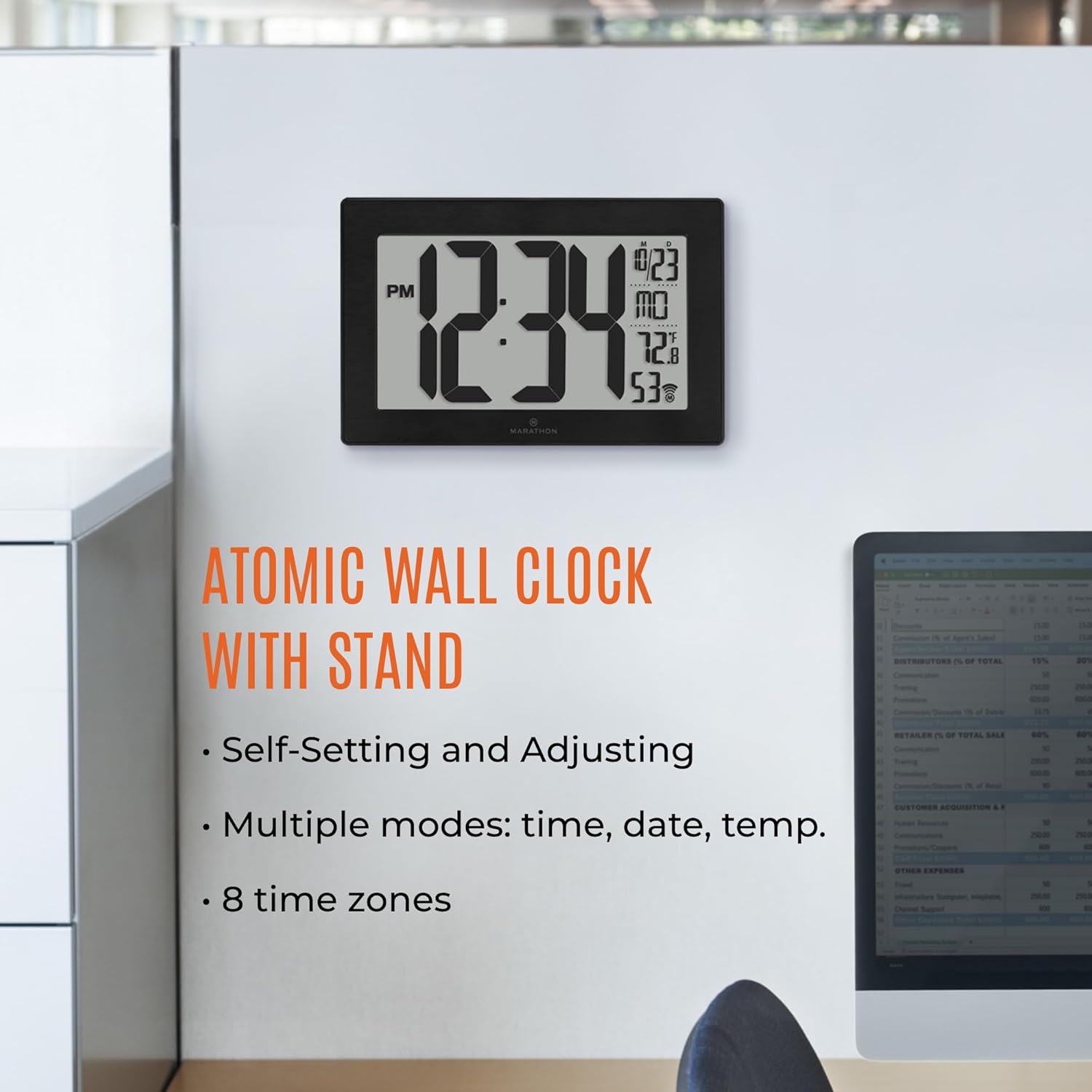
Image: The clock with callouts pointing to its various display features and functions.

Image: The clock positioned on a surface, demonstrating the use of its fold-out stand.
മെയിൻ്റനൻസ്
1. ബാറ്ററി മാറ്റിസ്ഥാപിക്കൽ
When the display dims or the clock stops functioning, replace the three AAA batteries. Always replace all batteries at the same time with new ones. Dispose of old batteries responsibly.
2. വൃത്തിയാക്കൽ
Clean the clock's display and frame with a soft, dry cloth. Avoid using abrasive cleaners or chemical sprays, as these can damage the finish or screen.
ട്രബിൾഷൂട്ടിംഗ്
| പ്രശ്നം | സാധ്യമായ കാരണം | പരിഹാരം |
|---|---|---|
| Clock not synchronizing | Weak atomic signal, interference, incorrect time zone. | Relocate the clock near a window, away from electronics. Ensure correct time zone is selected. Perform a manual signal search if available. |
| തെറ്റായ സമയം/തീയതി പ്രദർശിപ്പിച്ചിരിക്കുന്നു | Failed synchronization, incorrect manual setting, dead batteries. | Check batteries. Initiate atomic synchronization. Manually set time/date if necessary. |
| താപനില വായന കൃത്യമല്ല | Clock placed near heat/cold source, sensor obstruction. | Move the clock to a location with stable ambient temperature. Ensure the sensor area is clear. |
| ഡിസ്പ്ലേ മങ്ങിയതോ ശൂന്യമോ ആണ് | കുറഞ്ഞതോ ചത്തതോ ആയ ബാറ്ററികൾ. | മൂന്ന് AAA ബാറ്ററികളും പുതിയവ ഉപയോഗിച്ച് മാറ്റിസ്ഥാപിക്കുക. |
സ്പെസിഫിക്കേഷനുകൾ
- മോഡൽ: CL030068
- ഡിസ്പ്ലേ തരം: ഡിജിറ്റൽ
- സ്ക്രീൻ വലിപ്പം: 9 ഇഞ്ച്
- ഉൽപ്പന്ന അളവുകൾ: 9.45"ആംശം x 6.3"ആംശം
- ഊർജ്ജ സ്രോതസ്സ്: ബാറ്ററി പവർ (3 x AAA ബാറ്ററികൾ ഉൾപ്പെടുത്തിയിരിക്കുന്നു)
- ഫ്രെയിം മെറ്റീരിയൽ: സ്റ്റെയിൻലെസ്സ് സ്റ്റീൽ
- പ്രവർത്തന രീതി: ആറ്റോമിക്
- പ്രത്യേക സവിശേഷതകൾ: Temperature Display, 8 Time Zones, AM/PM or 24-Hour Format
- മൗണ്ടിംഗ് തരം: Wall Mount, Tabletop Stand

Image: The clock with its physical dimensions clearly indicated.
വാറൻ്റിയും പിന്തുണയും
This MARATHON Atomic Wall Clock comes with a പരിമിത വാറൻ്റി. For detailed information regarding warranty coverage, terms, and conditions, please refer to the warranty card included with your product or visit the official MARATHON website. For technical support, troubleshooting assistance, or to inquire about replacement parts, please contact MARATHON customer service through their official channels.