
ആമുഖം
The Laney MINI-SUPERG is a compact, battery-powered guitar amplifier designed for portability and versatile use. It features a clean and drive channel, essential tone controls, and a unique Laney Smartphone Insert (LSI) for integrating with guitar tone-generating applications. This manual provides detailed instructions for the proper setup, operation, and maintenance of your MINI-SUPERG ampജീവൻ.
പ്രധാനപ്പെട്ട സുരക്ഷാ വിവരങ്ങൾ
- യൂണിറ്റ് പ്രവർത്തിപ്പിക്കുന്നതിന് മുമ്പ് ഈ നിർദ്ദേശങ്ങൾ നന്നായി വായിക്കുക.
- ഭാവി റഫറൻസിനായി ഈ നിർദ്ദേശങ്ങൾ സൂക്ഷിക്കുക.
- എല്ലാ മുന്നറിയിപ്പുകളും ശ്രദ്ധിക്കുകയും എല്ലാ നിർദ്ദേശങ്ങളും പാലിക്കുകയും ചെയ്യുക.
- വെള്ളത്തിനടുത്ത് ഈ ഉപകരണം ഉപയോഗിക്കരുത്.
- ഉണങ്ങിയ തുണി ഉപയോഗിച്ച് മാത്രം വൃത്തിയാക്കുക.
- വെന്റിലേഷൻ തുറസ്സുകളൊന്നും തടയരുത്. നിർമ്മാതാവിന്റെ നിർദ്ദേശങ്ങൾക്കനുസൃതമായി ഇൻസ്റ്റാൾ ചെയ്യുക.
- റേഡിയറുകൾ, ഹീറ്റ് രജിസ്റ്ററുകൾ, സ്റ്റൗകൾ, അല്ലെങ്കിൽ മറ്റ് ഉപകരണങ്ങൾ (ഉൾപ്പെടെ) പോലെയുള്ള താപ സ്രോതസ്സുകൾക്ക് സമീപം ഇൻസ്റ്റാൾ ചെയ്യരുത്. ampലൈഫയറുകൾ) ചൂട് ഉത്പാദിപ്പിക്കുന്നത്.
- നിർമ്മാതാവ് വ്യക്തമാക്കിയ അറ്റാച്ച്മെൻ്റുകൾ/ആക്സസറികൾ മാത്രം ഉപയോഗിക്കുക.
- യോഗ്യതയുള്ള സേവന ഉദ്യോഗസ്ഥർക്ക് എല്ലാ സേവനങ്ങളും റഫർ ചെയ്യുക. ഉപകരണം ഏതെങ്കിലും വിധത്തിൽ കേടുവരുമ്പോൾ സർവീസ് ആവശ്യമാണ്.
- ബാറ്ററി സുരക്ഷ: Use only the specified battery type (6 x AA). Ensure correct polarity when installing. Do not mix old and new batteries, or different types of batteries. Remove batteries if the unit is not used for extended periods.
പാക്കേജ് ഉള്ളടക്കം
Please check the contents of your product packaging carefully. If any items are missing or damaged, contact your retailer immediately.
- Laney MINI-SUPERG Ampജീവപര്യന്തം
- ഉപയോക്തൃ മാനുവൽ
- LSI Cable (if included with your model)
നിയന്ത്രണങ്ങളും സവിശേഷതകളും
ഫ്രണ്ട് പാനൽ നിയന്ത്രണങ്ങൾ
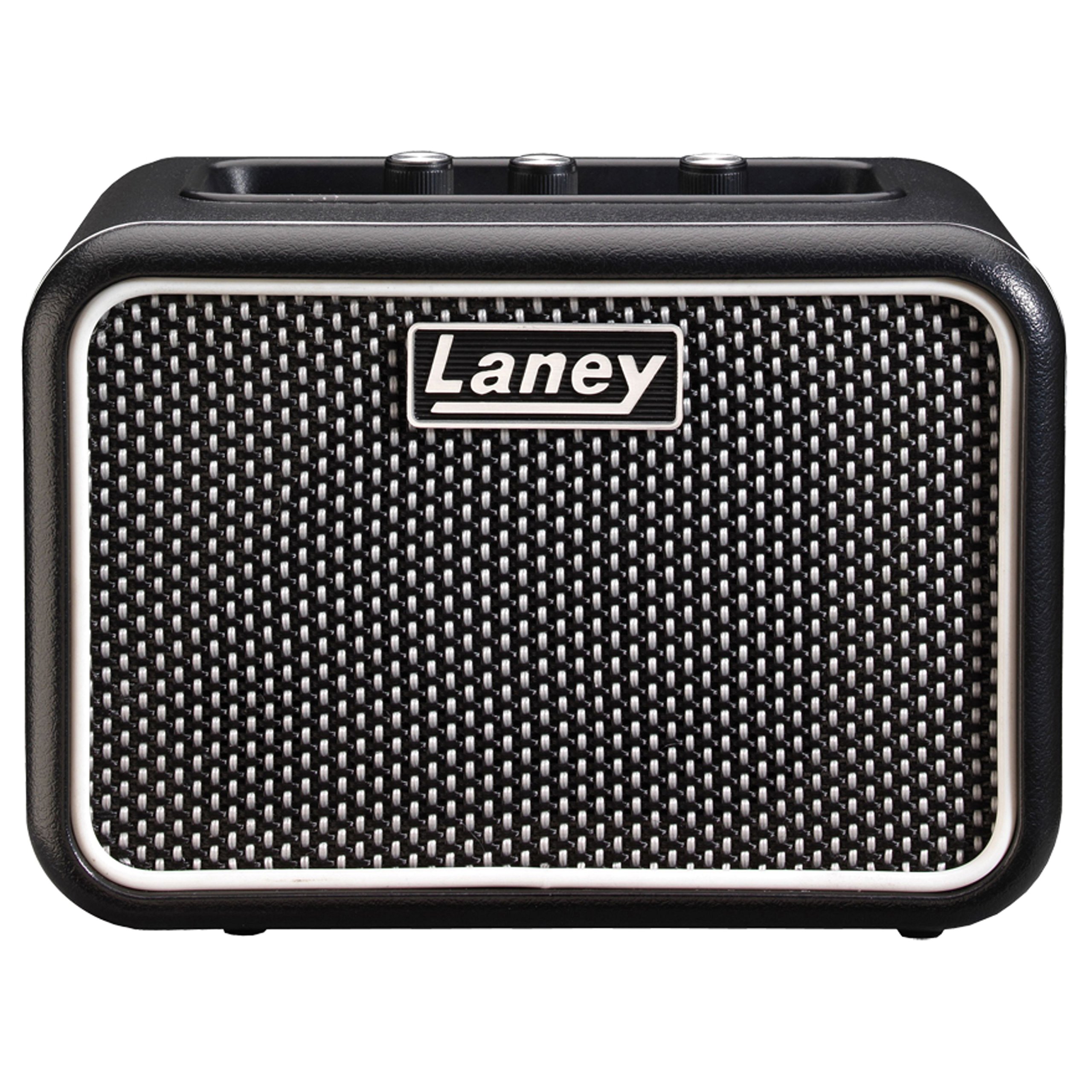
ചിത്രം: Front panel of the Laney MINI-SUPERG amplifier, showing the input jack, gain, tone, and volume knobs, drive switch, AUX IN, LSI port, power button, and headphone jack.
- ഇൻപുട്ട്: 1/4-inch jack for connecting your guitar.
- ഡ്രൈവ് സ്വിച്ച്: Engages the overdrive channel for a distorted guitar tone.
- ഗെയിൻ: Controls the amount of input signal and overdrive when the DRIVE switch is engaged.
- ടോൺ: മൊത്തത്തിലുള്ള ടോണൽ സ്വഭാവം ഇരുണ്ടതിൽ നിന്ന് കൂടുതൽ തിളക്കമുള്ളതിലേക്ക് ക്രമീകരിക്കുന്നു.
- ഓക്സ് ഇൻ: 3.5mm stereo input for connecting external audio sources like MP3 players or smartphones for backing tracks.
- LSI (Laney Smartphone Insert): 3.5mm TRRS jack for connecting your smartphone or tablet to use with tone-generating apps.
- വ്യാപ്തം: യുടെ മൊത്തത്തിലുള്ള ഔട്ട്പുട്ട് ലെവൽ നിയന്ത്രിക്കുന്നു ampജീവൻ.
- പവർ: ഇതിനായുള്ള ഓൺ/ഓഫ് ബട്ടൺ amplifier. An indicator light will illuminate when on.
- ഹെഡ്ഫോൺ: 3.5mm stereo output for private practice. Connecting headphones mutes the internal speaker.
പിൻ പാനൽ സവിശേഷതകൾ

ചിത്രം: Rear panel of the Laney MINI-SUPERG amplifier, showing the battery compartment cover and product information label.
- ബാറ്ററി കമ്പാർട്ട്മെൻ്റ്: Houses 6 x AA batteries for portable power.
- ഉൽപ്പന്ന വിവര ലേബൽ: Contains model number, serial number, and compliance markings.
സജ്ജമാക്കുക
1. ബാറ്ററി ഇൻസ്റ്റാളേഷൻ
- ഉറപ്പാക്കുക ampലൈഫയർ ഓഫാണ്.
- യൂണിറ്റിന്റെ പിൻഭാഗത്ത് ബാറ്ററി കമ്പാർട്ട്മെന്റ് കണ്ടെത്തുക.
- തുറക്കാൻ ബാറ്ററി കമ്പാർട്ട്മെന്റ് കവർ താഴേക്ക് സ്ലൈഡ് ചെയ്യുക.
- Insert 6 x AA batteries, observing the correct polarity (+/-) as indicated inside the compartment.
- ബാറ്ററി കമ്പാർട്ട്മെന്റ് കവർ മാറ്റിസ്ഥാപിക്കുക, അത് സുരക്ഷിതമായി സ്ഥലത്ത് ക്ലിക്ക് ചെയ്യുന്നുണ്ടെന്ന് ഉറപ്പാക്കുക.
2. നിങ്ങളുടെ ഗിറ്റാർ ബന്ധിപ്പിക്കുന്നു
- ഒരു സ്റ്റാൻഡേർഡ് 1/4-ഇഞ്ച് ഇൻസ്ട്രുമെന്റ് കേബിളിന്റെ ഒരറ്റം നിങ്ങളുടെ ഗിറ്റാറിന്റെ ഔട്ട്പുട്ട് ജാക്കുമായി ബന്ധിപ്പിക്കുക.
- Connect the other end of the instrument cable to the ഇൻപുട്ട് jack on the front panel of the MINI-SUPERG.
3. Connecting an Auxiliary Audio Source
- Use a 3.5mm stereo audio cable.
- Connect one end to the headphone output or line output of your audio device (e.g., smartphone, MP3 player).
- മറ്റേ അറ്റം ബന്ധിപ്പിക്കുക ഓക്സ് ഇൻ jack on the front panel of the MINI-SUPERG.
4. Using the LSI (Laney Smartphone Insert)
- The LSI allows you to connect your smartphone or tablet to the amplifier for use with digital guitar tone apps.
- Use the supplied LSI cable (or a compatible 3.5mm TRRS cable).
- Connect one end of the LSI cable to the LSI jack on the MINI-SUPERG.
- Connect the other end to the headphone/microphone jack of your smartphone or tablet.
- Launch your preferred guitar tone app on your device. The app will process your guitar signal and send the output back to the MINI-SUPERG.
ഓപ്പറേഷൻ
1. പവർ ഓൺ/ഓഫ്
- അമർത്തുക പവർ തിരിയാനുള്ള ബട്ടൺ ampലിഫയർ ഓണാണ്. പവർ ഇൻഡിക്കേറ്റർ ലൈറ്റ് പ്രകാശിക്കും.
- അമർത്തുക പവർ തിരിക്കാൻ വീണ്ടും ബട്ടൺ അമർത്തുക amplifier off. The indicator light will extinguish.
2. വോളിയവും ടോണും ക്രമീകരിക്കൽ
- ഉപയോഗിച്ച് ആരംഭിക്കുക വോളിയം knob set to a low level.
- Play your guitar and slowly increase the വോളിയം to your desired listening level.
- ക്രമീകരിക്കുക ടോൺ knob to shape your sound. Turning it clockwise increases treble (brightness), and counter-clockwise increases bass (warmth).
3. Using the Drive Channel
- To engage the overdrive sound, press the ഡ്രൈവ് switch. The indicator light next to the switch will illuminate.
- ക്രമീകരിക്കുക നേട്ടം knob to control the amount of distortion. Higher gain settings produce more aggressive overdrive.
- ഉപയോഗിക്കുക ടോൺ ഒപ്പം വോളിയം knobs to further refine your driven sound.
- To return to a clean sound, press the ഡ്രൈവ് വീണ്ടും മാറുക.
4. ഹെഡ്ഫോണുകൾ ഉപയോഗിക്കുന്നത്
- Plug standard 3.5mm stereo headphones into the ഹെഡ്ഫോൺ ജാക്ക്.
- The internal speaker will automatically mute, allowing for silent practice.
- ക്രമീകരിക്കുക വോളിയം knob for your headphone listening level.
മെയിൻ്റനൻസ്
- വൃത്തിയാക്കൽ: തുടയ്ക്കുക ampമൃദുവായതും ഉണങ്ങിയതുമായ തുണി ഉപയോഗിച്ച് ലിഫയർ ഉപയോഗിക്കുക. അബ്രാസീവ് ക്ലീനറുകളോ ലായകങ്ങളോ മെഴുക്സോ ഉപയോഗിക്കരുത്.
- ബാറ്ററി കെയർ: Remove batteries if the unit will not be used for an extended period to prevent leakage. Dispose of used batteries responsibly according to local regulations.
- സംഭരണം: സംഭരിക്കുക ampനേരിട്ടുള്ള സൂര്യപ്രകാശത്തിൽ നിന്നും കടുത്ത താപനിലയിൽ നിന്നും അകലെ തണുത്തതും വരണ്ടതുമായ സ്ഥലത്ത് ലിഫയർ വയ്ക്കുക.
- ഗതാഗതം: കൊണ്ടുപോകുമ്പോൾ, ഉറപ്പാക്കുക amplifier is securely packed to prevent physical damage.
ട്രബിൾഷൂട്ടിംഗ്
| പ്രശ്നം | സാധ്യമായ കാരണം | പരിഹാരം |
|---|---|---|
| സ്പീക്കറിൽ നിന്ന് ശബ്ദമില്ല. |
|
|
| വികലമായ അല്ലെങ്കിൽ മോശം ശബ്ദ നിലവാരം. |
|
|
| LSI connection not working. |
|
|
സ്പെസിഫിക്കേഷനുകൾ
| ഫീച്ചർ | വിശദാംശങ്ങൾ |
|---|---|
| ഔട്ട്പുട്ട് വാട്ട്tage | 3 വാട്ട്സ് |
| സ്പീക്കർ | 1 x 3-inch full range driver |
| ചാനലുകൾ | Clean & Drive |
| നിയന്ത്രണങ്ങൾ | Gain, Tone, Volume, Drive Switch |
| ഇൻപുട്ടുകൾ | 1/4-inch Guitar Input, 3.5mm AUX IN, 3.5mm LSI |
| ഔട്ട്പുട്ടുകൾ | 3.5എംഎം ഹെഡ്ഫോൺ ഔട്ട്പുട്ട് |
| പവർ ഉറവിടം | 6 x AA ബാറ്ററികൾ |
| അളവുകൾ (H x W x D) | ഏകദേശം 4.72 x 6.81 x 3.94 ഇഞ്ച് (12 x 17.3 x 10 സെ.മീ) |
| ഭാരം | ഏകദേശം 1.83 പൗണ്ട് (0.83 കി.ഗ്രാം) |
| മെറ്റീരിയൽ | സ്റ്റെയിൻലെസ്സ് സ്റ്റീൽ |
വാറൻ്റിയും പിന്തുണയും
For warranty information and technical support, please refer to the warranty card included with your product or visit the official Laney webസൈറ്റ്. ഏതെങ്കിലും വാറന്റി ക്ലെയിമുകൾക്ക് നിങ്ങളുടെ വാങ്ങലിന്റെ തെളിവ് സൂക്ഷിക്കുക.