
1. ആമുഖം
Thank you for choosing the Marathon CL030060 Atomic Wall Clock. This clock is designed for precision and convenience, automatically synchronizing with the NIST atomic clock signal for accurate timekeeping. It features a large, easy-to-read display that shows time, date, indoor temperature, and humidity. Its elegant design makes it suitable for various environments.

Image: The Marathon CL030060 Atomic Wall Clock mounted on a wall in a contemporary living space, showcasing its clear display of time, date, temperature, and humidity.
2. പാക്കേജ് ഉള്ളടക്കം
എല്ലാ ഇനങ്ങളും ഉണ്ടെന്ന് ഉറപ്പാക്കാൻ പാക്കേജ് ഉള്ളടക്കങ്ങൾ പരിശോധിക്കുക:
- Marathon CL030060 Atomic Wall Clock
- AA ബാറ്ററികൾ (2x)
- ഉപയോക്തൃ മാനുവൽ (ഈ പ്രമാണം)
3 പ്രധാന സവിശേഷതകൾ
- Self-Setting and Self-Adjusting: Automatically synchronizes with the NIST atomic clock signal for precise time (North America only).
- വലിയ ഡിസ്പ്ലേ: Features large, easy-to-read numbers for optimal visibility.
- ഒന്നിലധികം ഡിസ്പ്ലേ മോഡുകൾ: Choose between AM/PM or 24-hour time, month/day/date, and indoor temperature (°C/°F) with humidity.
- Eight North American Time Zones: Select from Pacific, Mountain, Central, Eastern, Atlantic, Newfoundland, Alaska, and Hawaii Standard Time.
- ഭാഷാ ഓപ്ഷനുകൾ: Display language can be set to English, Dutch, French, German, Italian, Russian, or Spanish.
- ബഹുമുഖ പ്ലെയ്സ്മെന്റ്: Designed for easy wall hanging or tabletop use with a sturdy foldable stand.
- സുഗമമായ ഡിസൈൻ: Elegant clear acrylic outer frame complements any decor.
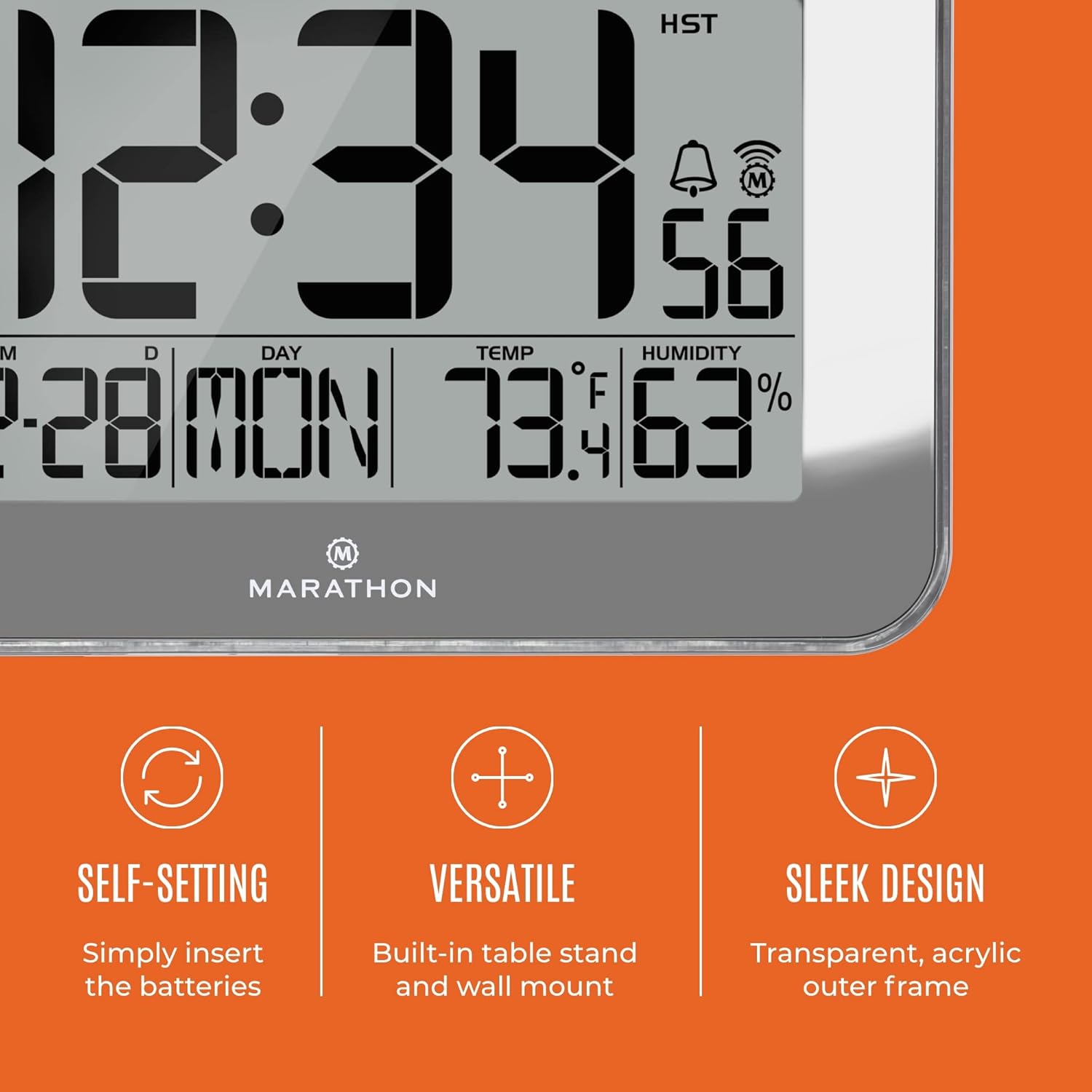
Image: Visual representation of the clock's self-setting capability, versatile placement options (wall mount/table stand), and sleek design with a transparent acrylic frame.
4. സജ്ജീകരണം
4.1 ബാറ്ററി ഇൻസ്റ്റാളേഷൻ
- ക്ലോക്കിന്റെ പിൻഭാഗത്ത് ബാറ്ററി കമ്പാർട്ട്മെന്റ് കണ്ടെത്തുക.
- ബാറ്ററി കമ്പാർട്ട്മെൻ്റ് കവർ തുറക്കുക.
- Insert the two (2) AA batteries, ensuring correct polarity (+ and -).
- ബാറ്ററി കമ്പാർട്ട്മെൻ്റ് കവർ സുരക്ഷിതമായി അടയ്ക്കുക.

Image: The Marathon CL030060 clock displayed on a wall, emphasizing its ease of setup and use, which begins with battery installation.
4.2 Initial Synchronization and Time Zone Selection
After battery installation, the clock will automatically begin searching for the NIST atomic clock signal from Colorado. This process may take a few hours, especially in areas with weaker signals. During this time, the clock will attempt to synchronize to the correct time.
- Once the signal is received and synchronized, the clock will display the correct time.
- On the back of the clock, locate the time zone slider switch.
- Select your desired North American time zone: Pacific, Mountain, Central, Eastern, Atlantic, Newfoundland, Alaska, or Hawaii Standard Time.
- The clock will adjust the time accordingly.
Note: The atomic clock signal reception is limited to North America. If using the clock outside this region, manual time and date adjustment will be necessary.
5. പ്രവർത്തന നിർദ്ദേശങ്ങൾ
5.1 ഡിസ്പ്ലേ മോഡുകൾ
The clock offers multiple display modes. Use the designated buttons (refer to the labels on the back of the clock, typically 'MODE' or 'SET') to cycle through the following:
- Time (AM/PM or 24-hour format)
- Month, Day of the Week, and Date
- Indoor Temperature (°C or °F) and Humidity (%)

ചിത്രം: വിശദമായ ഒരു ചിത്രം view of the clock's dynamic display, illustrating the simultaneous presentation of time, date, day of the week, temperature, and humidity.
5.2 ഭാഷ തിരഞ്ഞെടുക്കൽ
To change the display language, press the 'LANGUAGE' button (if available) or cycle through the settings menu until the language option appears. Select from English, Dutch, French, German, Italian, Russian, or Spanish.
5.3 Manual Time and Date Adjustment (Outside North America)
If you are using the clock outside the North American atomic signal coverage area, you can manually set the time and date:
- Press and hold the 'SET' button (or equivalent) to enter time setting mode.
- Use the '+' or '-' buttons to adjust the hour, minute, year, month, and day.
- Press 'SET' again to confirm each setting and move to the next.
- Exit setting mode by pressing 'SET' one last time or waiting for the clock to automatically exit.
5.4 Daylight Saving Time (DST) On/Off
The clock includes an option to enable or disable Daylight Saving Time. Locate the 'DST' switch or button on the back of the clock and set it to your preference. When enabled, the clock will automatically adjust for DST changes.
5.5 മൗണ്ടിംഗും പ്ലേസ്മെന്റും
The Marathon CL030060 clock can be placed in two ways:
- മതിൽ മൗണ്ടിംഗ്: Use the integrated keyhole slot on the back of the clock to hang it securely on a wall hook or screw.
- ടാബ്ലെറ്റ് പ്ലേസ്മെൻ്റ്: Extend the sturdy foldable stand located on the back of the clock to place it on any flat surface.
6. പരിപാലനം
6.1 വൃത്തിയാക്കൽ
To clean the clock, gently wipe the display and frame with a soft, dry cloth. Do not use abrasive cleaners, solvents, or chemical sprays, as these may damage the finish or electronic components.
6.2 ബാറ്ററി മാറ്റിസ്ഥാപിക്കൽ
When the display dims or the clock stops functioning correctly, it is time to replace the batteries. Follow the battery installation steps in Section 4.1. Always replace both batteries at the same time with new AA alkaline batteries.
7. പ്രശ്നപരിഹാരം
- Clock not synchronizing or displaying incorrect time:
- Ensure you are within North America for atomic signal reception.
- Verify that the time zone is correctly selected using the switch on the back.
- ബാറ്ററി ലെവലുകൾ പരിശോധിച്ച് ആവശ്യമെങ്കിൽ മാറ്റിസ്ഥാപിക്കുക.
- Allow up to 24 hours for the clock to receive and process the atomic signal, especially during initial setup or after battery replacement.
- Avoid placing the clock near large metal objects or electronic devices that may interfere with the radio signal.
- ഡിസ്പ്ലേ മങ്ങിയതോ ശൂന്യമോ ആണ്:
- ബാറ്ററികൾ പുതിയ AA ആൽക്കലൈൻ ബാറ്ററികൾ ഉപയോഗിച്ച് മാറ്റിസ്ഥാപിക്കുക.
- Temperature or humidity readings appear inaccurate:
- Ensure the clock is not exposed to direct sunlight or extreme temperature sources (e.g., near a window, heater, or air conditioner vent).
- Allow some time for the sensors to stabilize after initial setup or relocation.
8 സ്പെസിഫിക്കേഷനുകൾ
| ഫീച്ചർ | വിശദാംശങ്ങൾ |
|---|---|
| ബ്രാൻഡ് | മാരത്തൺ |
| മോഡൽ | CL030060 |
| ഇനത്തിൻ്റെ ഭാരം | 1 Pound (approx. 453.59 g) |
| ഉൽപ്പന്ന അളവുകൾ | 22.1 x 3.81 x 15.19 സെ.മീ (8.7 x 1.5 x 5.98 ഇഞ്ച്) |
| ബാറ്ററികൾ ആവശ്യമാണ് | അതെ (2x AA) |
| നിറം | Mirror (Silver) |
| ഡിസ്പ്ലേ തരം | ഡിജിറ്റൽ |
| ശൈലി | ആധുനികം |
| പ്രത്യേക ഫീച്ചർ | Temperature Indicator, Large Display, Foldable Stand, Radio Controlled |

Image: A visual representation of the clock's dimensions, including overall size and the height of the main time digits.
9. വാറൻ്റിയും പിന്തുണയും
Marathon products are manufactured with a commitment to quality and precision. For warranty information, technical support, or service inquiries, please visit the official Marathon webസൈറ്റിൽ ബന്ധപ്പെടുക അല്ലെങ്കിൽ അവരുടെ ഉപഭോക്തൃ സേവന വിഭാഗവുമായി ബന്ധപ്പെടുക. വാങ്ങിയതിന്റെ തെളിവായി നിങ്ങളുടെ വാങ്ങൽ രസീത് സൂക്ഷിക്കുക.
For further assistance, please refer to the contact information provided on the Marathon webസൈറ്റ്: www.marathonwatch.com