
1. ഉൽപ്പന്നം കഴിഞ്ഞുview
The Estink 360 Rotating Display Stand is an electric turntable designed for showcasing various items. It features a mirror-like surface and adjustable rotation speeds, making it suitable for displaying jewelry, watches, cosmetics, toy models, mobile phones, and digital cameras.
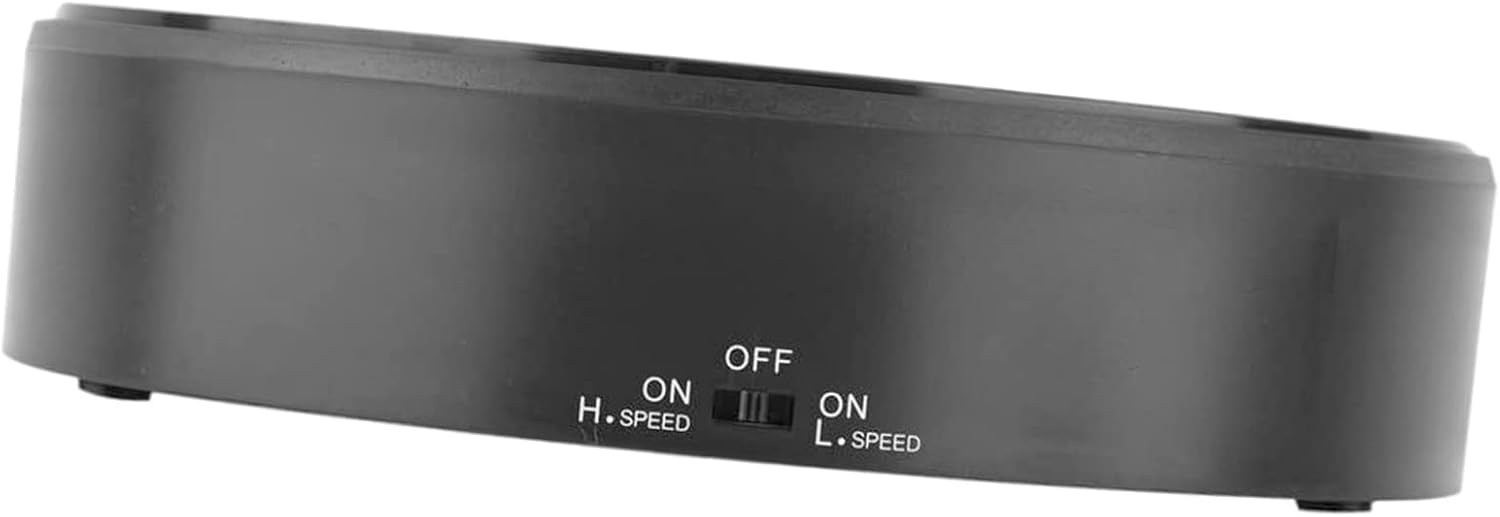
ചിത്രം: മുകളിൽ നിന്ന് താഴേക്ക് view of the Estink 360 Rotating Display Stand, showcasing its mirror surface and compact design.
പ്രധാന സവിശേഷതകൾ:
- പ്രീമിയം മെറ്റീരിയൽ: Constructed from durable ABS material, ensuring sturdiness and longevity.
- ലോഡ് ബെയറിംഗ് ശേഷി: Capable of supporting items weighing up to 1 to 1.5 kg (2.2-3.3 lbs).
- കണ്ണാടി ഉപരിതലം: Enhances the visibility and appeal of displayed products.
- 360-ഡിഗ്രി റൊട്ടേഷൻ: Provides a continuous rotating display.
- ക്രമീകരിക്കാവുന്ന വേഗത: Offers both high and low-speed rotation options to suit different display needs.
2. സജ്ജീകരണ നിർദ്ദേശങ്ങൾ
2.1 പവർ സ്രോതസ്സ്
The Estink 360 Rotating Display Stand is battery-powered. It requires batteries for operation (batteries are not included). To install batteries:
- Locate the battery compartment on the underside of the display stand.
- ബാറ്ററി കമ്പാർട്ട്മെൻ്റ് കവർ തുറക്കുക.
- ആവശ്യമായ ബാറ്ററികൾ ഇടുക, ശരിയായ പോളാരിറ്റി (+/-) ഉറപ്പാക്കുക.
- ബാറ്ററി കമ്പാർട്ട്മെൻ്റ് കവർ സുരക്ഷിതമായി അടയ്ക്കുക.
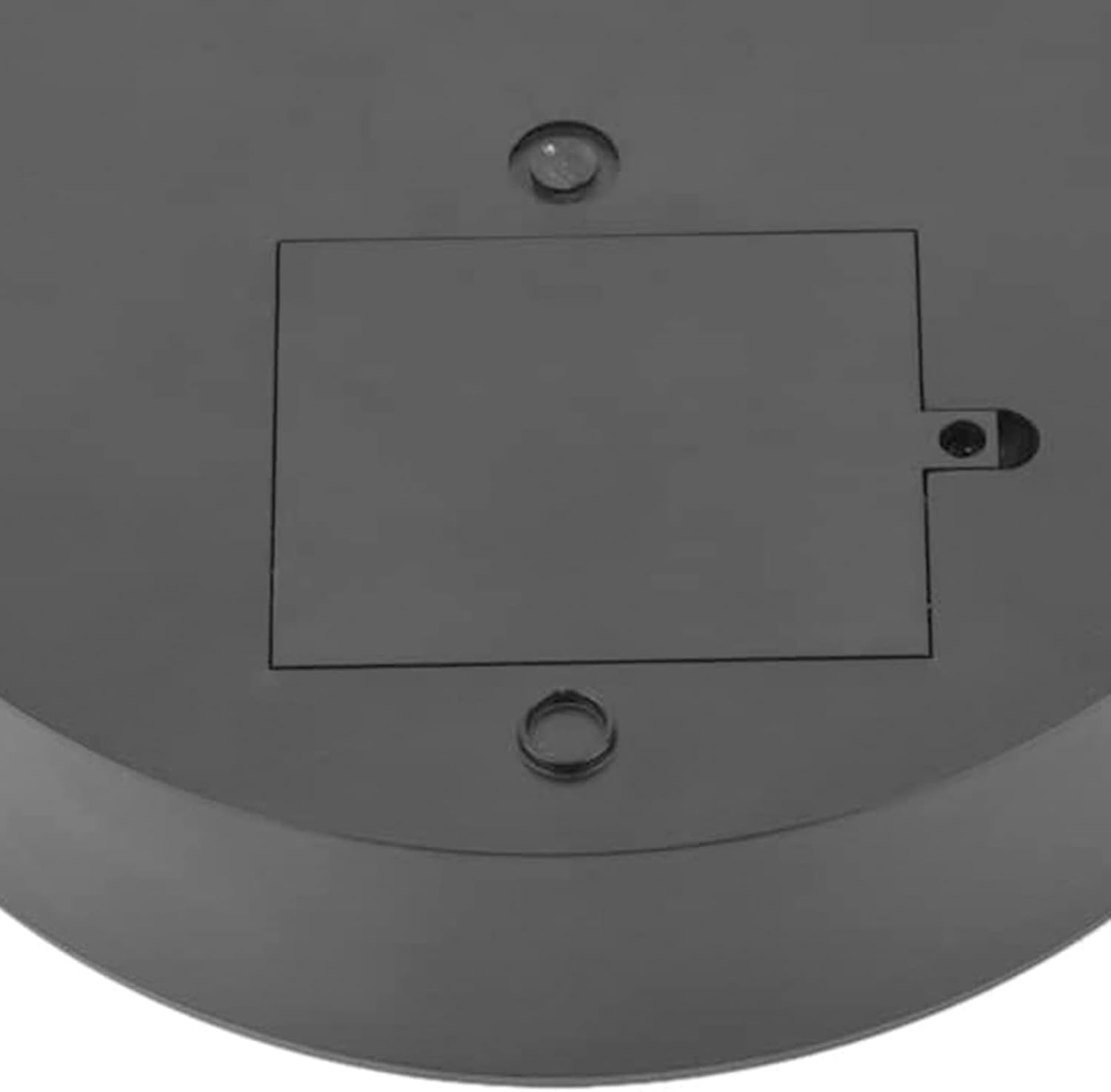
Image: The underside of the display stand, highlighting the battery compartment for power installation.
2.2 പ്ലേസ്മെൻ്റ്
Place the display stand on a stable, flat surface to ensure smooth and consistent rotation. Avoid placing it on uneven or vibrating surfaces.
3. പ്രവർത്തന നിർദ്ദേശങ്ങൾ
The display stand features a control switch on its side for power and speed adjustment.
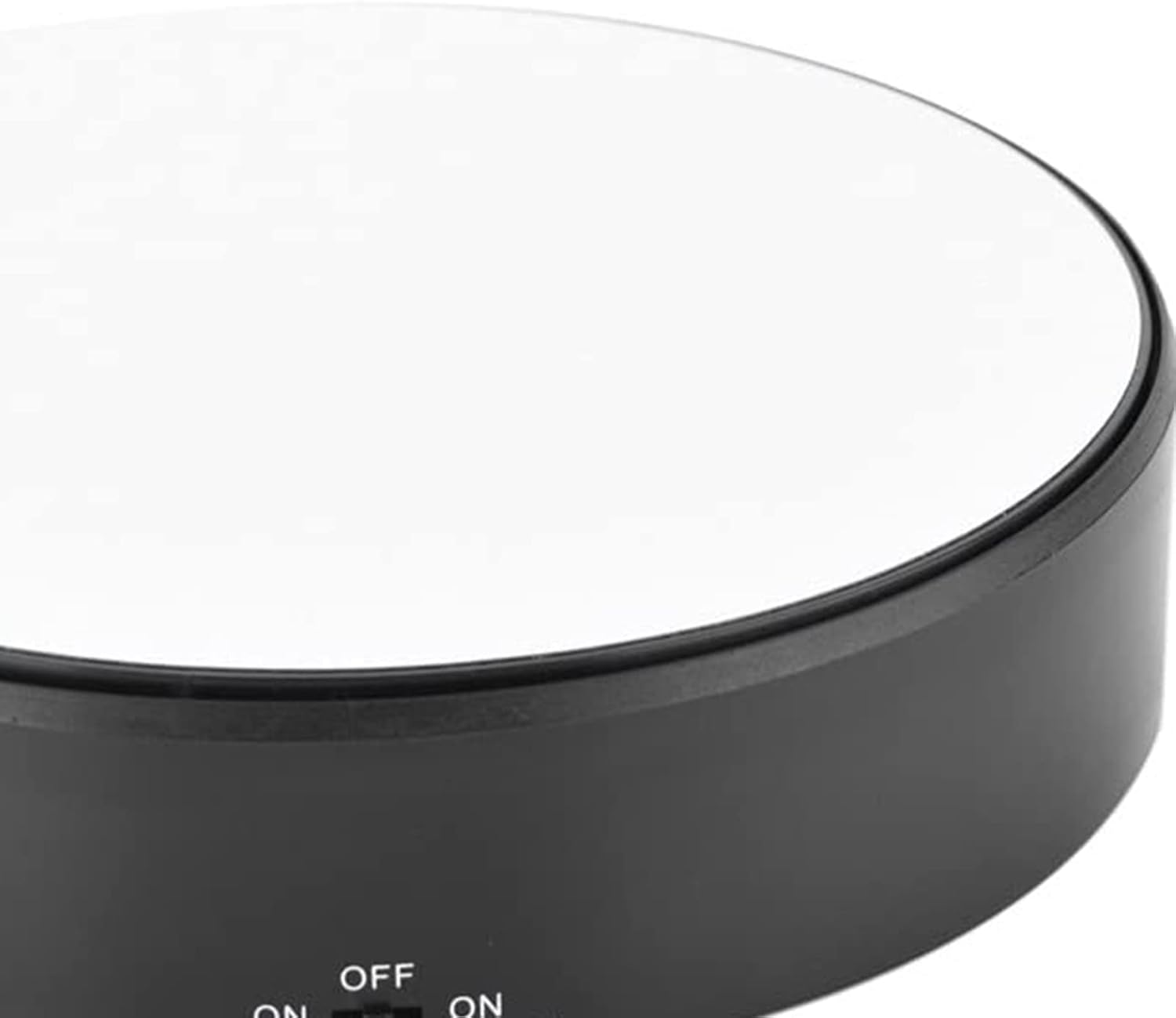
ചിത്രം: ക്ലോസ്-അപ്പ് view of the control switch, indicating 'OFF', 'ON H.SPEED', and 'ON L.SPEED' settings.
3.1 പവർ ഓൺ/ഓഫ്, വേഗത ക്രമീകരണം
- To Turn On (High Speed): Slide the control switch to the position labeled "ON H.SPEED". The stand will begin rotating at a faster speed.
- To Turn On (Low Speed): Slide the control switch to the position labeled "ON L.SPEED". The stand will begin rotating at a slower speed.
- ഓഫാക്കാൻ: Slide the control switch to the "OFF" position. The rotation will stop.
3.2 Placing Items on the Stand
Carefully place the item you wish to display onto the center of the mirror surface. Ensure the item's weight does not exceed the maximum load capacity of 1.5 kg (3.3 lbs) to prevent damage or irregular rotation.

Image: The display stand in use, showcasing a watch on its rotating mirror surface in a home setting.
4. പരിപാലനം
4.1 ഉപരിതലം വൃത്തിയാക്കൽ
To maintain the mirror-like finish, gently wipe the surface with a soft, damp cloth. Avoid using abrasive cleaners or materials that could scratch the surface. Ensure the stand is turned off and batteries are removed before cleaning.
4.2 ബാറ്ററി മാറ്റിസ്ഥാപിക്കൽ
Replace batteries when the rotation speed decreases significantly or the stand stops functioning. Always use new batteries of the specified type and dispose of old batteries responsibly.
5. പ്രശ്നപരിഹാരം
- Stand does not rotate:
- Check if the batteries are correctly installed and not depleted. Replace if necessary.
- Ensure the power switch is set to either "ON H.SPEED" or "ON L.SPEED".
- Rotation is jerky or inconsistent:
- Verify that the item placed on the stand does not exceed the maximum load capacity of 1.5 kg (3.3 lbs).
- Ensure the stand is on a completely flat and stable surface.
- Check battery levels; low batteries can affect motor performance.
- Surface appears dull or scratched:
- Ensure any protective film has been removed from the mirror surface.
- Clean the surface gently as per maintenance instructions.
6 സ്പെസിഫിക്കേഷനുകൾ
| ബ്രാൻഡ് | എസ്റ്റിങ്ക് |
| മോഡൽ | 360 Rotating Display Stand |
| മെറ്റീരിയൽ | എബിഎസ് |
| ശുപാർശ ചെയ്യുന്ന പരമാവധി ലോഡ് | 1.5 കിലോഗ്രാം (3.3 പൗണ്ട്) |
| പവർ ഉറവിടം | ബാറ്ററി പവർ (ബാറ്ററികൾ ഉൾപ്പെടുത്തിയിട്ടില്ല) |
| ഭ്രമണം | 360-degree, adjustable speed (High/Low) |
| ഇനത്തിൻ്റെ ഭാരം | 13 ഔൺസ് |
| പാക്കേജ് അളവുകൾ | 7.83 x 7.24 x 2.13 ഇഞ്ച് |
7. വാറൻ്റിയും പിന്തുണയും
Specific warranty details and direct support contact information are not provided in this manual. For warranty claims, technical assistance, or further inquiries, please refer to the product packaging, the retailer's website where the product was purchased, or the official Estink brand webസൈറ്റ്.