
1. ഓവർview
The Seiko BC402K is a versatile digital table clock designed for practicality and accuracy. It features radio-controlled time synchronization, ensuring precise time display. Beyond basic timekeeping, this clock provides a full auto-calendar, an alarm function with snooze, and displays both temperature and humidity. A unique comfort indicator helps you monitor your indoor environment. Its compact design makes it suitable for various settings, including bedrooms, living rooms, and offices.

ചിത്രം 1: മുൻഭാഗം View with Features and Dimensions
This image shows the front of the Seiko BC402K clock, highlighting its compact dimensions of 8.5 cm (height), 14.8 cm (width), and 5.3 cm (depth). The digital display clearly shows the time, date, temperature, and humidity. Icons around the clock indicate its key features: radio-controlled time, electronic alarm sound, snooze function, backlight, full auto-calendar, temperature display, humidity display, and a low battery warning. The clock weighs 240g.
2. സജ്ജീകരണം
2.1 ബാറ്ററി ഇൻസ്റ്റാളേഷൻ
- ക്ലോക്കിന്റെ പിൻഭാഗത്ത് ബാറ്ററി കമ്പാർട്ട്മെന്റ് കണ്ടെത്തുക.
- Insert two (2) AA alkaline batteries, ensuring correct polarity (+/-). The clock comes with manganese batteries for monitoring purposes; replace them with alkaline batteries for optimal performance and battery life (approximately 1 year).
- ബാറ്ററി കമ്പാർട്ട്മെൻ്റ് കവർ സുരക്ഷിതമായി അടയ്ക്കുക.
2.2 Initial Setup and Radio Wave Reception
Upon battery installation, the clock will automatically attempt to receive radio waves to set the correct time and date. This process may take several minutes.
- ഒപ്റ്റിമൽ സ്വീകരണം: Place the clock near a window where it can easily receive radio waves.
- ഇടപെടൽ ഒഴിവാക്കുക: Keep the clock away from high-pressure lines, TV towers, train rails, and electronic appliances such as TVs, refrigerators, air conditioners, air purifiers, computers, and fax machines. Metal furniture can also interfere with reception.
- If radio waves are not received, the clock will operate with quartz accuracy. You may need to set the time manually (refer to Section 3.1).

ചിത്രം 2: പിൻഭാഗം View with Control Buttons
This image displays the back panel of the Seiko BC402K clock, detailing its various control buttons and switches. From left to right, there are 'Advance (+)' and 'Back (-)' buttons for adjustments, a 'Snooze / Light' button on top, and an 'Alarm Switch' (ON/OFF) on the side. On the right, there are 'Time / Date Set', 'Receive', and 'Monitor' buttons. The 'Monitor' button allows the alarm to sound continuously while pressed, independent of the set time. A 'Reset' button is also visible.
3. പ്രവർത്തന നിർദ്ദേശങ്ങൾ
3.1 സമയവും തീയതിയും സ്വമേധയാ സജ്ജീകരിക്കൽ
- Press and hold the 'Time / Date Set' button on the back of the clock until the time display flashes.
- Use the 'Advance (+)' and 'Back (-)' buttons to adjust the hour, then press 'Time / Date Set' to confirm and move to minutes. Repeat for minutes, year, month, and day.
- Press 'Time / Date Set' again to exit manual setting.
3.2 അലാറം പ്രവർത്തനം
- അലാറം സജ്ജീകരിക്കുന്നു: Use the 'Alarm Switch' on the side to turn the alarm ON. Press and hold the 'Time / Date Set' button until the alarm time flashes. Adjust using 'Advance (+)' and 'Back (-)' buttons.
- സ്നൂസ്: When the alarm sounds, press the 'Snooze / Light' button on top to activate snooze. The alarm will sound again after approximately 5 minutes.
- Alarm Auto Stop: The alarm will automatically stop after approximately 5 minutes if not manually turned off or snoozed.
3.3 ബാക്ക്ലൈറ്റ്
Press the 'Snooze / Light' button on top to briefly illuminate the display for easy viewകുറഞ്ഞ വെളിച്ചത്തിൽ.
3.4 12-Hour / 24-Hour System
The clock allows switching between 12-hour and 24-hour time formats. Refer to the manual setting instructions or specific button combinations (usually involving the 'Advance' or 'Back' buttons during time setting) to toggle this feature.
4. സവിശേഷതകൾ
4.1 Radio-Controlled Timekeeping
The Seiko BC402K automatically receives standard radio waves (40 kHz/60 kHz automatic selection) that carry precise time information. This ensures the clock always displays the correct time without manual adjustment. When radio waves are not received, the clock operates with standard quartz accuracy.

Figure 3: Radio Wave Coverage Map
A map of Japan showing the coverage areas of the two standard radio wave transmitters that the Seiko BC402K clock uses for automatic time correction. The Fukushima Station (40kHz) and Kyushu Station (60kHz) transmitters are depicted with their respective signal ranges. The image explains that the clock receives these accurate time signals and adjusts itself automatically. It also notes that if radio waves are not received, the clock operates with standard quartz accuracy.
4.2 Full Auto-Calendar
The clock features a full auto-calendar function that accurately displays the date until the year 2099, including leap years, requiring no manual adjustments.
4.3 താപനിലയും ഈർപ്പവും പ്രദർശിപ്പിക്കുന്നു
The clock continuously displays the ambient temperature and humidity. The temperature measurement range is 0°C to 40°C (32°F to 104°F) with an accuracy of ±2°C. The humidity measurement range is 25% RH to 85% RH with an accuracy of ±8% (at 25°C). This feature is beneficial for monitoring indoor environmental conditions for comfort and health.

Figure 4: Health Benefits of Environmental Monitoring
An infographic highlighting the practical benefits of the Seiko BC402K's temperature and humidity display. It illustrates how monitoring these factors can help prevent the growth of mold and viruses, reduce the risk of indoor heatstroke, encourage regular checks of the environment, and contribute to comfortable sleep for small children. This feature supports overall health and indoor environmental management.
4.4 Comfort Level Display
The clock includes a 6-stage comfort indicator, representing the commonly known 'uncomfortable index'. This visual guide helps you quickly assess if the environment is 'Cold', 'Slightly Comfortable', 'Comfortable', 'Slightly Hot', or 'Hot'. Please note that individual perception of comfort varies, so use this indicator as a general guide.

Figure 5: Comfort Level Indicator Explanation
This diagram illustrates the 6-stage comfort level indicator on the Seiko BC402K clock. It categorizes comfort from 'Cold' (discomfort index below 60) to 'Hot' (discomfort index 81 or above), with intermediate stages like 'Slightly Comfortable' and 'Comfortable'. The display helps users understand the indoor environment, especially useful for households with children or elderly. A crucial note advises that this indicator is a guide only, as individual comfort perception can differ.
5. പരിപാലനം
5.1 ബാറ്ററി മാറ്റിസ്ഥാപിക്കൽ
Replace the two AA alkaline batteries approximately once a year, or when the low battery warning indicator appears on the display. Always replace both batteries at the same time with new ones.
5.2 വൃത്തിയാക്കൽ
To clean the clock, gently wipe the surface with a soft, dry cloth. Do not use abrasive cleaners, solvents, or chemical sprays, as these can damage the casinജി അല്ലെങ്കിൽ ഡിസ്പ്ലേ.
6. പ്രശ്നപരിഹാരം
- തെറ്റായ സമയ പ്രദർശനം:
If the time is incorrect, first ensure the clock is placed in an area with good radio wave reception (near a window, away from electronic interference). If reception remains poor, manually set the time as described in Section 3.1. - No Display / Faint Display:
Check if the batteries are correctly inserted and have sufficient power. Replace with new AA alkaline batteries if necessary. - അലാറം മുഴങ്ങുന്നില്ല:
Ensure the 'Alarm Switch' on the back is set to the ON position. Verify that the alarm time is correctly set. - Radio Wave Reception Failure:
The clock may not receive radio waves accurately in certain locations such as inside buildings, basements, near high-voltage lines, or close to other objects that generate radio noise (e.g., metal furniture, large electronic devices). Try relocating the clock.
7 സ്പെസിഫിക്കേഷനുകൾ
- ഉൽപ്പന്ന വലുപ്പം: 3.3 x 5.8 x 2.1 ഇഞ്ച് (8.5 x 14.8 x 5.3 സെ.മീ)
- മെറ്റീരിയൽ: പ്ലാസ്റ്റിക് ഫ്രെയിം
- പ്രസ്ഥാനം: Radio wave correction function (40 kHz/60 kHz automatic selection, and reception off function); operates with Quartz accuracy when radio waves are not received.
- ഊർജ്ജ സ്രോതസ്സ്: 2 x AA alkaline batteries (approximately 1 year battery life)
- അലാറം: Auto stop function (approx. 5 minutes) with snooze and light
- കലണ്ടർ: Full auto-calendar function until the year 2099
- താപനില പ്രദർശനം: Measurement range: 0°C - 40°C (32°F - 104°F), Accuracy: ±2°C
- ഹ്യുമിഡിറ്റി ഡിസ്പ്ലേ: Measurement range: 25% RH - 85% RH, Accuracy: ±8% (at 25°C)
- പ്രത്യേക സവിശേഷതകൾ: Comfort level display (6 levels), 12-hour and 24-hour system switchable, Low battery warning.
- ഇനത്തിൻ്റെ ഭാരം: 0.24 കിലോഗ്രാം (240 ഗ്രാം)
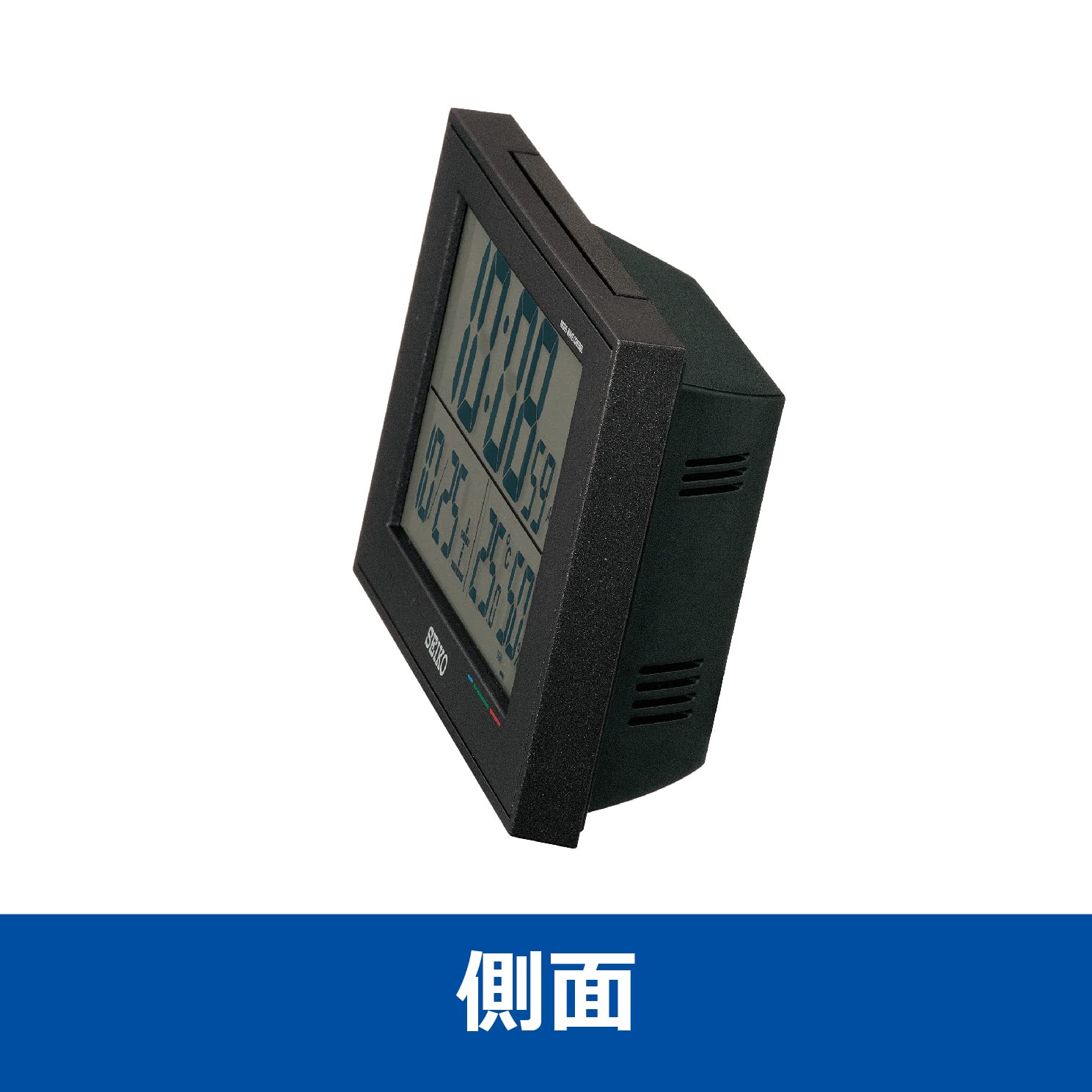
ചിത്രം 6: വശം View ക്ലോക്കിന്റെ
ഈ ചിത്രം ഒരു വശം നൽകുന്നു view of the Seiko BC402K digital clock, showcasing its depth and compact design. The angled display is visible, along with the ventilation grilles on the side.
8. വാറൻ്റിയും പിന്തുണയും
For warranty information and customer support, please refer to the documentation included with your purchase or visit the official Seiko webസൈറ്റ്. ഏതെങ്കിലും വാറന്റി ക്ലെയിമുകൾക്ക് വാങ്ങിയതിന്റെ തെളിവായി നിങ്ങളുടെ വാങ്ങൽ രസീത് സൂക്ഷിക്കുക.