
Walimex pro WT-3570
Walimex pro WT-3570 Basic Tripod Instruction Manual
Model: WT-3570 | Brand: Walimex pro
ആമുഖം
The Walimex pro WT-3570 Basic Tripod is a versatile and well-equipped entry-level tripod designed for both photography and videography. It offers a maximum working height of 168 cm and a stable 3D pan head. With a load capacity of up to 4 kg, it provides reliable stability for medium-weight cameras. This tripod is also suitable for use with smartphones thanks to the included smartphone holder.

Image: The Walimex pro WT-3570 Basic Tripod fully extended, showcasing അതിന്റെ കരുത്തുറ്റ ഡിസൈൻ.
ബോക്സിൽ എന്താണുള്ളത്
അൺപാക്ക് ചെയ്യുമ്പോൾ, ഇനിപ്പറയുന്ന എല്ലാ ഇനങ്ങളും ഉണ്ടെന്ന് ഉറപ്പാക്കുക:
- 1x Walimex pro WT-3570 Tripod
- 1x Smartphone Adapter
- 1x ചുമക്കുന്ന ബാഗ്
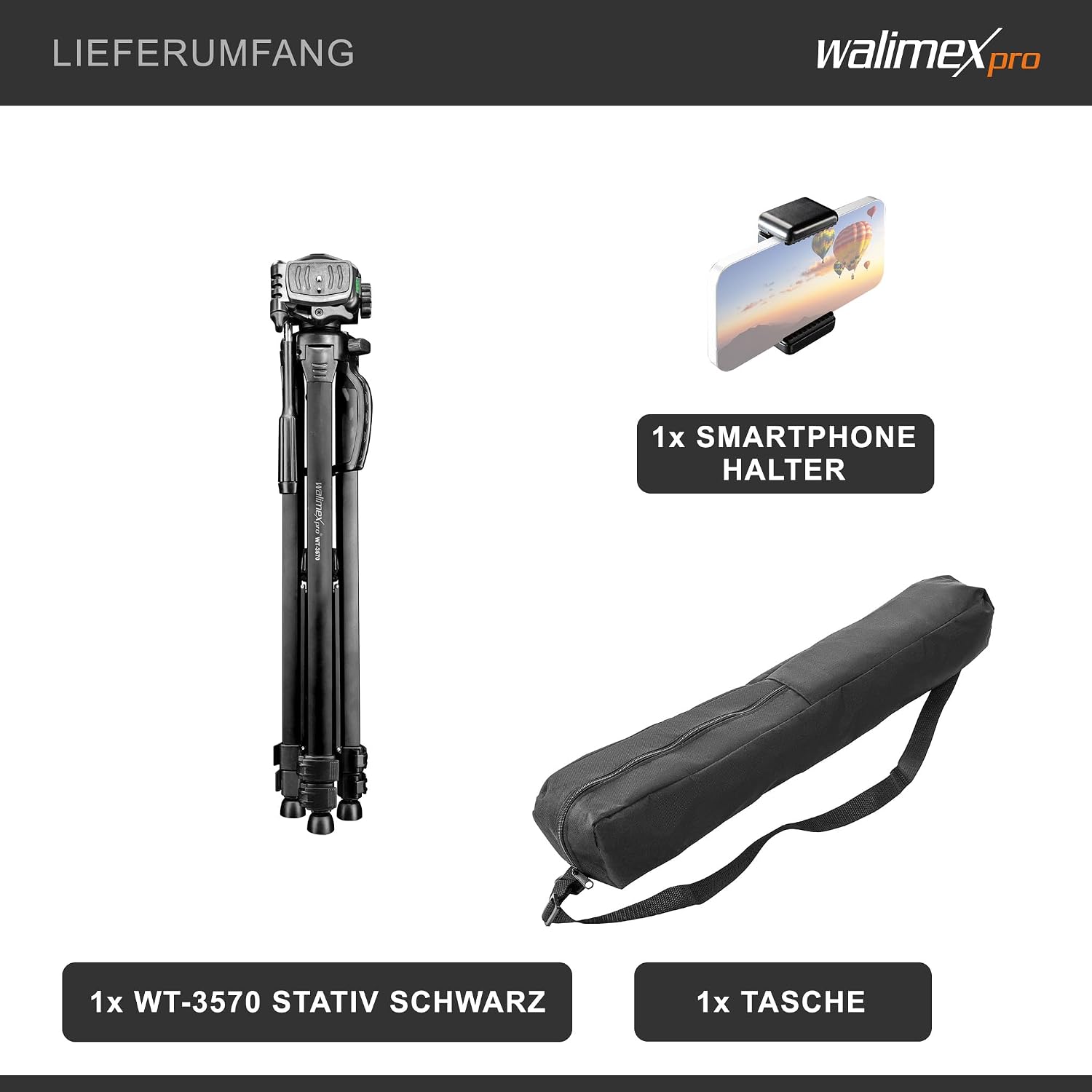
Image: The tripod, smartphone adapter, and carrying bag as included in the package.
സജ്ജീകരണ നിർദ്ദേശങ്ങൾ
- ട്രൈപോഡ് കാലുകൾ വിടർത്തുക: Gently spread the tripod legs until they are fully extended and stable. Ensure the leg locks are securely fastened.
- ഉയരം ക്രമീകരിക്കുക: Loosen the leg section locks and extend each leg to the desired height. Securely fasten the leg locks. For additional height, use the crank to raise the center column.
- ലെവലിംഗ്: Use the integrated spirit levels (one on the tripod head, one on the tripod shoulder) to ensure the tripod is perfectly level. Adjust leg lengths as needed.
- Attach Camera/Smartphone:
- ക്യാമറകൾക്കായി: Attach the quick release plate to your camera's tripod mount. Then, slide the quick release plate with the camera into the tripod head and secure it with the locking mechanism.
- സ്മാർട്ട്ഫോണുകൾക്ക്: Attach the smartphone adapter to the quick release plate. Insert your smartphone into the adapter, ensuring it is held firmly. Then, attach the quick release plate with the smartphone to the tripod head.
- സുരക്ഷിത ഉപകരണങ്ങൾ: Always double-check that your camera or smartphone is securely mounted before releasinനിങ്ങളുടെ പിടി പിടിക്കൂ.

Image: An illustration highlighting the key features for setup, including the quick release plate, spirit levels, and height adjustment crank.
പ്രവർത്തന നിർദ്ദേശങ്ങൾ
3D Pan Head Operation
The 3D pan head allows for precise adjustments in three dimensions: pan, tilt, and portrait/landscape orientation.
- Panning (Horizontal Rotation): Loosen the horizontal lock knob located at the base of the head. Rotate the camera to the desired horizontal position and tighten the knob to secure.
- Tilting (Vertical Angle): Loosen the tilt lock knob. Adjust the camera's vertical angle (up or down) and tighten the knob to secure.
- Portrait/Landscape Orientation: The quick release plate mechanism often allows for a quick switch between portrait and landscape modes by adjusting the camera's position on the plate or the head's side tilt.
Center Column and Load Hook
The center column can be raised or lowered using the crank for fine height adjustments. For increased stability, especially in windy conditions or with heavier equipment, utilize the integrated load hook at the bottom of the center column. You can hang a weight (e.g., your camera bag) from this hook to lower the tripod's center of gravity.

Image: Diagram illustrating the tripod's dimensions, including minimum and maximum height, and folded size.
മെയിൻ്റനൻസ്
Proper maintenance ensures the longevity and optimal performance of your tripod.
- വൃത്തിയാക്കൽ: After each use, especially in dusty or sandy environments, wipe down the tripod legs and head with a soft, dry cloth. For stubborn dirt, a slightly damp തുണി ഉപയോഗിക്കാം, തുടർന്ന് നന്നായി ഉണക്കാം.
- ലൂബ്രിക്കേഷൻ: Periodically check the moving parts, such as leg locks and the pan head mechanisms. If movement becomes stiff, apply a small amount of silicone-based lubricant. Avoid oil-based lubricants as they can attract dust.
- സംഭരണം: Store the tripod in its carrying bag in a dry, cool place, away from direct sunlight and extreme temperatures. Ensure it is clean and dry before storage to prevent corrosion.
- പരിശോധന: Regularly inspect all screws, knobs, and leg locks for tightness. Tighten any loose components to maintain stability.
ട്രബിൾഷൂട്ടിംഗ്
| പ്രശ്നം | സാധ്യമായ കാരണം | പരിഹാരം |
|---|---|---|
| Tripod is unstable/wobbly. | Leg locks not fully tightened; uneven ground; excessive load; center column too high without counterweight. | Ensure all leg locks are secure. Adjust leg lengths for even ground. Do not exceed maximum load capacity (4 kg). Use the load hook with a counterweight if the center column is extended significantly. |
| Camera/smartphone not attaching securely. | Quick release plate not properly attached to device; quick release plate not fully inserted/locked into tripod head. | Ensure the quick release plate screw is tightly fastened to your device. Verify the quick release plate is correctly seated and locked into the tripod head mechanism. |
| Pan head movement is stiff or jerky. | Dust/dirt in mechanism; insufficient lubrication; lock knobs overtightened. | Clean the pan head mechanism. Apply a small amount of silicone lubricant if needed. Ensure lock knobs are loosened sufficiently for smooth movement. |
സ്പെസിഫിക്കേഷനുകൾ
| ഫീച്ചർ | വിശദാംശങ്ങൾ |
|---|---|
| ബ്രാൻഡ് | വാലിമെക്സ് പ്രോ |
| മോഡൽ | WT-3570 |
| നിറം | കറുപ്പ് |
| അനുയോജ്യമായ ഉപകരണങ്ങൾ | Camera (DSLR, DSLM, System, Digital, Action Cameras), Smartphone |
| മെറ്റീരിയൽ | അലുമിനിയം, പ്ലാസ്റ്റിക്, മെറ്റൽ |
| ഇനത്തിൻ്റെ ഭാരം | 1.7 കിലോഗ്രാം |
| പരമാവധി ലോഡ് കപ്പാസിറ്റി | 4 കിലോഗ്രാം |
| പരമാവധി ഉയരം | 168 സെ.മീ |
| കുറഞ്ഞ ഉയരം | 63 സെ.മീ |
| Folded Length (Packmaß) | 65 സെ.മീ |
| ട്രൈപോഡ് ഹെഡ് തരം | 3D Pan Head |
| കാലിന്റെ വ്യാസം | 29.00 മില്ലിമീറ്റർ |
| പ്രത്യേക സവിശേഷതകൾ | Integrated spirit levels, quick release plate, load hook, crank for center column adjustment. |
വാറൻ്റിയും പിന്തുണയും
Specific warranty details and direct support contact information are not provided within this manual. For warranty claims, technical support, or service inquiries, please refer to the official Walimex pro website or contact your retailer. Keep your proof of purchase for any warranty-related matters.
Ask a question about this manual
Ask about setup, troubleshooting, compatibility, parts, safety, or missing instructions. Manuals+ will review the question and use this page’s manual context to help answer it.