
1. ആമുഖം
Thank you for choosing the TechniSat DIGITRADIO 750 DAB+ Micro Hi-Fi System. This manual provides essential information for the safe and efficient operation of your device. Please read it thoroughly before use and keep it for future reference.

Image 1: TechniSat DIGITRADIO 750 Micro Hi-Fi System. This image shows the main unit and two speakers.
സുരക്ഷാ വിവരങ്ങൾ
- വൈദ്യുതി വിതരണം വോളിയം ഉറപ്പാക്കുകtage ഉപകരണത്തിൽ വ്യക്തമാക്കിയ ആവശ്യകതകളുമായി പൊരുത്തപ്പെടുന്നു.
- തീയോ വൈദ്യുതാഘാതമോ തടയാൻ ഉപകരണം മഴയിലോ ഈർപ്പത്തിലോ തുറന്നുകാട്ടരുത്.
- വെന്റിലേഷൻ തുറസ്സുകൾ തടയരുത്. നിർമ്മാതാവിന്റെ നിർദ്ദേശങ്ങൾക്കനുസൃതമായി ഇൻസ്റ്റാൾ ചെയ്യുക.
- പവർ കോർഡ് നടക്കുകയോ നുള്ളുകയോ ചെയ്യുന്നതിൽ നിന്ന് സംരക്ഷിക്കുക.
- നിർമ്മാതാവ് വ്യക്തമാക്കിയ അറ്റാച്ച്മെൻ്റുകൾ/ആക്സസറികൾ മാത്രം ഉപയോഗിക്കുക.
2. പാക്കേജ് ഉള്ളടക്കം
പാക്കേജിംഗിൽ എല്ലാ ഇനങ്ങളും ഉണ്ടെന്ന് ഉറപ്പാക്കുക:
- TechniSat DIGITRADIO 750 Main Unit
- 2 x Stereo Speakers (100 Watt RMS total output)
- DAB/FM Whip Antenna
- Remote Control (2 AAA Batteries included)
- പവർ കേബിൾ
- ഇൻസ്ട്രക്ഷൻ മാനുവൽ
3. സജ്ജീകരണം
3.1 പ്ലേസ്മെൻ്റ്
Place the main unit and speakers on a stable, flat surface. Ensure adequate ventilation around the unit. Position the speakers for optimal stereo sound, typically equidistant from the listening position.
3.2 സ്പീക്കറുകൾ ബന്ധിപ്പിക്കുന്നു
Connect the included stereo speakers to the main unit using the speaker cables. Ensure correct polarity (red to red, black to black) for each speaker to maintain proper sound staging.
3.3 ആൻ്റിന ബന്ധിപ്പിക്കുന്നു
Extend the DAB/FM whip antenna for optimal radio reception. For best results, position the antenna vertically and away from other electronic devices.
3.4 പവർ കണക്ഷൻ
Connect the power cable to the IEC connector on the rear of the main unit, then plug it into a suitable wall outlet (230V, 50Hz).

Image 2: Rear connections of the DIGITRADIO 750, including USB, AUX in, headphone jack, and power input.
3.5 വിദൂര നിയന്ത്രണ സജ്ജീകരണം
Insert the two AAA batteries into the remote control, observing the correct polarity.

Image 3: The remote control for the DIGITRADIO 750, featuring various function buttons.
4. പ്രവർത്തന നിർദ്ദേശങ്ങൾ
4.1 പവർ ഓൺ/ഓഫ്
അമർത്തുക പവർ/സ്റ്റാൻഡ്ബൈ സിസ്റ്റം ഓണാക്കാനോ ഓഫാക്കാനോ യൂണിറ്റിലെയോ റിമോട്ട് കൺട്രോളിലെയോ ബട്ടൺ അമർത്തുക.
4.2 ഉറവിട തിരഞ്ഞെടുപ്പ്
അമർത്തുക ഉറവിടം റിമോട്ടിലെ ബട്ടൺ അല്ലെങ്കിൽ മോഡ് button on the unit to cycle through available input sources: DAB+, FM, CD, Bluetooth, USB, AUX In.
4.3 വോളിയം നിയന്ത്രണം
ഉപയോഗിച്ച് വോളിയം ക്രമീകരിക്കുക വോൾ +/- റിമോട്ടിലെ ബട്ടണുകൾ അല്ലെങ്കിൽ വോളിയം knob on the main unit.
4.4 DAB+ / FM Radio
Select DAB+ or FM mode. Use the ട്യൂൺ+/- റിമോട്ടിലെ ബട്ടണുകൾ അല്ലെങ്കിൽ SELECT/SNOOZE knob on the unit to tune to stations. The system will automatically scan for available stations in DAB+ mode.
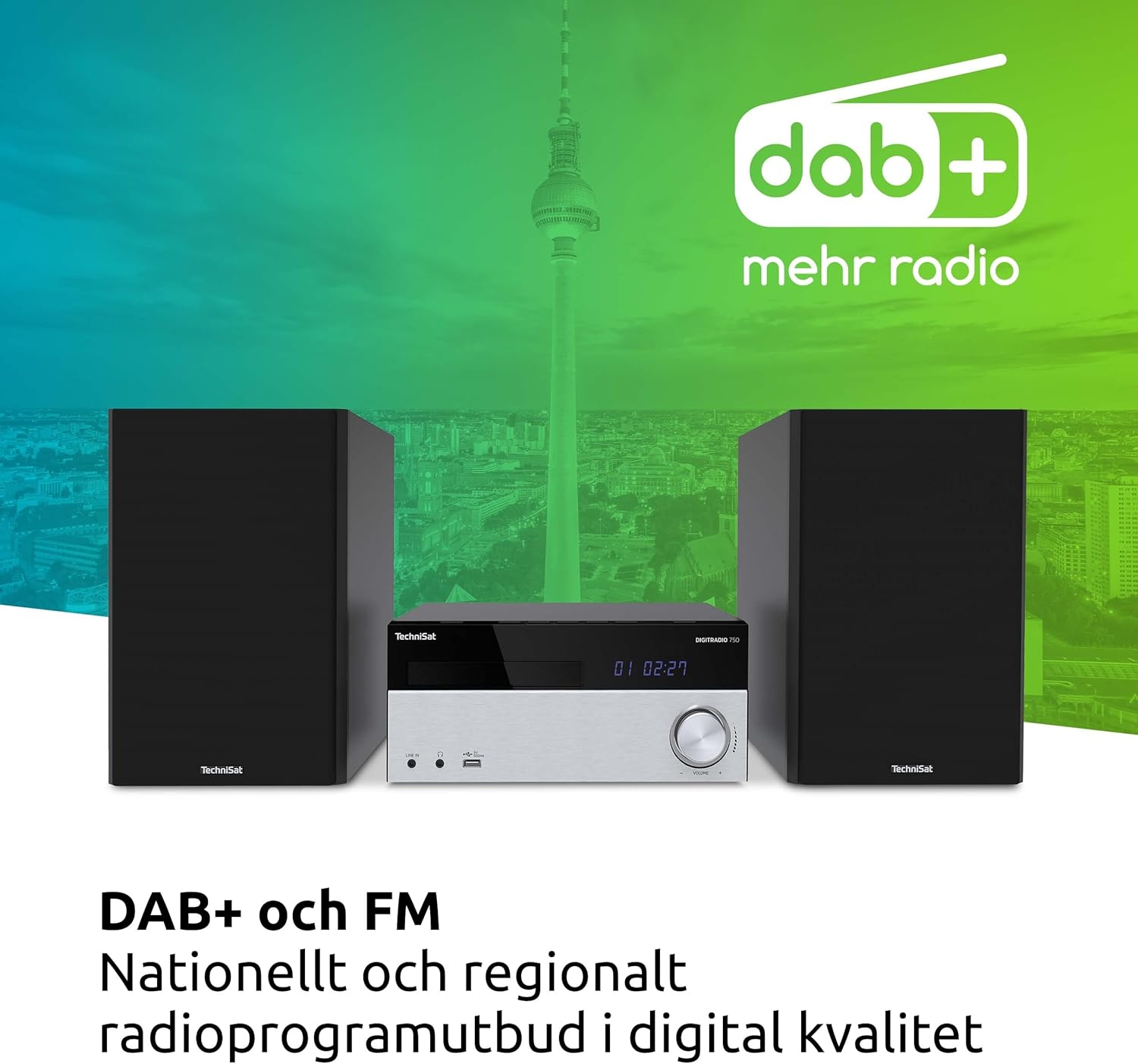
Image 4: The DIGITRADIO 750 showcasing its DAB+ and FM radio capabilities.
4.5 സിഡി പ്ലെയർ
Insert a CD into the disc slot. The system will automatically detect and begin playback. Use the പ്ലേ/താൽക്കാലികമായി നിർത്തുക, നിർത്തുക, ഒഴിവാക്കുക buttons on the unit or remote to control playback. The CD player supports audio CDs, CD-R, CD-RW, and MP3-CDs.

Image 5: Detail of the integrated CD player on the DIGITRADIO 750.
4.6 ബ്ലൂടൂത്ത് ഓഡിയോ സ്ട്രീമിംഗ്
Select Bluetooth mode. The unit will enter pairing mode. On your smartphone, tablet, or computer, search for
Ask a question about this manual
Ask about setup, troubleshooting, compatibility, parts, safety, or missing instructions. Manuals+ will review the question and use this page’s manual context to help answer it.