
1. ആമുഖം
The MAVERICK iChef BT-600 Bluetooth Wireless Digital Meat Thermometer is designed to provide precise temperature monitoring for your cooking, grilling, and smoking needs. This device allows you to track food and ambient temperatures remotely via a Bluetooth-enabled application on your smartphone or tablet, ensuring perfectly cooked results every time.
2. ഉൽപ്പന്നം കഴിഞ്ഞുview
2.1 പ്രധാന സവിശേഷതകൾ
- വിപുലീകരിച്ച ശ്രേണി: Monitor your cook from up to 300 feet away in line of sight.
- താപനില പ്രദർശനം: Shows temperatures in both Fahrenheit (°F) and Celsius (°C).
- ഒന്നിലധികം പ്രോബുകൾ: Includes two 36-inch waterproof probes with wires rated for 572°F. The device supports up to four probes (additional probes sold separately).
- Two-Way Timer: Features a versatile timer that can count up or count down for precise cooking control.
- Loss of Signal Alert: Notifies you if the connection is lost for more than one minute.
- Water-Resistant Transmitter: Designed for durability in various outdoor conditions.
- മുൻകൂട്ടി നിശ്ചയിച്ച താപനില: Includes 6 preset food temperatures (beef, veal, lamb, pork, chicken, turkey) and 9 preset game temperatures (deer, elk, moose, buffalo, rabbit, boar, duck, bird, fish).
- താപനില മുന്നറിയിപ്പ്: Alerts you when food reaches the target temperature and when the BBQ temperature falls out of the desired range.
- INSTA-SYNC Technology: Provides longer range and reduced monitoring interference.
- ബ്ലൂടൂത്ത് അനുയോജ്യത: Works with all devices equipped with Bluetooth LE 4.0 or above.
2.2 പാക്കേജ് ഉള്ളടക്കം
- 1 x MAVERICK iChef BT-600 Thermometer Unit
- 2 x 36-inch Waterproof Probes
- 2 x Grill Clips
- 2 x AAA ബാറ്ററികൾ

Image: The MAVERICK iChef BT-600 thermometer unit, displaying a temperature reading, with two probes plugged into its side ports. This image highlights the main device and its probe connections.

Image: An infographic illustrating the key features of the iChef BT-600, including temperature range, 300 ft range, two heat-resistant probes, count up/down timers, loss-of-signal alerts, and water-resistant transmitter.
3. സജ്ജീകരണം
3.1 ബാറ്ററി ഇൻസ്റ്റാളേഷൻ
- Locate the battery compartment on the back of the iChef BT-600 unit.
- ബാറ്ററി കമ്പാർട്ട്മെൻ്റ് കവർ തുറക്കുക.
- ശരിയായ പോളാരിറ്റി (+/-) ഉറപ്പാക്കിക്കൊണ്ട് രണ്ട് AAA ബാറ്ററികൾ ഇടുക.
- ബാറ്ററി കമ്പാർട്ട്മെൻ്റ് കവർ സുരക്ഷിതമായി അടയ്ക്കുക.
3.2 പ്രോബ് കണക്ഷൻ
- Carefully insert the probe connectors into the designated ports on the side of the iChef BT-600 unit. The unit supports up to four probes.
- Ensure the connectors are fully seated to establish a proper connection.
3.3 ആപ്പ് ഡൗൺലോഡും ജോടിയാക്കലും
- Download the "iChef BT-600" app from the Apple App Store (for iOS devices) or Google Play Store (for Android devices).
- നിങ്ങളുടെ സ്മാർട്ട്ഫോണിലോ ടാബ്ലെറ്റിലോ ബ്ലൂടൂത്ത് പ്രവർത്തനക്ഷമമാക്കുക.
- Power on the iChef BT-600 unit.
- Open the iChef BT-600 app. The app will automatically search for and connect to your thermometer. Follow any on-screen prompts to complete the pairing process.

Image: A person wearing black gloves is shown inserting a temperature probe into a whole chicken cooking on a grill. The iChef BT-600 thermometer unit is visible on a side table next to the grill.
4. പ്രവർത്തന നിർദ്ദേശങ്ങൾ
4.1 Monitoring Food Temperature
- Insert the tip of the probe into the thickest part of the meat, avoiding bone or gristle. For ambient temperature, use a grill clip to attach the probe to the grill grate, ensuring it does not touch the food.
- Open the iChef BT-600 app on your paired device.
- Select the desired meat type from the preset options or set a custom target temperature.
- The app will display the current temperature and the target temperature. You will receive an alert when the target temperature is reached.
4.2 ടൈമർ ഉപയോഗിക്കുന്നു
The iChef BT-600 features a two-way timer that can be accessed and controlled through the app:
- എണ്ണുക: Start a timer to track the total cooking duration.
- കൗണ്ട് ഡൗൺ: Set a specific cooking time, and the timer will alert you when it reaches zero.
4.3 താപനില യൂണിറ്റുകൾ മാറൽ
The device can display temperatures in Fahrenheit (°F) or Celsius (°C). This setting can typically be adjusted within the iChef BT-600 app.
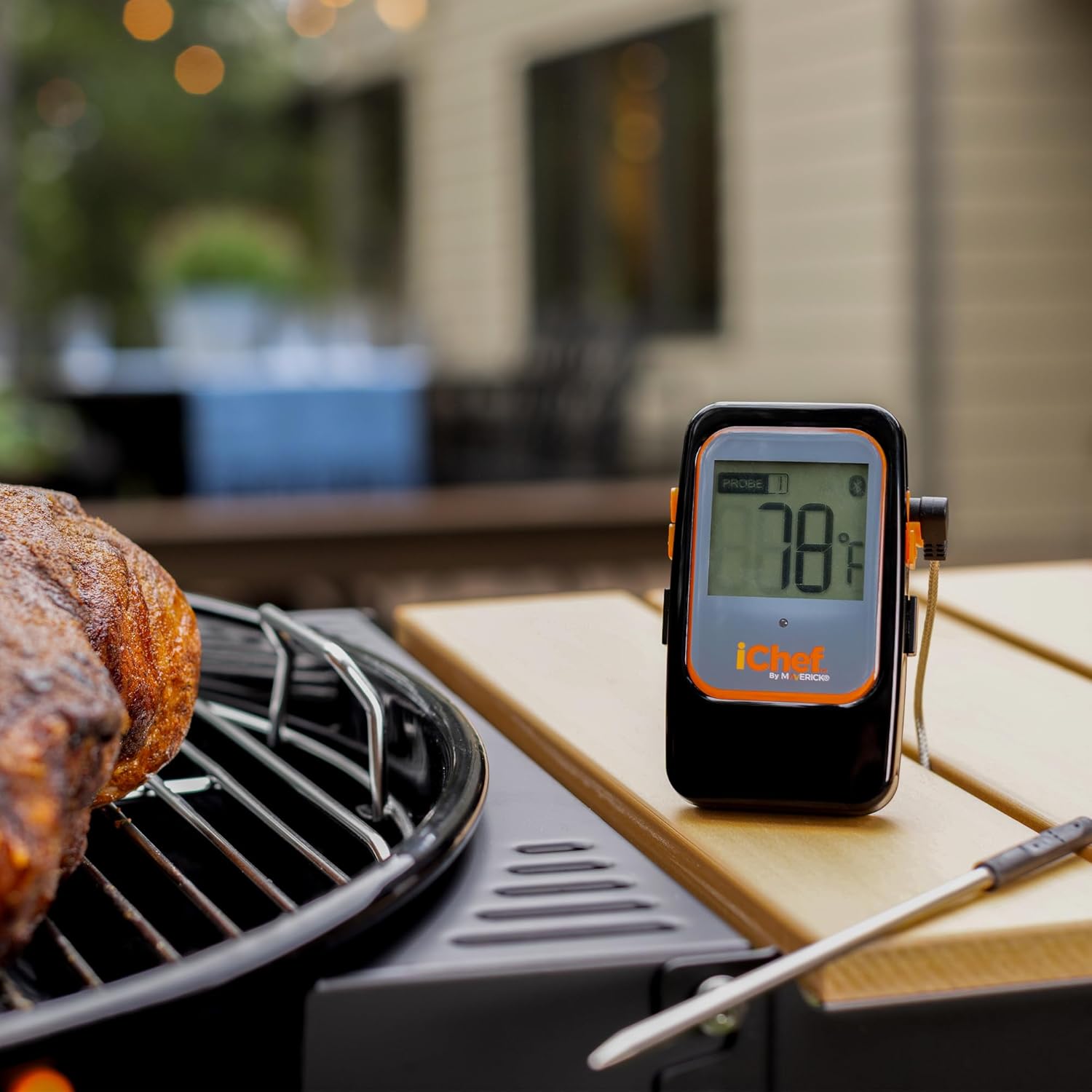
Image: The MAVERICK iChef BT-600 thermometer unit is positioned on a wooden side table next to a grill, displaying a temperature of 78°F. A piece of meat is cooking on the grill in the foreground.
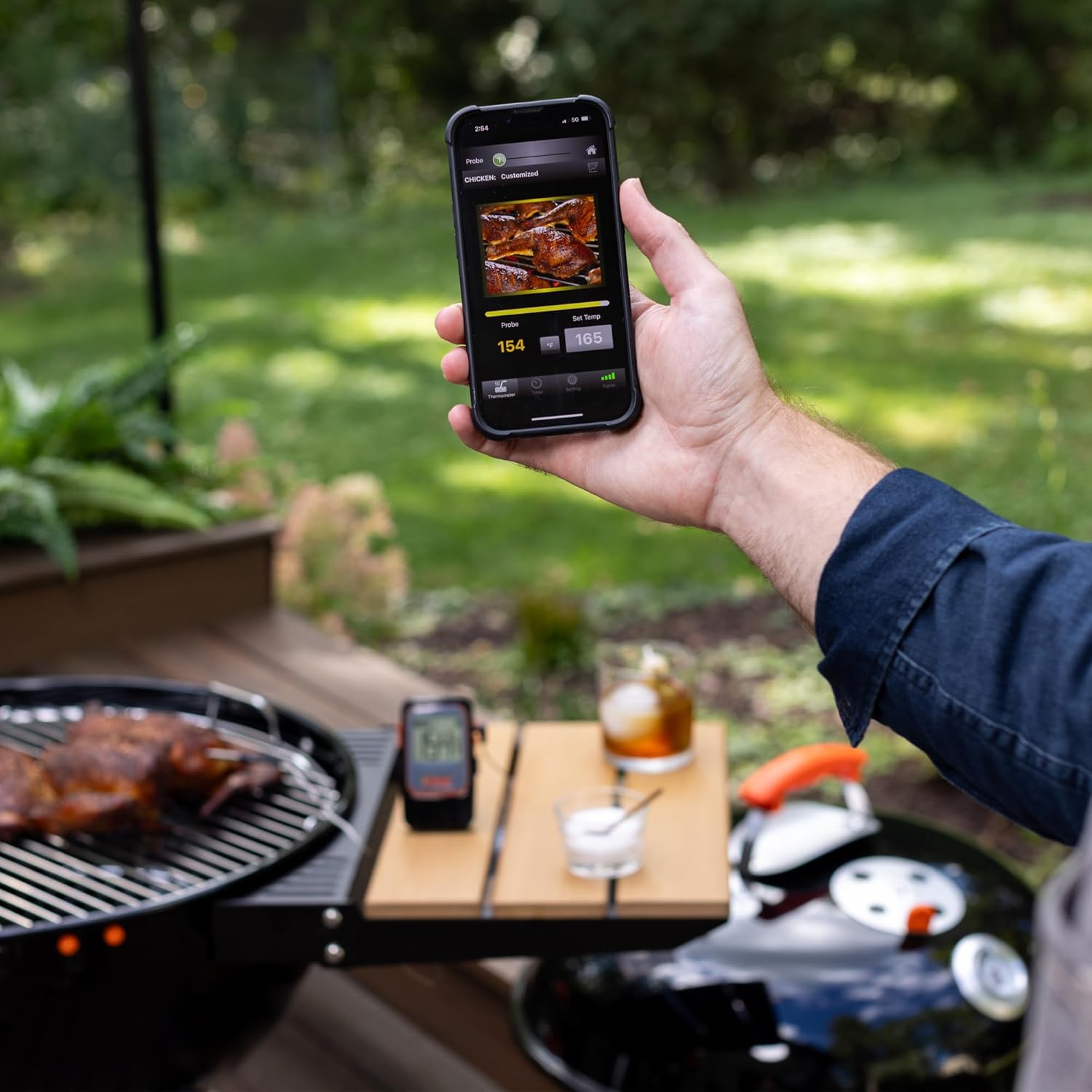
Image: A person's hand holds a smartphone displaying the iChef BT-600 app interface, showing a current temperature of 154°F and a target temperature of 165°F for chicken. The thermometer unit is visible on a table in the background next to a grill.
5. പരിപാലനം
5.1 വൃത്തിയാക്കൽ
- പേടകങ്ങൾ: The probes should be hand washed only. Use warm, soapy water and a soft cloth or sponge. Rinse thoroughly and dry completely before storage. Do not submerge the probe connectors or the main thermometer unit in water.
- പ്രധാന യൂണിറ്റ്: പരസ്യം ഉപയോഗിച്ച് പ്രധാന യൂണിറ്റ് മായ്ക്കുകamp തുണി. അബ്രാസീവ് ക്ലീനറുകൾ ഉപയോഗിക്കരുത് അല്ലെങ്കിൽ യൂണിറ്റ് വെള്ളത്തിൽ മുക്കരുത്.
5.2 സംഭരണം
Store the iChef BT-600 thermometer and probes in a clean, dry place when not in use. Avoid extreme temperatures and direct sunlight.
5.3 Probe Care
To prolong the life of your probes, avoid bending the probe wires sharply or exposing them to temperatures exceeding 572°F (300°C). Do not expose the probe wires directly to flames.
6. പ്രശ്നപരിഹാരം
6.1 പവർ/ഡിസ്പ്ലേ ഇല്ല
- Check if the AAA batteries are correctly installed with the proper polarity.
- പഴയ ബാറ്ററികൾ പുതിയവ ഉപയോഗിച്ച് മാറ്റിസ്ഥാപിക്കുക.
6.2 Loss of Bluetooth Connection
- Ensure your smartphone/tablet is within the 300-foot line-of-sight range of the iChef BT-600 unit. Obstructions like walls or large metal objects can reduce range.
- നിങ്ങളുടെ ഉപകരണത്തിൽ ബ്ലൂടൂത്ത് പ്രവർത്തനക്ഷമമാക്കിയിട്ടുണ്ടോയെന്ന് പരിശോധിക്കുക.
- Close and reopen the iChef BT-600 app.
- Restart both the iChef BT-600 unit and your smartphone/tablet, then attempt to re-pair.
6.3 കൃത്യമല്ലാത്ത താപനില റീഡിംഗുകൾ
- Ensure the probe is inserted correctly into the thickest part of the meat, away from bone or gristle.
- Check for any visible damage to the probe wire or connector. Damaged probes may need replacement.
- Verify that the probe wires have not been exposed to temperatures exceeding their 572°F rating.
7 സ്പെസിഫിക്കേഷനുകൾ
| ഫീച്ചർ | വിശദാംശങ്ങൾ |
|---|---|
| ബ്രാൻഡ് | മാവെറിക് |
| മോഡൽ | ബിടി-600 |
| നിറം | കറുപ്പ് |
| മെറ്റീരിയൽ | Stainless Steel (probes) |
| കണക്റ്റിവിറ്റി ടെക്നോളജി | Bluetooth LE 4.0 or above |
| താപനില പരിധി | -4°F മുതൽ 572°F വരെ (-20°C മുതൽ 300°C വരെ) |
| Probe Wire Rating | 572°F (300°C) |
| വയർലെസ് ശ്രേണി | 300 അടി വരെ (കാഴ്ചയുടെ രേഖ) |
| പവർ ഉറവിടം | 2 AAA ബാറ്ററികൾ |
| ഡിസ്പ്ലേ തരം | ഡിജിറ്റൽ |
| പ്രത്യേക സവിശേഷതകൾ | Alarm, Bluetooth Compatible, Programmable, Water-resistant transmitter, INSTA-SYNC technology |
| ഉൽപ്പന്ന പരിപാലന നിർദ്ദേശങ്ങൾ | Hand Wash Only (probes) |
8. വാറൻ്റി വിവരങ്ങൾ
MAVERICK Industries offers a പരിമിതമായ ഒരു വർഷത്തെ വാറൻ്റി. The manufacturer will repair or replace the iChef BT-600 unit within 1 year from the original date of purchase, provided the product is used according to the instructions and for its intended purpose.
9. പിന്തുണ
For further assistance, technical support, or warranty claims, please contact MAVERICK customer service. Refer to the product packaging or the official MAVERICK webഏറ്റവും പുതിയ ബന്ധപ്പെടാനുള്ള വിവരങ്ങൾക്കായി സൈറ്റ്.
Webസൈറ്റ്: Visit the MAVERICK Store on Amazon