
ANSIO ANSIO 1530
ANSIO ഇലക്ട്രിക് പോർട്ടബിൾ മിനി ഡീഹ്യൂമിഡിഫയർ യൂസർ മാനുവൽ
Model: ANSIO 1530 | Brand: ANSIO
ആമുഖം
The ANSIO Electric Portable Mini Dehumidifier is designed to efficiently remove excess moisture from small enclosed spaces, helping to prevent dampness, mould, mildew, and unpleasant odours. Its compact size and quiet operation make it ideal for use in wardrobes, closets, small rooms, and other areas prone to high humidity. This manual provides essential information for the safe and effective operation and maintenance of your dehumidifier.

Image: The ANSIO Electric Portable Mini Dehumidifier, a compact white and black unit.

Image: Visual representation of the benefits, including prevention of allergens, rotting wood, mould & mildew, bad smells, and condensation.
സുരക്ഷാ നിർദ്ദേശങ്ങൾ
- ഉപകരണം ഉപയോഗിക്കുന്നതിന് മുമ്പ് എല്ലാ നിർദ്ദേശങ്ങളും വായിക്കുക.
- ഉപകരണം, പവർ കോർഡ്, പ്ലഗ് എന്നിവ വെള്ളത്തിലോ മറ്റ് ദ്രാവകങ്ങളിലോ മുക്കരുത്.
- Ensure the power adapter is compatible with your local power supply (9V 2.5A).
- Keep the dehumidifier away from heat sources, direct sunlight, and flammable materials.
- Do not block the air inlet or outlet. Ensure adequate space around the unit for proper airflow.
- വൃത്തിയാക്കുന്നതിനോ അറ്റകുറ്റപ്പണികൾ നടത്തുന്നതിനോ മുമ്പ് എല്ലായ്പ്പോഴും ഡീഹ്യൂമിഡിഫയർ അൺപ്ലഗ് ചെയ്യുക.
- പവർ കോർഡിനോ പ്ലഗ്ഗിനോ കേടുപാടുകൾ സംഭവിച്ചാൽ ഉപകരണം പ്രവർത്തിപ്പിക്കരുത്.
- ഈ ഉപകരണം ഇൻഡോർ ഉപയോഗത്തിന് മാത്രമുള്ളതാണ്.
- കുട്ടികൾക്കും വളർത്തുമൃഗങ്ങൾക്കും ലഭ്യമാകാതെ സൂക്ഷിക്കുക.
- If the unit is tilted or moved, allow it to stand upright for at least 30 minutes before plugging it in.
ഉൽപ്പന്നം കഴിഞ്ഞുview
Familiarize yourself with the components of your ANSIO Mini Dehumidifier:

Image: Labeled diagram showing the Air outlet, Power ON indicator, Tank Full indicator, Power button, Air inlet, and Water Tank.
- 1. Air Outlet: വരണ്ട വായു പുറന്തള്ളപ്പെടുന്നിടത്ത്.
- 2. Power ON Indicator: Illuminates when the unit is operating.
- 3. Tank Full Indicator: വാട്ടർ ടാങ്ക് നിറയുമ്പോൾ പ്രകാശിക്കുന്നു, യൂണിറ്റ് യാന്ത്രികമായി ഓഫാകും.
- 4. പവർ ബട്ടൺ: യൂണിറ്റ് ഓൺ/ഓഫ് ചെയ്യാൻ.
- 5. Air Inlet: യൂണിറ്റിലേക്ക് ഈർപ്പമുള്ള വായു വലിച്ചെടുക്കുന്നിടത്ത്.
- 6. വാട്ടർ ടാങ്ക്: Collects condensed moisture. Capacity: 250ml.
സജ്ജമാക്കുക
- അൺപാക്ക്: Carefully remove the dehumidifier and all packaging materials from the box.
- പ്ലേസ്മെൻ്റ്: Place the dehumidifier on a flat, stable surface in the desired location. Ensure there is at least 10 cm (4 inches) of space around the air inlet and outlet for optimal airflow. Avoid placing it directly against walls or furniture.
- പവർ കണക്ഷൻ: Insert the small end of the power adapter into the DC input port on the back of the dehumidifier. Plug the other end of the power adapter into a suitable electrical outlet.

Image: The compact dehumidifier placed inside a closet, demonstrating its suitability for small spaces.
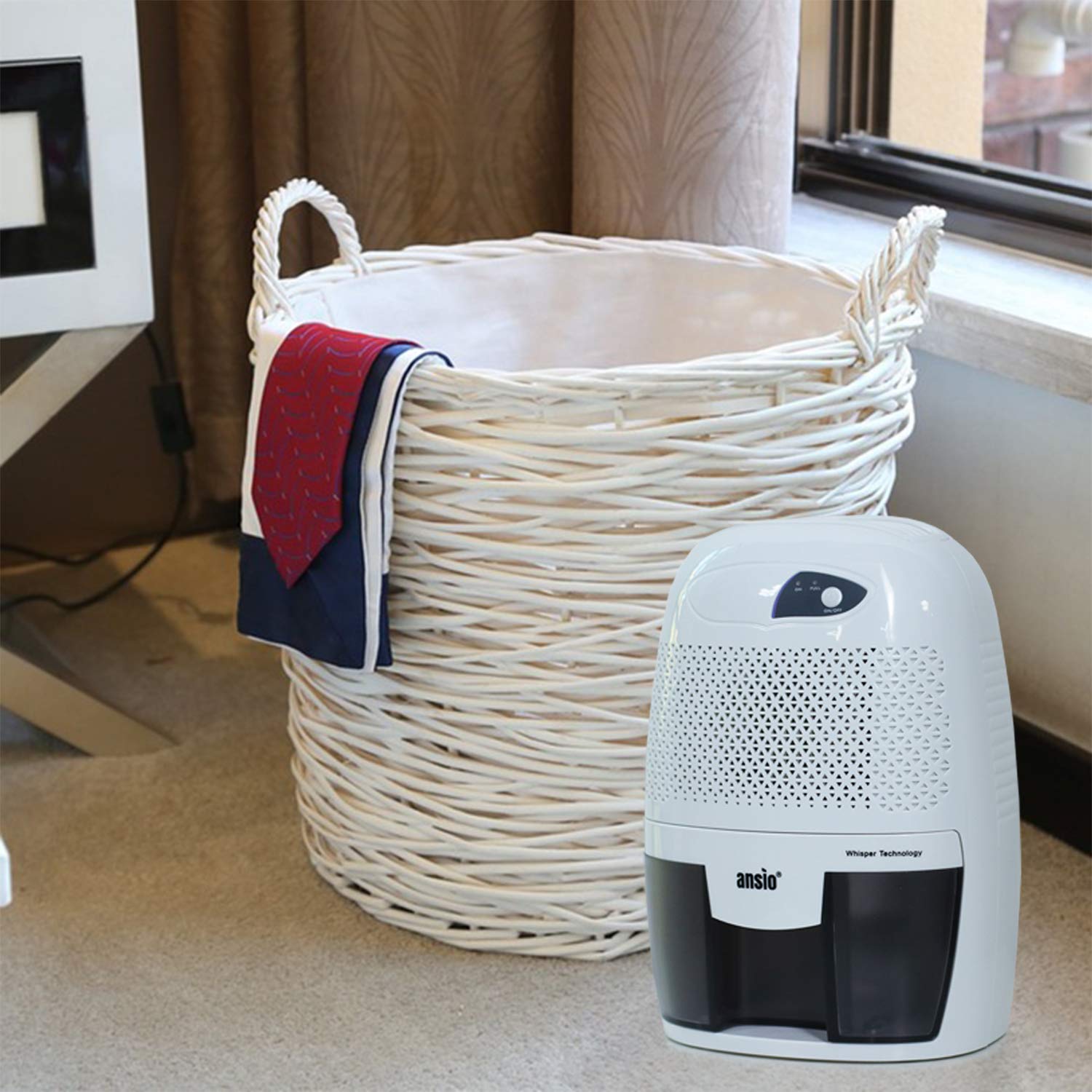
Image: The dehumidifier positioned on the floor next to a laundry basket, indicating its use in living areas.

Image: The dehumidifier placed on a desk next to a laptop, showing its suitability for office or study environments.
പ്രവർത്തന നിർദ്ദേശങ്ങൾ
- പവർ ഓൺ: Press the Power button once. The Power ON indicator light will illuminate, and the dehumidifier will begin operating.
- യാന്ത്രിക ഷട്ട്ഓഫ്: The dehumidifier is equipped with an automatic shutoff feature. When the water tank is full, the Tank Full indicator light will illuminate, and the unit will automatically turn off to prevent overflow.
- വാട്ടർ ടാങ്ക് ശൂന്യമാക്കൽ: When the Tank Full indicator illuminates, carefully pull out the water tank from the front of the unit. Dispose of the collected water.
- ടാങ്ക് മാറ്റിസ്ഥാപിക്കുക: Slide the empty water tank back into the dehumidifier until it clicks into place. The unit will resume operation automatically if the power button is still on.
- പവർ ഓഫ്: To turn off the dehumidifier, press the Power button again. The Power ON indicator light will turn off.
മെയിൻ്റനൻസ്
പതിവ് അറ്റകുറ്റപ്പണികൾ നിങ്ങളുടെ ഡീഹ്യൂമിഡിഫയറിന്റെ മികച്ച പ്രകടനവും ദീർഘായുസ്സും ഉറപ്പാക്കുന്നു.
വാട്ടർ ടാങ്ക് ശൂന്യമാക്കലും വൃത്തിയാക്കലും
- അൺപ്ലഗ്: Always unplug the dehumidifier from the power outlet before cleaning.
- ടാങ്ക് നീക്കം ചെയ്യുക: യൂണിറ്റിന്റെ മുൻവശത്ത് നിന്ന് വാട്ടർ ടാങ്ക് സൌമ്യമായി പുറത്തെടുക്കുക.
- ഒഴിഞ്ഞ വെള്ളം: Pour out any collected water.
- വൃത്തിയുള്ള ടാങ്ക്: Rinse the water tank with clean water. For thorough cleaning, use a mild detergent and a soft cloth. Do not use abrasive cleaners or scrubbers.
- Dry Tank: Ensure the water tank is completely dry before reinserting it into the dehumidifier.
- ടാങ്ക് മാറ്റിസ്ഥാപിക്കുക: Slide the clean, dry water tank back into the unit until it is securely in place.

Image: Illustration of the water tank being removed from the dehumidifier and emptied into a bowl.
പുറംഭാഗം വൃത്തിയാക്കൽ
- ഡീഹ്യൂമിഡിഫയറിന്റെ പുറംഭാഗം മൃദുവായ, ഡി ഉപയോഗിച്ച് തുടയ്ക്കുകamp തുണി.
- കഠിനമായ രാസവസ്തുക്കളോ, അബ്രസീവ് ക്ലീനറുകളോ, ലായകങ്ങളോ ഉപയോഗിക്കരുത്.
- വീണ്ടും പ്ലഗ് ഇൻ ചെയ്യുന്നതിനുമുമ്പ് യൂണിറ്റ് പൂർണ്ണമായും ഉണങ്ങിയെന്ന് ഉറപ്പാക്കുക.
ട്രബിൾഷൂട്ടിംഗ്
| പ്രശ്നം | സാധ്യമായ കാരണം | പരിഹാരം |
|---|---|---|
| ഡീഹ്യൂമിഡിഫയർ ഓണാക്കുന്നില്ല. |
|
|
| Dehumidifier is running but not collecting water. |
|
|
| Unit does not automatically restart after power outage. |
|
|
സ്പെസിഫിക്കേഷനുകൾ
| ബ്രാൻഡ് | ANSIO |
| മോഡൽ നമ്പർ | ANSIO 1530 |
| നിറം | കറുപ്പിനൊപ്പം വെള്ള |
| നിർജ്ജലീകരണ ശേഷി | 0.25 Liters per Day (250ml/Day) |
| വാട്ടർ ടാങ്കിൻ്റെ അളവ് | 250 Millilitres (0.25 litres) |
| വാട്ട്tage | 21.00 W |
| മെറ്റീരിയൽ | പ്ലാസ്റ്റിക് |
| ഇനത്തിൻ്റെ ഭാരം | 1.16 കിലോഗ്രാം (1 കി.ഗ്രാം 160 ഗ്രാം) |
| ഇനത്തിന്റെ അളവുകൾ (LxWxH) | 15.6 x 13 x 22 സെൻ്റീമീറ്റർ |
| പ്രത്യേക സവിശേഷതകൾ | Automatic Shutoff, Compact Design, Manual Operation |
| ഉൾപ്പെടുത്തിയ ഘടകങ്ങൾ | പവർ അഡാപ്റ്റർ |

Image: Visual comparison of the dehumidifier's dimensions (22 cm height, 15.6 cm width, 13 cm depth) against a 30cm ruler and a 750ml Coke bottle.
വാറൻ്റിയും പിന്തുണയും
Your ANSIO Electric Portable Mini Dehumidifier comes with a 2 വർഷത്തെ വാറൻ്റി വാങ്ങിയ തീയതി മുതൽ. സാധാരണ ഉപയോഗത്തിലുള്ള നിർമ്മാണ വൈകല്യങ്ങൾ ഈ വാറന്റി ഉൾക്കൊള്ളുന്നു.
For warranty claims, technical support, or any product-related inquiries, please contact ANSIO customer support:
- ഇമെയിൽ: support@ansio.in
വാറന്റി സാധൂകരണത്തിനായി നിങ്ങളുടെ വാങ്ങിയതിന്റെ തെളിവ് സൂക്ഷിക്കുക.
Ask a question about this manual
Ask about setup, troubleshooting, compatibility, parts, safety, or missing instructions. Manuals+ will review the question and use this page’s manual context to help answer it.