
1. ആമുഖം
This manual provides essential information for the safe and effective use of your FunKey DP-88 II Digital Piano. Please read it thoroughly before operating the instrument and retain it for future reference. The FunKey DP-88 II is an 88-key digital piano designed for both beginners and experienced players, offering a wide range of sounds, rhythms, and learning features.

ചിത്രം 1.1: മുൻഭാഗം view of the FunKey DP-88 II Digital Piano.
2. സുരക്ഷാ നിർദ്ദേശങ്ങൾ
To prevent electric shock, fire, or damage to the instrument, please observe the following precautions:
- Do not expose the instrument to rain, moisture, or excessive humidity.
- Do not place containers with liquids on the instrument.
- പവർ അഡാപ്റ്റർ നിങ്ങളുടെ ലോക്കൽ വോള്യവുമായി പൊരുത്തപ്പെടുന്നുണ്ടെന്ന് ഉറപ്പാക്കുക.tagഇ വിതരണം.
- ഉപകരണം തുറക്കരുത് casing or attempt to repair it yourself. Refer all servicing to qualified personnel.
- Keep the instrument away from heat sources such as radiators, heat registers, or other heat-producing appliances.
- ഇടിമിന്നൽ ഉണ്ടാകുമ്പോഴോ ദീർഘനേരം ഉപയോഗിക്കാതിരിക്കുമ്പോഴോ പവർ കോർഡ് ഊരിവയ്ക്കുക.
3. പാക്കേജ് ഉള്ളടക്കം
പാക്കേജിൽ എല്ലാ ഇനങ്ങളും ഉണ്ടെന്ന് ഉറപ്പാക്കുക:
- FunKey DP-88 II Digital Piano Unit
- Pedal Unit (3 pedals)
- പവർ അഡാപ്റ്റർ
- ഉപയോക്തൃ മാനുവൽ (ഈ പ്രമാണം)
4. സജ്ജീകരണം
The FunKey DP-88 II requires minimal assembly. Follow these steps:
- ബോക്സിൽ നിന്ന് എല്ലാ ഘടകങ്ങളും ശ്രദ്ധാപൂർവ്വം അൺപാക്ക് ചെയ്യുക.
- Assemble the stand according to the included diagrams (not provided in this manual).
- Place the digital piano unit securely onto the assembled stand.
- Connect the pedal unit cable to the designated port on the underside of the piano.
- Connect the power adapter to the DC IN port on the piano and then plug it into a wall outlet.
5. Controls and Functions Overview
The control panel provides access to all instrument functions. Familiarize yourself with the layout:

ചിത്രം 5.1: വിശദമായി view of the control panel and keyboard.
- 88 Dynamic Touch Keys: Standard piano keyboard with touch sensitivity.
- LCD ഡിസ്പ്ലേ: Shows current settings, selected sounds, rhythms, and learning mode information.
- മാസ്റ്റർ വോളിയം നോബ്: മൊത്തത്തിലുള്ള ഔട്ട്പുട്ട് വോളിയം ക്രമീകരിക്കുന്നു.
- Sound/Voice Buttons: Select from 360 available instrument sounds.
- Rhythm/Style Buttons: Choose from 160 accompaniment styles.
- ഫംഗ്ഷൻ ബട്ടണുകൾ: Access various features like Metronome, Record, Playback, Split, Dual, Reverb, Chorus, and Learning Mode.
- Tempo Controls: Adjust the speed of rhythms and metronome.
6. അടിസ്ഥാന പ്രവർത്തനം
6.1 പവർ ഓൺ/ഓഫ്
അമർത്തുക പവർ button to turn the instrument on or off. The LCD display will illuminate upon power-on.
6.2 വോളിയം ക്രമീകരിക്കൽ
തിരിക്കുക മാസ്റ്റർ വോളിയം knob to increase or decrease the overall sound output. Adjust to a comfortable listening level.
6.3 Selecting Sounds
അമർത്തുക ശബ്ദം button, then use the number pad or arrow buttons to select from the 360 available instrument sounds. The selected sound name will appear on the LCD display.
6.4 Using the Metronome
അമർത്തുക മെട്രോനോം button to activate the metronome. Use the ടെമ്പോ buttons to adjust the beat per minute (BPM).
7. വിപുലമായ സവിശേഷതകൾ
7.1 Learning Mode and Demo Songs
The DP-88 II includes a learning mode to assist with piano practice. Press the പാഠം button to enter this mode. You can practice left-hand or right-hand parts at three different difficulty levels. The instrument also features numerous demo songs to aid in musical development.

Figure 7.1: The digital piano's display showing musical notation, illustrating the learning mode and demo song features.
7.2 റെക്കോർഡിംഗും പ്ലേബാക്കും
To record your performance, press the രേഖപ്പെടുത്തുക button. Play your desired piece, then press പ്ലേ/താൽക്കാലികമായി നിർത്തുക to stop recording. To listen to your recorded piece, press പ്ലേ/താൽക്കാലികമായി നിർത്തുക again. The instrument supports recording up to 180 measures.

Figure 7.2: Visual representation of metronome, recording, and MP3 playback functions.
7.3 Rhythm Box
Select from 160 integrated rhythm styles, ranging from rock to bossa nova, to provide automatic accompaniment for your playing. Use the സ്റ്റൈൽ button and number pad to choose a rhythm.
7.4 Split and Dual Functions
- സ്പ്ലിറ്റ് ഫംഗ്ഷൻ: Divides the keyboard into two sections, allowing different sounds to be played by the left and right hands.
- ഇരട്ട പ്രവർത്തനം: Layers two different sounds across the entire keyboard, creating a richer, combined sound.
7.5 Effects: Reverb and Chorus
Enhance your sound with built-in digital effects. Press the റിവർബ് or കോറസ് buttons to apply these effects, adding depth and spaciousness to your performance.
7.6 Integrated MP3 Player
ഇതിലേക്ക് ഒരു USB സംഭരണ ഉപകരണം ബന്ധിപ്പിക്കുക ഉപകരണത്തിലേക്ക് USB port to play MP3 audio files directly through the piano's speakers. This allows you to play along with your favorite songs.
8. കണക്ഷനുകൾ
The FunKey DP-88 II offers various connectivity options:

ചിത്രം 8.1: ഓവർview of the digital piano's rear connection panel.
- DC IN: ഉൾപ്പെടുത്തിയ പവർ അഡാപ്റ്റർ ഇവിടെ ബന്ധിപ്പിക്കുക.
- USB TO DEVICE: For connecting USB storage devices (e.g., USB flash drives) to play MP3 files.
- 6.35 mm Jack Output: ബാഹ്യ ഉപകരണങ്ങളുമായി ബന്ധിപ്പിക്കുന്നതിന് amplification systems or mixers.
- പെഡൽ: Connect the included 3-pedal unit.
- മിഡി ഇൻ/ഔട്ട്: For connecting to other MIDI-compatible devices, such as computers or sound modules.
- USB-ലേക്ക് ഹോസ്റ്റ്: For connecting the piano to a computer for MIDI data transfer.
- Headphone Jack (3.5 mm): Located on the underside of the piano, for silent practice.
9. പരിപാലനം
Proper care ensures the longevity and performance of your digital piano:
- വൃത്തിയാക്കൽ: ഉപകരണത്തിന്റെ ഉപരിതലം തുടയ്ക്കാൻ മൃദുവായതും ഉണങ്ങിയതുമായ തുണി ഉപയോഗിക്കുക. കഠിനമായ അഴുക്കിന്, dampവെള്ളവും നേരിയ ഡിറ്റർജന്റും ഉപയോഗിച്ച് തുണിയിൽ അൽപം തേച്ച് ഉടൻ ഉണക്കുക. ഉരച്ചിലുകൾ ഉണ്ടാക്കുന്ന ക്ലീനറുകളോ ലായകങ്ങളോ ഒഴിവാക്കുക.
- സംഭരണം: When not in use, cover the piano to protect it from dust. Store in a stable environment, away from direct sunlight, extreme temperatures, and high humidity.
- ഗതാഗതം: പിയാനോ ചലിപ്പിക്കുമ്പോൾ, കേടുപാടുകൾ സംഭവിക്കാതിരിക്കാൻ അത് ശരിയായി വേർപെടുത്തി പായ്ക്ക് ചെയ്തിട്ടുണ്ടെന്ന് ഉറപ്പാക്കുക.
10. പ്രശ്നപരിഹാരം
നിങ്ങൾക്ക് പ്രശ്നങ്ങൾ നേരിടുകയാണെങ്കിൽ, ഇനിപ്പറയുന്ന പൊതുവായ പ്രശ്നങ്ങളും പരിഹാരങ്ങളും പരിശോധിക്കുക:
| പ്രശ്നം | സാധ്യമായ കാരണം | പരിഹാരം |
|---|---|---|
| ശബ്ദമില്ല | ശബ്ദം വളരെ കുറവാണ്; ഹെഡ്ഫോണുകൾ കണക്ട് ചെയ്തിട്ടുണ്ട്; വൈദ്യുതി പ്രശ്നം. | Increase master volume; disconnect headphones; check power connection. |
| കീകൾ പ്രതികരിക്കുന്നില്ല | Instrument not powered on; specific function activated (e.g., split mode with no sound on one side). | Ensure power is on; check function settings. |
| വികലമായ ശബ്ദം | Volume too high; faulty connection to external ampജീവൻ. | Reduce volume; check cables and connections. |
| MP3 പ്ലേബാക്ക് പ്രശ്നങ്ങൾ | USB device not properly connected; unsupported file ഫോർമാറ്റ്. | Ensure USB device is securely inserted; verify MP3 file ഫോർമാറ്റ്. |
ഈ പരിഹാരങ്ങൾ പരീക്ഷിച്ചതിനുശേഷവും പ്രശ്നം നിലനിൽക്കുകയാണെങ്കിൽ, ദയവായി ഉപഭോക്തൃ പിന്തുണയുമായി ബന്ധപ്പെടുക.
11 സ്പെസിഫിക്കേഷനുകൾ
Key technical details of the FunKey DP-88 II Digital Piano:
- കീകൾ: 88, dynamic touch
- ശബ്ദങ്ങൾ: 360
- ബഹുസ്വരത: 128 നോട്ടുകൾ
- Rhythm Styles: 160
- ഇഫക്റ്റുകൾ: Reverb, Chorus
- പെഡലുകൾ: 3 (സുസ്റ്റെയിൻ, സോസ്റ്റെനുട്ടോ, സോഫ്റ്റ്)
- സ്പീക്കറുകൾ: 2 x 15W integrated stereo speakers
- കണക്ഷനുകൾ: DC IN, USB to Device, USB to Host, MIDI In/Out, 6.35mm Jack Output, Pedal Unit, 3.5mm Headphone Jack
- അളവുകൾ (W x D x H): 135 x 39 x 77.5 സെ.മീ
- ഭാരം: 29.4 കി.ഗ്രാം

Figure 11.1: Integrated speakers and the 3-pedal unit.
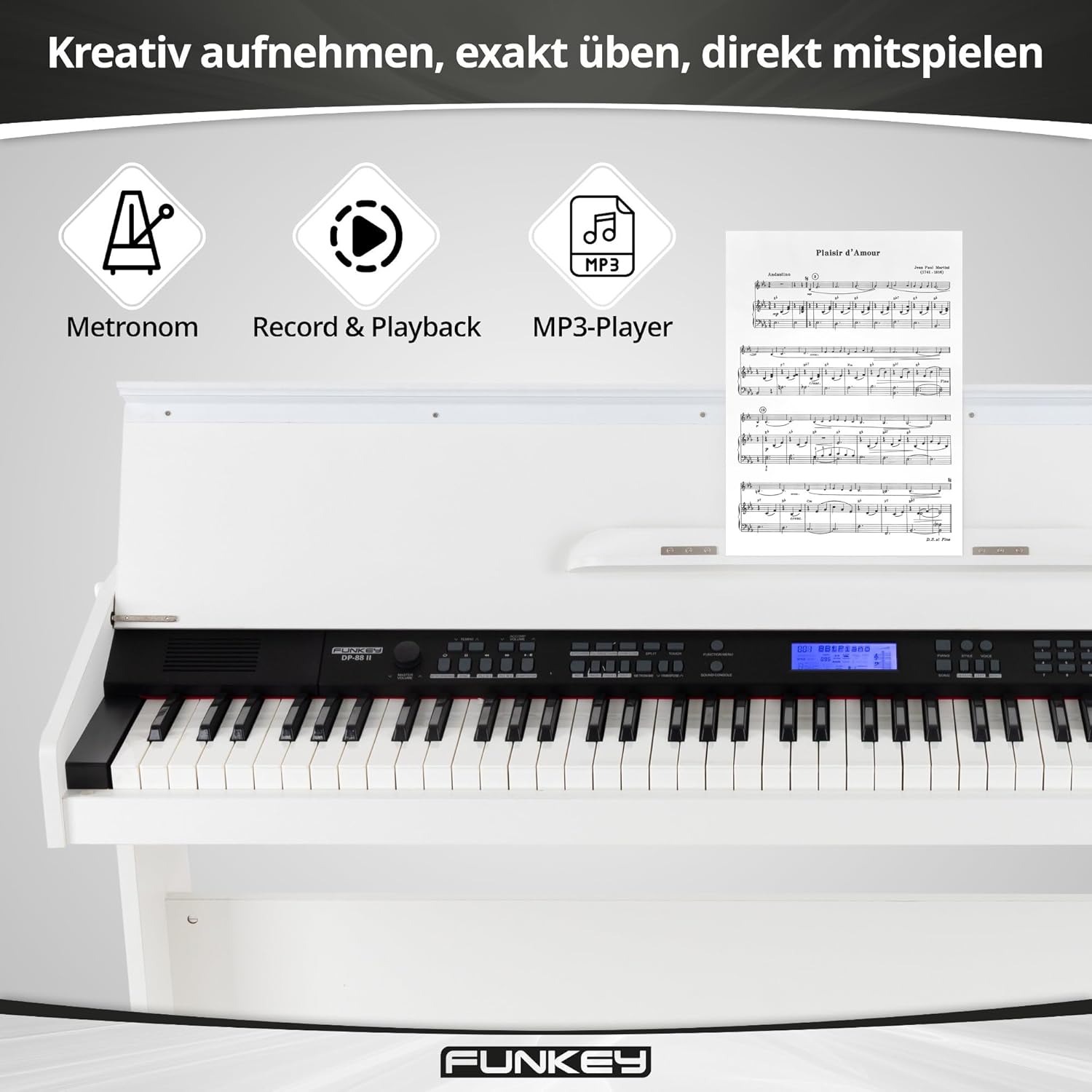
Figure 11.2: Diagram showing the dimensions of the FunKey DP-88 II.
12. വാറൻ്റിയും പിന്തുണയും
For warranty information, please refer to the documentation provided at the time of purchase or contact your retailer. If you require technical assistance or have questions not covered in this manual, please contact FunKey customer support or your authorized dealer.