
ആമുഖം
This manual provides comprehensive instructions for the installation, operation, and maintenance of your Aerocool LUX RGB 650M semi-modular power supply. The LUX RGB 650M is designed to deliver stable power to your PC components while offering customizable RGB lighting effects. Please read this manual thoroughly before installation and use to ensure proper functionality and safety.

ചിത്രം: ആംഗിൾഡ് view of the Aerocool LUX RGB 650M Power Supply, showcasing its black finish and RGB lighting panel.
സുരക്ഷാ വിവരങ്ങൾ
- ഇൻസ്റ്റാളേഷൻ അല്ലെങ്കിൽ അറ്റകുറ്റപ്പണികൾക്ക് മുമ്പ് എസി പവർ ഔട്ട്ലെറ്റിൽ നിന്ന് വൈദ്യുതി വിതരണം വിച്ഛേദിക്കപ്പെട്ടിട്ടുണ്ടെന്ന് ഉറപ്പാക്കുക.
- പവർ സപ്ലൈ യൂണിറ്റ് തുറക്കരുത്. ഉയർന്ന വോളിയംtages ഉള്ളിൽ ഉണ്ട്, ഇത് വൈദ്യുതാഘാതത്തിന് കാരണമാകും.
- നല്ല വായുസഞ്ചാരമുള്ള സ്ഥലത്ത് വൈദ്യുതി വിതരണം സ്ഥാപിക്കുക. വെന്റിലേഷൻ ദ്വാരങ്ങൾ തടയരുത്.
- This product is designed for use in personal computers. Do not use it for any other purpose.
- വെള്ളം, ഈർപ്പം, കടുത്ത താപനില എന്നിവയിൽ നിന്ന് വൈദ്യുതി വിതരണം അകറ്റി നിർത്തുക.
- Use only the cables provided with the power supply. Using third-party cables may cause damage.
പാക്കേജ് ഉള്ളടക്കം
പാക്കേജിൽ എല്ലാ ഇനങ്ങളും ഉണ്ടെന്ന് ഉറപ്പാക്കുക:
- Aerocool LUX RGB 650M Power Supply Unit
- Modular Cable Set (PCIe, SATA, Peripheral)
- Main ATX 20+4 Pin Cable (fixed)
- CPU 4+4 Pin Cable (fixed)
- എസി പവർ കോർഡ്
- മൗണ്ടിംഗ് സ്ക്രൂകൾ
- ഉപയോക്തൃ മാനുവൽ
സജ്ജീകരണവും ഇൻസ്റ്റാളേഷനും
Follow these steps to install your Aerocool LUX RGB 650M power supply:
- നിങ്ങളുടെ പിസി കേസ് തയ്യാറാക്കുക: നിങ്ങളുടെ കമ്പ്യൂട്ടർ പവർ ഓഫ് ചെയ്തിട്ടുണ്ടെന്നും വാൾ ഔട്ട്ലെറ്റിൽ നിന്ന് പ്ലഗ് ഊരിയിട്ടുണ്ടെന്നും ഉറപ്പാക്കുക. പവർ സപ്ലൈ മൗണ്ടിംഗ് ഏരിയയിലേക്ക് പ്രവേശിക്കാൻ നിങ്ങളുടെ പിസി കേസ് തുറക്കുക.
- പവർ സപ്ലൈ മൌണ്ട് ചെയ്യുക: Carefully slide the LUX RGB 650M into the designated power supply bay in your PC case. Secure it with the provided mounting screws.
- Connect Fixed Cables:
- ബന്ധിപ്പിക്കുക 20+4 Pin ATX cable to your motherboard's main power connector.
- ബന്ധിപ്പിക്കുക 4+4 Pin CPU cable to your motherboard's CPU power connector.
- മോഡുലാർ കേബിളുകൾ ബന്ധിപ്പിക്കുക: Identify the necessary modular cables for your components (graphics card, SSDs/HDDs, optical drives).
- ആവശ്യമുള്ളത് ബന്ധിപ്പിക്കുക PCIe കേബിളുകൾ to your graphics card(s).
- ബന്ധിപ്പിക്കുക SATA പവർ കേബിളുകൾ to your storage drives (SSDs, HDDs).
- ബന്ധിപ്പിക്കുക Peripheral (Molex) cables for any other components requiring them.

ചിത്രം: ആംഗിൾഡ് view of the Aerocool LUX RGB 650M Power Supply, illustrating the semi-modular design with fixed and detachable cables.
- കേബിൾ മാനേജുമെന്റ്: Utilize the semi-modular design to manage cables efficiently, improving airflow and aesthetics within your PC case.
- Connect RGB:
- For motherboard synchronization, connect the power supply's Addressable RGB cable to a +5V Addressable RGB header on your compatible motherboard.
- If your motherboard does not have an Addressable RGB header, you can control the lighting effects directly via the LED control button on the power supply.
- പവർ കണക്ഷൻ: Connect the AC power cord to the power supply's input socket and then to a wall outlet. Ensure the power switch on the PSU is in the OFF (0) position before plugging it in.
- System Configuration Note: For optimal performance and stability, ensure your system's power requirements do not exceed the PSU's capacity. A recommended maximum configuration for this 650W model is an Intel i5 processor, an RTX 3060 graphics card, and 16GB DDR4 RAM. For precise power calculations, consult online PSU calculators.
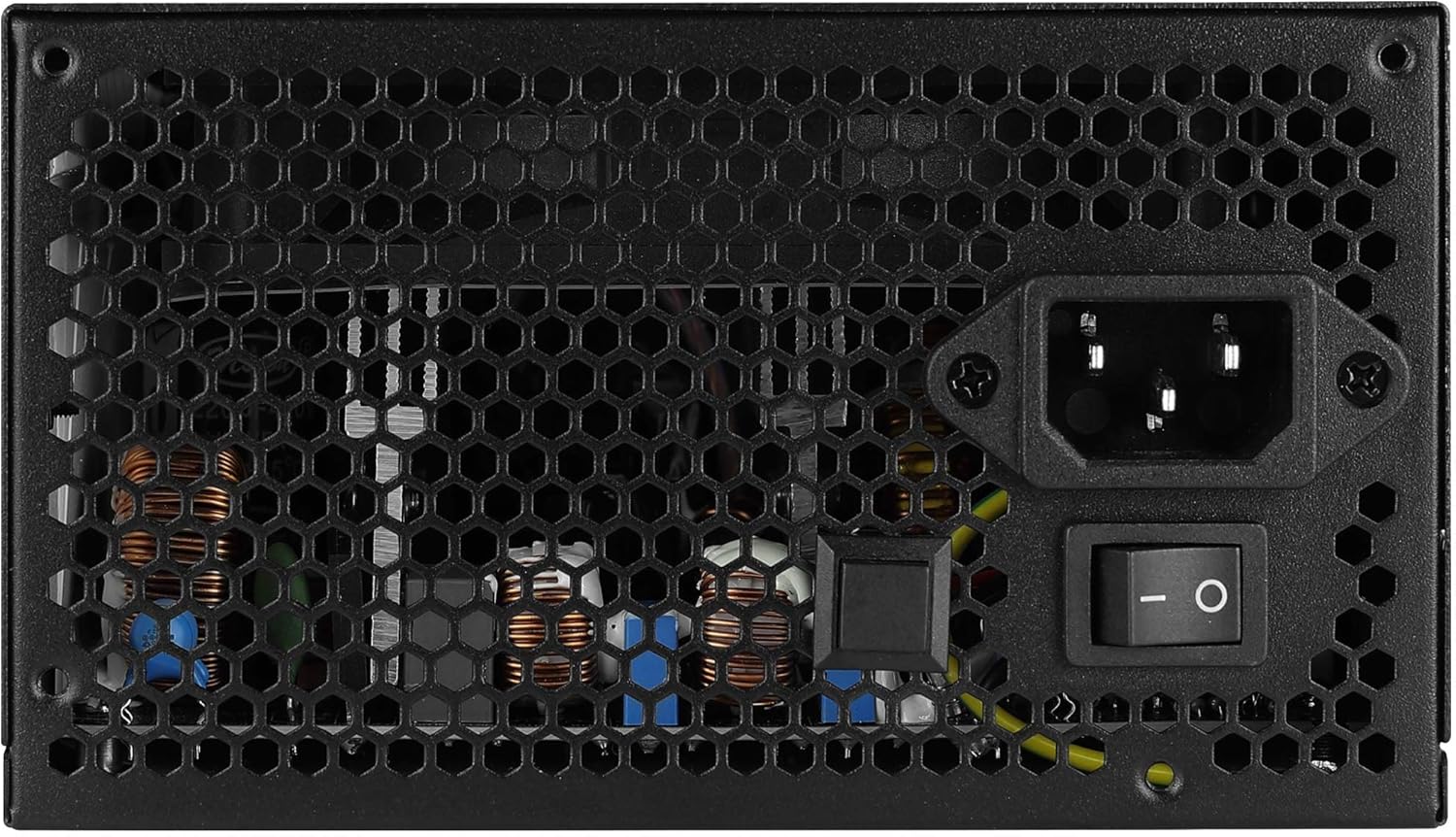
ചിത്രം: പിൻഭാഗം view of the Aerocool LUX RGB 650M Power Supply, showing the AC power input, power switch, and ventilation grille.
പ്രവർത്തന നിർദ്ദേശങ്ങൾ
After successful installation, follow these steps to operate your power supply:
- പവർ ഓൺ: Flip the power switch on the rear of the power supply to the ON (I) position. Then, power on your computer using the case's power button.
- RGB ലൈറ്റിംഗ് നിയന്ത്രണം:
- LED നിയന്ത്രണ ബട്ടൺ വഴി: If not connected to a motherboard ARGB header, press the dedicated LED control button on the power supply to cycle through 13 predefined lighting effects.
- മദർബോർഡ് സോഫ്റ്റ്വെയർ വഴി: If connected to a +5V Addressable RGB header on your motherboard, you can control and synchronize the power supply's lighting effects using your motherboard's RGB software (e.g., ASUS Aura Sync, MSI Mystic Light Sync, Gigabyte RGB Fusion, ASRock Polychrome Sync).
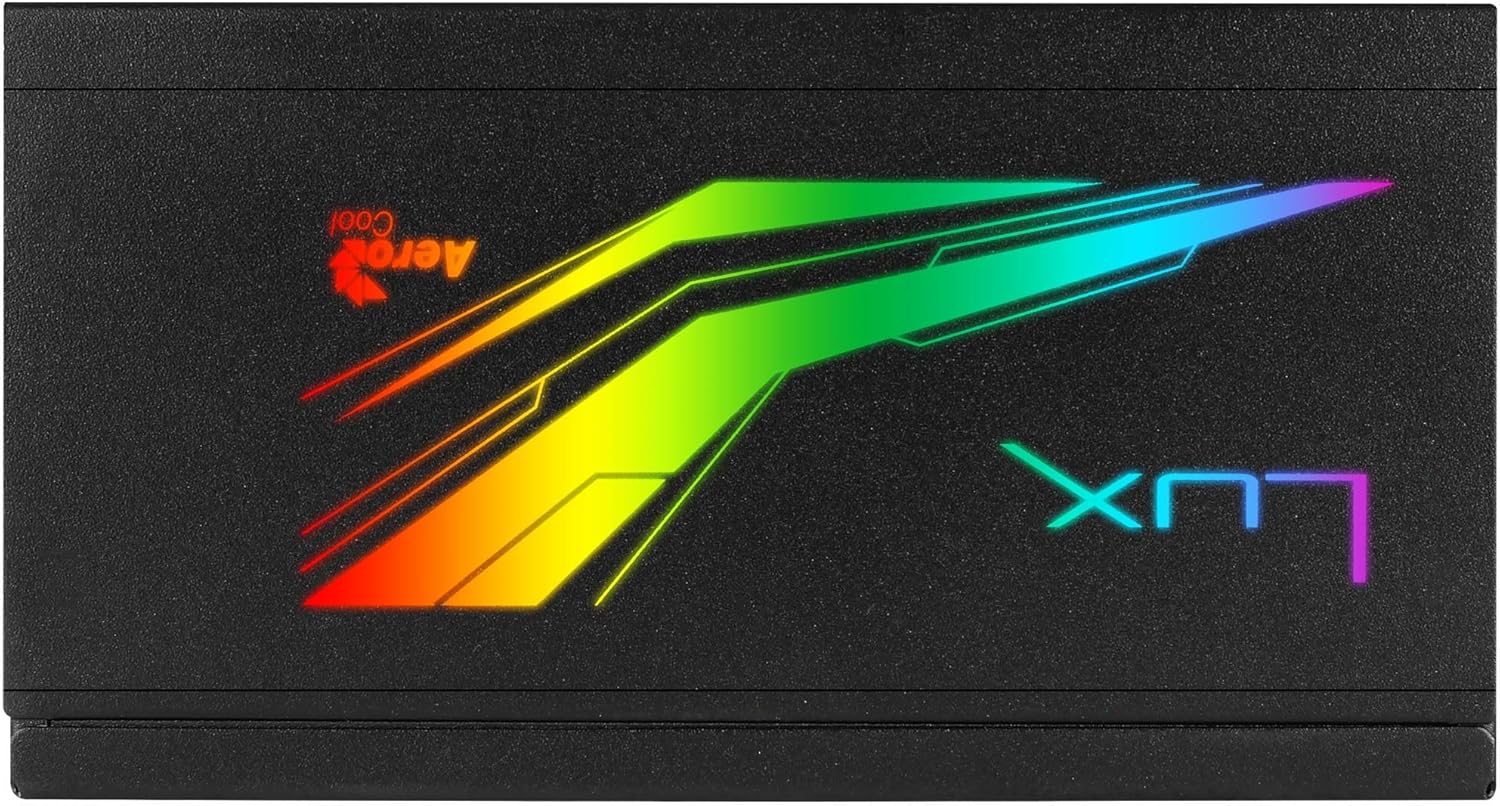
ചിത്രം: മുകളിൽ view of the Aerocool LUX RGB 650M Power Supply, highlighting the integrated RGB lighting panel with the "LUX" and "AeroCool" logos.
മെയിൻ്റനൻസ്
ശരിയായ അറ്റകുറ്റപ്പണി നിങ്ങളുടെ വൈദ്യുതി വിതരണത്തിന്റെ ദീർഘായുസ്സും മികച്ച പ്രകടനവും ഉറപ്പാക്കുന്നു:
- പൊടി വൃത്തിയാക്കൽ: Periodically clean the power supply's fan and ventilation grilles to prevent dust buildup, which can impede airflow and cooling. Use compressed air for best results. Ensure the power supply is off and unplugged before cleaning.
- എയർ ഫ്ലോ: The LUX RGB 650M features a 30% increased ventilation area for enhanced airflow. Ensure your PC case has adequate ventilation to support efficient heat dissipation from the power supply.
- ഫാൻ പ്രവർത്തനം: The 12cm silent black fan operates with optimized thermal fan speed control, adjusting its speed based on temperature to maintain quiet operation and effective cooling.

ചിത്രം: വശം view of the Aerocool LUX RGB 650M Power Supply, highlighting the extensive honeycomb ventilation pattern for improved airflow.
ട്രബിൾഷൂട്ടിംഗ്
നിങ്ങളുടെ വൈദ്യുതി വിതരണത്തിൽ പ്രശ്നങ്ങൾ നേരിടുകയാണെങ്കിൽ, ഇനിപ്പറയുന്ന പൊതുവായ പ്രശ്നങ്ങളും പരിഹാരങ്ങളും പരിശോധിക്കുക:
- No Power to System:
- എസി പവർ കോർഡ് പവർ സപ്ലൈയിലേക്കും വാൾ ഔട്ട്ലെറ്റിലേക്കും സുരക്ഷിതമായി ബന്ധിപ്പിച്ചിട്ടുണ്ടോയെന്ന് പരിശോധിക്കുക.
- Ensure the power switch on the rear of the PSU is in the ON (I) position.
- Verify that all power cables (20+4 Pin ATX, 4+4 Pin CPU, PCIe, SATA) are correctly and firmly connected to their respective components.
- വാൾ ഔട്ട്ലെറ്റിന് പവർ ഉണ്ടെന്ന് ഉറപ്പാക്കാൻ മറ്റൊരു ഉപകരണം ഉപയോഗിച്ച് അത് പരിശോധിക്കുക.
- സിസ്റ്റം അസ്ഥിരത/ക്രാഷുകൾ:
- Ensure your system's power draw does not exceed the 650W capacity of the PSU. Overloading can cause instability.
- അയഞ്ഞ കേബിൾ കണക്ഷനുകൾ പരിശോധിക്കുക.
- Ensure adequate ventilation within the PC case to prevent overheating.
- RGB ലൈറ്റിംഗ് പ്രവർത്തിക്കുന്നില്ല:
- If using the LED control button, ensure it is being pressed correctly to cycle effects.
- If connected to a motherboard ARGB header, verify the connection is secure and that your motherboard's RGB software is installed and configured correctly. Ensure it's a +5V ARGB header, not a +12V RGB header.
സ്പെസിഫിക്കേഷനുകൾ

Image: Electrical specifications label for the Aerocool LUX RGB 650M Power Supply, detailing voltagഇ, നിലവിലെ ഔട്ട്പുട്ടുകൾ.
| ഫീച്ചർ | വിശദാംശങ്ങൾ |
|---|---|
| മോഡൽ നമ്പർ | LUXRGB650M |
| ബ്രാൻഡ് | എയറോകൂൾ |
| പവർ ഔട്ട്പുട്ട് | 650 വാട്ട്സ് |
| കാര്യക്ഷമതാ സർട്ടിഫിക്കേഷൻ | 80Plus 230V EU Bronze (up to 88%+ efficiency) |
| ഫോം ഫാക്ടർ | ATX |
| Cabling Design | സെമി മോഡുലാർ |
| തണുപ്പിക്കൽ രീതി | Air (12cm silent black fan with optimized thermal speed control) |
| RGB ലൈറ്റിംഗ് | Prism RGB (13 predefined effects via button, compatible with +5V Addressable RGB motherboards) |
| ഇൻപുട്ട് വോളിയംtage | 115-230 വോൾട്ട് |
| അളവുകൾ (L x W x H) | 16 x 15 x 8.6 സെ.മീ |
| ഭാരം | 1.5 കിലോഗ്രാം |
| അനുയോജ്യമായ ഉപകരണങ്ങൾ | പേഴ്സണൽ കമ്പ്യൂട്ടർ |
വാറൻ്റി
The Aerocool LUX RGB 650M Power Supply comes with a 2 വർഷത്തെ വാറൻ്റി on spare parts. Please retain your proof of purchase for warranty claims. The warranty covers defects in materials and workmanship under normal use. It does not cover damage caused by misuse, accident, modification, or unauthorized repair.
പിന്തുണ
For technical assistance, troubleshooting beyond this manual, or warranty inquiries, please contact AeroCool customer support. Visit the official AeroCool webബന്ധപ്പെടാനുള്ള വിവരങ്ങൾക്കും അധിക ഉറവിടങ്ങൾക്കുമായി സൈറ്റ്.
ഓൺലൈൻ ഉറവിടങ്ങൾ: www.aerocool.io