
1. ആമുഖം
Thank you for choosing the CAMRY Digital Bathroom Scale, Model EB9861H. This scale is designed to provide accurate body weight measurements and calculate Body Mass Index (BMI). Featuring an extra-large platform of 33.5 x 31 cm, 6mm tempered glass, and a large LCD display, it offers a safe, stable, and user-friendly experience. This manual will guide you through the setup, operation, maintenance, and troubleshooting of your new scale.

Figure 1: CAMRY Digital Bathroom Scale highlighting its multi-function capabilities including BMI, body weight, precise sensors, 180kg/400lb capacity, auto on/off/calibrate, and error indication.
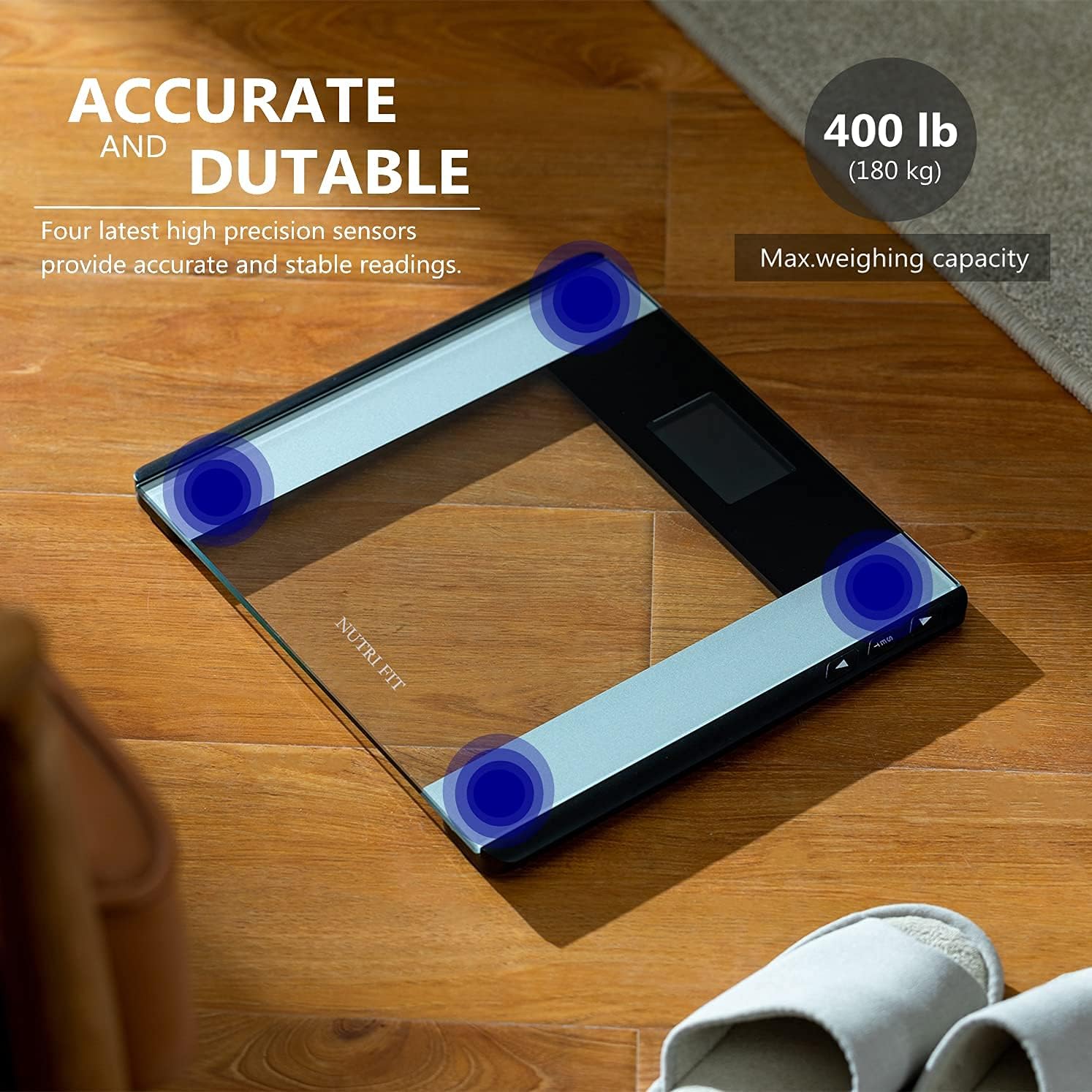
Figure 2: The scale features four high-precision sensors for accurate and stable readings, with a maximum weighing capacity of 180 kg (400 lb).
2 സുരക്ഷാ വിവരങ്ങൾ
- Always place the scale on a hard, flat surface. Using it on soft surfaces like carpet may affect accuracy.
- The scale surface is made of glass. Keep it dry to prevent slipping.
- Do not jump on the scale or drop heavy objects on it, as this may damage the glass platform.
- സ്കെയിൽ വെള്ളത്തിൽ മുക്കരുത് അല്ലെങ്കിൽ അബ്രാസീവ് ക്ലീനിംഗ് ഏജന്റുകൾ ഉപയോഗിക്കരുത്.
- This scale is for personal use only and not intended for medical diagnosis or treatment.
- ബാറ്ററികൾ കുട്ടികൾക്ക് ലഭ്യമാകാതെ സൂക്ഷിക്കുക. ഉപയോഗിച്ച ബാറ്ററികൾ ശരിയായി നശിപ്പിക്കുക.
3. ഉൽപ്പന്നം കഴിഞ്ഞുview
The CAMRY EB9861H Digital Bathroom Scale features a sleek design with essential components for accurate and easy weighing.
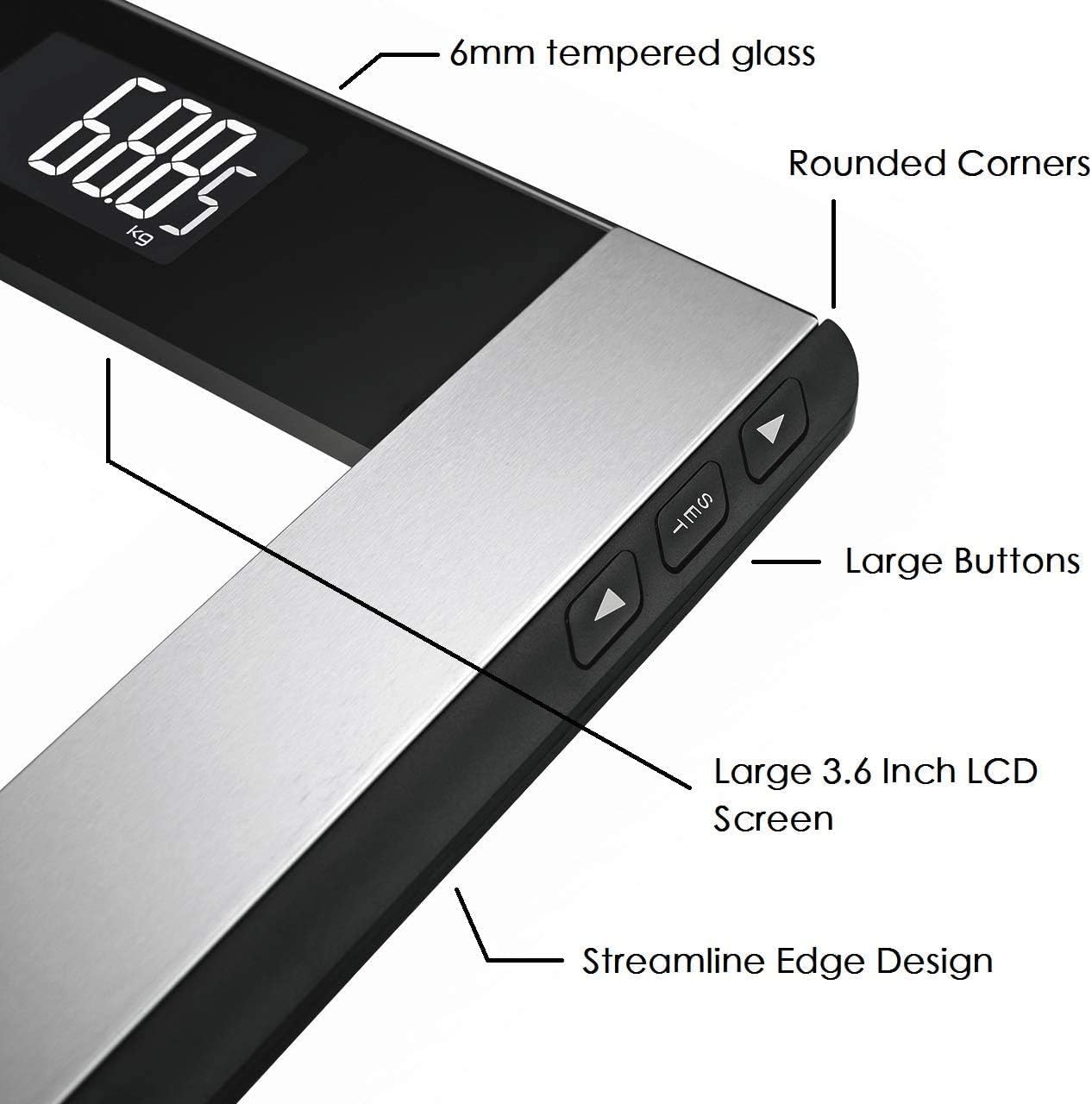
Figure 3: Key components of the scale include the 6mm tempered glass platform, rounded corners, large buttons for settings, a large 3.6-inch LCD screen, and a streamline edge design.

Figure 4: The large LCD backlight display ensures easy readability of weight and BMI values in various lighting conditions.
- ടെമ്പർഡ് ഗ്ലാസ് പ്ലാറ്റ്ഫോം: 6mm thick for durability and safety.
- LCD ഡിസ്പ്ലേ: Large 74 x 46 mm screen with white backlight for clear readings.
- നിയന്ത്രണ ബട്ടണുകൾ: Three buttons (SET, Up, Down) located on the side for unit conversion and user profile ക്രമീകരണങ്ങൾ.
- സെൻസറുകൾ: Four high-precision sensors for accurate measurements.
4. സജ്ജീകരണം
4.1 ബാറ്ററി ഇൻസ്റ്റാളേഷൻ
- സ്കെയിലിന്റെ അടിഭാഗത്തുള്ള ബാറ്ററി കമ്പാർട്ട്മെന്റ് കവർ തുറക്കുക.
- ശരിയായ പോളാരിറ്റി (+/-) ഉറപ്പാക്കിക്കൊണ്ട് 2 AAA ബാറ്ററികൾ ഇടുക.
- ബാറ്ററി കമ്പാർട്ട്മെൻ്റ് കവർ അടയ്ക്കുക.
4.2 പ്രാരംഭ പ്ലേസ്മെന്റ്
Place the scale on a hard, flat, and stable surface. Avoid carpets or uneven flooring to ensure accurate readings.
4.3 യൂണിറ്റ് പരിവർത്തനം
To change the weight unit (kilograms, pounds, or stones):
- Locate the unit button (often labeled "UNIT" or "MODE") on the underside or side of the scale.
- Press the button to cycle through the available units (kg, lb, st). The selected unit will be displayed on the LCD screen.
5. ഓപ്പറേഷൻ
5.1 Basic Weight Measurement
- സ്കെയിൽ കട്ടിയുള്ളതും പരന്നതുമായ പ്രതലത്തിലാണെന്ന് ഉറപ്പാക്കുക.
- Step onto the scale with bare feet. The scale will automatically turn on.
- Stand still until your weight is displayed and stabilizes. The reading will flash a few times before locking.
- സ്കെയിലിൽ നിന്ന് മാറുക. കുറച്ച് നിമിഷങ്ങൾക്ക് ശേഷം അത് യാന്ത്രികമായി ഓഫാകും.
5.2 BMI Measurement (Body Mass Index)
To obtain your BMI, you must first set your height. The scale can store up to 12 user profiles.
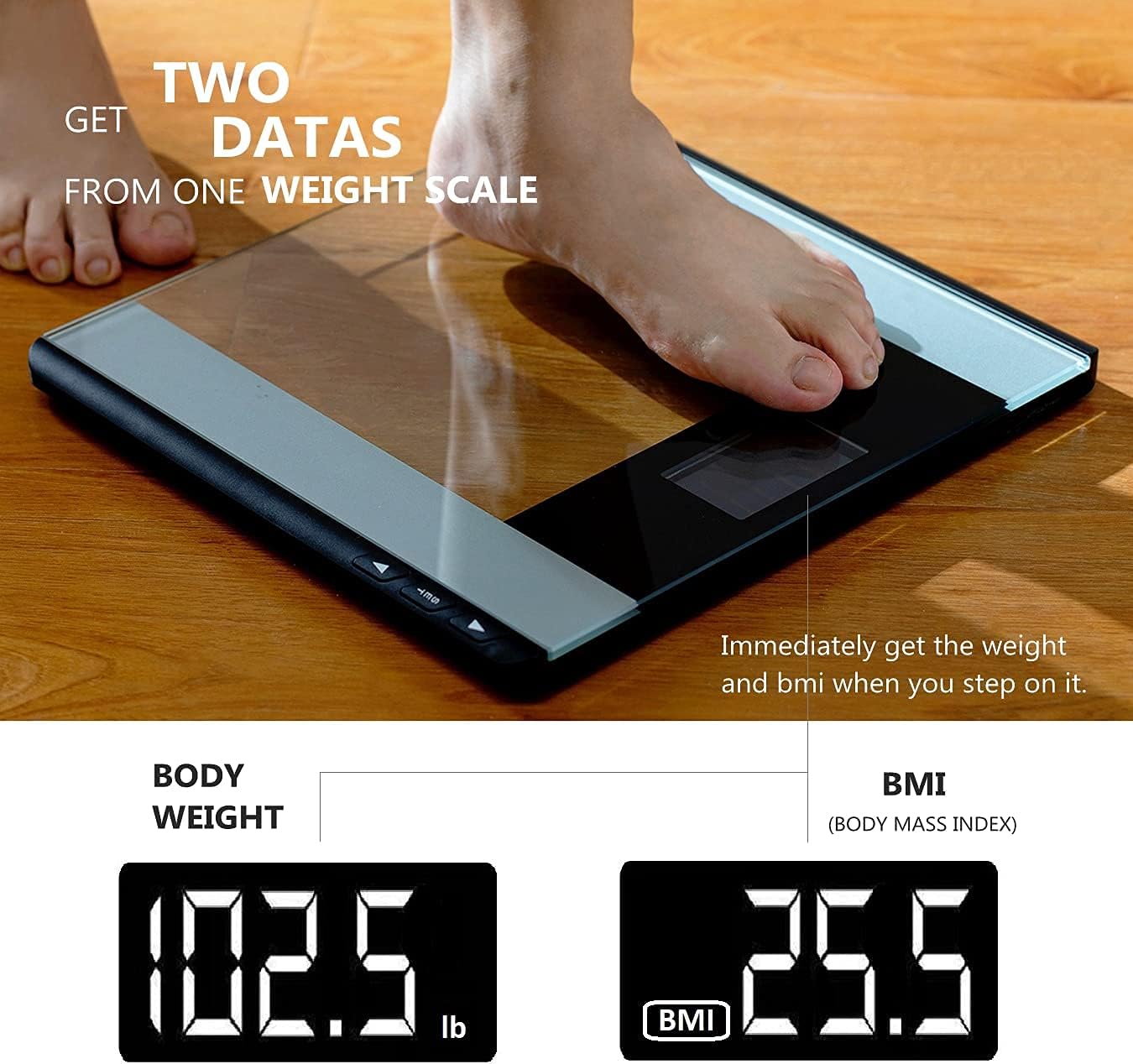
Figure 5: The scale displays both body weight and Body Mass Index (BMI) immediately after stepping on it, provided user height is set.
യൂസർ പ്രോ സജ്ജീകരിക്കുന്നുfiles and Height:
- Press the "SET" button to enter user profile ക്രമീകരണങ്ങൾ.
- Use the "Up" or "Down" buttons to select a user profile (P-01 to P-12).
- Press "SET" again to confirm the user.
- The height setting will flash. Use "Up" or "Down" to adjust your height.
- Press "SET" to save your height. The scale will then return to weighing mode.

Figure 6: The scale supports up to 12 user profiles (P-01 to P-12), allowing multiple users to store their height data for BMI calculation.
Measuring Weight and BMI:
- നിങ്ങളുടെ യൂസർ പ്രോ തിരഞ്ഞെടുക്കുകfile by pressing "SET" and using "Up"/"Down" buttons.
- ഒരിക്കൽ നിങ്ങളുടെ പ്രോfile is selected, step onto the scale.
- Your weight will be displayed first, followed by your calculated BMI.
6. പരിപാലനം
6.1 വൃത്തിയാക്കൽ
- മൃദുവായ, d തുണി ഉപയോഗിച്ച് സ്കെയിൽ പ്രതലം തുടയ്ക്കുക.amp തുണി.
- Do not use chemical cleaning agents or abrasive materials.
- സംഭരണത്തിനോ അടുത്ത ഉപയോഗത്തിനോ മുമ്പ് സ്കെയിൽ ഉണങ്ങിയെന്ന് ഉറപ്പാക്കുക.
6.2 സംഭരണം
നേരിട്ടുള്ള സൂര്യപ്രകാശത്തിൽ നിന്നും കടുത്ത താപനിലയിൽ നിന്നും അകന്ന്, തണുത്തതും വരണ്ടതുമായ സ്ഥലത്ത് സ്കെയിൽ സൂക്ഷിക്കുക.
6.3 ബാറ്ററി മാറ്റിസ്ഥാപിക്കൽ
When the battery indicator appears on the display, replace the 2 AAA batteries as described in Section 4.1.
7. പ്രശ്നപരിഹാരം
| പ്രശ്നം | സാധ്യമായ കാരണം | പരിഹാരം |
|---|---|---|
| "ഇത്" അല്ലെങ്കിൽ ഡിസ്പ്ലേ ഇല്ല | കുറഞ്ഞ ബാറ്ററി. | Replace batteries (2 AAA). |
| "Err" or inaccurate readings | Overload, unstable surface, or initial calibration error. |
|
| പൊരുത്തമില്ലാത്ത വായനകൾ | Scale moved, uneven surface, or not standing still. |
|
8 സ്പെസിഫിക്കേഷനുകൾ
| മോഡൽ നമ്പർ | EB9861H |
| ബ്രാൻഡ് | കാമ്രി |
| പരമാവധി ഭാരം ശേഷി | 180 കി.ഗ്രാം / 400 പൗണ്ട് / 28 സെൻ്റ് |
| പ്ലാറ്റ്ഫോം അളവുകൾ | 33.5 x 31 സെ.മീ |
| മെറ്റീരിയൽ | 6 എംഎം ടെമ്പർഡ് ഗ്ലാസ് |
| ഡിസ്പ്ലേ തരം | ബാക്ക്ലൈറ്റിനൊപ്പം എൽസിഡി |
| പവർ ഉറവിടം | 2 x AAA ബാറ്ററികൾ (ഉൾപ്പെട്ടിരിക്കുന്നു) |
| ഫീച്ചറുകൾ | Step-on Auto-off, BMI Calculation, 4 High-Precision Sensors, 12 User Profiles |
9. വാറൻ്റിയും പിന്തുണയും
CAMRY offers a one-year warranty for this product. For any questions, technical support, or warranty claims, please contact CAMRY customer service. You can reach us via the Amazon Mail System or our service email address, as indicated in your purchase documentation.
വാറന്റി ആവശ്യങ്ങൾക്കായി നിങ്ങളുടെ വാങ്ങിയതിന്റെ തെളിവ് സൂക്ഷിക്കുക.