
1. ആമുഖം
This manual provides essential instructions for the safe and efficient use of your Herdio 4 Inch 200 Watt Outdoor Indoor Bluetooth Speakers, Model HOS-401WBT. Please read this manual thoroughly before installation and operation to ensure optimal performance and longevity of your speakers.
2. പാക്കേജ് ഉള്ളടക്കം
താഴെ ലിസ്റ്റ് ചെയ്തിരിക്കുന്ന എല്ലാ ഇനങ്ങളും നിങ്ങളുടെ പാക്കേജിൽ ഉൾപ്പെടുത്തിയിട്ടുണ്ടെന്ന് ഉറപ്പാക്കുക:
- 2 x Herdio 4 Inch Speakers (1 Active, 1 Passive)
- 1 x 12V Power Adapter and Supply
- 1 x 16FT/5M Speaker Cable
- 1 x ഉപയോക്തൃ മാനുവൽ
- മൗണ്ടിംഗ് ബ്രാക്കറ്റുകളും സ്ക്രൂകളും

3 സ്പെസിഫിക്കേഷനുകൾ
| ഫീച്ചർ | വിശദാംശങ്ങൾ |
|---|---|
| മോഡലിൻ്റെ പേര് | HOS-401WBT |
| സ്പീക്കർ തരം | ഔട്ട്ഡോർ / ഇൻഡോർ |
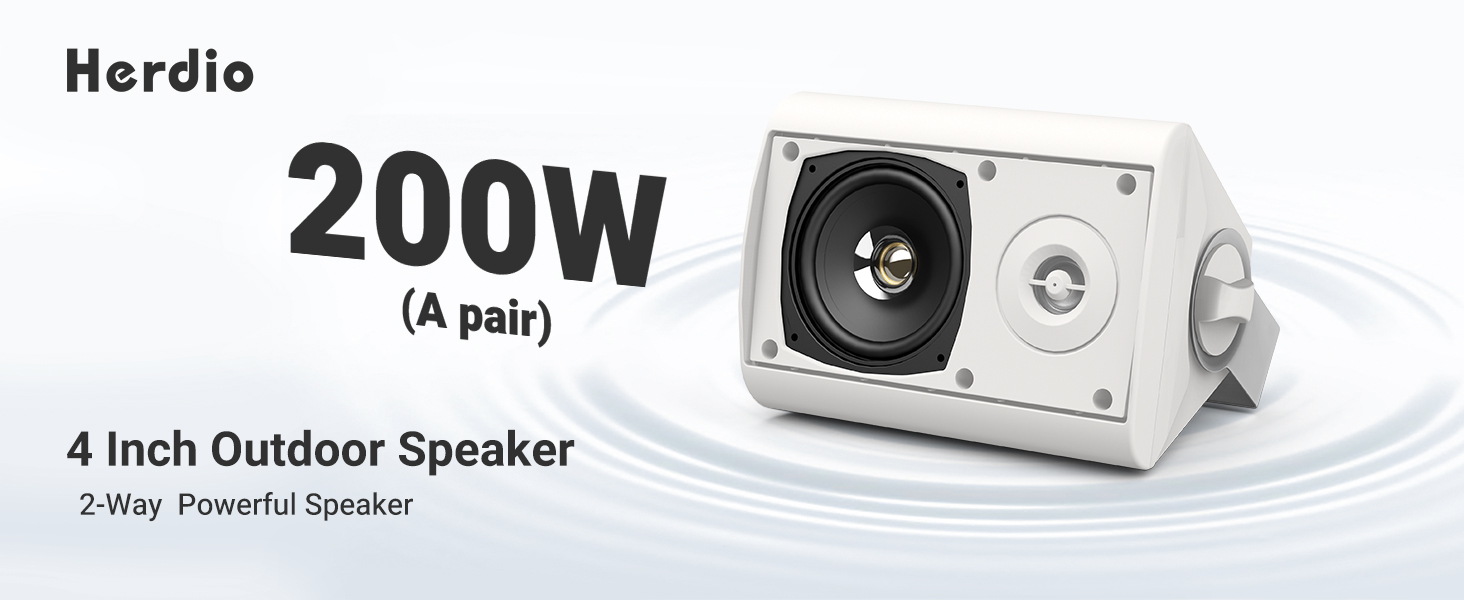
| പവർ ഔട്ട്പുട്ട് | 200 Watts (100W per speaker) |
| വൂഫർ വ്യാസം | 4 ഇഞ്ച് |
| ട്വീറ്റർ വ്യാസം | 1 ഇഞ്ച് |
| കണക്റ്റിവിറ്റി | Bluetooth, Wired (Passive speaker connection) |
| ബ്ലൂടൂത്ത് ശ്രേണി | 20.12 മീറ്റർ വരെ (66 അടി) |
| ജല പ്രതിരോധ നില | IP66 (ജല പ്രതിരോധം) |
| മെറ്റീരിയൽ | അക്രിലോണിട്രൈൽ ബ്യൂട്ടാഡീൻ സ്റ്റൈറൈൻ (എബിഎസ്) |
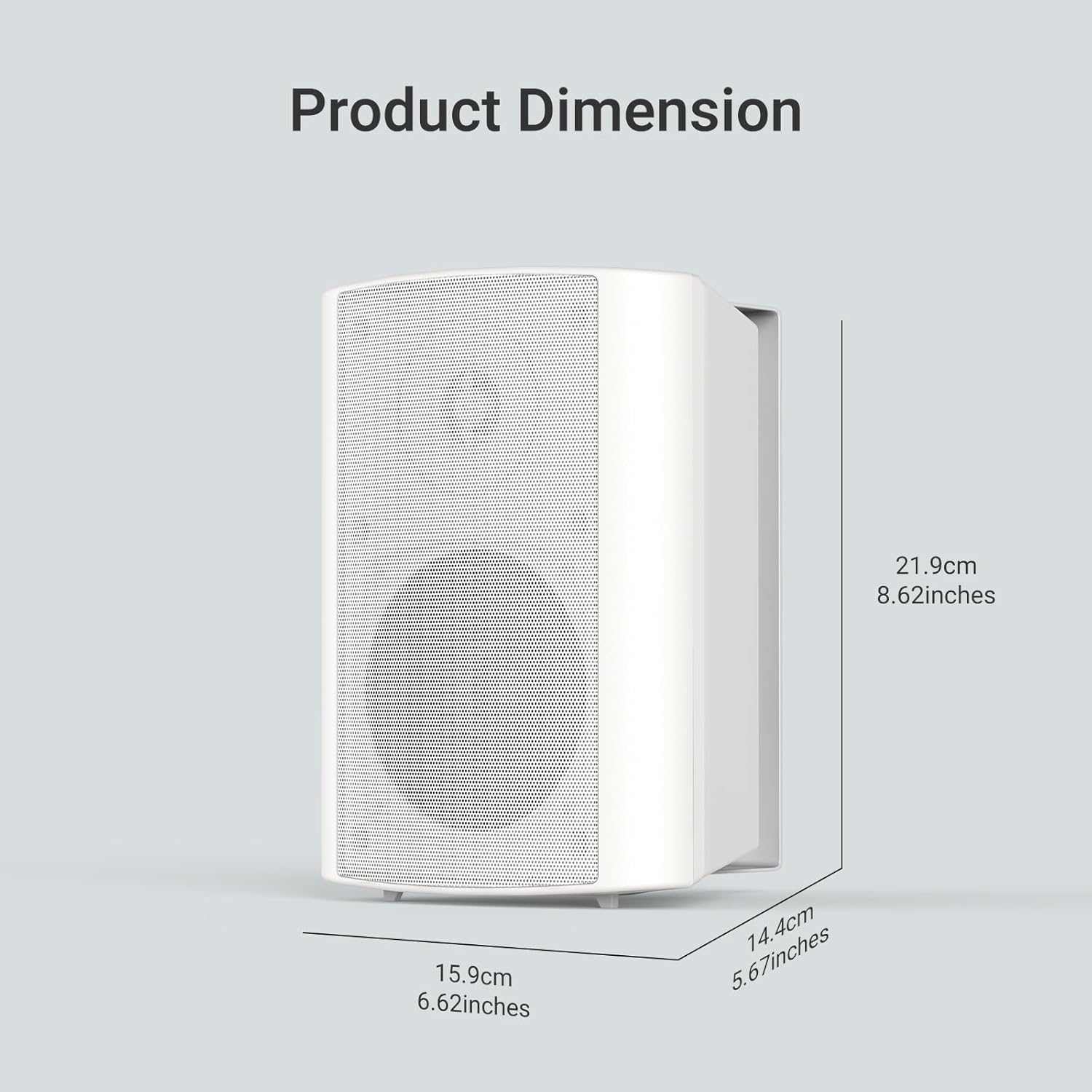
| ഉൽപ്പന്ന അളവുകൾ (L x W x H) | 8.62" x 5.67" x 6.62" (219mm x 144mm x 159mm) |
| ഇൻപുട്ട് വോളിയംtage | 12 വോൾട്ട് |
| ഓഡിയോ put ട്ട്പുട്ട് മോഡ് | സ്റ്റീരിയോ |
4. സജ്ജീകരണം
4.1 സ്പീക്കറുകൾ മൌണ്ട് ചെയ്യുന്നു
The Herdio speakers come with versatile swivel brackets for flexible placement. These brackets allow for a 90-120 degree range of motion, enabling you to direct sound as desired.
- ബ്രാക്കറ്റുകൾ നീക്കം ചെയ്യുക: Unscrew the knobs on the sides of the speakers to detach the mounting brackets.
- മാർക്ക് പ്ലേസ്മെന്റ്: Choose your desired location (e.g., patio, garage, living room wall). Use the detached bracket to mark the drill points for the screws.
- ബ്രാക്കറ്റുകൾ ഇൻസ്റ്റാൾ ചെയ്യുക: Securely attach the brackets to the wall or ceiling using appropriate screws (provided).
- സ്പീക്കറുകൾ ഘടിപ്പിക്കുക: Slide the speakers onto the installed brackets. Adjust the speaker angle and tighten the knobs to secure them in place.

4.2 Wiring the Speakers
The Herdio speaker system consists of one active speaker and one passive speaker. The active speaker contains the amplifier and Bluetooth module, while the passive speaker connects to the active one via the provided speaker cable.
- Connect Passive to Active: Locate the red (+) and black (-) terminals on the back of both speakers. Connect the red wire of the speaker cable to the red terminal on both speakers, and the black wire to the black terminal on both speakers. Ensure a secure connection by turning the terminal clockwise to tighten.
- പവർ കണക്ഷൻ: Plug the 12V power adapter into the DC 12V input port on the active speaker. Then, plug the power adapter into a suitable electrical outlet.

5. ഓപ്പറേഷൻ
5.1 ബ്ലൂടൂത്ത് ജോടിയാക്കൽ
Once powered on, the active speaker will automatically enter Bluetooth pairing mode. The Bluetooth indicator light will flash, indicating it's ready to connect.
- ബ്ലൂടൂത്ത് സജീവമാക്കുക: നിങ്ങളുടെ സ്മാർട്ട്ഫോണിലോ ടാബ്ലെറ്റിലോ ബ്ലൂടൂത്ത് പ്രവർത്തനക്ഷമമാക്കുക.
- ഇതിനായി തിരയുക ഉപകരണം: Look for "HOS-401WBT" in the list of available Bluetooth devices.
- ബന്ധിപ്പിക്കുക: Select "HOS-401WBT" to pair. A confirmation tone will sound from the speakers once successfully connected.

5.2 ഓഡിയോ പ്ലേബാക്ക്
After successful pairing, you can play audio from your connected device. The speakers will output stereo sound.
- വോളിയം നിയന്ത്രണം: Adjust the volume directly from your connected device.
- ശബ്ദ നിലവാരം: The speakers are designed to deliver full-range sound with deep bass and clear highs.
6. പരിപാലനം
- വൃത്തിയാക്കൽ: സ്പീക്കർ പ്രതലങ്ങൾ വൃത്തിയാക്കാൻ മൃദുവായതും ഉണങ്ങിയതുമായ തുണി ഉപയോഗിക്കുക. ഉരച്ചിലുകൾ ഉള്ള ക്ലീനറുകളോ ലായകങ്ങളോ ഉപയോഗിക്കുന്നത് ഒഴിവാക്കുക.
- കാലാവസ്ഥ സംരക്ഷണം: Although IP66 rated, it is recommended to protect the power adapter from direct exposure to rain or extreme weather conditions.
- സംഭരണം: സ്പീക്കറുകൾ ദീർഘനേരം സൂക്ഷിക്കുകയാണെങ്കിൽ, അവ വൈദ്യുതിയിൽ നിന്ന് വിച്ഛേദിച്ച് തണുത്തതും വരണ്ടതുമായ സ്ഥലത്ത് സൂക്ഷിക്കുക.
7. പ്രശ്നപരിഹാരം
| പ്രശ്നം | സാധ്യമായ കാരണം | പരിഹാരം |
|---|---|---|
| ശക്തിയില്ല | പവർ അഡാപ്റ്റർ ബന്ധിപ്പിച്ചിട്ടില്ല അല്ലെങ്കിൽ ഔട്ട്ലെറ്റ് തകരാറിലാണ്. | Ensure the power adapter is securely plugged into the active speaker and a working electrical outlet. |
| ശബ്ദമില്ല | Speakers not paired, volume too low, or incorrect wiring. | Verify Bluetooth connection, increase device volume, and check speaker cable connections between active and passive speakers. |
| ബ്ലൂടൂത്ത് വിച്ഛേദിക്കൽ | Device out of range or interference. | Ensure the paired device is within 20 meters (66 feet) of the active speaker. Minimize obstacles and interference. |
| വികലമായ ശബ്ദം | Volume too high or poor audio source. | Reduce the volume on your device. Try a different audio source or file. |
8. വാറൻ്റിയും പിന്തുണയും
All Herdio speaker products come with a 1 വർഷത്തെ പരിമിത വാറൻ്റി against defects in materials and workmanship. Proof of purchase is required for all claims.
During the warranty period, Herdio will replace any defective part and correct any defect in workmanship without charge for either parts or labor.
The Technical Support Center at HERDIO is available from Monday to Friday, excluding holidays.
ചോദ്യങ്ങൾക്കോ പിന്തുണയ്ക്കോ, ദയവായി ഞങ്ങളെ ഇവിടെ ബന്ധപ്പെടുക: support@herdiotech.com