
Spider A-EMIC-BT100
ഉപയോക്തൃ മാനുവൽ
Spider Truly Wireless Bluetooth Earphones BT100
Model: A-EMIC-BT100
ആമുഖം
The Spider Truly Wireless Earphones BT100 are designed to provide a balanced and detailed audio experience with powerful bass. Their stylish design ensures a comfortable and secure fit for extended use. These earphones offer easy pairing and maintain a stable Bluetooth connection for uninterrupted listening. The BT100 has successfully passed the UN38.3 test, ensuring the safety of its battery for user peace of mind.
Key features include HD Sound with Noise-Isolation, easy and stable connectivity, up to 16 hours of total playtime with the charging case, automatic pairing and charging, and an iOS Battery Capacity Display.
എന്താണ് ഉൾപ്പെടുത്തിയിരിക്കുന്നത്
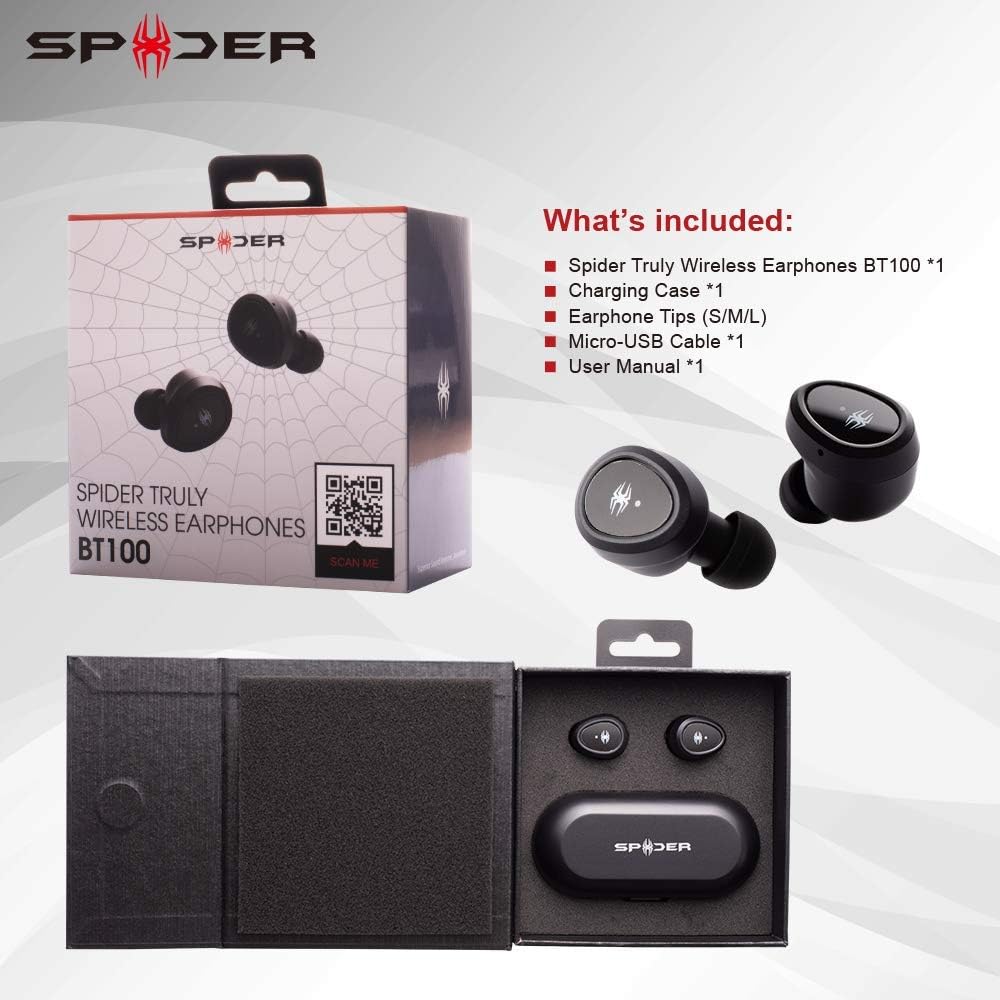
This image displays the Spider BT100 retail packaging and its contents. The box is open, revealing the earphones and charging case nestled in their compartments. Alongside the main product, the image shows the included accessories: a Micro-USB cable, various sizes of earphone tips (S/M/L), and the user manual. This visual confirms all items you should find in your package.
- Spider Truly Wireless Earphones BT100 (1 pair)
- ചാർജിംഗ് കേസ് (1)
- Earphone Tips (S/M/L sizes)
- Micro-USB Cable (1)
- ഉപയോക്തൃ മാനുവൽ (1)
ഉൽപ്പന്നം കഴിഞ്ഞുview

This diagram highlights the key components of the Spider BT100 earphones and their charging case. For the headset, it points out the Status LED Indicator and the Power On/Off Button. For the charging case, it shows the LED Power Indicator, which turns red when the capacity is below 50%. The image also lists key features such as HD Sound with Noise-Isolation, Easy Pairing and Stable Connectivity, 2-3 hours playing time per charge, up to 16 hours total playing time with the case, automatic pairing and charging, and iOS Battery Capacity Display.
- ഇയർഫോണുകൾ: Each earphone features a multi-function button for controls and an LED indicator.
- ചാർജിംഗ് കേസ്: A compact case that charges the earphones and provides extended battery life. It has LED indicators for its own battery status and a Micro-USB charging port.
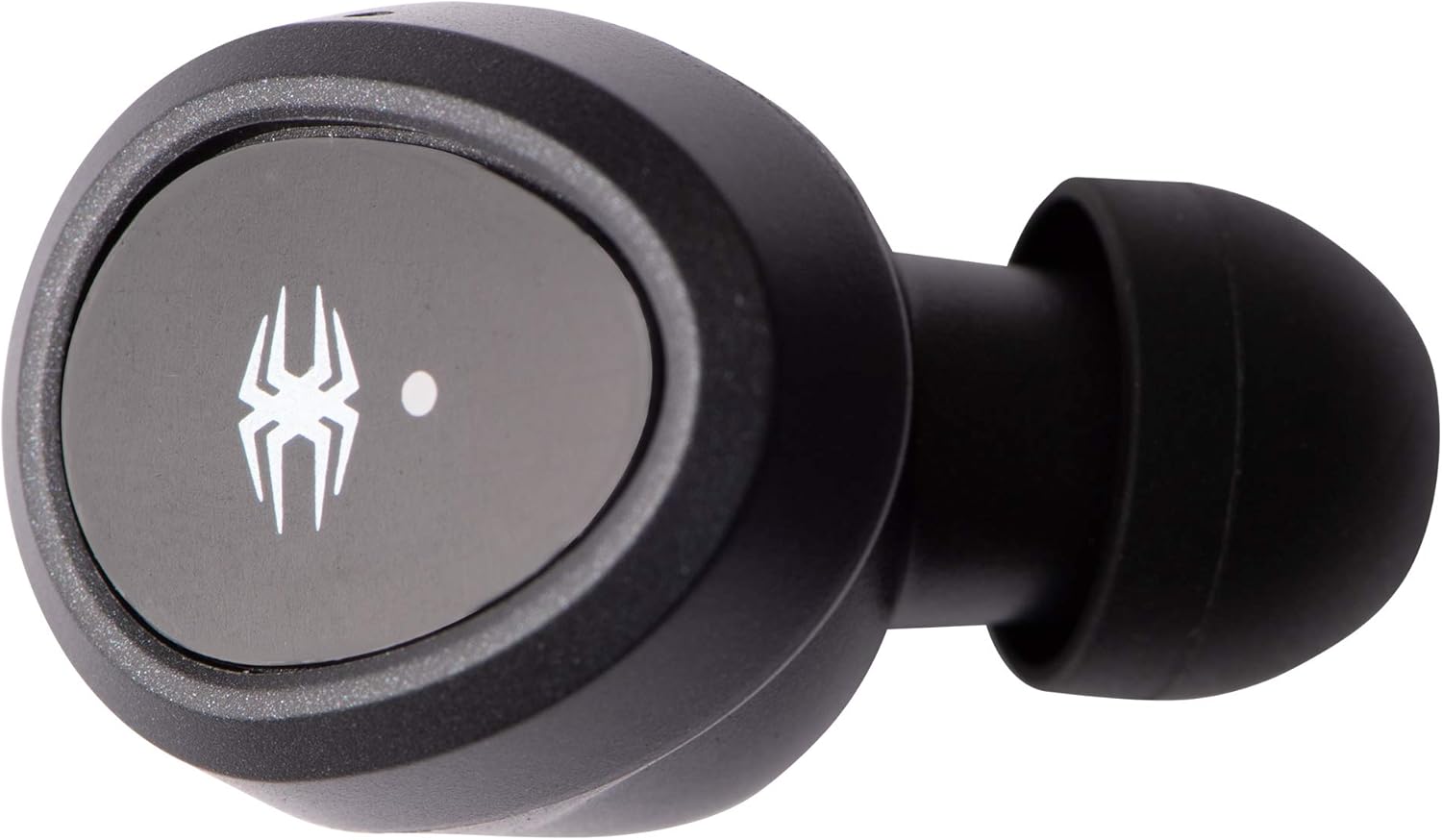
Single earphone, top view.

Single earphone, side view.

Charging case, closed.
സജ്ജമാക്കുക
1. പ്രാരംഭ ചാർജിംഗ്
Before first use, fully charge both the earphones and the charging case.
- Connect the Micro-USB cable to the charging case and a USB power source (e.g., computer, wall adapter).
- The LED indicators on the charging case will show charging status.
- ഇയർഫോണുകൾ ചാർജിംഗ് കേസിൽ വയ്ക്കുക. അവ സ്വയമേവ ചാർജ് ചെയ്യാൻ തുടങ്ങും.
- Charging time for the case is approximately 2 hours. Earphones charge in about 1.5 hours.
2. ജോടിയാക്കുന്നതിനുള്ള നിർദ്ദേശങ്ങൾ
The Spider BT100 earphones feature automatic pairing for convenience.
- പവർ ഓൺ: Take both earphones out of the charging case. They will automatically power on and enter pairing mode. The LED indicators on the earphones will flash.
- ബ്ലൂടൂത്ത് സജീവമാക്കൽ: നിങ്ങളുടെ ഉപകരണത്തിൽ (സ്മാർട്ട്ഫോൺ, ടാബ്ലെറ്റ് മുതലായവ), ബ്ലൂടൂത്ത് പ്രവർത്തനക്ഷമമാക്കുക.
- ഉപകരണം തിരഞ്ഞെടുക്കുക: ഇതിനായി തിരയുക "Spider BT100" in the list of available Bluetooth devices and select it to connect.
- കണക്ഷൻ സ്ഥിരീകരണം: Once successfully paired, the earphone LED indicators will stop flashing, and you may hear an audible confirmation.
കുറിപ്പ്: If the earphones do not automatically pair with each other, place them back into the charging case and then take them out again. If issues persist, refer to the Troubleshooting section.
പ്രവർത്തിക്കുന്നു
പവർ ഓൺ/ഓഫ്
- പവർ ഓൺ: Take the earphones out of the charging case. They will power on automatically. Alternatively, press and hold the multi-function button on each earphone for 3 seconds.
- പവർ ഓഫ്: Place the earphones back into the charging case. They will power off automatically. Alternatively, press and hold the multi-function button on each earphone for 5 seconds.
സംഗീത പ്ലേബാക്ക് നിയന്ത്രണങ്ങൾ
- പ്ലേ/താൽക്കാലികമായി നിർത്തുക: Press the multi-function button on either earphone once.
- അടുത്ത ട്രാക്ക്: Double-press the multi-function button on the Right earphone.
- മുമ്പത്തെ ട്രാക്ക്: Double-press the multi-function button on the Left earphone.
- വോളിയം കൂട്ടുക: Triple-press the multi-function button on the Right earphone.
- വോളിയം താഴേക്ക്: Triple-press the multi-function button on the Left earphone.
കോൾ മാനേജുമെന്റ്
- ഉത്തരം/അവസാന കോൾ: Press the multi-function button on either earphone once.
- കോൾ നിരസിക്കുക: Press and hold the multi-function button on either earphone for 2 seconds.
- വോയ്സ് അസിസ്റ്റന്റിനെ സജീവമാക്കുക: Press and hold the multi-function button on either earphone for 1.5 seconds (e.g., Siri, Google Assistant).
ബാറ്ററി നില
- ഇയർഫോണുകൾ: When connected to an iOS device, the battery capacity of the earphones will be displayed on the device's screen.
- ചാർജിംഗ് കേസ്: The LED power indicator on the charging case will turn red when its battery capacity is below 50%.
മെയിൻ്റനൻസ്
വൃത്തിയാക്കൽ
- ഇയർഫോണുകളും ചാർജിംഗ് കെയ്സും വൃത്തിയാക്കാൻ മൃദുവായതും ഉണങ്ങിയതും ലിന്റ് രഹിതവുമായ തുണി ഉപയോഗിക്കുക.
- അബ്രാസീവ് ക്ലീനറുകൾ, ലായകങ്ങൾ, എയറോസോൾ സ്പ്രേകൾ എന്നിവ ഉപയോഗിക്കരുത്.
- Gently remove earwax or debris from the ear tips and speaker mesh using a small, soft brush or cotton swab.
സംഭരണം
- ഉപയോഗത്തിലില്ലാത്തപ്പോൾ, ഇയർഫോണുകൾ സംരക്ഷിക്കുന്നതിനും ചാർജ്ജ് ചെയ്ത നിലയിൽ നിലനിർത്തുന്നതിനും എല്ലായ്പ്പോഴും ചാർജിംഗ് കേസിൽ സൂക്ഷിക്കുക.
- തീവ്രമായ താപനിലയിൽ നിന്നും നേരിട്ടുള്ള സൂര്യപ്രകാശത്തിൽ നിന്നും മാറി തണുത്തതും വരണ്ടതുമായ സ്ഥലത്ത് സൂക്ഷിക്കുക.
ട്രബിൾഷൂട്ടിംഗ്
| പ്രശ്നം | സാധ്യമായ കാരണം | പരിഹാരം |
|---|---|---|
| Earphones not powering on. | കുറഞ്ഞ ബാറ്ററി. | Place earphones in the charging case and ensure the case is charged. |
| ഒരു ഇയർഫോൺ മാത്രമേ പ്രവർത്തിക്കുന്നുള്ളൂ. | Earphones not paired with each other. | Place both earphones back into the charging case, close the lid for 5 seconds, then take them out again. They should automatically re-sync. |
| ഉപകരണവുമായി ജോടിയാക്കാൻ കഴിയില്ല. | Bluetooth off, earphones not in pairing mode, or too far from device. | Ensure Bluetooth is enabled on your device. Make sure earphones are out of the case and flashing. Move closer to your device. Try forgetting "Spider BT100" in your device's Bluetooth settings and re-pairing. |
| മോശം ശബ്ദ നിലവാരം അല്ലെങ്കിൽ വിച്ഛേദങ്ങൾ. | Interference, distance, or low battery. | Move closer to your device. Avoid areas with strong Wi-Fi or other Bluetooth signals. Ensure earphones and case are fully charged. |
| ചാർജിംഗ് കേസ് ചാർജ് ചെയ്യുന്നില്ല. | കേബിളിലോ പവർ സ്രോതസ്സിലോ തകരാറ്. | Try a different Micro-USB cable and/or a different USB power adapter. Ensure the cable is securely connected. |
സ്പെസിഫിക്കേഷനുകൾ

This image presents a detailed table of technical specifications for the Spider Truly Wireless Earphones BT100 and its charging case. It includes information such as Bluetooth version, profiles, connecting distance, driver unit size, sensitivity, frequency response, play time, charging time, microphone type, and weight for the headset. For the charging case, it lists battery voltage, type, charging time, extra hour supply playtime, battery status indicator, charging connector, weight, and dimensions. A frequency response graph is also visible above the table.
ഹെഡ്സെറ്റ്:
- ബ്ലൂടൂത്ത് പതിപ്പ്: 4.2
- ബ്ലൂടൂത്ത് പ്രോfiles: A2DP, AVRCP, HFP, HSP
- Connecting Distance: Maximum 10 Meters (33 feet)
- ഡ്രൈവർ യൂണിറ്റ്: 5 എംഎം ഡൈനാമിക്
- സംവേദനക്ഷമത: 98dB@1KHz
- ഫ്രീക്വൻസി പ്രതികരണം: 20-20KHz
- കളി സമയം: 2-3 മണിക്കൂർ (ഒരു ചാർജിന്)
- ചാർജിംഗ് സമയം: 1.5 മണിക്കൂർ
- മൈക്രോഫോൺ: ഓമ്നിഡയറക്ഷണൽ
- ഭാരം: 4.5g (per earphone)
ചാർജിംഗ് കേസ്:
- ബാറ്ററി വോളിയംtage: 3.7V
- ബാറ്ററി തരം: ലിഥിയം പോളിമർ
- ചാർജിംഗ് സമയം: 2 മണിക്കൂർ
- Extra Hour Supply Playtime: 16 hours (total with case)
- ചാർജിംഗ് കണക്റ്റർ: മൈക്രോ യുഎസ്ബി
- ഭാരം: 63 ഗ്രാം
- അളവുകൾ: 97mm x 46mm x 37mm

Bottom of the charging case, displaying model number (BT100), input/output specifications, FCC ID (2AQ5M-T100), CE mark, and "MADE IN CHINA" text.
വാറൻ്റിയും പിന്തുണയും
The Spider Truly Wireless Earphones BT100 come with a 1 വർഷത്തെ പരിമിത വാറൻ്റി വാങ്ങിയ തീയതി മുതൽ. സാധാരണ ഉപയോഗത്തിലുള്ള മെറ്റീരിയലുകളിലെയും വർക്ക്മാൻഷിപ്പുകളിലെയും നിർമ്മാണ വൈകല്യങ്ങൾ ഈ വാറന്റി ഉൾക്കൊള്ളുന്നു.
വാറൻ്റി ഉൾപ്പെടുന്നില്ല:
- അപകടം, ദുരുപയോഗം, ദുരുപയോഗം, വെള്ളപ്പൊക്കം, തീ, ഭൂകമ്പം അല്ലെങ്കിൽ മറ്റ് ബാഹ്യ കാരണങ്ങളാൽ ഉണ്ടാകുന്ന നാശനഷ്ടങ്ങൾ.
- Damage caused by operating the product outside the permitted or intended uses described by Spider.
- Damage caused by service performed by anyone who is not a representative of Spider.
- Products or parts that have been modified to alter functionality or capability without the written permission of Spider.
For warranty claims or technical support, please visit the official Spider product website or contact their customer service. You can find more information and support at: www.spiderproduct.com
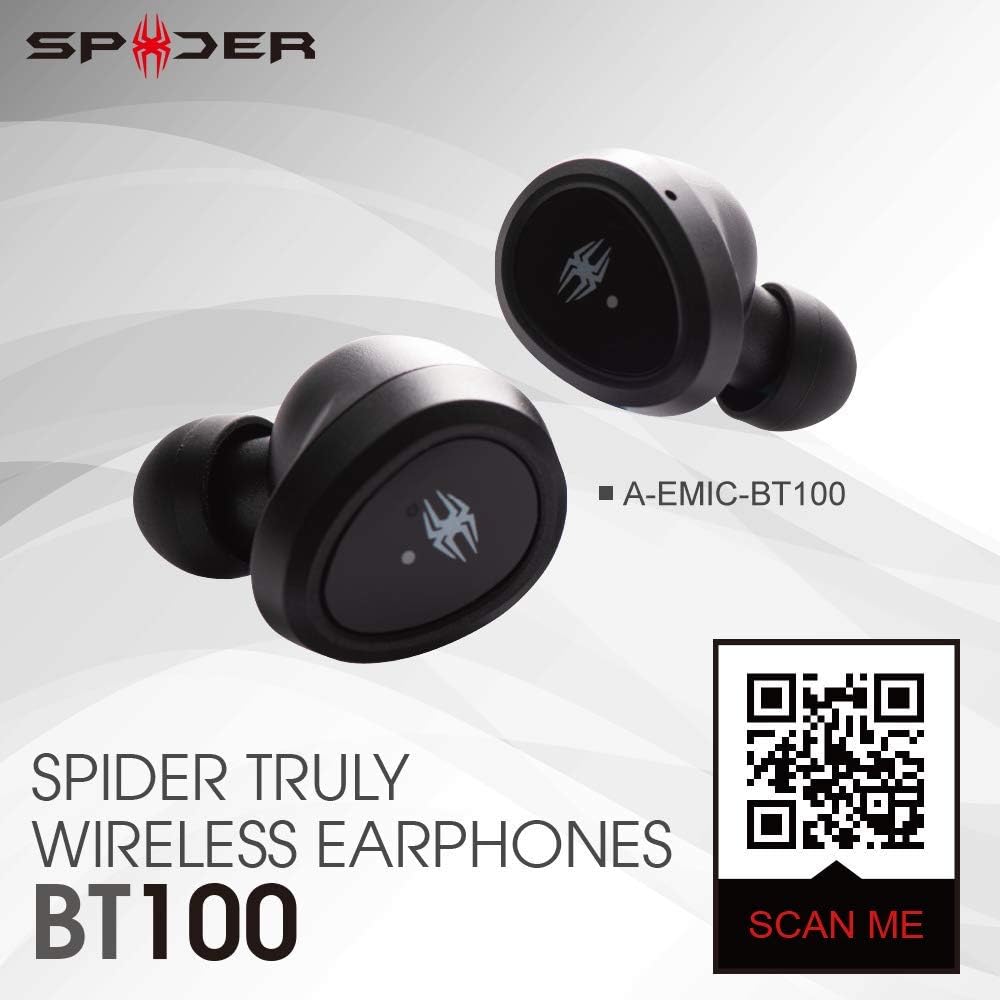
Image showing the Spider BT100 earphones alongside a QR code. Scanning this QR code will direct you to the official product webകൂടുതൽ വിവരങ്ങൾക്കും പിന്തുണക്കും സൈറ്റ്.
Ask a question about this manual
Ask about setup, troubleshooting, compatibility, parts, safety, or missing instructions. Manuals+ will review the question and use this page’s manual context to help answer it.