
1. ഉൽപ്പന്നം കഴിഞ്ഞുview
The Lenovo Legion M500 RGB Gaming Mouse is designed for optimal performance and comfort during extended use. It features an ergonomic right-handed design, a high-precision sensor, durable micro-switches, and customizable RGB lighting. This manual provides detailed instructions for setting up, operating, and maintaining your gaming mouse.

ചിത്രം 1.1: മുകളിൽ നിന്ന് താഴേക്ക് view of the Lenovo Legion M500 RGB Gaming Mouse.
2 പ്രധാന സവിശേഷതകൾ
- എർഗണോമിക് ഡിസൈൻ: Crafted for a comfortable palm grip, reducing fatigue during prolonged gaming sessions.
- ഹൈ-പ്രിസിഷൻ സെൻസർ: Up to 16,000 DPI tracking with 5 on-the-fly adjustable stages, 50G acceleration, and 400 IPS tracking speed for accurate movements.
- ഈടുനിൽക്കുന്ന സ്വിച്ചുകൾ: Equipped with Omron Micro switches rated for 50 million clicks for the left and right buttons, ensuring long-lasting performance.
- ഇഷ്ടാനുസൃതമാക്കാവുന്ന RGB ലൈറ്റിംഗ്: Three independent RGB zones with 16.8 million colors to personalize your setup.
- പ്രോഗ്രാം ചെയ്യാവുന്ന ബട്ടണുകൾ: Seven programmable buttons for custom commands, macros, or hotkeys.
- ക്രമീകരിക്കാവുന്ന ഭാരം: Includes a removable 10g magnetic weight cartridge to fine-tune the mouse's feel and balance.
- ഓൺബോർഡ് പ്രോfiles: മൂന്ന് ഓൺബോർഡ് പ്രോfiles to save customized settings for different games or users.
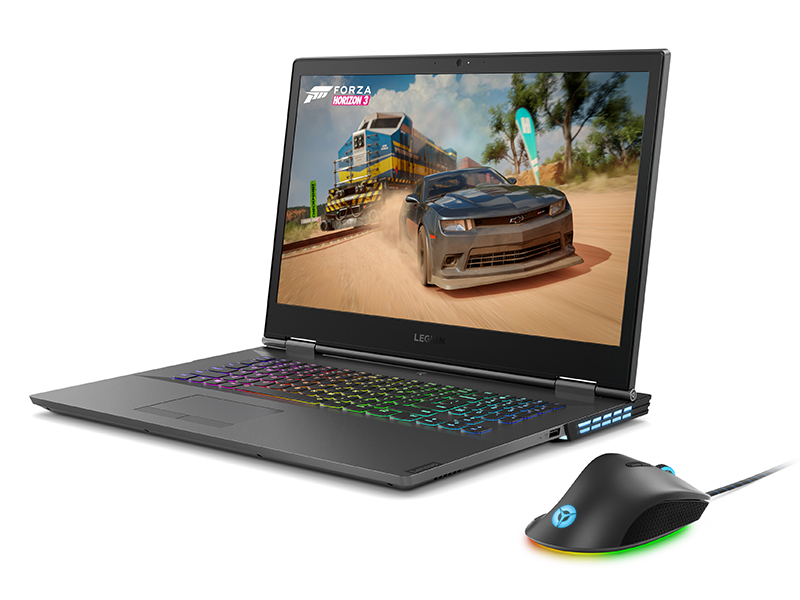
Image 2.1: The ergonomic design of the mouse provides ultimate palm grip comfort.
3. പാക്കേജ് ഉള്ളടക്കം
നിങ്ങളുടെ പാക്കേജിൽ എല്ലാ ഇനങ്ങളും ഉണ്ടെന്ന് ഉറപ്പാക്കുക:
- Lenovo Legion M500 RGB Gaming Mouse
4. സജ്ജീകരണം
- മൗസ് ബന്ധിപ്പിക്കുക: Plug the USB connector of the Lenovo Legion M500 RGB Gaming Mouse into an available USB port on your computer.
- ഡ്രൈവർ ഇൻസ്റ്റാളേഷൻ: Your operating system (Microsoft Windows 10 or later) should automatically detect and install the necessary drivers.
- Install Customization Software: For full customization of DPI, RGB lighting, and programmable buttons, download and install the Lenovo Legion Accessory Central software from the official Lenovo support webസൈറ്റ്.

ചിത്രം 4.1: മുൻഭാഗം view of the mouse showing the wired USB connection.
5. പ്രവർത്തന നിർദ്ദേശങ്ങൾ
5.1 അടിസ്ഥാന പ്രവർത്തനങ്ങൾ
- ഇടത് ക്ലിക്ക്: പ്രാഥമിക പ്രവർത്തനം.
- വലത് ക്ലിക്കിൽ: ദ്വിതീയ പ്രവർത്തന/സന്ദർഭ മെനു.
- സ്ക്രോൾ വീൽ: Scroll up/down. Can also be clicked for middle-click functionality.
- സൈഡ് ബട്ടണുകൾ: സാധാരണയായി ഫോർവേഡ്/ബാക്ക്വേർഡ് നാവിഗേഷനായി ഉപയോഗിക്കുന്നത് web browsers or assigned custom functions.

ചിത്രം 5.1: മുകളിൽ view highlighting the main buttons and scroll wheel.
5.2 ഡിപിഐ അഡ്ജസ്റ്റ്മെന്റ്
The mouse features a dedicated DPI switch button, usually located behind the scroll wheel. Press this button to cycle through the preset DPI stages. The RGB lighting may change to indicate the current DPI setting.
5.3 പ്രോഗ്രാം ചെയ്യാവുന്ന ബട്ടണുകൾ
Utilize the Lenovo Legion Accessory Central software to assign custom functions, macros, or hotkeys to the 7 programmable buttons. This allows for streamlined gameplay and improved efficiency.
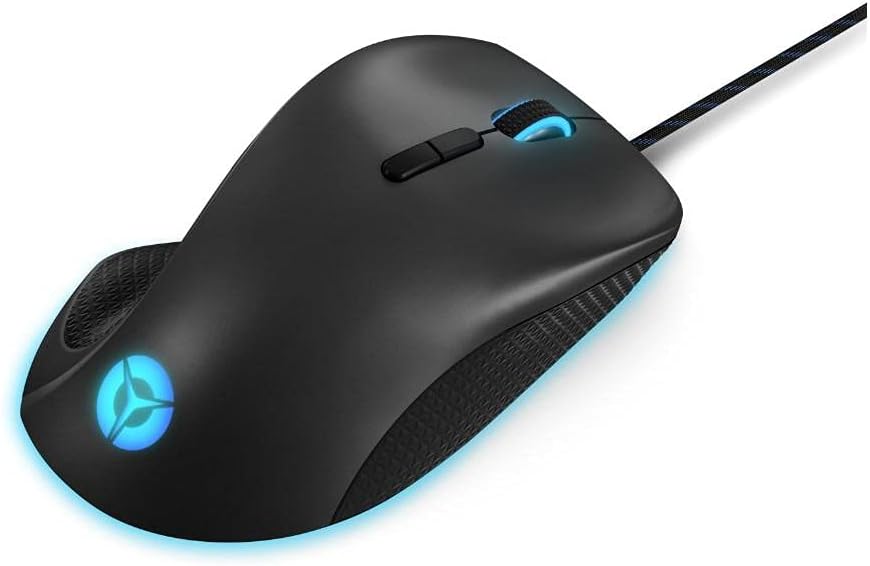
ചിത്രം 5.2: വശം view showing the programmable side buttons.
6. ഇഷ്ടാനുസൃതമാക്കൽ
6.1 RGB ലൈറ്റിംഗ്
The Lenovo Legion M500 features three RGB lighting zones. Use the Lenovo Legion Accessory Central software to select from 16.8 million colors, various lighting effects, and synchronize lighting with other compatible devices.
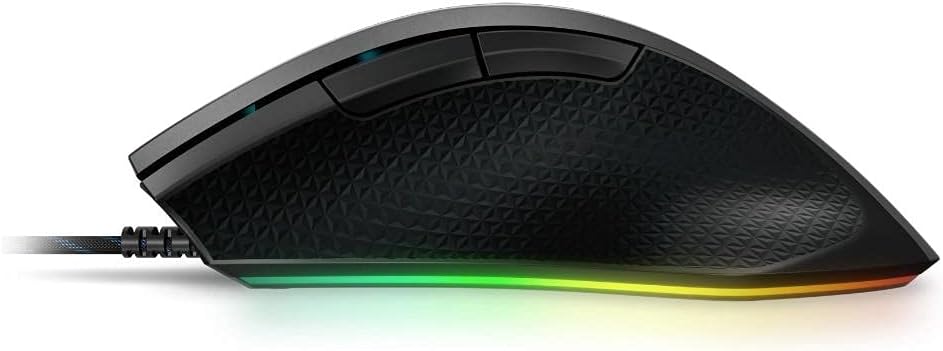
Image 6.1: The mouse showcasing അതിന്റെ ഊർജ്ജസ്വലമായ RGB ലൈറ്റിംഗ്.
6.2 Adjustable Weight
The mouse includes a removable 10g magnetic weight cartridge located on the underside. To adjust the weight, carefully open the weight compartment and insert or remove the weight as desired to achieve your preferred balance and feel.
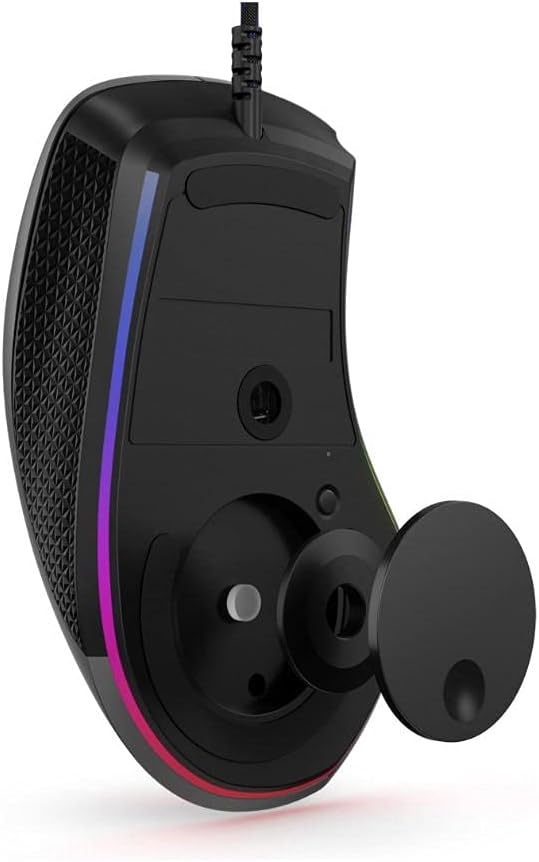
Image 6.2: Underside of the mouse with the optional 10g magnetic weight cartridge.
6.3 Onboard Profiles
The mouse supports three onboard profiles. Configure your DPI settings, button assignments, and RGB lighting preferences for different scenarios (e.g., FPS gaming, MOBA gaming, productivity) using the software, and save them to the mouse's onboard memory. You can then switch between these profiles without needing the software running.

Image 6.3: Software interface for customizing mouse settings.
7. പരിപാലനം
- വൃത്തിയാക്കൽ: മൗസ് പ്രതലം വൃത്തിയാക്കാൻ മൃദുവായതും ഉണങ്ങിയതുമായ തുണി ഉപയോഗിക്കുക. കഠിനമായ അഴുക്കിന്, ചെറുതായി dampതുണിയിൽ വെള്ളം ഒഴിക്കുക. കഠിനമായ രാസവസ്തുക്കളോ ഉരച്ചിലുകളോ ഉള്ള വസ്തുക്കൾ ഒഴിവാക്കുക.
- സെൻസർ പരിചരണം: കൃത്യമായ ട്രാക്കിംഗ് ഉറപ്പാക്കാൻ മൗസിന്റെ അടിവശത്തുള്ള ഒപ്റ്റിക്കൽ സെൻസർ വൃത്തിയുള്ളതും പൊടിയോ അവശിഷ്ടങ്ങളോ ഇല്ലാതെ സൂക്ഷിക്കുക.
- കേബിൾ മാനേജുമെന്റ്: കേടുപാടുകൾ ഒഴിവാക്കാൻ മൂർച്ചയുള്ള വളവുകളോ യുഎസ്ബി കേബിളിൽ അമിതമായി വലിക്കുന്നതോ ഒഴിവാക്കുക.
8. പ്രശ്നപരിഹാരം
- മൗസ് പ്രതികരിക്കുന്നില്ല:
- യുഎസ്ബി കേബിൾ നിങ്ങളുടെ കമ്പ്യൂട്ടറിലേക്ക് സുരക്ഷിതമായി കണക്റ്റുചെയ്തിട്ടുണ്ടെന്ന് ഉറപ്പാക്കുക.
- മൗസ് മറ്റൊരു യുഎസ്ബി പോർട്ടിലേക്ക് പ്ലഗ് ചെയ്യാൻ ശ്രമിക്കുക.
- നിങ്ങളുടെ കമ്പ്യൂട്ടർ പുനരാരംഭിക്കുക.
- കൃത്യമല്ലാത്ത ട്രാക്കിംഗ്:
- മൗസിന്റെ അടിവശത്തുള്ള ഒപ്റ്റിക്കൽ സെൻസർ വൃത്തിയാക്കുക.
- മൗസ് അനുയോജ്യമായ ഒരു പ്രതലത്തിലാണ് ഉപയോഗിക്കുന്നതെന്ന് ഉറപ്പാക്കുക (ഉദാ. ഒരു മൗസ് പാഡ്).
- Adjust the DPI settings using the DPI switch or software.
- RGB ലൈറ്റിംഗ് പ്രവർത്തിക്കുന്നില്ല:
- Verify that the Lenovo Legion Accessory Central software is installed and running.
- സോഫ്റ്റ്വെയറിനുള്ളിലെ ലൈറ്റിംഗ് ക്രമീകരണങ്ങൾ പരിശോധിക്കുക.
- ബട്ടണുകൾ പ്രവർത്തിക്കുന്നില്ല:
- Check button assignments in the Lenovo Legion Accessory Central software.
- മറ്റ് സോഫ്റ്റ്വെയറുകളൊന്നും മൗസ് ബട്ടൺ ഫംഗ്ഷനുകളുമായി വൈരുദ്ധ്യമുള്ളതല്ലെന്ന് ഉറപ്പാക്കുക.
9 സ്പെസിഫിക്കേഷനുകൾ
| ബ്രാൻഡ് | ലെനോവോ |
| മോഡലിൻ്റെ പേര് | GY50T26467 |
| നിറം | അയൺ ഗ്രേ |
| കണക്റ്റിവിറ്റി ടെക്നോളജി | USB, വയർഡ് |
| മൂവ്മെന്റ് ഡിറ്റക്ഷൻ ടെക്നോളജി | ഒപ്റ്റിക്കൽ |
| Mouse Maximum Sensitivity | 16000 Dots per Inch (DPI) |
| ബട്ടൺ അളവ് | 7 |
| കൈ ഓറിയൻ്റേഷൻ | ശരിയാണ് |
| ഇനത്തിൻ്റെ ഭാരം | 105 ഗ്രാം |
| ഇനത്തിൻ്റെ അളവുകൾ (L x W) | 4.8"ലിറ്റർ x 2.9"വാട്ട് |
| അനുയോജ്യമായ ഉപകരണങ്ങൾ | പേഴ്സണൽ കമ്പ്യൂട്ടർ |
| ഓപ്പറേറ്റിംഗ് സിസ്റ്റം | Microsoft Windows (Windows 10 minimum) |
| എൻക്ലോഷർ മെറ്റീരിയൽ | പ്ലാസ്റ്റിക് |

Image 9.1: Product dimensions for the Lenovo Legion M500 RGB Gaming Mouse.
10. വാറൻ്റിയും പിന്തുണയും
വാറൻ്റി: This product comes with a 1 Year Limited Warranty. Please refer to the warranty card included with your product for full terms and conditions.
പിന്തുണ: സാങ്കേതിക സഹായം, ഡ്രൈവർ ഡൗൺലോഡുകൾ അല്ലെങ്കിൽ കൂടുതൽ വിവരങ്ങൾക്ക്, ദയവായി ഔദ്യോഗിക ലെനോവോ പിന്തുണ സന്ദർശിക്കുക. webസൈറ്റ് അല്ലെങ്കിൽ ലെനോവോ ഉപഭോക്തൃ സേവനവുമായി ബന്ധപ്പെടുക.
11. ഉൽപ്പന്ന വീഡിയോ
വീഡിയോ 11.1: ഔദ്യോഗിക ഉൽപ്പന്ന വീഡിയോ ഷോasing the Lenovo Legion M500 RGB Gaming Mouse.