
1. ആമുഖം
The Klein Tools ET20 Wi-Fi Borescope is designed for visual inspection in hard-to-reach areas. It transmits video and images wirelessly to your smartphone or tablet, providing a clear view with its 9 mm waterproof camera and adjustable LED lights. The durable 6-foot armored gooseneck cable allows for flexible maneuvering through various spaces. This manual provides essential information for the safe and effective use of your ET20 borescope.
2. ബോക്സിൽ എന്താണുള്ളത്?
താഴെ കൊടുത്തിരിക്കുന്ന എല്ലാ ഇനങ്ങളും നിങ്ങളുടെ പാക്കേജിൽ ഉണ്ടെന്ന് ഉറപ്പാക്കുക:
- ET20 Wi-Fi Borescope
- യുഎസ്ബി ചാർജിംഗ് കേബിൾ
- ഹുക്ക് അറ്റാച്ച്മെന്റ്
- ചുമക്കുന്ന കേസ്
- ഇൻസ്ട്രക്ഷൻ മാനുവൽ
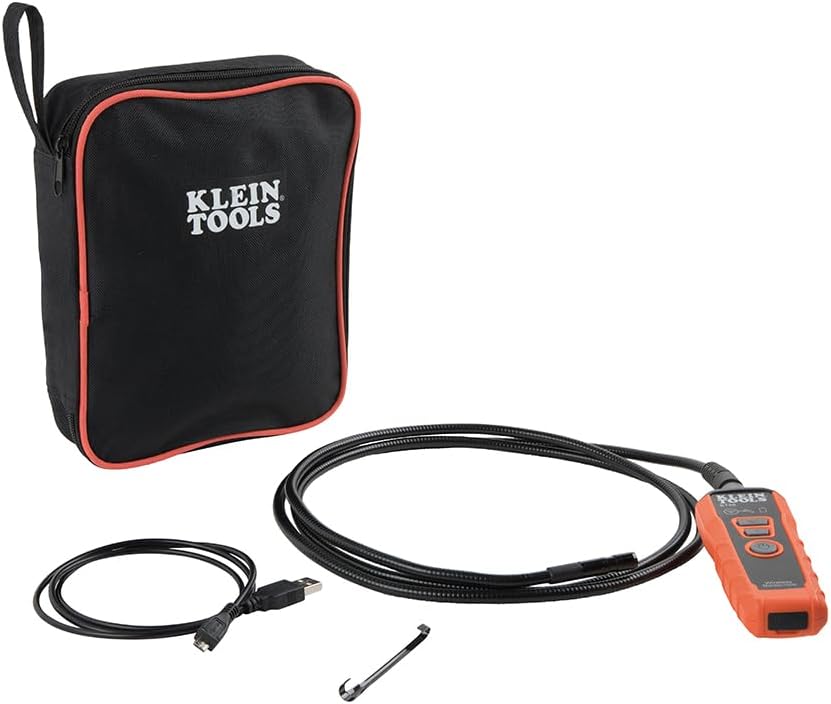
Image: Klein Tools ET20 Borescope, USB charging cable, hook attachment, and carrying case.
3. ഉൽപ്പന്ന സവിശേഷതകൾ
- വയർലെസ് വീഡിയോ ട്രാൻസ്മിഷൻ: Connects to your smartphone or tablet via Wi-Fi, transmitting video and images up to 30 feet (9 m) away.
- Waterproof 9 mm Camera: Captures high-quality 640 x 480 images and video. Equipped with 6 adjustable LED lights for optimal illumination.
- Durable Gooseneck Cable: Features a 6-foot (1.8 m) armored, flexible, and waterproof gooseneck cable for navigating obstacles.
- Adjustable LED Output: Control camera LED brightness directly on the borescope unit or through the companion app.
- Multi-Functional App: The Klein Borescope App allows for live viewing, recording, storing, and sharing of images and videos.
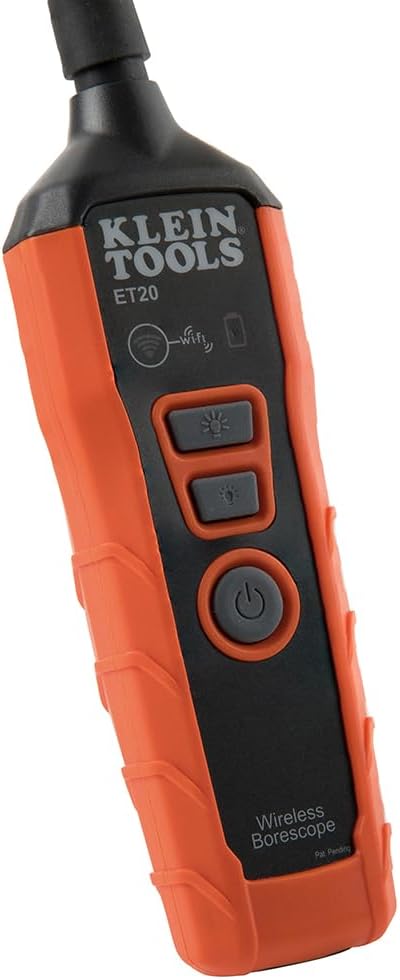
- റീചാർജ് ചെയ്യാവുന്ന ബാറ്ററി: Integrated lithium-ion battery with a status indicator for convenient power management.
ചിത്രം: ക്ലോസ്-അപ്പ് view of the 9 mm camera head with integrated LED lights.
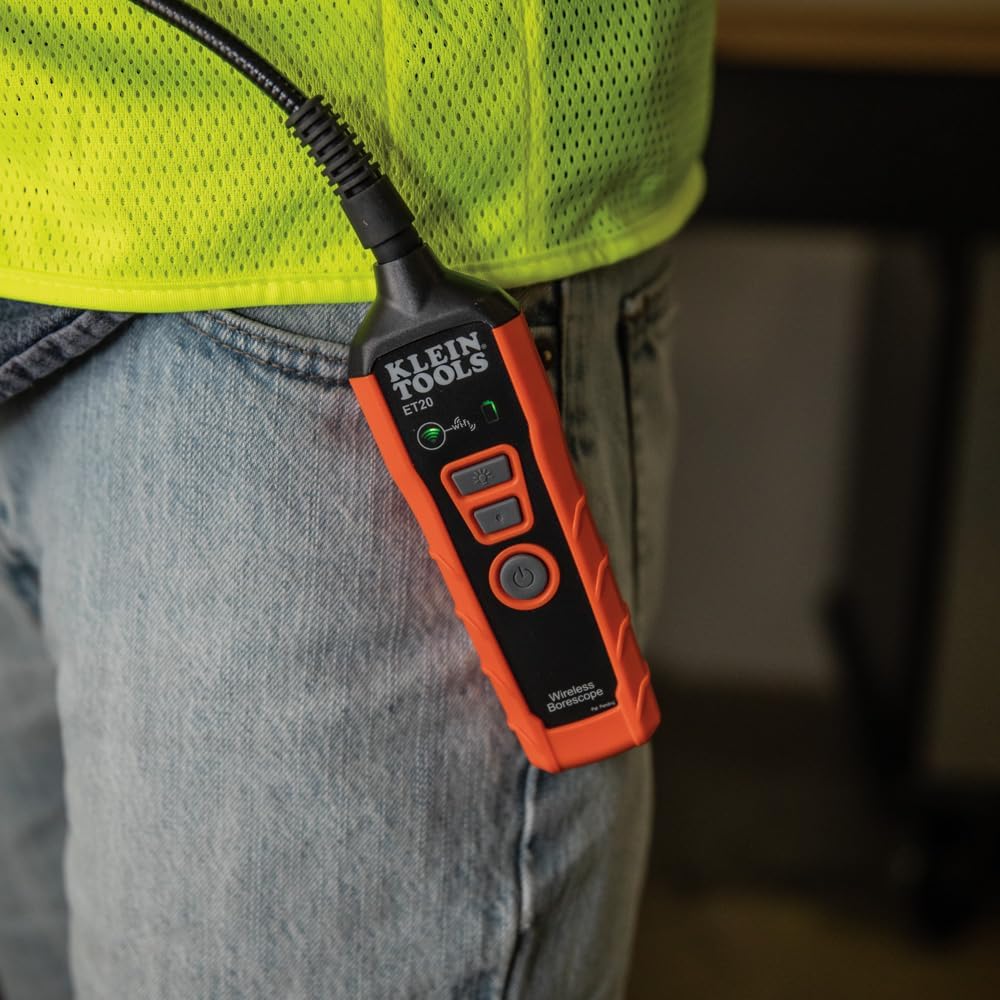
Image: The borescope unit with visible Wi-Fi and battery status indicators.
4. സജ്ജീകരണ നിർദ്ദേശങ്ങൾ
- Charge the Borescope: Before first use, fully charge the borescope using the provided USB charging cable. Connect the micro-USB end to the borescope and the standard USB end to a compatible USB power source (e.g., computer, wall adapter). The battery status indicator will show charging progress.
- ആപ്പ് ഡൗൺലോഡ് ചെയ്യുക: Download the "Klein Tools Wi-Fi Borescope" app from your device's app store (available for iOS and Android).
- പവർ ഓൺ: Press and hold the power button on the borescope unit until the power indicator light illuminates.
- വൈഫൈയിലേക്ക് കണക്റ്റുചെയ്യുക: On your smartphone or tablet, go to Wi-Fi settings and connect to the Wi-Fi network broadcast by the borescope (e.g., "Klein_Borescope_XXXX"). No password is required.
- ആപ്പ് സമാരംഭിക്കുക: Open the Klein Tools Wi-Fi Borescope app. The live camera feed from the borescope should appear on your device screen.
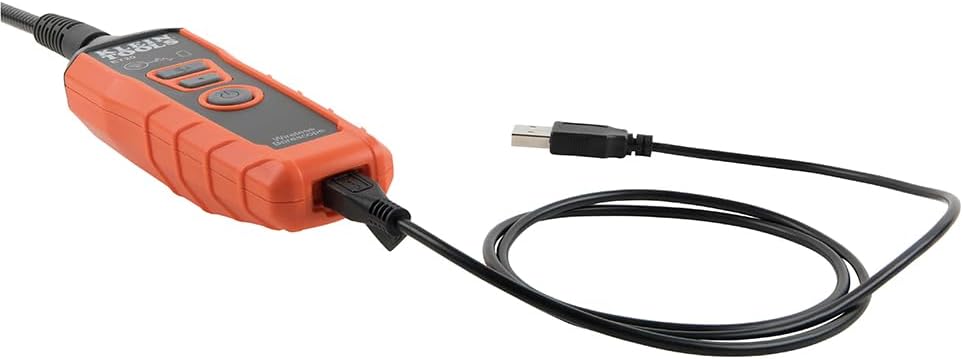
Image: The borescope unit connected to its USB charging cable.
5. പ്രവർത്തന നിർദ്ദേശങ്ങൾ
- LED ലൈറ്റുകൾ ക്രമീകരിക്കുക: Use the dedicated LED light buttons on the borescope unit or the controls within the app to increase or decrease the brightness of the camera's LED lights. This helps illuminate dark inspection areas.
- Maneuver the Gooseneck: Carefully guide the armored gooseneck cable and camera head into the desired inspection area. The flexible yet rigid design allows for precise positioning.
- View തത്സമയ ഫീഡ്: Observe the live video feed on your connected smartphone or tablet.
- ചിത്രങ്ങൾ/വീഡിയോകൾ എടുക്കുക: Use the photo and video recording buttons within the app to capture still images or record video footage of your inspection. Captured media is saved directly to your device.
- സംരക്ഷിച്ച് പങ്കിടുക: Access saved images and videos through the app's gallery. From there, you can save them to your device's photo library or share them via email or messaging applications.
- പവർ ഓഫ്: After use, press and hold the power button on the borescope unit to turn it off. Disconnect the Wi-Fi connection on your device.
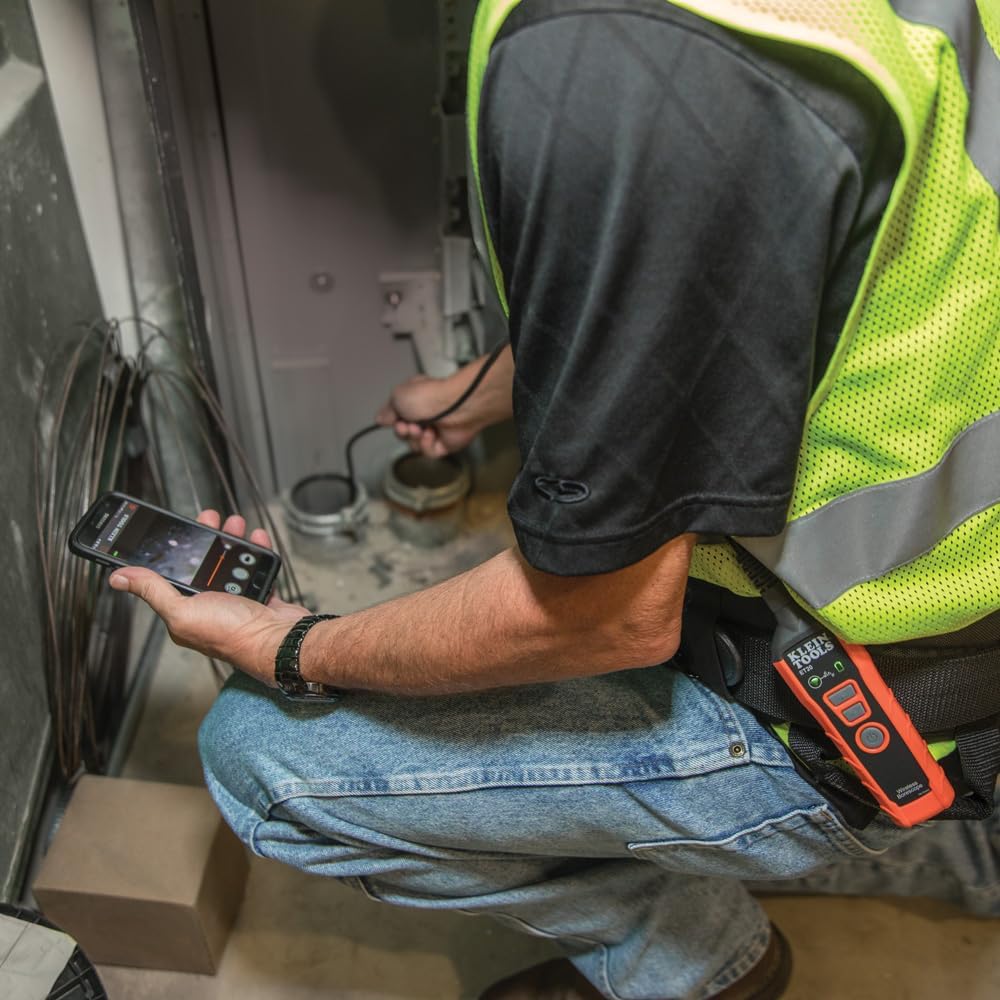
Image: User operating the borescope, viewഒരു സ്മാർട്ട്ഫോണിൽ ലൈവ് ഫീഡ് ഡൗൺലോഡ് ചെയ്യുന്നു.
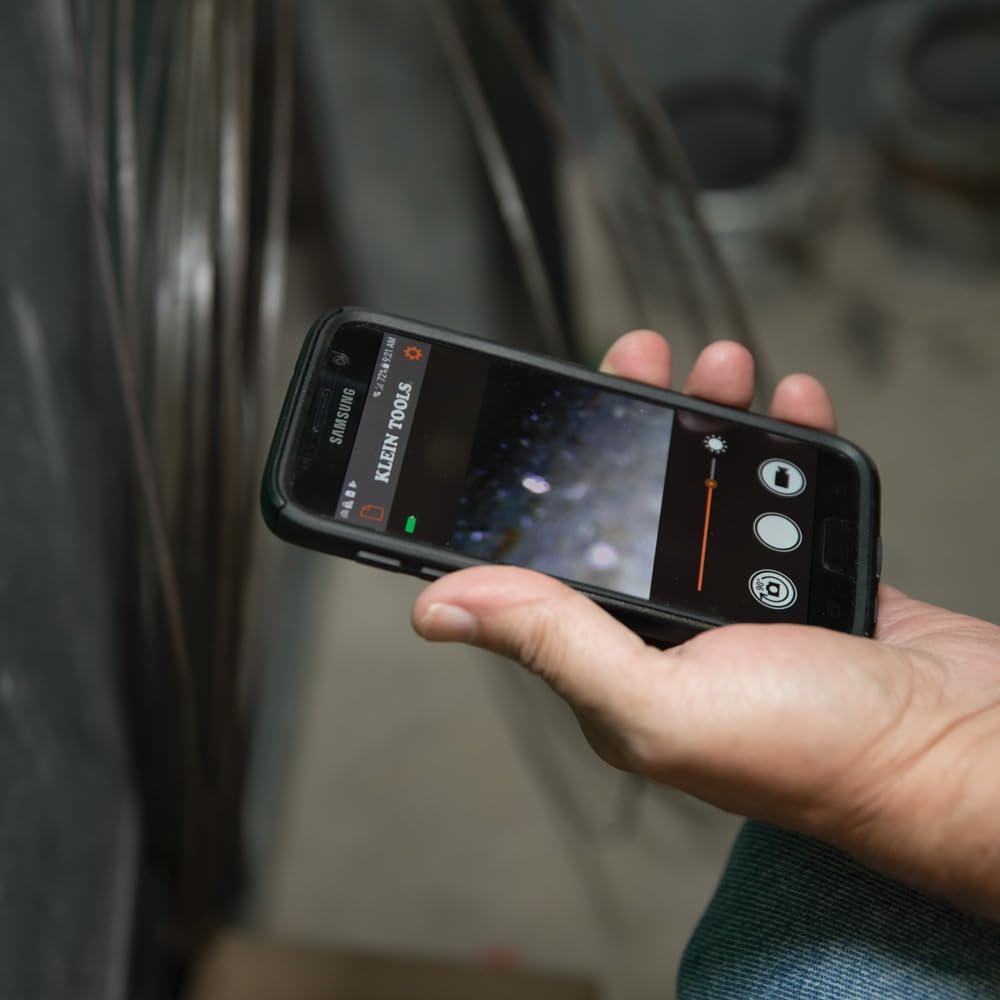
Image: The Klein Tools borescope app interface on a smartphone, showing the live camera view നിയന്ത്രണങ്ങളും.
6. പരിപാലനം
- ക്യാമറ ലെൻസ് വൃത്തിയാക്കൽ: Gently wipe the camera lens with a soft, lint-free cloth. For stubborn dirt, use a small amount of lens cleaning solution. Ensure the lens is dry before storage.
- Cleaning the Gooseneck: The gooseneck cable is waterproof. After use in dirty or wet environments, wipe it clean with a damp തുണി. കഠിനമായ രാസവസ്തുക്കൾ ഒഴിവാക്കുക.
- ബാറ്ററി കെയർ: To prolong battery life, avoid fully discharging the battery frequently. Recharge the borescope regularly, especially if it will be stored for extended periods. Store in a cool, dry place.
- സംഭരണം: Store the borescope and its accessories in the provided carrying case to protect them from damage and dust.
7. പ്രശ്നപരിഹാരം
- ആപ്പിൽ ചിത്രമില്ല:
- Ensure the borescope is powered on and the Wi-Fi indicator is active.
- Verify your smartphone/tablet is connected to the borescope's Wi-Fi network.
- Restart both the borescope and the app.
- Check if your phone's power-saving mode is interfering with the Wi-Fi connection.
- മോശം ചിത്രത്തിന്റെ ഗുണനിലവാരം:
- Adjust the LED light brightness using the buttons on the unit or within the app.
- Clean the camera lens if it appears dirty.
- Ensure the camera is within its optimal focus range (macro focus range: 9 millimeters).
- Borescope Not Powering On:
- Charge the battery. The battery may be fully discharged.
- പവർ ബട്ടൺ അമർത്തി ആവശ്യത്തിന് പിടിച്ചിട്ടുണ്ടെന്ന് ഉറപ്പാക്കുക.
- App Freezes or Disconnects:
- നിങ്ങളുടെ ഉപകരണത്തിന്റെ ഓപ്പറേറ്റിംഗ് സിസ്റ്റം കാലികമാണെന്ന് ഉറപ്പാക്കുക.
- ആപ്പ് അടച്ച് വീണ്ടും തുറക്കുക.
- നിങ്ങളുടെ ഉപകരണത്തിന്റെ ആപ്പ് സ്റ്റോറിൽ ആപ്പ് അപ്ഡേറ്റുകൾക്കായി പരിശോധിക്കുക.
- Minimize other applications running in the background that might consume resources.
8 സ്പെസിഫിക്കേഷനുകൾ
| ഫീച്ചർ | സ്പെസിഫിക്കേഷൻ |
|---|---|
| മോഡലിൻ്റെ പേര് | ET20 |
| ബ്രാൻഡ് | ക്ലീൻ ടൂളുകൾ |
| കണക്റ്റിവിറ്റി ടെക്നോളജി | വൈഫൈ |
| ക്യാമറ വ്യാസം | 9 മി.മീ |
| Gooseneck നീളം | 6 അടി (1.8 മീറ്റർ) |
| ജല പ്രതിരോധ നില | വാട്ടർപ്രൂഫ് |
| വീഡിയോ ക്യാപ്ചർ റെസല്യൂഷൻ | 640x480 |
| ഫലപ്രദമായ സ്റ്റിൽ റെസല്യൂഷൻ | 0.3 എം.പി |
| ബാറ്ററി തരം | റീചാർജ് ചെയ്യാവുന്ന ലിഥിയം-അയൺ |
| ബാറ്ററി ശരാശരി ആയുസ്സ് | 5.5 മണിക്കൂർ |
| അനുയോജ്യമായ ഉപകരണങ്ങൾ | സ്മാർട്ട്ഫോൺ, ടാബ്ലെറ്റ് |
| File ഫോർമാറ്റ് | JPEG, MP4 |
| ഇനത്തിൻ്റെ ഭാരം | 567 ഗ്രാം |
9. വാറൻ്റിയും പിന്തുണയും
For detailed warranty information and customer support, please refer to the official Klein Tools webസൈറ്റിൽ ബന്ധപ്പെടുക അല്ലെങ്കിൽ അവരുടെ ഉപഭോക്തൃ സേവനവുമായി നേരിട്ട് ബന്ധപ്പെടുക. വാറന്റി ക്ലെയിമുകൾക്കായി നിങ്ങളുടെ വാങ്ങൽ രസീത് സൂക്ഷിക്കുക.
നിർമ്മാതാവ്: ക്ലീൻ ടൂൾസ്
UPC: 092644692314