
ആമുഖം
The Senville Smart WiFi Kit USB enables remote control and programming of your compatible Senville mini split air conditioner using an iOS or Android application. This kit enhances the functionality of your mini split system, allowing for convenient management of climate settings from any location with internet access.
സജ്ജമാക്കുക
1. കിറ്റ് ഉള്ളടക്കം
Verify that your package contains the Senville Smart WiFi Kit USB adapter.
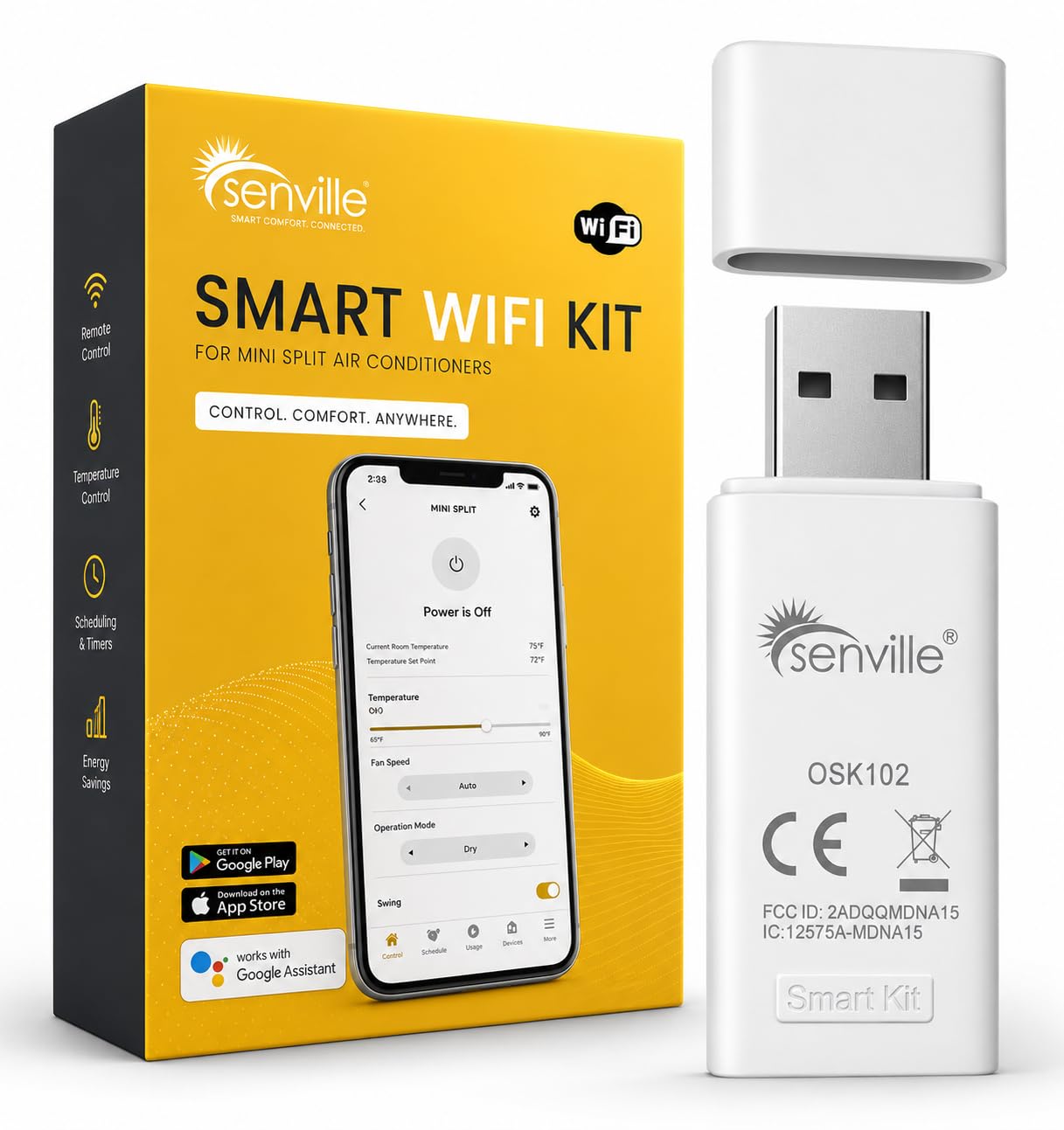
Image: Senville Smart WiFi Kit USB adapter.
2. ഫിസിക്കൽ ഇൻസ്റ്റലേഷൻ
- Locate the USB port on your compatible Senville mini split air conditioner unit. This port is typically found on the indoor unit. Refer to your mini split's manual for the exact location.
- Carefully insert the Senville Smart WiFi Kit USB adapter into the designated USB port. Ensure it is securely connected.

Image: Close-up of the Senville Smart WiFi Kit USB adapter, showing its compact design.

ചിത്രം: വശം view of the Senville Smart WiFi Kit USB adapter, highlighting its connection interface.
3. മൊബൈൽ ആപ്ലിക്കേഷൻ ഡൗൺലോഡ് ചെയ്യലും ജോടിയാക്കലും
- Download the official Senville app from the Apple App Store (for iOS devices) or Google Play Store (for Android devices). ഇതിനായി തിരയുക "Senville".
- Open the Senville app and follow the on-screen instructions to create an account and add your device.
- Ensure your mobile device is connected to a 2.4 GHz Wi-Fi network during the pairing process. The Senville Smart WiFi Kit USB requires a 2.4 GHz Wi-Fi connection.
- The app will guide you through connecting the WiFi kit to your home network. This typically involves selecting your Wi-Fi network and entering the password.

Image: Screenshot of the Senville mobile app displaying temperature control and various modes.
പ്രവർത്തന നിർദ്ദേശങ്ങൾ
Once the Senville Smart WiFi Kit USB is installed and paired with the app, you can control your mini split air conditioner remotely.
വിദൂര നിയന്ത്രണ പ്രവർത്തനങ്ങൾ
- പവർ ഓൺ/ഓഫ്: Turn your mini split unit on or off from anywhere.
- താപനില ക്രമീകരണം: Precisely set your desired temperature.
- മോഡ് തിരഞ്ഞെടുക്കൽ: Choose between cooling, heating, fan, dry, and auto modes.
- ഫാൻ സ്പീഡ് നിയന്ത്രണം: Adjust the fan speed to your preference.
- ഷെഡ്യൂളിംഗ്: Create custom schedules for your mini split to operate automatically, optimizing comfort and energy efficiency.
- Energy Saving (ECO Mode): Activate ECO mode to reduce energy consumption.
- System Insights: Access detailed performance analytics and system status.

Image: The Senville app interface demonstrating smart home integration capabilities.
മെയിൻ്റനൻസ്
The Senville Smart WiFi Kit USB requires minimal maintenance. To ensure optimal performance:
- സോഫ്റ്റ്വെയർ അപ്ഡേറ്റുകൾ: Regularly check for and install updates for the Senville mobile application to benefit from new features and performance improvements.
- Wi-Fi കണക്ഷൻ: Ensure your home Wi-Fi network remains stable and provides adequate signal strength to the mini split unit where the USB kit is installed.
- ശാരീരിക പരിശോധന: Periodically check that the USB adapter is securely plugged into the mini split unit.
ട്രബിൾഷൂട്ടിംഗ്
| പ്രശ്നം | സാധ്യമായ കാരണം | പരിഹാരം |
|---|---|---|
| Device Offline in App | No Wi-Fi connection, incorrect Wi-Fi password, or app permissions issue. |
|
| ആപ്പ് പ്രതികരിക്കുന്നില്ല | Outdated app version, temporary software glitch, or insufficient phone resources. |
|
| Cannot Connect to Wi-Fi during Setup | Incorrect Wi-Fi band (5 GHz instead of 2.4 GHz), weak signal, or network interference. |
|
സ്പെസിഫിക്കേഷനുകൾ
- ബ്രാൻഡ്: സെൻവില്ലെ
- മോഡൽ: Smart WiFi Kit USB
- ഹാർഡ്വെയർ ഇന്റർഫേസ്: USB
- നിറം: വെള്ള
- ഡാറ്റ ലിങ്ക് പ്രോട്ടോക്കോൾ: USB
- സ്മാർട്ട് ഹോം അനുയോജ്യത: Smart Home Compatible
- അനുയോജ്യമായ ഉപകരണങ്ങൾ: Senville Mini Split Air Conditioners (WiFi Ready models), iOS and Android mobile devices.
- അനുയോജ്യമായ ഓപ്പറേറ്റിംഗ് സിസ്റ്റം കുടുംബം: ആൻഡ്രോയിഡ്, ഐഒഎസ്
- Minimum Required Operating System Version: Android 11.0, iOS 14
- നിർമ്മാതാവ്: സെൻവില്ലെ
വാറൻ്റി വിവരങ്ങൾ
For detailed warranty information regarding your Senville Smart WiFi Kit USB, please refer to the documentation included with your original mini split air conditioner unit or visit the official Senville webസൈറ്റ്. വാറന്റി നിബന്ധനകളും വ്യവസ്ഥകളും വ്യത്യാസപ്പെടാം.
പിന്തുണ
If you encounter any issues or require assistance with your Senville Smart WiFi Kit USB, please contact Senville customer support. Support contact details can typically be found on the official Senville webസൈറ്റ് അല്ലെങ്കിൽ നിങ്ങളുടെ ഉൽപ്പന്നത്തിനൊപ്പം നൽകിയിരിക്കുന്ന ഡോക്യുമെന്റേഷനിൽ.
Senville offers 24/7 customer support for setup, maintenance, and troubleshooting.


