
1. ആമുഖം
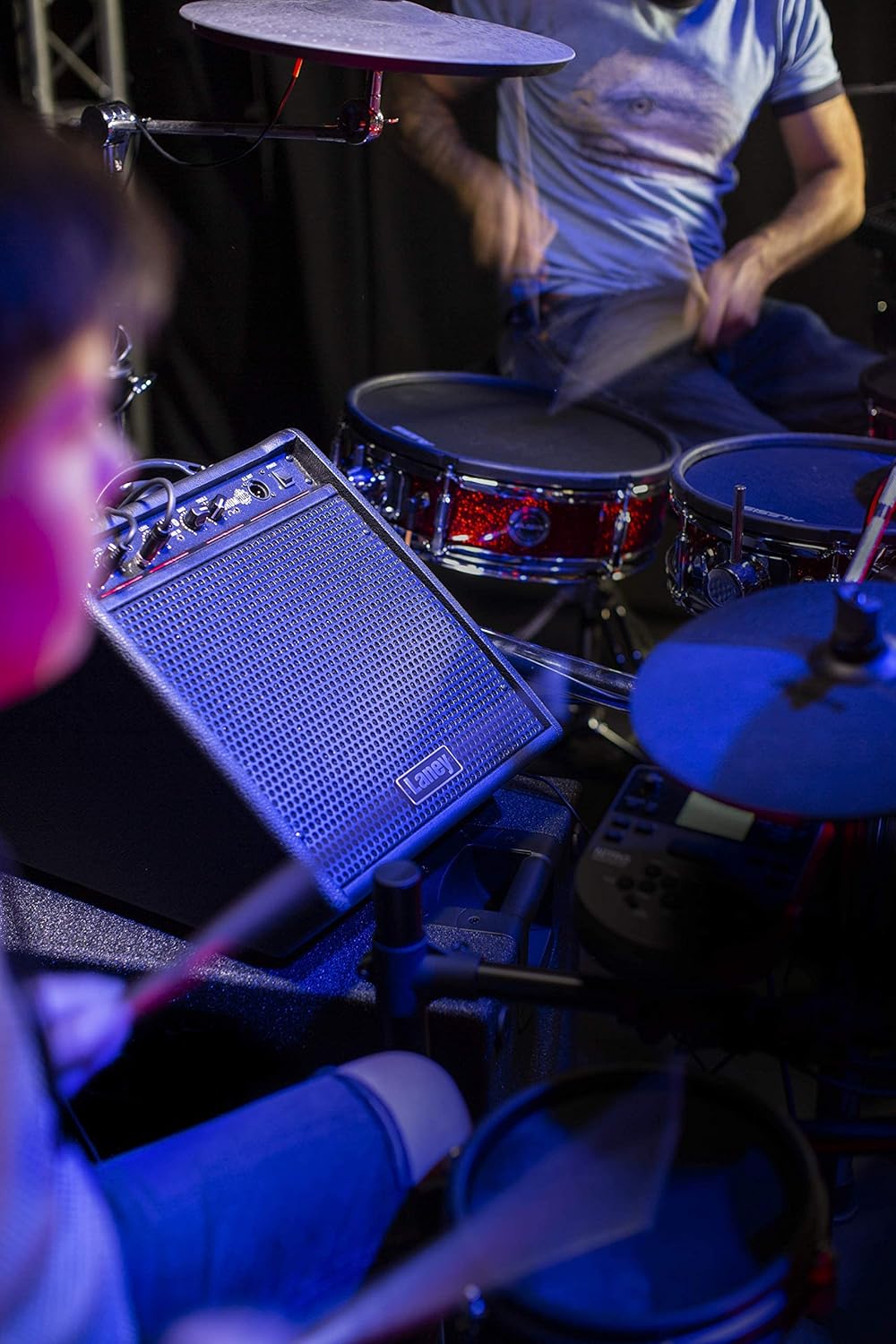
The Laney Drumhub DH80 is an 80-watt personal drum monitor designed for electronic percussion. It features a 10-inch coaxial woofer and a 3-inch tweeter, providing a full-range sound suitable for practice at home or in a classroom setting. The DH80 includes multiple input options, including Bluetooth connectivity, allowing users to stream audio from external devices. A headphone output is also provided for silent practice.
2. പ്രധാന സുരക്ഷാ നിർദ്ദേശങ്ങൾ
Please read and retain these instructions for future reference. Adhere to all warnings and follow all instructions. Do not use this apparatus near water. Clean only with a dry cloth. Do not block any ventilation openings. Install in accordance with the manufacturer's instructions. Do not install near any heat sources such as radiators, heat registers, stoves, or other apparatus (including amplifiers) that produce heat. Protect the power cord from being walked on or pinched, particularly at plugs, convenience receptacles, and the point where they exit from the apparatus. Only use attachments/accessories specified by the manufacturer. Unplug this apparatus during lightning storms or when unused for long periods of time. Refer all servicing to qualified service personnel.
3. പാക്കേജ് ഉള്ളടക്കം
- Laney Drumhub DH80 Personal Drum Monitor
- പവർ കേബിൾ
- ഉപയോക്തൃ മാനുവൽ
4. ഉൽപ്പന്ന സവിശേഷതകൾ
- 80 വാട്ട്സ് ആർഎംഎസ് ഔട്ട്പുട്ട് പവർ
- 1 x 10-inch Custom woofer & 3-inch Co-axial tweeter for full-range sound
- Bass reflex cabinet design for enhanced low-frequency response
- Multiple input options including two mini-jack inputs and Bluetooth audio streaming
- നിശബ്ദ പരിശീലനത്തിനുള്ള ഹെഡ്ഫോൺ ഔട്ട്പുട്ട്
- Easy-grip plastic handle for portability
- ഒതുക്കമുള്ളതും കരുത്തുറ്റതുമായ ഡിസൈൻ

ചിത്രം 4.1: മുൻഭാഗം view of the Laney Drumhub DH80 Personal Drum Monitor, showcasing the speaker grille and control panel.

ചിത്രം 4.2: പിൻഭാഗം view of the Laney Drumhub DH80, showing the bass reflex port and integrated carry handle.
5. നിയന്ത്രണങ്ങളും കണക്ഷനുകളും
The DH80 features an intuitive control panel for easy operation.
ചിത്രം 5.1: വിശദമായി view of the Laney Drumhub DH80 control panel, showing input levels, EQ, Aux In, DI Out, and Power switch.
- Input 1 Level: Adjusts the volume for Input 1.
- Input 2 Level: Adjusts the volume for Input 2.
- ഓക്സ് ഇൻ: 3.5mm stereo input for connecting external audio devices.
- ബ്ലൂടൂത്ത് സൂചകം: Lights up when Bluetooth is active and paired.
- ബാസ് ഇക്യു: കുറഞ്ഞ ആവൃത്തിയിലുള്ള പ്രതികരണം ക്രമീകരിക്കുന്നു.
- ട്രെബിൾ ഇക്യു: ഉയർന്ന ആവൃത്തിയിലുള്ള പ്രതികരണം ക്രമീകരിക്കുന്നു.
- DI ഔട്ട്: XLR output for connecting to a mixing console or recording device.
- വൈദ്യുതി സ്വിച്ച്: യൂണിറ്റ് ഓണാക്കുകയോ ഓഫാക്കുകയോ ചെയ്യുന്നു.
- ഹെഡ്ഫോൺ ഔട്ട്: 3.5mm stereo output for headphones (located on the front panel, typically mutes main speaker).
6. സജ്ജീകരണം
- പ്ലേസ്മെൻ്റ്: Position the DH80 on a stable, flat surface. Ensure adequate ventilation around the unit.
- പവർ കണക്ഷൻ: Connect the supplied power cable to the AC input on the rear of the unit and then to a suitable power outlet.
- പ്രാരംഭ പവർ ഓൺ: Ensure all volume controls are set to minimum before turning on the unit using the Power switch.
- ബന്ധിപ്പിക്കുന്ന ഉപകരണങ്ങൾ: Connect your electronic drum kit or other instruments to Input 1 and/or Input 2 using appropriate cables (e.g., 3.5mm jack).
7. പ്രവർത്തന നിർദ്ദേശങ്ങൾ
- വോളിയം ക്രമീകരണം: Gradually increase the Input Level controls for your connected instruments to achieve the desired volume.
- EQ ക്രമീകരണം: Use the Bass and Treble EQ controls to shape your sound. Turn clockwise to boost frequencies, counter-clockwise to cut.
- ഹെഡ്ഫോൺ ഉപയോഗം: Plug headphones into the Headphone Out jack for private practice. This typically mutes the main speaker output.
- DI Outട്ട്പുട്ട്: For connecting to a PA system or recording interface, use an XLR cable from the DI Out. This output provides a balanced signal.
8. ബ്ലൂടൂത്ത് കണക്റ്റിവിറ്റി
The DH80 allows you to stream audio wirelessly via Bluetooth from your smartphone, tablet, or other Bluetooth-enabled device.
- ബ്ലൂടൂത്ത് സജീവമാക്കുക: Ensure the DH80 is powered on. The Bluetooth indicator light will flash, indicating it is ready for pairing.
- ജോടിയാക്കൽ: On your audio device, go to its Bluetooth settings and search for available devices. Select "Laney DH80" from the list.
- സ്ഥിരീകരണം: Once paired, the Bluetooth indicator light on the DH80 will glow solid. You can now play audio from your device through the monitor.
- വോളിയം നിയന്ത്രണം: Adjust the volume from your connected device and the DH80's Input Level controls for the desired mix.

Figure 8.1: Close-up of the Aux In jack and Bluetooth indicator light on the DH80 control panel.
9. പരിപാലനം
- വൃത്തിയാക്കൽ: യൂണിറ്റിന്റെ പുറംഭാഗം വൃത്തിയാക്കാൻ മൃദുവായതും ഉണങ്ങിയതുമായ തുണി ഉപയോഗിക്കുക. അബ്രസീവ് ക്ലീനറുകളോ ലായകങ്ങളോ ഉപയോഗിക്കരുത്.
- വെൻ്റിലേഷൻ: Ensure that the ventilation openings are kept clear of dust and debris to prevent overheating.
- സംഭരണം: ദീർഘനേരം ഉപയോഗിക്കാത്തപ്പോൾ, മോണിറ്റർ തണുത്തതും വരണ്ടതുമായ സ്ഥലത്ത് സൂക്ഷിക്കുക, നേരിട്ടുള്ള സൂര്യപ്രകാശത്തിൽ നിന്നും കടുത്ത താപനിലയിൽ നിന്നും അകറ്റി നിർത്തുക.
10. പ്രശ്നപരിഹാരം
- ശബ്ദമില്ല:
- Check if the unit is powered on and the power cable is securely connected.
- Ensure all volume controls (Input Level, connected device volume) are turned up.
- Verify that instruments and audio sources are properly connected to the correct inputs.
- If headphones are plugged in, unplug them to check main speaker output.
- വികലമായ ശബ്ദം:
- Reduce the input level from your instrument or audio source.
- Lower the Input Level controls on the DH80.
- കേബിളുകൾക്ക് കേടുപാടുകൾ സംഭവിച്ചിട്ടുണ്ടോയെന്ന് പരിശോധിക്കുക.
- ബ്ലൂടൂത്ത് ജോടിയാക്കൽ പ്രശ്നങ്ങൾ:
- Ensure Bluetooth is enabled on your audio device.
- Make sure the DH80 is in pairing mode (Bluetooth indicator flashing).
- ഉപകരണം ജോടി മാറ്റി വീണ്ടും ജോടിയാക്കാൻ ശ്രമിക്കുക.
- Move your audio device closer to the DH80.
11 സ്പെസിഫിക്കേഷനുകൾ
| ഫീച്ചർ | സ്പെസിഫിക്കേഷൻ |
|---|---|
| മോഡൽ നമ്പർ | DH80 |
| ഔട്ട്പുട്ട് വാട്ട്tage | 80 വാട്ട്സ് |
| സ്പീക്കർ കോൺഫിഗറേഷൻ | 1 x 10-inch Custom Woofer & 3-inch Co-axial Tweeter |
| ഇൻപുട്ടുകൾ | 2 x 3.5mm Jack, Bluetooth |
| ഔട്ട്പുട്ടുകൾ | 3.5mm Headphone Out, XLR DI Out |
| EQ | ബാസ്, ട്രെബിൾ |
| അനുയോജ്യമായ ഉപകരണങ്ങൾ | Electronic Drums, Guitar (via appropriate adapter/preamp) |
| പവർ ഉറവിടം | കോർഡഡ് ഇലക്ട്രിക് |
| ഇനത്തിൻ്റെ ഭാരം | 20.9 പൗണ്ട് (9.48 കി.ഗ്രാം) |
| ഉൽപ്പന്ന അളവുകൾ | 12.52 x 14.17 x 15.28 ഇഞ്ച് (31.8 x 36 x 38.8 സെ.മീ) |
| നിറം | കറുപ്പ് |
| മെറ്റീരിയൽ തരം | പ്ലാസ്റ്റിക് |
12. വാറൻ്റിയും പിന്തുണയും
For warranty information and technical support, please refer to the documentation provided with your purchase or visit the official Laney webസൈറ്റ്. ഏതെങ്കിലും വാറന്റി ക്ലെയിമുകൾക്ക് നിങ്ങളുടെ വാങ്ങലിന്റെ തെളിവ് സൂക്ഷിക്കുക.