
1. ആമുഖം
The Reloop Groove Blaster BT is a portable 100W loudspeaker designed for high sound pressure levels and robust bass performance. It features a built-in Bluetooth 4.0 interface for wireless audio streaming up to 30 meters and an integrated, rechargeable Li-ion battery providing up to 10 hours of music playback. NFC connectivity simplifies pairing with supported devices. The speaker's 3-way frequency separation, with two 3-inch midrange drivers, one 1-inch tweeter, and a 6-inch low-frequency driver, ensures a balanced and wide stereo sound.

Figure 1.1: Reloop Groove Blaster BT in use, highlighting its 10-hour battery life.
2. പാക്കേജ് ഉള്ളടക്കം
പാക്കേജിൽ എല്ലാ ഇനങ്ങളും ഉണ്ടെന്ന് ഉറപ്പാക്കുക:
- Groove Blaster BT Portable Bluetooth Speaker
- Detachable Carrying Handle
- Power Supply Unit (located in the adapter compartment)
3. നിയന്ത്രണങ്ങളും കണക്ഷനുകളും
3.1 മുകളിലെ നിയന്ത്രണ പാനൽ
The top panel provides access to all primary playback and pairing functions.
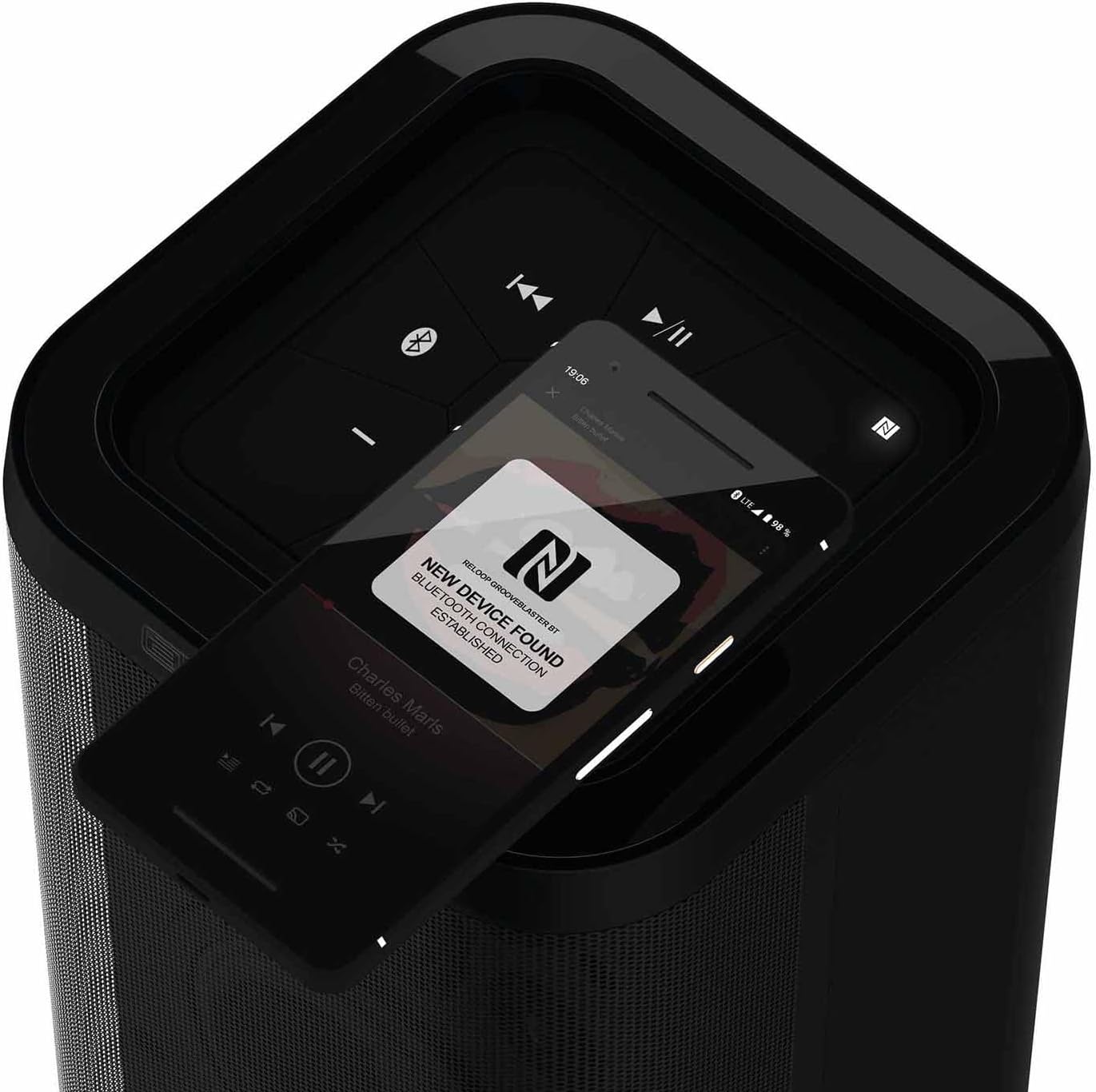
ചിത്രം 3.1: വിശദമായി view of the top control panel.
- പവർ ബട്ടൺ (ⓘ): സ്പീക്കർ ഓണാക്കാനോ ഓഫാക്കാനോ അമർത്തിപ്പിടിക്കുക.
- Play/Pause (▶/‖‖): മീഡിയ പ്ലേബാക്ക് നിയന്ത്രിക്കുന്നു.
- Previous Track (⏮): നിലവിലെ ട്രാക്കിന്റെ തുടക്കത്തിലേക്കോ മുമ്പത്തെ ട്രാക്കിലേക്കോ പോകുന്നു.
- Next Track (⏭): അടുത്ത ട്രാക്കിലേക്ക് പോകുക.
- വോളിയം ഡൗൺ (-): Decreases the speaker volume.
- വോളിയം കൂട്ടുക (+): Increases the speaker volume.
- Bluetooth Pairing Button (ⓘ): ബ്ലൂടൂത്ത് ജോടിയാക്കൽ മോഡ് ആരംഭിക്കുന്നു.
- NFC Area (N): Touch NFC-enabled devices here for quick pairing.
- Speaker Pairing Button (Speaker Pairing): Activates Smart Link function to connect two Groove Blaster BT speakers.
3.2 പിൻ കണക്ഷനുകൾ
The rear panel houses the power input, USB charging port, and auxiliary input, protected by an adapter compartment.

Figure 3.2: Rear connection panel with adapter compartment open.
- DC IN: Power input for the included power supply unit.
- Battery Level LEDs: Indicate the current battery charge status.
- USB POWER OUT (5V DC 1A): USB port for charging external devices.
- ഓക്സ് ഇൻ: 3.5mm auxiliary input for wired audio connections.
- Power Supply Holder: Compartment to store the power supply unit.
4. സജ്ജീകരണം
4.1 ബാറ്ററി ചാർജ് ചെയ്യുന്നു
Before first use, fully charge the integrated Li-ion battery. Connect the included power supply unit to the DC IN port on the rear of the speaker and plug it into a wall outlet. The battery level LEDs will indicate charging status. A full charge provides up to 10 hours of playback, depending on usage and volume.
4.2 പവർ ഓൺ/ഓഫ്
Press and hold the Power button (ⓘ) on the top control panel for approximately 2 seconds to turn the speaker on or off. An audible cue will confirm the action.
5. പ്രവർത്തന നിർദ്ദേശങ്ങൾ
5.1 ബ്ലൂടൂത്ത് ജോടിയാക്കൽ
- Ensure the Groove Blaster BT is powered on.
- Press the Bluetooth Pairing button (ⓘ) on the top panel. The Bluetooth indicator LED will flash, indicating pairing mode.
- On your audio device (smartphone, tablet, laptop), enable Bluetooth and search for available devices.
- Select "Groove Blaster BT" from the list of devices.
- Once connected, the Bluetooth indicator LED will glow solid, and an audible confirmation will sound.
സ്പീക്കറിന് 30 മീറ്റർ വരെ ബ്ലൂടൂത്ത് ശ്രേണിയുണ്ട്.
5.2 NFC ജോടിയാക്കൽ
For NFC-enabled devices, pairing is simplified:
- Ensure NFC is enabled on your audio device.
- Gently tap your NFC-enabled device against the NFC area (N) on the top control panel of the Groove Blaster BT.
- Follow any on-screen prompts on your device to confirm the connection.
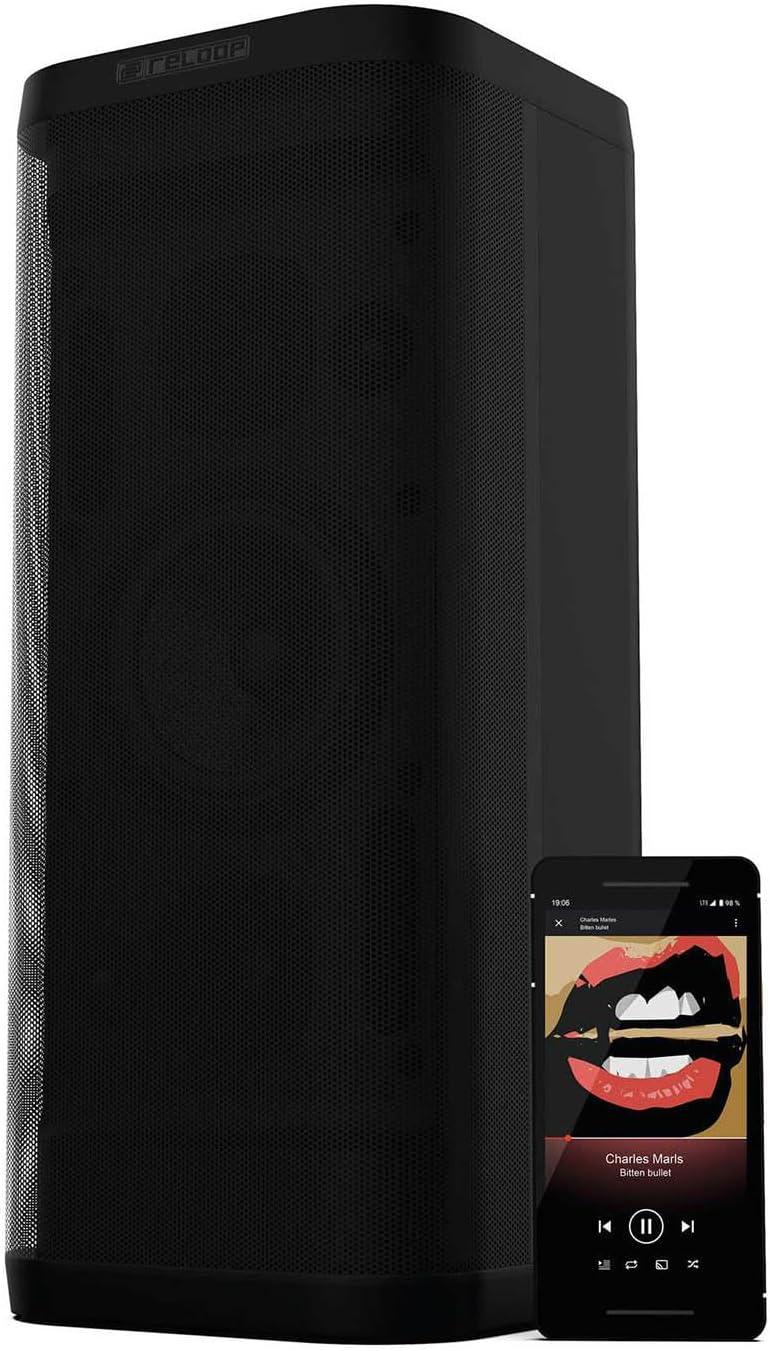
Figure 5.1: NFC pairing in progress.
5.3 Smart Link (Speaker Pairing)
The Smart Link function allows you to wirelessly connect two Groove Blaster BT speakers for a stereo experience or to double the overall volume across multiple rooms.
- Ensure both Groove Blaster BT speakers are powered on and not connected to any Bluetooth device.
- On the first speaker, press the "Speaker Pairing" button. The LED will flash.
- Repeat the process on the second speaker.
- The speakers will automatically search and connect to each other. Once connected, an audible confirmation will sound, and the LEDs will glow solid.
- Now, connect your audio device to one of the paired speakers via Bluetooth (as described in Section 5.1). Audio will play through both speakers.

Figure 5.2: Two Groove Blaster BT speakers connected using Smart Link.
5.4 പ്ലേബാക്ക് നിയന്ത്രണങ്ങൾ
Use the buttons on the top control panel to manage your audio playback:
- അമർത്തുക Play/Pause (▶/‖‖) to start or pause music.
- അമർത്തുക മുൻ ട്രാക്ക് (⏮) മുമ്പത്തെ പാട്ടിലേക്ക് പോകാൻ.
- അമർത്തുക അടുത്ത ട്രാക്ക് (⏭) അടുത്ത പാട്ടിലേക്ക് പോകാൻ.
- അമർത്തുക വോളിയം താഴേക്ക് (-) or വോളിയം കൂട്ടുക (+) ഓഡിയോ ലെവൽ ക്രമീകരിക്കാൻ.
5.5 യുഎസ്ബി ചാർജിംഗ് പ്രവർത്തനം
The USB POWER OUT port (5V DC 1A) on the rear of the speaker can be used to charge external devices such as smartphones or tablets. Connect your device's USB charging cable to this port.
6. പരിപാലനം
6.1 വൃത്തിയാക്കൽ
മൃദുവായതും ഉണങ്ങിയതുമായ തുണി ഉപയോഗിച്ച് സ്പീക്കറിന്റെ പുറംഭാഗം തുടയ്ക്കുക. അബ്രാസീവ് ക്ലീനറുകളോ, മെഴുക്സോ, ലായകങ്ങളോ ഉപയോഗിക്കരുത്. സ്പീക്കറിന്റെ ദ്വാരങ്ങളിൽ ദ്രാവകങ്ങൾ പ്രവേശിക്കുന്നില്ലെന്ന് ഉറപ്പാക്കുക.
6.2 ബാറ്ററി കെയർ
ബാറ്ററി ലൈഫ് വർദ്ധിപ്പിക്കാൻ, സ്പീക്കർ ഇടയ്ക്കിടെ പൂർണ്ണമായും ഡിസ്ചാർജ് ചെയ്യുന്നത് ഒഴിവാക്കുക. സ്പീക്കർ ദീർഘനേരം സൂക്ഷിക്കുകയാണെങ്കിൽ, കുറച്ച് മാസങ്ങൾ കൂടുമ്പോൾ ഏകദേശം 50% ചാർജ് ചെയ്യുക.
7. പ്രശ്നപരിഹാരം
| പ്രശ്നം | സാധ്യമായ കാരണം | പരിഹാരം |
|---|---|---|
| സ്പീക്കർ പവർ ഓൺ ചെയ്യുന്നില്ല. | ബാറ്ററി തീർന്നു. | Connect the speaker to the power supply and charge the battery. |
| സ്പീക്കറിൽ നിന്ന് ശബ്ദമില്ല. | ശബ്ദം വളരെ കുറവാണ് അല്ലെങ്കിൽ മ്യൂട്ടുചെയ്തിരിക്കുന്നു. ഉപകരണം കണക്റ്റുചെയ്തിട്ടില്ല. | Increase volume on speaker and connected device. Ensure Bluetooth or AUX connection is established. |
| ബ്ലൂടൂത്ത് ഉപകരണം ജോടിയാക്കാൻ കഴിയില്ല. | സ്പീക്കർ ജോടിയാക്കൽ മോഡിലല്ല. ഉപകരണം വളരെ അകലെയാണ്. തടസ്സം. | Press Bluetooth pairing button. Move device closer. Avoid obstacles. Restart both devices. |
| Smart Link not connecting. | Speakers already paired to a device. | Ensure both speakers are disconnected from any Bluetooth devices before initiating Smart Link. |
| മോശം ശബ്ദ നിലവാരം. | Low battery. Device too far. Source audio quality. | Charge speaker. Move device closer. Use high-quality audio files. |
8 സ്പെസിഫിക്കേഷനുകൾ
| ഫീച്ചർ | സ്പെസിഫിക്കേഷൻ |
|---|---|
| ബ്രാൻഡ് | റീലൂപ്പ് |
| മോഡൽ നമ്പർ | GROOVE-BLASTER-BT |
| സ്പീക്കർ പരമാവധി ഔട്ട്പുട്ട് പവർ | 100 വാട്ട്സ് |
| ഫ്രീക്വൻസി പ്രതികരണം | 50 Hz (lower limit, full range not specified) |
| കണക്റ്റിവിറ്റി ടെക്നോളജി | ബ്ലൂടൂത്ത്, NFC |
| ബ്ലൂടൂത്ത് ശ്രേണി | 30 മീറ്റർ |
| ഓഡിയോ put ട്ട്പുട്ട് മോഡ് | സ്റ്റീരിയോ |
| എൻക്ലോഷർ മെറ്റീരിയൽ | ലോഹം |
| സബ് വൂഫർ വ്യാസം | 6 ഇഞ്ച് |
| ട്വീറ്റർ വ്യാസം | 1 ഇഞ്ച് |
| ബാറ്ററി തരം | ലിഥിയം അയോൺ (ഉൾപ്പെടുന്നു) |
| ബാറ്ററി ശേഷി | 6600 മില്ലിamp മണിക്കൂറുകൾ |
| ബാറ്ററി ശരാശരി ആയുസ്സ് | 10 മണിക്കൂർ |
| USB പവർ ഔട്ട് | 5 വി ഡിസി 1 എ |
| ഇനത്തിൻ്റെ ഭാരം | 4.65 കിലോഗ്രാം |
| നിയന്ത്രണ രീതി | സ്പർശിക്കുക |
| വാട്ടർപ്രൂഫ് | ഇല്ല |
9. വാറൻ്റിയും പിന്തുണയും
The Reloop Groove Blaster BT comes with a 1 വർഷത്തെ പരിമിത വാറൻ്റി. For warranty claims or technical support, please contact your retailer or visit the official Reloop webബന്ധപ്പെടാനുള്ള വിവരങ്ങൾക്കുള്ള സൈറ്റ്.