
1. ആമുഖം
Thank you for choosing the Wood's MDK 21 Dehumidifier. This manual provides important information regarding the safe operation, installation, maintenance, and troubleshooting of your new dehumidifier. Please read this manual thoroughly before using the appliance and keep it for future reference.
The Wood's MDK 21 is designed to efficiently remove excess moisture from the air, helping to prevent mold, mildew, and dampness in your home or office environment. Its compact design and user-friendly features make it an ideal solution for various spaces.
2 സുരക്ഷാ വിവരങ്ങൾ
തീപിടുത്തം, വൈദ്യുതാഘാതം അല്ലെങ്കിൽ പരിക്കുകൾ എന്നിവയ്ക്കുള്ള സാധ്യത കുറയ്ക്കുന്നതിന് ഇനിപ്പറയുന്ന സുരക്ഷാ മുൻകരുതലുകൾ എപ്പോഴും പാലിക്കുക.
- ഇലക്ട്രിക്കൽ സുരക്ഷ: വൈദ്യുതി വിതരണം വോള്യവുമായി പൊരുത്തപ്പെടുന്നുണ്ടെന്ന് ഉറപ്പാക്കുകtage specified on the rating label. Do not operate the unit with a damaged power cord or plug. Do not share the power outlet with other high-power appliances.
- പ്ലേസ്മെൻ്റ്: Place the dehumidifier on a stable, level surface. Maintain a minimum distance of 20 cm (8 inches) from walls or other objects to ensure proper airflow. Do not block the air inlet or outlet.
- പ്രവർത്തനം: Do not insert fingers or foreign objects into the air inlet or outlet. Do not use the appliance in areas where flammable gases or liquids are stored. Always unplug the unit before cleaning or performing any maintenance.
- കുട്ടികളും വളർത്തുമൃഗങ്ങളും: കുട്ടികൾക്കും വളർത്തുമൃഗങ്ങൾക്കും ഉപകരണം ലഭ്യമാകാതെ സൂക്ഷിക്കുക. കുട്ടികൾ ഉപകരണവുമായി കളിക്കുന്നില്ലെന്ന് ഉറപ്പാക്കാൻ മേൽനോട്ടം വഹിക്കുക.
- പരിപാലനം: Only qualified personnel should perform repairs. Do not attempt to repair the unit yourself.
3. ഉൽപ്പന്നം കഴിഞ്ഞുview ഘടകങ്ങളും
Familiarize yourself with the main parts of your Wood's MDK 21 Dehumidifier.
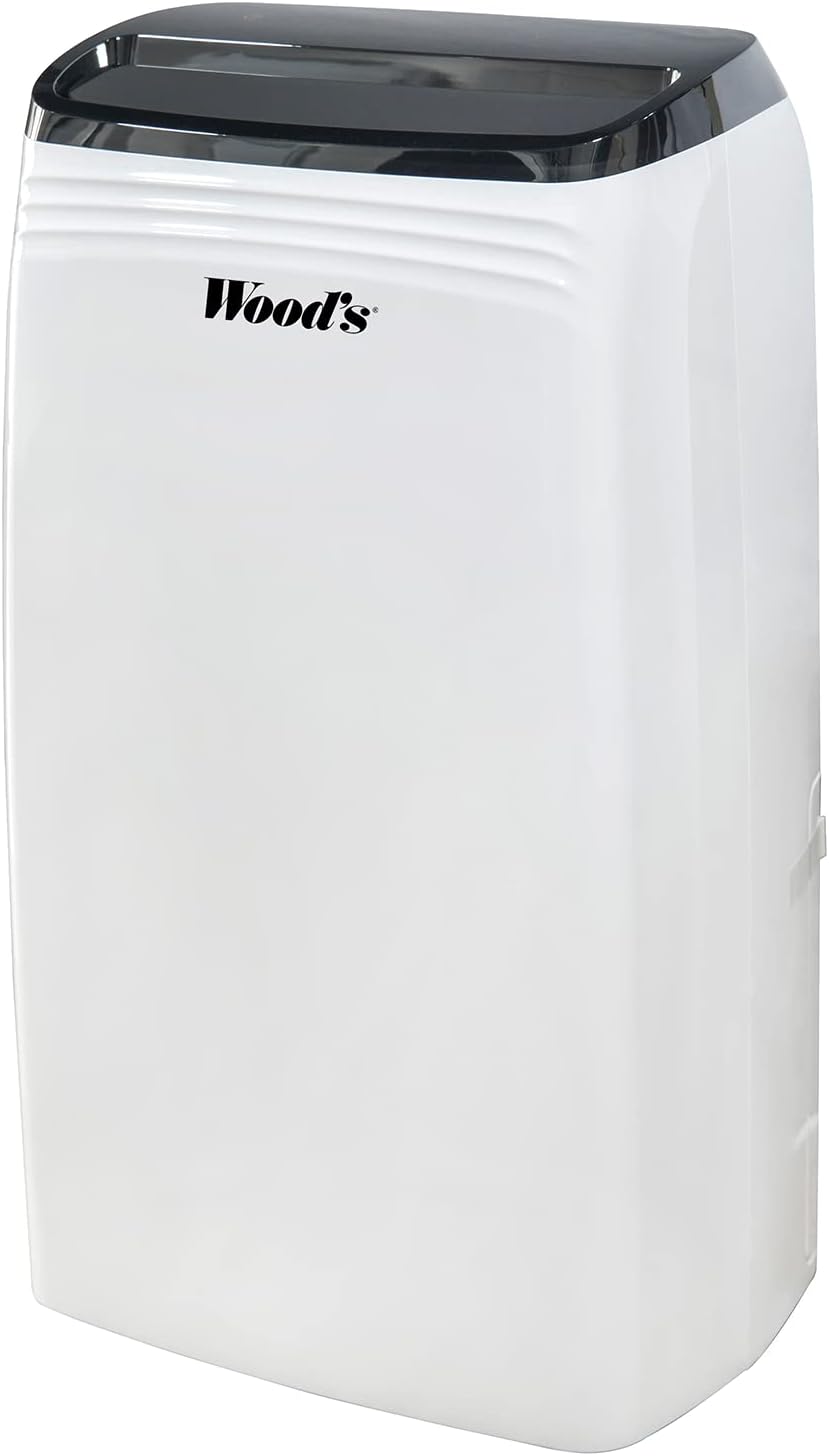
ചിത്രം 3.1: ഫ്രണ്ട് view of the Wood's MDK 21 Dehumidifier. This image shows the sleek, white design of the unit with its black control panel on top and the Wood's brand logo prominently displayed on the front.

ചിത്രം 3.2: മുകളിൽ view of the dehumidifier's control panel. The image highlights the digital display showing "35%" humidity, along with touch controls for power, fan speed, humidity settings, timer, and sleep mode. The air outlet grille is visible below the control panel.
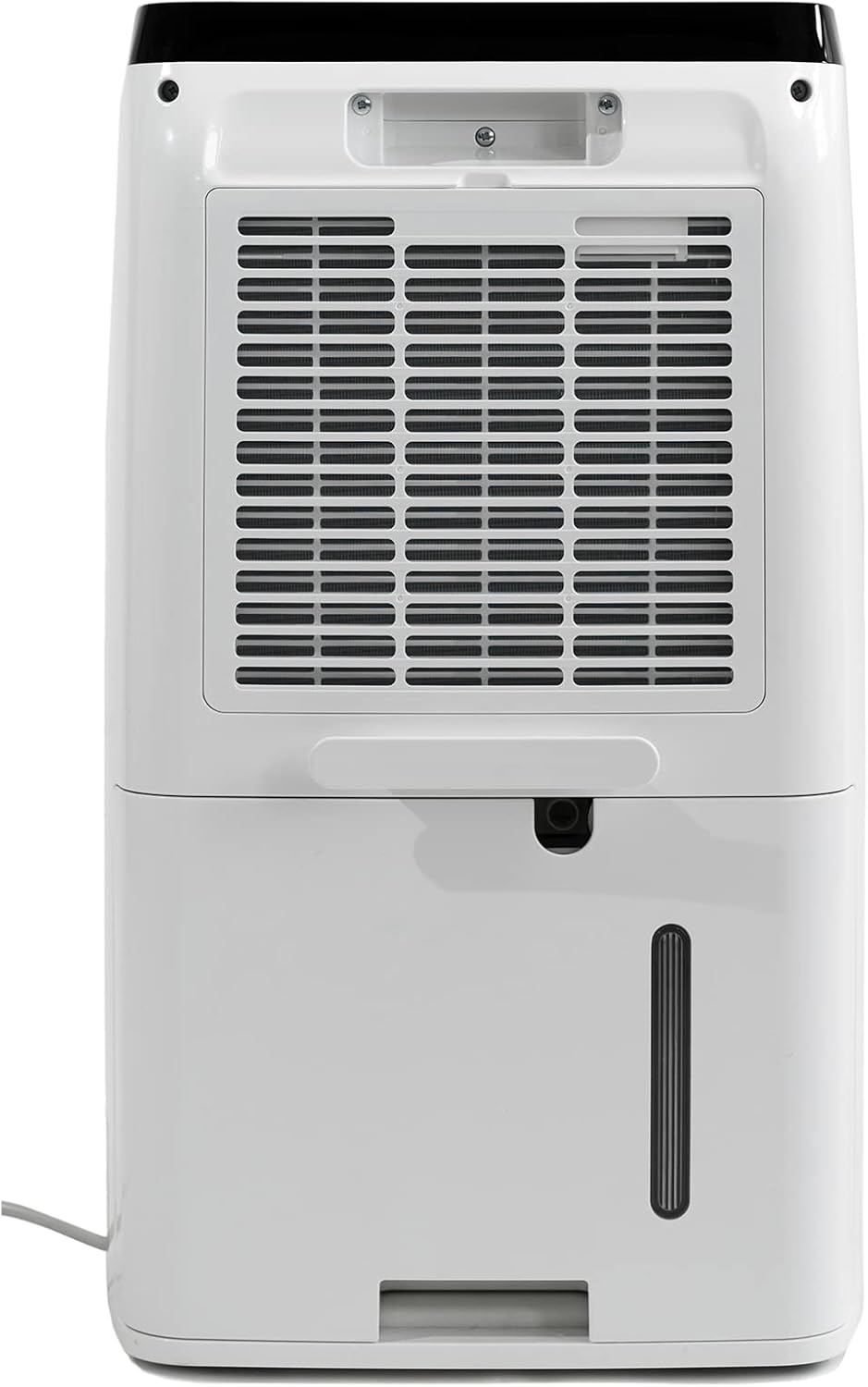
ചിത്രം 3.3: പിൻഭാഗം view of the dehumidifier. This image displays the large air intake grille, which houses the air filter, and the removable water collection tank located at the bottom. A continuous drainage outlet is also visible above the tank.
പ്രധാന ഘടകങ്ങൾ:
- നിയന്ത്രണ പാനൽ: പ്രവർത്തനത്തിനായി ഡിജിറ്റൽ ഡിസ്പ്ലേയും ടച്ച് ബട്ടണുകളും.
- എയർ ഔട്ട്ലെറ്റ്: വരണ്ട വായു പുറന്തള്ളപ്പെടുന്നിടത്ത്.
- എയർ ഇൻലെറ്റ്/ഫിൽട്ടർ: ഈർപ്പമുള്ള വായു വലിച്ചെടുത്ത് ഫിൽട്ടർ ചെയ്യുന്നിടത്ത്.
- വാട്ടർ ടാങ്ക്: ബാഷ്പീകരിച്ച വെള്ളം ശേഖരിക്കുന്നു.
- തുടർച്ചയായ ഡ്രെയിനേജ് ഔട്ട്ലെറ്റ്: For connecting a hose for continuous drainage.
- പവർ കോർഡ്: ഒരു ഇലക്ട്രിക്കൽ ഔട്ട്ലെറ്റിലേക്ക് ബന്ധിപ്പിക്കുന്നതിന്.
4. സജ്ജീകരണം
Follow these steps to set up your dehumidifier for the first time.
- അൺപാക്ക് ചെയ്യുന്നു: ഡീഹ്യൂമിഡിഫയർ അതിന്റെ പാക്കേജിംഗിൽ നിന്ന് ശ്രദ്ധാപൂർവ്വം നീക്കം ചെയ്യുക. ഭാവിയിലെ സംഭരണത്തിനോ ഗതാഗതത്തിനോ വേണ്ടി പാക്കേജിംഗ് സൂക്ഷിക്കുക.
- പ്ലേസ്മെൻ്റ്: Place the unit upright on a firm, level surface in the area where dehumidification is desired. Ensure there is at least 20 cm (8 inches) of clear space around all sides of the unit for proper air circulation. Avoid placing it near heat sources or in direct sunlight.
- പ്രാരംഭ സ്റ്റാൻഡ്ബൈ: ഗതാഗതത്തിനു ശേഷം, പ്ലഗ് ഇൻ ചെയ്യുന്നതിന് മുമ്പ് യൂണിറ്റ് കുറഞ്ഞത് 4 മണിക്കൂറെങ്കിലും നിവർന്നു നിൽക്കാൻ അനുവദിക്കുക. ഇത് റഫ്രിജറന്റ് സ്ഥിരതാമസമാക്കാൻ അനുവദിക്കുന്നു.
- പവർ കണക്ഷൻ: Insert the power plug firmly into a grounded electrical outlet.
- വാട്ടർ ടാങ്ക്: വാട്ടർ ടാങ്ക് യൂണിറ്റിൽ ശരിയായി ചേർത്തിട്ടുണ്ടെന്ന് ഉറപ്പാക്കുക. ടാങ്ക് നിറഞ്ഞിരിക്കുകയോ തെറ്റായി സ്ഥാപിക്കുകയോ ചെയ്താൽ യൂണിറ്റ് പ്രവർത്തിക്കില്ല.
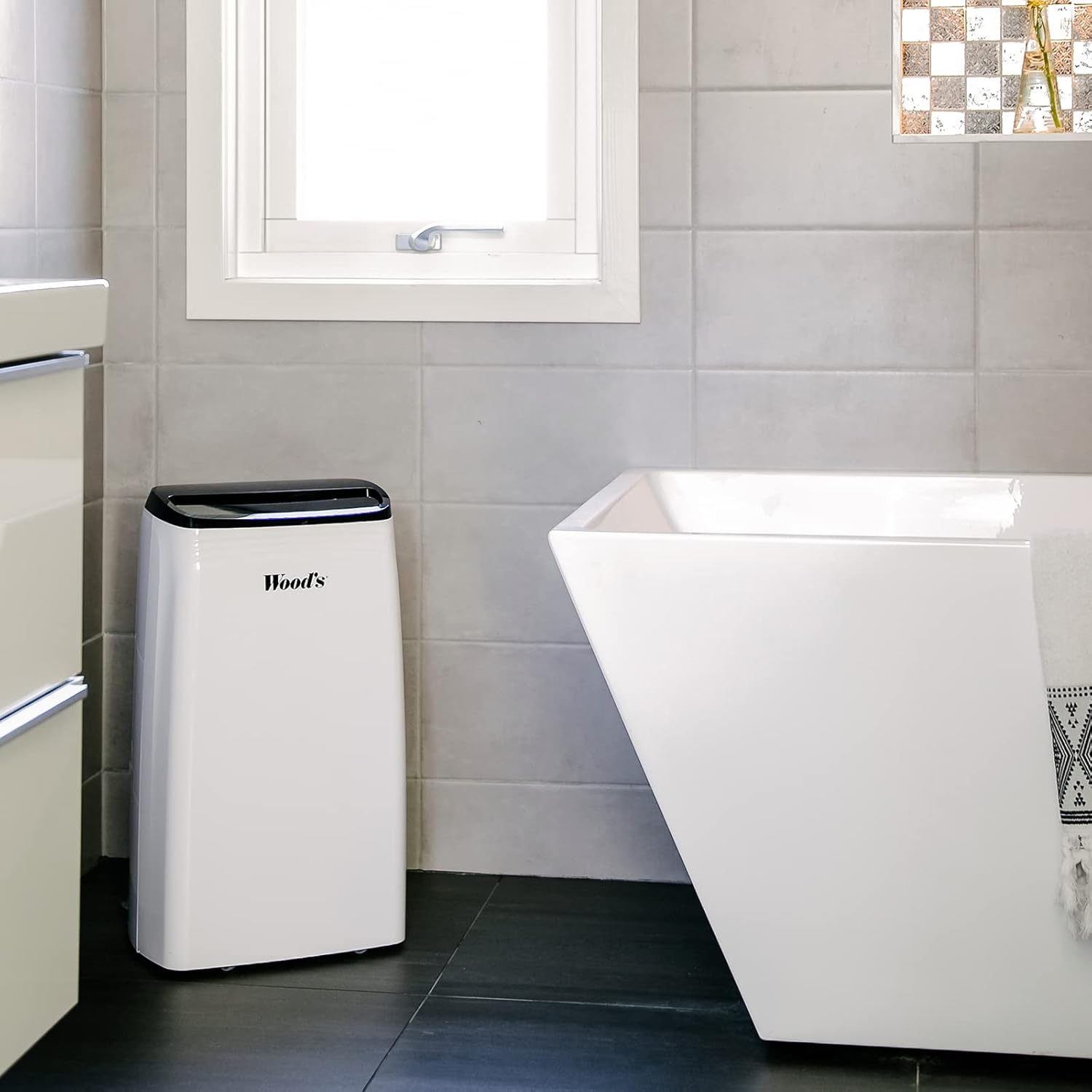
ചിത്രം 4.1: Example placement of the dehumidifier in a bathroom. The image shows the dehumidifier positioned on the floor in a tiled bathroom, demonstrating a typical indoor environment where the unit can be used to control humidity.
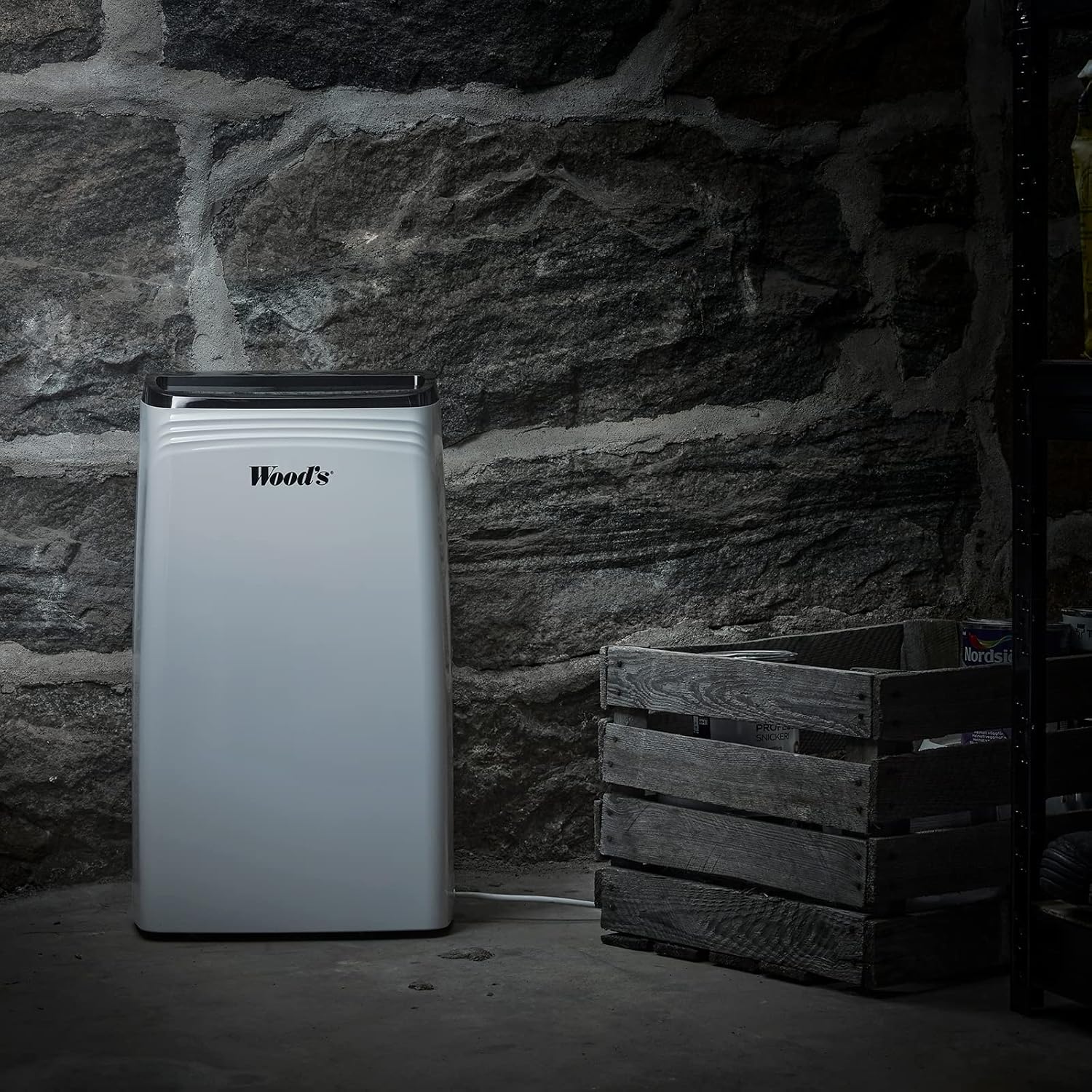
ചിത്രം 4.2: Example placement of the dehumidifier in a basement. This image illustrates the dehumidifier operating in a more challenging environment, such as a basement with stone walls, highlighting its suitability for damp പ്രദേശങ്ങൾ.
തുടർച്ചയായ ഡ്രെയിനേജ് (ഓപ്ഷണൽ):
For continuous operation without emptying the water tank, you can connect a drainage hose (not included) to the continuous drainage outlet. Ensure the hose is sloped downwards to allow water to drain by gravity into a suitable drain or container.
5. പ്രവർത്തന നിർദ്ദേശങ്ങൾ
Learn how to operate your Wood's MDK 21 Dehumidifier.
നിയന്ത്രണ പാനൽ പ്രവർത്തനങ്ങൾ:
- പവർ ബട്ടൺ (⏻): യൂണിറ്റ് ഓണാക്കാനോ ഓഫാക്കാനോ അമർത്തുക.
- Humidity Setting (💧): Press to set the desired humidity level (e.g., 30% - 80% RH). The unit will operate until the set humidity is reached.
- ഫാൻ വേഗത (💨): Adjusts the fan speed (Low/High). Higher fan speed results in faster dehumidification.
- ടൈമർ (⏲): Set a timer for automatic ON/OFF operation (e.g., 1-24 hours).
- സ്ലീപ്പ് മോഡ് (🌙): Activates a quiet operation mode, dimming the display.
- ഡിസ്പ്ലേ: നിലവിലെ ഈർപ്പം, സജ്ജീകരണ ഈർപ്പം അല്ലെങ്കിൽ ടൈമർ ക്രമീകരണങ്ങൾ എന്നിവ കാണിക്കുന്നു.
അടിസ്ഥാന പ്രവർത്തനം:
- യൂണിറ്റ് പ്ലഗ് ഇൻ ചെയ്യുക.
- യൂണിറ്റ് ഓണാക്കാൻ പവർ ബട്ടൺ അമർത്തുക.
- Use the Humidity Setting button to select your desired humidity level. A common comfortable range is 40-60% Relative Humidity (RH).
- Adjust the Fan Speed as needed.
- The unit will start operating and automatically stop when the desired humidity level is reached. It will restart if the humidity rises above the set level.
വാട്ടർ ടാങ്ക് ശൂന്യമാക്കൽ:
When the water tank is full, the unit will automatically stop operating, and an indicator light (if available) will illuminate. Carefully remove the water tank, empty it, and reinsert it firmly into the unit. The dehumidifier will resume operation.
6. പരിപാലനം
പതിവ് അറ്റകുറ്റപ്പണികൾ മികച്ച പ്രകടനം ഉറപ്പാക്കുകയും നിങ്ങളുടെ ഡീഹ്യൂമിഡിഫയറിന്റെ ആയുസ്സ് വർദ്ധിപ്പിക്കുകയും ചെയ്യുന്നു.
എയർ ഫിൽട്ടർ വൃത്തിയാക്കൽ:
ഉപയോഗവും വായുവിന്റെ ഗുണനിലവാരവും അനുസരിച്ച് എയർ ഫിൽറ്റർ രണ്ടാഴ്ച കൂടുമ്പോഴോ അതിലധികമോ തവണ വൃത്തിയാക്കണം.
- യൂണിറ്റ് ഓഫ് ചെയ്ത് പവർ ഔട്ട്ലെറ്റിൽ നിന്ന് അത് അൺപ്ലഗ് ചെയ്യുക.
- Remove the air filter from the back of the unit (refer to Figure 3.3).
- ഒരു വാക്വം ക്ലീനർ ഉപയോഗിച്ച് ഫിൽട്ടർ വൃത്തിയാക്കുക അല്ലെങ്കിൽ ചെറുചൂടുള്ള വെള്ളവും നേരിയ ഡിറ്റർജന്റും ഉപയോഗിച്ച് സൌമ്യമായി കഴുകുക.
- Rinse thoroughly and allow the filter to air dry completely before reinserting it. Do not use a dryer or direct heat.
- ഡ്രൈ ഫിൽറ്റർ യൂണിറ്റിലേക്ക് വീണ്ടും ചേർക്കുക.
യൂണിറ്റ് പുറംഭാഗം വൃത്തിയാക്കൽ:
ഒരു സോഫ്റ്റ്, ഡി ഉപയോഗിച്ച് യൂണിറ്റിൻ്റെ പുറംഭാഗം തുടയ്ക്കുകamp തുണി. അബ്രാസീവ് ക്ലീനറുകൾ, ലായകങ്ങൾ, കഠിനമായ രാസവസ്തുക്കൾ എന്നിവ ഉപയോഗിക്കരുത്, കാരണം ഇവ ഉപരിതലത്തിന് കേടുവരുത്തും.
വാട്ടർ ടാങ്ക് വൃത്തിയാക്കൽ:
Clean the water tank periodically to prevent mold and mildew growth. Use warm water and a mild detergent, rinse thoroughly, and dry before reinserting.
സംഭരണം:
If storing the unit for an extended period, ensure the water tank is empty and clean, and the filter is clean and dry. Coil the power cord neatly. Store the unit upright in a cool, dry place, preferably in its original packaging.
7. പ്രശ്നപരിഹാരം
ഉപഭോക്തൃ പിന്തുണയുമായി ബന്ധപ്പെടുന്നതിന് മുമ്പ്, ഇനിപ്പറയുന്ന പൊതുവായ പ്രശ്നങ്ങളും പരിഹാരങ്ങളും പരിശോധിക്കുക.
| പ്രശ്നം | സാധ്യമായ കാരണം | പരിഹാരം |
|---|---|---|
| യൂണിറ്റ് ഓണാക്കുന്നില്ല. | No power supply; Power cord loose; Water tank full or incorrectly placed. | Check power outlet and plug; Ensure water tank is empty and correctly inserted. |
| ഈർപ്പം കുറയ്ക്കൽ ഇല്ല. | എയർ ഫിൽറ്റർ അടഞ്ഞുപോയി; മുറിയിലെ താപനില വളരെ കുറവാണ്; ഈർപ്പം വളരെ കൂടുതലാണ്. | Clean the air filter; Ensure room temperature is above 5°C (41°F); Lower the humidity setting. |
| യൂണിറ്റ് ശബ്ദമയമാണ്. | യൂണിറ്റ് നിരപ്പായ പ്രതലത്തിലല്ല; എയർ ഫിൽറ്റർ അടഞ്ഞിരിക്കുന്നു. | Place unit on a flat, stable surface; Clean the air filter. |
| യൂണിറ്റിൽ നിന്ന് വെള്ളം ഒഴുകുന്നു. | Water tank not properly inserted; Continuous drainage hose blocked or loose. | വാട്ടർ ടാങ്ക് ശരിയായി വീണ്ടും സ്ഥാപിക്കുക; തുടർച്ചയായ ഡ്രെയിനേജ് ഹോസിൽ തടസ്സങ്ങളോ അയഞ്ഞ കണക്ഷനുകളോ ഉണ്ടോ എന്ന് പരിശോധിക്കുക. |
If the problem persists after trying these solutions, please contact Wood's customer support.
8 സ്പെസിഫിക്കേഷനുകൾ
Technical specifications for the Wood's MDK 21 Dehumidifier.
| ഫീച്ചർ | വിശദാംശങ്ങൾ |
|---|---|
| മോഡലിൻ്റെ പേര് | MDK 21 |
| മോഡൽ നമ്പർ | 1125138 |
| ബ്രാൻഡ് | Wood's |
| മെറ്റീരിയൽ | Wood (referring to casing material, as per product data) |
| നിറം | വെള്ള-417 |
| അളവുകൾ (L x W x H) | 24 x 69 x 2.5 cm (Note: These dimensions seem unusual for a dehumidifier, possibly referring to packaging or a specific component. User should verify actual product dimensions.) |
| ASIN | B07TV7W1SS |
| നിർമ്മാതാവ് | വുഡ്സ് |
കുറിപ്പ്: ഉൽപ്പന്ന മെച്ചപ്പെടുത്തലിനായി സ്പെസിഫിക്കേഷനുകൾ മുൻകൂർ അറിയിപ്പ് കൂടാതെ മാറ്റത്തിന് വിധേയമാണ്.
9. വാറൻ്റിയും പിന്തുണയും
ഉൽപ്പന്ന വാറന്റി, ഉപഭോക്തൃ പിന്തുണ എന്നിവയെക്കുറിച്ചുള്ള വിവരങ്ങൾ.
Specific warranty details for the Wood's MDK 21 Dehumidifier are not available in the provided product data. Please refer to the warranty card included with your product or visit the official Wood's webഏറ്റവും കാലികമായ വാറൻ്റി വിവരങ്ങൾക്കായുള്ള സൈറ്റ്.
For technical support, troubleshooting assistance beyond this manual, or to inquire about spare parts, please contact Wood's customer service through their official channels. Contact information can typically be found on the manufacturer's webസൈറ്റ് അല്ലെങ്കിൽ ഉൽപ്പന്ന പാക്കേജിംഗിൽ.
When contacting support, please have your model number (1125138) and ASIN (B07TV7W1SS) ready.