
1. ആമുഖം
This manual provides detailed instructions for the installation, operation, and maintenance of your COOAU 4MP Wireless Security Camera, Model 827S-400. Designed for indoor use, this camera offers advanced features such as 4MP Ultra HD video, Pan/Tilt/Zoom (PTZ) functionality, two-way audio, and intelligent detection capabilities to enhance your home monitoring experience.
2. ഉൽപ്പന്നം കഴിഞ്ഞുview
The COOAU 4MP Wireless Security Camera is a versatile indoor monitoring device. Familiarize yourself with its components and key features:
2.1 ഘടകങ്ങൾ
- COOAU 4MP Wireless Security Camera Unit
- പവർ അഡാപ്റ്റർ
- യുഎസ്ബി പവർ കേബിൾ
- Mounting Accessories (screws, wall anchors)
- ഉപയോക്തൃ മാനുവൽ (ഈ പ്രമാണം)
2.2 പ്രധാന സവിശേഷതകൾ
- 4MP Ultra HD Video: വ്യക്തവും വിശദവുമായ foo പകർത്തുന്നുtage.
- പാൻ/ടിൽറ്റ്/സൂം (PTZ): Offers 360° horizontal and 120° vertical rotation for comprehensive coverage.
- ടു-വേ ഓഡിയോ: ആശയവിനിമയത്തിനായി ബിൽറ്റ്-ഇൻ മൈക്രോഫോണും സ്പീക്കറും.
- ബുദ്ധിപരമായ കണ്ടെത്തൽ: Features sound detection, motion detection, and motion tracking with alerts.
- മെച്ചപ്പെടുത്തിയ രാത്രി കാഴ്ച: കുറഞ്ഞ വെളിച്ചത്തിൽ വ്യക്തമായ നിരീക്ഷണം നൽകുന്നു.
- ഫ്ലെക്സിബിൾ സ്റ്റോറേജ്: Supports local storage via Micro SD card (up to 128GB, not included) and cloud storage options.
- Alexa അനുയോജ്യത: ശബ്ദ നിയന്ത്രണത്തിനായി ആമസോൺ അലക്സയുമായി സംയോജിക്കുന്നു.

Image: The COOAU 4MP Wireless Security Camera, highlighting its compact design and key functionalities like 360-degree coverage and 4MP HD view.
3. സജ്ജീകരണം
Follow these steps to set up your COOAU Wireless Security Camera:
3.1 അപ്ലിക്കേഷൻ ഇൻസ്റ്റാളേഷൻ
- Scan the QR code provided in the camera's packaging or search for "MIPC" in your device's app store (Apple App Store for iOS or Google Play Store for Android).
- MIPC ആപ്പ് ഡൗൺലോഡ് ചെയ്ത് ഇൻസ്റ്റാൾ ചെയ്യുക.
- ആപ്പ് തുറന്ന് പുതിയൊരു ഉപയോക്തൃ അക്കൗണ്ട് സൃഷ്ടിക്കുക അല്ലെങ്കിൽ നിങ്ങൾക്ക് ഇതിനകം അക്കൗണ്ട് ഉണ്ടെങ്കിൽ ലോഗിൻ ചെയ്യുക.
3.2 പവർ കണക്ഷൻ
- ക്യാമറയുടെ പവർ പോർട്ടിലേക്ക് USB പവർ കേബിൾ ബന്ധിപ്പിക്കുക.
- പവർ അഡാപ്റ്റർ ഒരു സാധാരണ ഇലക്ട്രിക്കൽ ഔട്ട്ലെറ്റിലേക്ക് പ്ലഗ് ചെയ്യുക.
- The camera will power on and initiate its startup sequence. Wait for a voice prompt indicating it's ready for connection.
3.3 നെറ്റ്വർക്ക് കോൺഫിഗറേഷൻ (വൈ-ഫൈ)
- In the MIPC app, tap the '+' icon to add a new device.
- Select the camera type (e.g., "Wireless IP Camera").
- Choose "Wi-Fi connection" as the network connection method.
- Follow the on-screen instructions to enter your Wi-Fi network details (SSID and password).
- The app may instruct you to scan a QR code displayed on your phone with the camera, or to place your phone near the camera for sound pairing.
- Once connected, you will hear a confirmation sound from the camera, and the app will indicate successful addition.
- Set a new password for the camera for security purposes.
Video: Demonstrates the indoor camera connection steps, including app installation, power connection, and Wi-Fi setup.
3.4 ക്യാമറ മൗണ്ടിംഗ്
The camera can be placed on a flat surface or mounted to a ceiling. Use the provided mounting accessories for ceiling installation. Ensure the camera is positioned to cover the desired monitoring area.
4. പ്രവർത്തന നിർദ്ദേശങ്ങൾ
Learn how to utilize the various features of your COOAU camera:
4.1 തത്സമയം View കൂടാതെ PTZ നിയന്ത്രണവും
- Open the MIPC app and select your camera from the device list to access the live video feed.
- Use the on-screen controls to pan (rotate horizontally up to 355°), tilt (move vertically up to 120°), and digitally zoom the camera view.
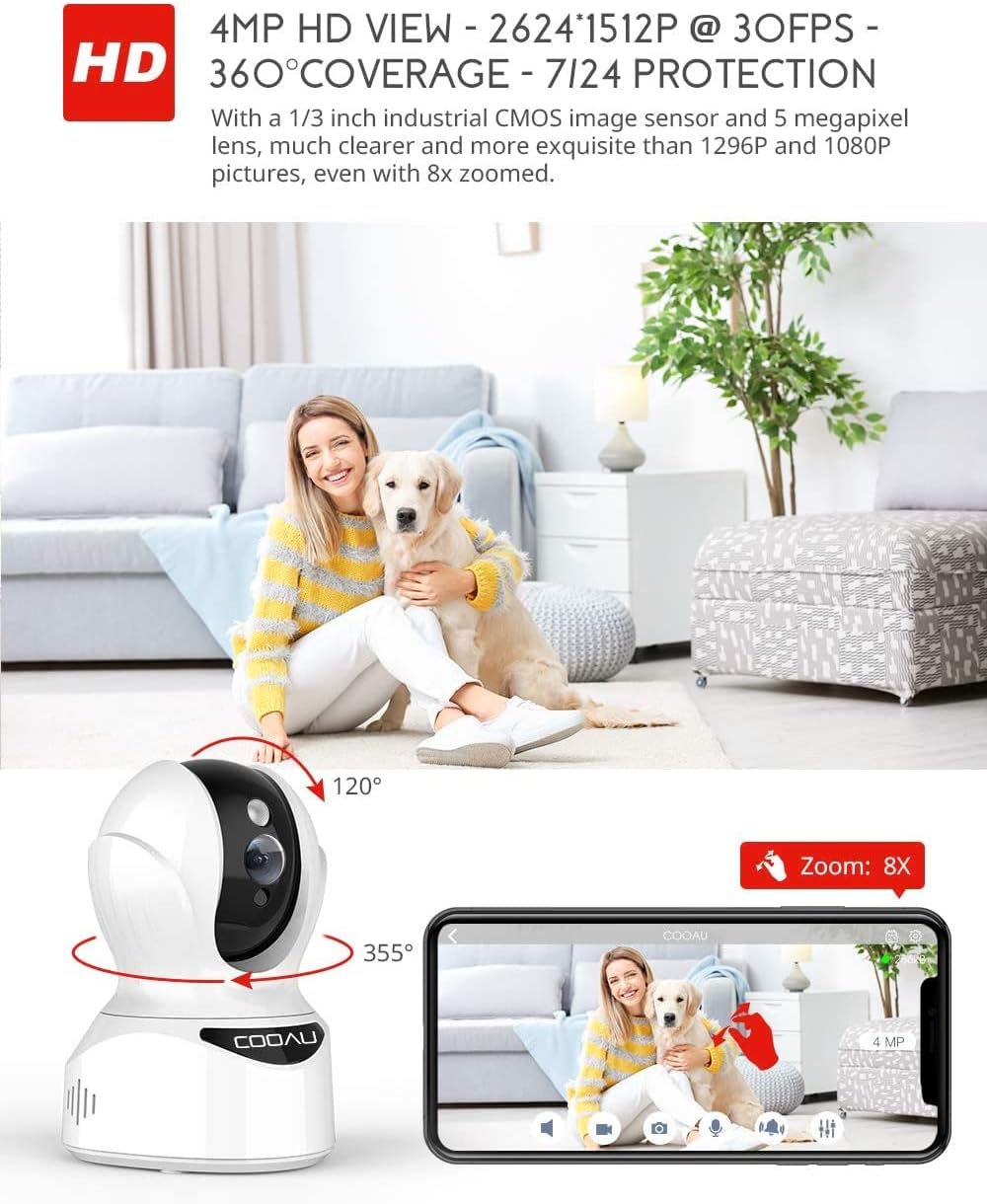
Image: Illustrates the camera's Pan/Tilt capabilities, offering 355° horizontal and 120° vertical rotation for comprehensive room coverage.
4.2 ടു-വേ ഓഡിയോ
- ലൈവിൽ ആയിരിക്കുമ്പോൾ view, ക്യാമറയുടെ സ്പീക്കറിലൂടെ സംസാരിക്കാൻ ആപ്പിലെ മൈക്രോഫോൺ ഐക്കണിൽ ടാപ്പ് ചെയ്യുക.
- The camera's built-in microphone allows you to hear audio from the camera's location.

Image: Depicts the two-way audio feature, enabling clear communication through the camera's built-in anti-noise and echo cancellation microphone and speaker.
4.3 Intelligent Detection and Alerts
- Access the camera settings in the MIPC app to configure motion detection, sound detection, and motion tracking.
- Enable push notifications to receive alerts on your smartphone when activity is detected.
- Motion tracking allows the camera to automatically follow moving objects within its field of view.
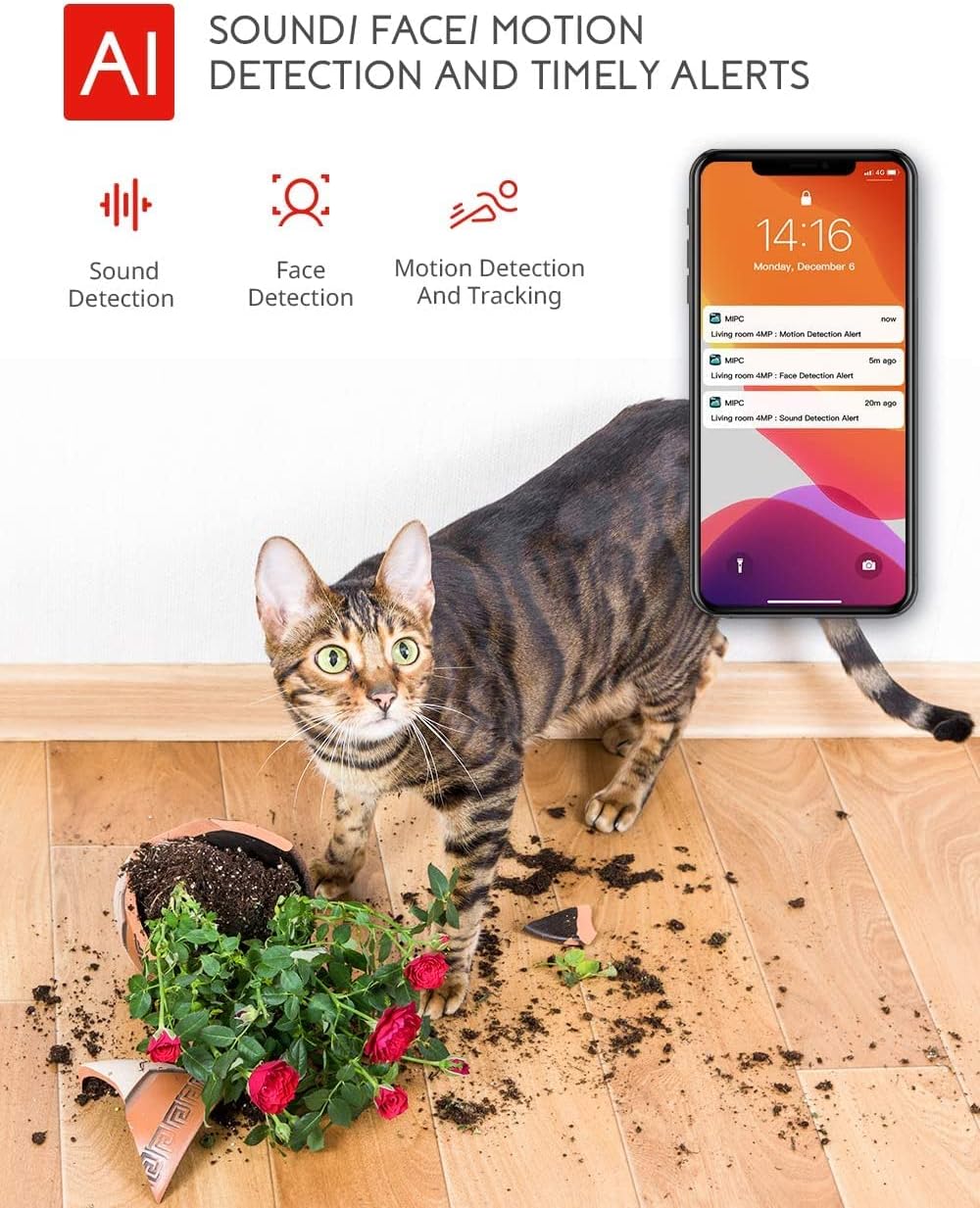
Image: Highlights the AI-powered sound, face, and motion detection features, with timely alerts sent to your smartphone.
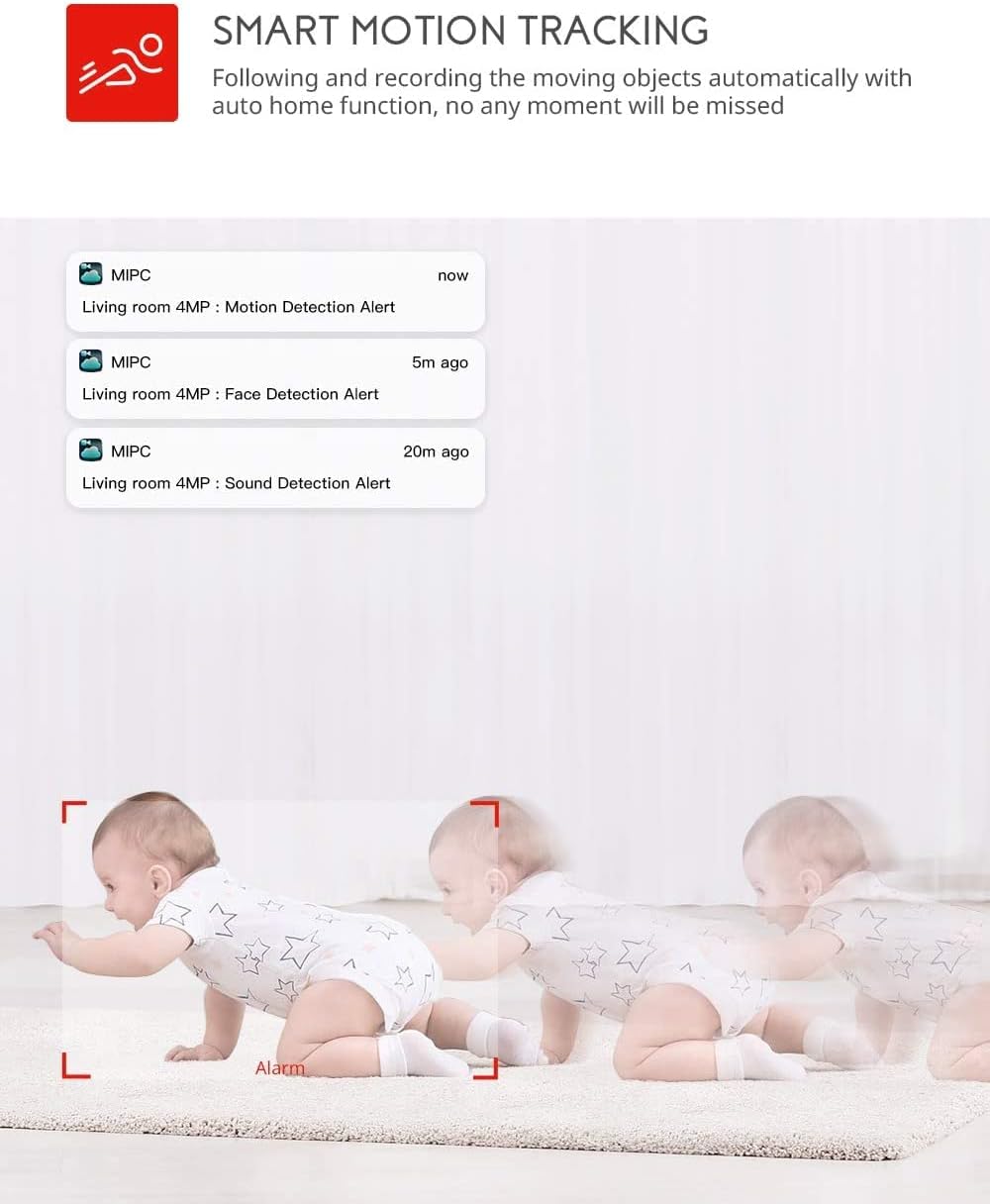
Image: Illustrates the smart motion tracking feature, where the camera automatically follows and records moving objects.
4.4 നൈറ്റ് വിഷൻ
- കുറഞ്ഞ വെളിച്ചത്തിൽ ക്യാമറ യാന്ത്രികമായി നൈറ്റ് വിഷൻ മോഡിലേക്ക് മാറുന്നു.
- This feature provides clear black and white video footage without additional light sources.
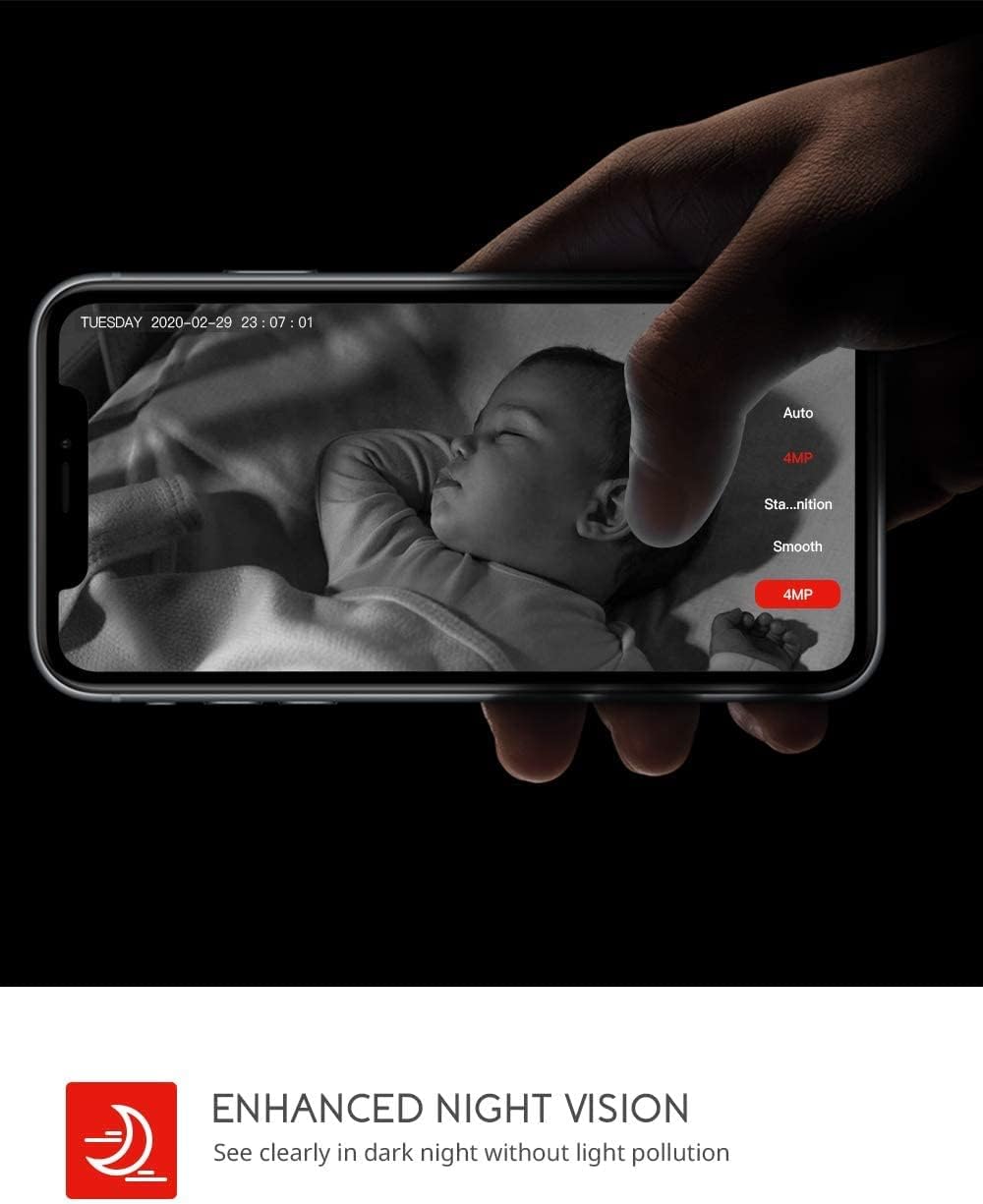
Image: Demonstrates the enhanced night vision capability, providing clear visibility in dark environments.
4.5 സംഭരണ ഓപ്ഷനുകൾ
- മൈക്രോ എസ്ഡി കാർഡ്: Insert a Micro SD card (up to 128GB, Class 10 or higher recommended) into the designated slot for local video recording.
- ക്ലൗഡ് സംഭരണം: The MIPC app offers optional cloud storage services for secure off-site backup of your recordings.
4.6 Multi-User Support
- Share camera access with family members or trusted individuals through the MIPC app.
- This allows multiple users to view തത്സമയ ഫീഡ്, ഒരേസമയം അലേർട്ടുകൾ സ്വീകരിക്കുക.

Image: Illustrates the camera's support for multiple devices and users, allowing footage sharing across various platforms.
5. പരിപാലനം
ശരിയായ അറ്റകുറ്റപ്പണി നിങ്ങളുടെ ക്യാമറയുടെ ദീർഘായുസ്സും മികച്ച പ്രകടനവും ഉറപ്പാക്കുന്നു:
- വൃത്തിയാക്കൽ: ക്യാമറ ലെൻസും ബോഡിയും വൃത്തിയാക്കാൻ മൃദുവായതും ഉണങ്ങിയതുമായ തുണി ഉപയോഗിക്കുക. അബ്രസിവ് ക്ലീനറുകളോ ലായകങ്ങളോ ഉപയോഗിക്കുന്നത് ഒഴിവാക്കുക.
- പ്ലേസ്മെൻ്റ്: നേരിട്ടുള്ള സൂര്യപ്രകാശം, താപ സ്രോതസ്സുകൾ, അമിതമായ ഈർപ്പം എന്നിവയിൽ നിന്ന് അകന്ന്, സ്ഥിരമായ ഒരു സ്ഥലത്താണ് ക്യാമറ സ്ഥാപിച്ചിരിക്കുന്നതെന്ന് ഉറപ്പാക്കുക.
- സോഫ്റ്റ്വെയർ അപ്ഡേറ്റുകൾ: Regularly check the MIPC app for firmware updates to ensure your camera has the latest features and security enhancements.
- വൈദ്യുതി വിതരണം: ക്യാമറയ്ക്കൊപ്പം നൽകിയിരിക്കുന്ന യഥാർത്ഥ പവർ അഡാപ്റ്റർ മാത്രം ഉപയോഗിക്കുക.
6. പ്രശ്നപരിഹാരം
നിങ്ങളുടെ ക്യാമറയിൽ പ്രശ്നങ്ങൾ നേരിടുകയാണെങ്കിൽ, ഇനിപ്പറയുന്ന പൊതുവായ പ്രശ്നങ്ങളും പരിഹാരങ്ങളും പരിശോധിക്കുക:
| പ്രശ്നം | പരിഹാരം |
|---|---|
| ക്യാമറ വൈഫൈയിലേക്ക് കണക്റ്റുചെയ്യുന്നതിൽ പരാജയപ്പെടുന്നു. | Ensure your Wi-Fi password is correct. Check if the camera is within range of your Wi-Fi router. Reset the camera by pressing the reset button for 1 second and try connecting again. Ensure your router is 2.4GHz compatible. |
| മോശം വീഡിയോ നിലവാരം. | Check your internet connection speed. Ensure the camera lens is clean. Adjust the video resolution settings in the MIPC app. |
| മോഷൻ ഡിറ്റക്ഷൻ പ്രവർത്തിക്കുന്നില്ല. | Verify that motion detection is enabled in the app settings. Adjust the sensitivity level. Ensure there are no obstructions blocking the camera's view. |
| ടു-വേ ഓഡിയോ വ്യക്തമല്ല. | Ensure your phone's volume is up. Check for any interference or background noise near the camera or your phone. |
| ക്യാമറ ഓഫ്ലൈനാണ്. | Check the power connection to the camera. Verify your Wi-Fi network is active and stable. Restart the camera and your router. |
7 സ്പെസിഫിക്കേഷനുകൾ
Detailed technical specifications for the COOAU 4MP Wireless Security Camera (Model 827S-400):
| ഫീച്ചർ | സ്പെസിഫിക്കേഷൻ |
|---|---|
| മോഡൽ നമ്പർ | 827S-400 |
| ഫലപ്രദമായ സ്റ്റിൽ റെസല്യൂഷൻ | 4 എം.പി |
| ഫലപ്രദമായ വീഡിയോ റെസല്യൂഷൻ | 4 എം.പി |
| കണക്റ്റിവിറ്റി ടെക്നോളജി | വയർലെസ് (വൈ-ഫൈ) |
| ഇൻഡോർ/ഔട്ട്ഡോർ ഉപയോഗം | ഇൻഡോർ |
| പ്രത്യേക സവിശേഷതകൾ | Motion Sensor, Sound Detection, Motion Tracking, 2-Way Audio, Night Vision |
| കൺട്രോളർ തരം | ആമസോൺ അലക്സ |
| മൌണ്ട് തരം | സീലിംഗ് മൗണ്ട് |
| സ്റ്റോറേജ് ഓപ്ഷനുകൾ | Cloud/SD Storage (up to 128GB) |
| ഫ്രെയിം റേറ്റ് | 30 fps |
| ഇനത്തിൻ്റെ അളവുകൾ | 3.35 x 3.35 x 4.72 ഇഞ്ച് |
| പവർ ഉറവിടം | എസി/ഡിസി |
| ജിടിഐഎൻ / യുപിസി | 889328768553 |
8. വാറൻ്റിയും പിന്തുണയും
For warranty information or technical support, please contact COOAU customer service. You can reach us via:
- ഔദ്യോഗിക മെയിൽബോക്സ്: info@cooau.net
- ഔദ്യോഗിക ഫേസ്ബുക്ക്: COOAU Official