
പ്രധാനപ്പെട്ട സുരക്ഷാ വിവരങ്ങൾ
മുന്നറിയിപ്പ്: ശ്വാസംമുട്ടൽ അപകടം - ചെറിയ ഭാഗങ്ങൾ. 3 വയസ്സിന് താഴെയുള്ള കുട്ടികൾക്ക് അനുയോജ്യമല്ല.
Please read this manual thoroughly before operating the SGILE RC Stunt Car. Keep these instructions for future reference.
ഉൽപ്പന്നം കഴിഞ്ഞുview
The SGILE RC Stunt Car is a 4-wheel drive remote control vehicle designed for dynamic play. It features 360-degree rotation, 180-degree double-sided flips, and robust construction for various terrains.

Image: The SGILE RC Stunt Car in red, shown with its black remote control. The car is designed for stunts and off-road movement.

Image: The SGILE RC Stunt Car positioned next to a standard soda can, illustrating its compact size.
പാക്കേജ് ഉള്ളടക്കം
- 1 x SGILE RC Stunt Car (Model 149RE)
- 1 x 2.4GHz റിമോട്ട് കൺട്രോൾ
- 1 x USB ചാർജിംഗ് കേബിൾ
- 1 x Rechargeable 3.7V 680mAh Lithium-ion Battery (pre-installed in car)
- നിർദ്ദേശ മാനുവൽ (ഈ പ്രമാണം)
സജ്ജമാക്കുക
1. കാർ ബാറ്ററി ചാർജ് ചെയ്യുന്നു
- Ensure the car's power switch is in the "OFF" position.
- Connect the USB charging cable to the car's charging port.
- Plug the other end of the USB charging cable into a standard USB power adapter (not included) or a computer's USB port.
- The charging indicator light on the cable will illuminate during charging. Charging typically takes 1 to 1.5 hours.
- Once fully charged, the indicator light may change color or turn off (refer to specific cable behavior). Disconnect the cable.
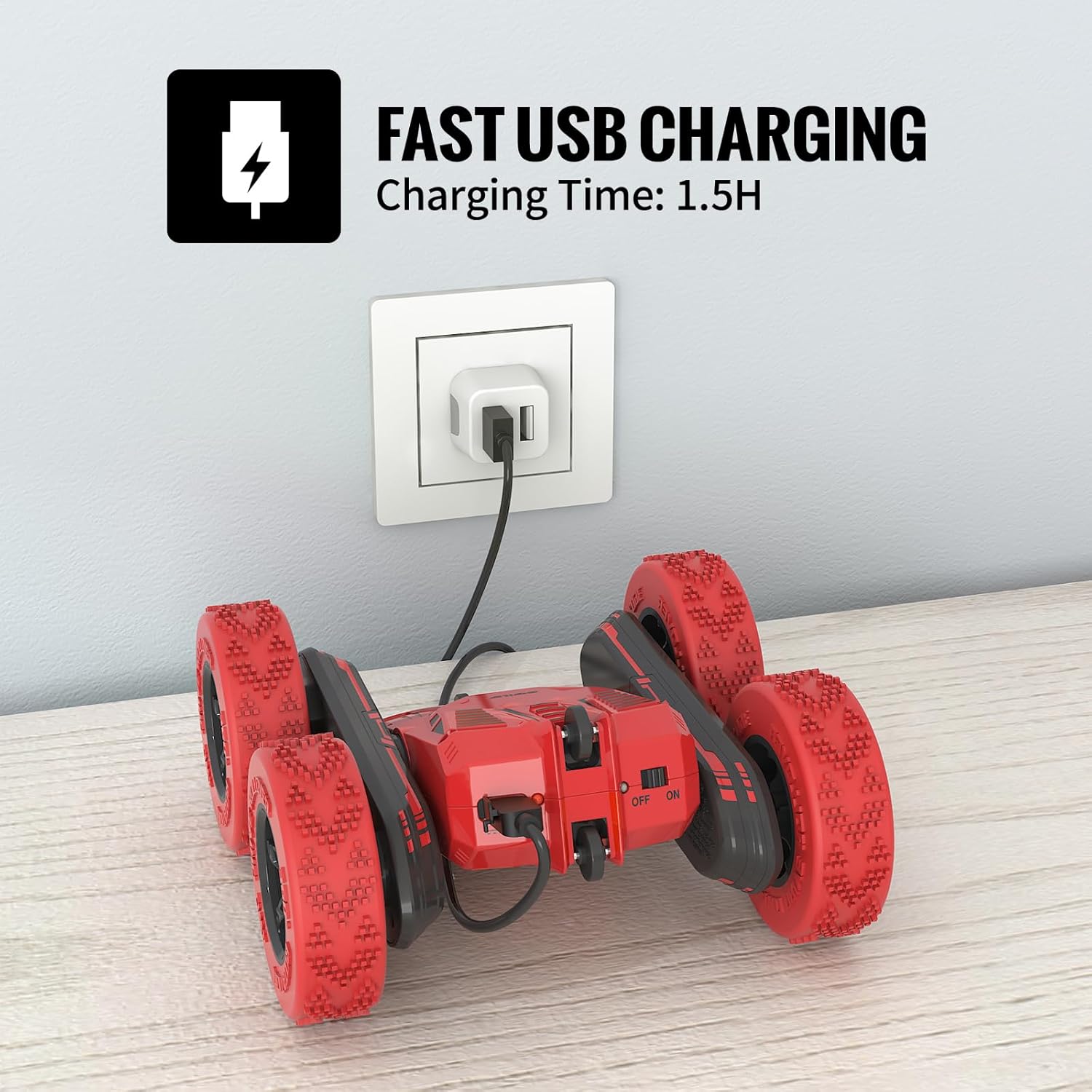
Image: The SGILE RC Stunt Car connected via its USB charging cable to a wall adapter. The car's power switch is visible.
2. റിമോട്ട് കൺട്രോൾ ബാറ്ററികൾ ഇൻസ്റ്റാൾ ചെയ്യുന്നു
- റിമോട്ട് കൺട്രോളിന്റെ പിൻഭാഗത്ത് ബാറ്ററി കമ്പാർട്ട്മെന്റ് കണ്ടെത്തുക.
- Open the battery compartment cover (a small screwdriver may be required).
- ശരിയായ പോളാരിറ്റി (+/-) ഉറപ്പാക്കിക്കൊണ്ട് 2 x AA ബാറ്ററികൾ (ഉൾപ്പെടുത്തിയിട്ടില്ല) ഇടുക.
- ബാറ്ററി കമ്പാർട്ട്മെന്റ് കവർ അടച്ച് സുരക്ഷിതമാക്കുക.
3. Pairing the Car and Remote Control
- Turn on the RC Stunt Car using its power switch.
- വിദൂര നിയന്ത്രണം ഓണാക്കുക.
- The remote control's indicator light will flash, then become solid once paired. This indicates a successful connection.
- ജോടിയാക്കൽ പരാജയപ്പെട്ടാൽ, രണ്ട് ഉപകരണങ്ങളും ഓഫാക്കി ഘട്ടങ്ങൾ ആവർത്തിക്കുക.
പ്രവർത്തന നിർദ്ദേശങ്ങൾ
The SGILE RC Stunt Car is designed for intuitive control and exciting maneuvers. The 2.4GHz frequency allows multiple cars to operate simultaneously without interference.
അടിസ്ഥാന നിയന്ത്രണങ്ങൾ

Image: A sequence of images showing the SGILE RC Stunt Car performing 360-degree tumbling flips and double-sided maneuvers.

Image: Diagram illustrating remote control joystick movements for Forward, Backward, Spin Left, and Spin Right commands.
- ഫോർവേഡ്: രണ്ട് ജോയ്സ്റ്റിക്കുകളും മുന്നോട്ട് തള്ളുക.
- പിന്നോട്ട്: രണ്ട് ജോയ്സ്റ്റിക്കുകളും പിന്നിലേക്ക് വലിക്കുക.
- ഇടത്തോട്ട് തിരിയുക: Push the right joystick forward and the left joystick backward (or vice versa for sharper turns).
- വലത്തോട്ട് തിരിയുക: Push the left joystick forward and the right joystick backward (or vice versa for sharper turns).
- 360-ഡിഗ്രി റൊട്ടേഷൻ: Push one joystick forward and the other backward simultaneously.
- 180-Degree Double-Sided Flips: The car's design allows it to continue driving even when flipped upside down.
Playing Environment
The stunt car is suitable for both indoor and outdoor use, offering strong grip and shock absorption on various surfaces.

Image: A collage showing the SGILE RC Stunt Car performing on different surfaces: carpet, wooden floor, grass, and a concrete slope, demonstrating its versatility.
- ഇൻഡോർ: Operate on carpets, wooden floors, or tiles.
- Do ട്ട്ഡോർ: Suitable for parks, grass, and gentle slopes. Avoid wet or excessively rough terrain.
The remote control has an effective range of approximately 50 meters.
മെയിൻ്റനൻസ്
- വൃത്തിയാക്കൽ: Use a soft, dry cloth to wipe the car and remote control. Do not use water or chemical cleaners.
- സംഭരണം: Store the car and remote in a cool, dry place away from direct sunlight when not in use. Remove batteries from the remote control if storing for extended periods.
- ബാറ്ററി കെയർ: Fully charge the car's battery before storage to prolong its lifespan. Avoid over-discharging the battery.
- പരിശോധന: Regularly check for loose parts, damaged wires, or worn tires.
ട്രബിൾഷൂട്ടിംഗ്
| പ്രശ്നം | സാധ്യമായ കാരണം | പരിഹാരം |
|---|---|---|
| കാർ റിമോട്ടിനോട് പ്രതികരിക്കുന്നില്ല. |
|
|
| ചെറിയ പ്രവർത്തന സമയം. |
|
|
| Interference during operation. |
|
|
സ്പെസിഫിക്കേഷനുകൾ
| ഫീച്ചർ | വിശദാംശങ്ങൾ |
|---|---|
| മോഡൽ നമ്പർ | 149RE |
| ഉൽപ്പന്ന അളവുകൾ | 6.3 x 6.1 x 2.76 ഇഞ്ച് |
| ഇനത്തിൻ്റെ ഭാരം | 1.1 പൗണ്ട് |
| കാർ ബാറ്ററി | 3.7V 680mAh Lithium-ion (Built-in) |
| റിമോട്ട് കൺട്രോൾ ബാറ്ററികൾ | 2 x AA ബാറ്ററികൾ (ഉൾപ്പെടുത്തിയിട്ടില്ല) |
| ചാർജിംഗ് സമയം | 1 - 1.5 മണിക്കൂർ |
| പ്രവർത്തന സമയം | 30 മിനിറ്റ് വരെ |
| നിയന്ത്രണ ആവൃത്തി | 2.4GHz |
| നിയന്ത്രണ പരിധി | ഏകദേശം 50 മീറ്റർ |
| ശുപാർശ ചെയ്യുന്ന പ്രായം | 8 - 12 വർഷം |
| മെറ്റീരിയൽ | High-quality ABS materials |
വാറൻ്റിയും പിന്തുണയും
SGILE products are manufactured with quality and safety in mind. For any questions, concerns, or support needs regarding your SGILE RC Stunt Car, please contact SGILE customer service.
വാറൻ്റി ക്ലെയിമുകൾക്കായി നിങ്ങളുടെ വാങ്ങിയതിൻ്റെ തെളിവ് സൂക്ഷിക്കുക.
For further assistance, visit the official SGILE webസൈറ്റ് ചെയ്യുക അല്ലെങ്കിൽ അവരുടെ ഉപഭോക്തൃ പിന്തുണ ചാനലുകളുമായി ബന്ധപ്പെടുക.