
1. ആമുഖം
The eRapta 1080P Wired Backup Camera System Kit (Model A9) is designed to enhance driving safety and visibility for large vehicles such as RVs, trucks, semi-trailers, box trucks, and trailers. This system features a 9-inch HD DVR monitor and four IP69 waterproof cameras, providing comprehensive surveillance and recording capabilities.

Image: The eRapta 1080P Wired Backup Camera System Kit, showing the 9-inch monitor and four cameras.
2 പ്രധാന സവിശേഷതകൾ
- Larger 9-inch Split Screen Monitor: The 9-inch monitor features 1920x1080 pixel resolution and a 4-split screen function, allowing simultaneous viewing from up to four cameras. This provides more detailed and expansive views compared to smaller screens, ideal for large vehicles.
- Built-in DVR System: Supports simultaneous recording from all four cameras with loop recording functionality. This system can serve as crucial driving evidence when needed. It also includes mirroring and split-screen settings for versatile viewing.
- Excellent Night Vision & 4-Split: Equipped with infrared lights and multi-layer glass lenses, the cameras provide clear images even in low-light conditions. The 4-split screen capability helps eliminate blind spots, enhancing overall driving safety.
- IP69K Waterproof Cameras: The backup cameras are designed with glue-filled technology, offering professional-grade waterproof, shockproof, and high/low-temperature resistance. This ensures reliable performance in various challenging weather and environmental conditions.
- Flexible Vehicle Adaptability: The system operates within a 12-24V DC voltage range, making it compatible with a wide array of large vehicles, including buses, semi-trailers, box vans, trailers, caravans, campers, 5th wheelers, and motor homes.

Image: The 9-inch monitor highlighting its HD display, DVR system, 9-inch screen size, parking line, remote control, and mirror function capabilities.
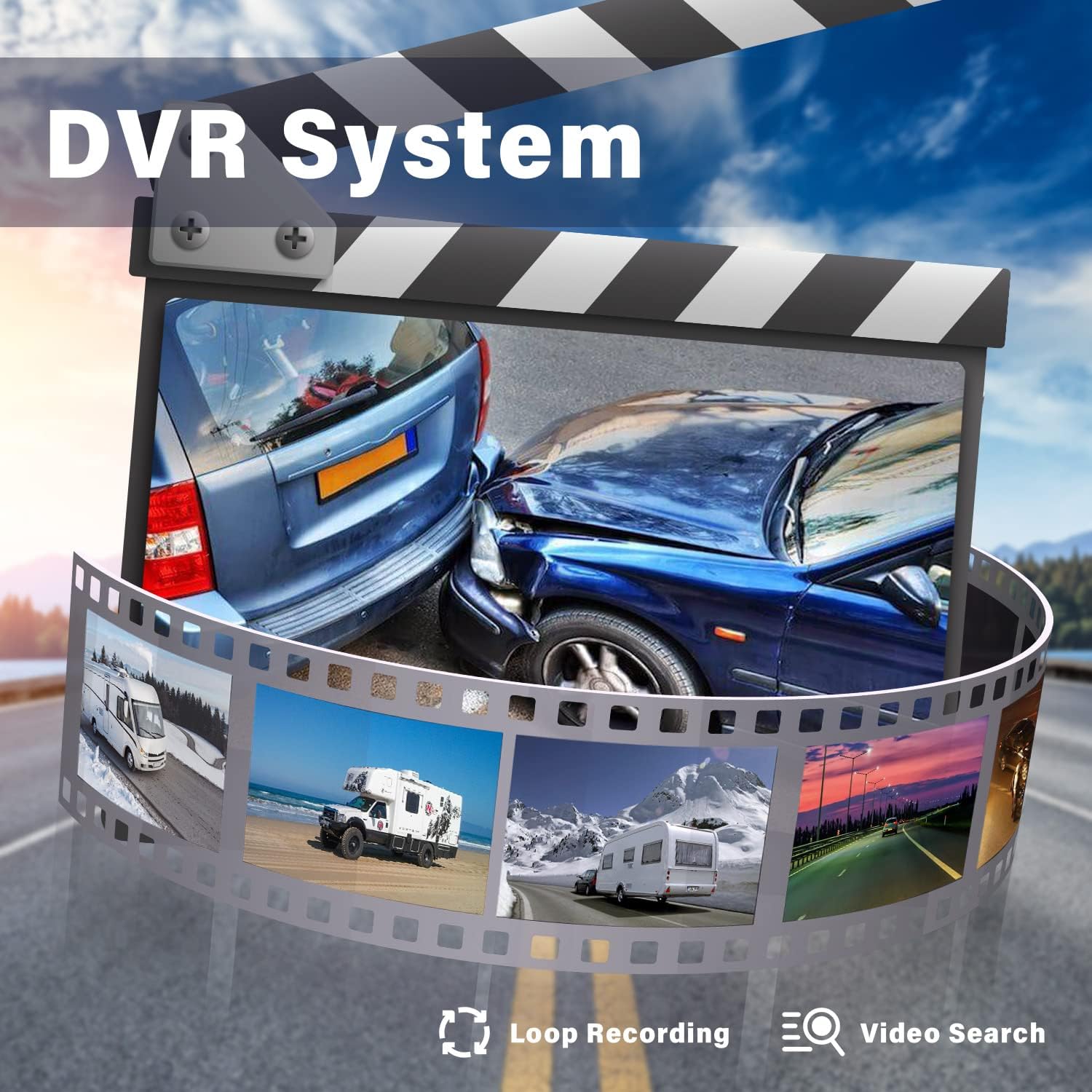
Image: Visual representation of the DVR system with loop recording and video search features.

Image: The system's superb night vision capabilities, powered by CCD chips, LED lights, and an AHD screen.

Image: A camera demonstrating its IP69K waterproof durability against water splashes.
3. പാക്കേജ് ഉള്ളടക്കം
താഴെ ലിസ്റ്റ് ചെയ്തിരിക്കുന്ന എല്ലാ ഇനങ്ങളും നിങ്ങളുടെ പാക്കേജിൽ ഉൾപ്പെടുത്തിയിട്ടുണ്ടെന്ന് ദയവായി പരിശോധിക്കുക:
- 1x 9-inch HD DVR Monitor
- 4x Cameras (2x Rectangle Cameras, 2x Side Cameras)
- 4x Video Cables (2x 33ft, 2x 66ft)
- 1x പവർ കേബിൾ
- 1x റിമോട്ട് കൺട്രോൾ
- 1x U-ബ്രാക്കറ്റ്
- 1x ഇൻസ്റ്റലേഷൻ മാനുവൽ
- 1x 32GB SD കാർഡ്
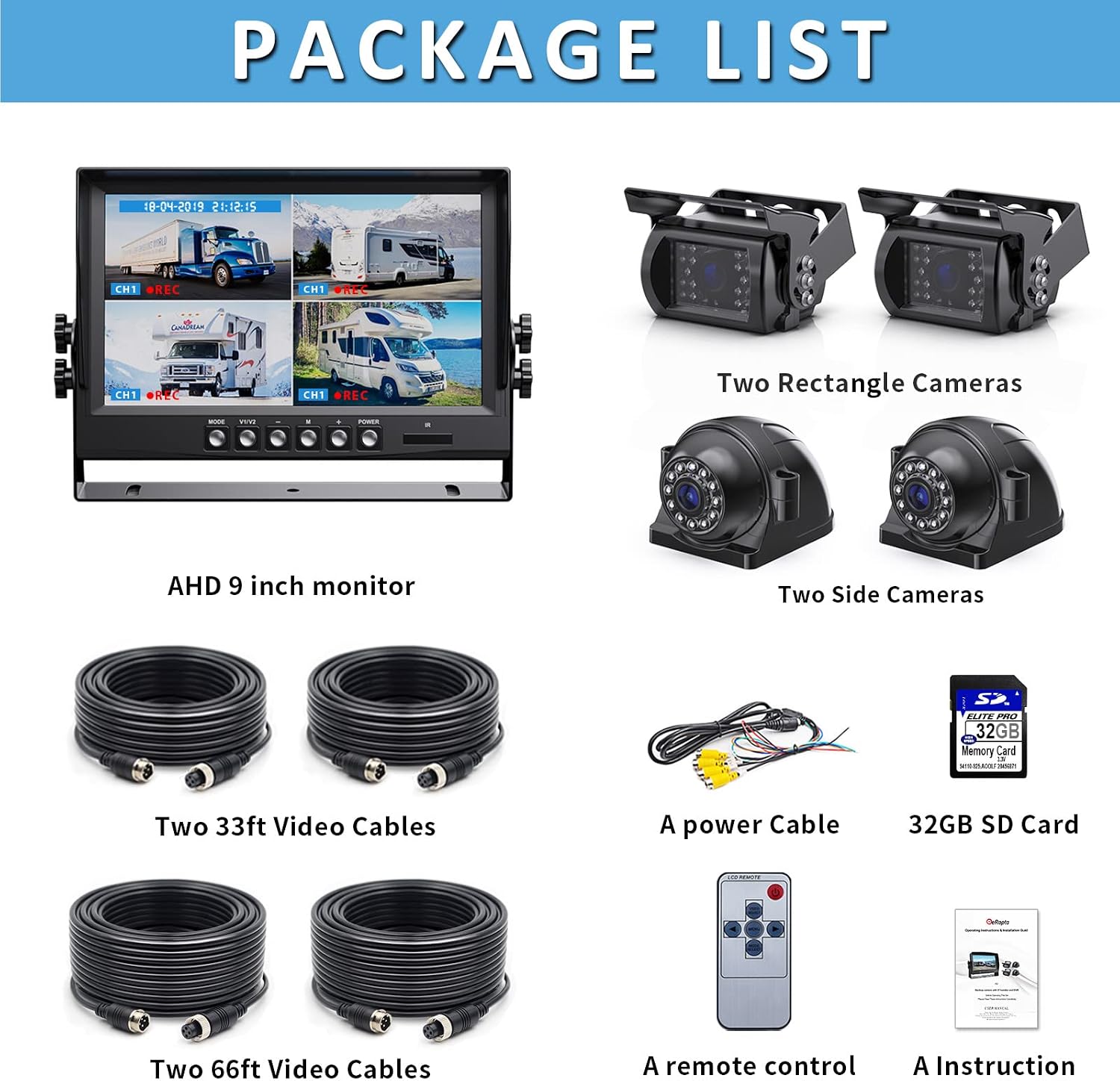
Image: A visual list of all components included in the product package, such as the monitor, cameras, cables, remote, and manual.
4 സാങ്കേതിക സവിശേഷതകൾ
| ഫീച്ചർ | സ്പെസിഫിക്കേഷൻ |
|---|---|
| ഉൽപ്പന്ന അളവുകൾ | 9.1 x 5.6 x 1.1 ഇഞ്ച് (മോണിറ്റർ) |
| ഇനത്തിൻ്റെ ഭാരം | 9.68 പൗണ്ട് (ആകെ) |
| മോഡൽ നമ്പർ | A9 |
| ഡിസ്പ്ലേ ടെക്നോളജി | എൽഇഡി |
| സ്ക്രീൻ വലിപ്പം | 9 ഇഞ്ച് |
| അനുയോജ്യമായ ഉപകരണങ്ങൾ | മോണിറ്റർ |
| ഇൻസ്റ്റലേഷൻ തരം | ഉപരിതല മൗണ്ട് |
| വാല്യംtage | 12-24 വോൾട്ട് ഡിസി |
| ഒപ്റ്റിക്കൽ സെൻസർ ടെക്നോളജി | സിസിഡി |
| ലെൻസ് തരം | വൈഡ് ആംഗിൾ |
| യഥാർത്ഥ ആംഗിൾ View | 170 ഡിഗ്രി |
| കണക്റ്റർ തരം | വയർഡ് |
| വാട്ടർപ്രൂഫ് റേറ്റിംഗ് | IP69K |
| ഡിവിആർ പ്രവർത്തനം | Simultaneous recording, Loop recording |
| പ്രത്യേക സവിശേഷതകൾ | 1080P HD display, 4 split screens, Night vision, Durable metal bracket, Upgrade chip |
5. സജ്ജീകരണവും ഇൻസ്റ്റാളേഷനും
Proper installation is crucial for optimal performance. It is recommended to consult a professional if you are unsure about any steps.
5.1. ക്യാമറ പ്ലേസ്മെന്റ്
The cameras can be installed in various positions depending on your vehicle type and viewing needs. Common placements include:
- പിൻഭാഗം: For backup assistance.
- മുൻഭാഗം: ഫോർവേഡിനായി view or parking.
- Side (Left/Right): To eliminate blind spots along the vehicle's sides.
- Specific applications: സിampers, trailers, or other specialized vehicles.

ചിത്രം: ഉദാamples of camera installation points for rear, front, right, left, camper, and trailer applications.
5.2. വയറിംഗ് ഡയഗ്രം
Connect the monitor and cameras according to the following wiring scheme. Ensure all connections are secure and properly insulated.

Image: A comprehensive wiring diagram illustrating connections for the monitor, cameras, power, ground, and trigger wires.
- റെഡ് വയർ: Connect to ACC or DC 12-36V power source.
- മഞ്ഞ വയർ: Connect to Positive Power.
- ബ്ലാക്ക് വയർ: ഗ്രൗണ്ടിലേക്ക് ബന്ധിപ്പിക്കുക.
- Trigger Wire: Connect to reverse light or vehicle turn signal light, depending on desired automatic activation.
6. പ്രവർത്തന നിർദ്ദേശങ്ങൾ
6.1. മോണിറ്റർ നിയന്ത്രണങ്ങൾ
The monitor features several buttons for easy navigation and control:
- വഴികൾ: Cycles through display modes (e.g., single camera, split-screen).
- വി1/വി2: Selects video input channels.
- M: Menu button for settings.
- +/-: Navigation or adjustment buttons within the menu.
- പവർ: മോണിറ്റർ ഓൺ/ഓഫ് ചെയ്യുന്നു.
- IR: വിദൂര നിയന്ത്രണത്തിനുള്ള ഇൻഫ്രാറെഡ് റിസീവർ.
6.2. ഡിസ്പ്ലേ മോഡുകൾ
നിങ്ങളുടെ ആവശ്യങ്ങൾക്ക് അനുയോജ്യമായ വിവിധ ഡിസ്പ്ലേ കോൺഫിഗറേഷനുകളെ മോണിറ്റർ പിന്തുണയ്ക്കുന്നു:
- പൂർണ്ണ സ്ക്രീൻ: Displays a single camera view.
- Dual-split: Displays two camera viewകൾ ഒരേസമയം.
- Quad-split: Displays four camera viewകൾ ഒരേസമയം.

ചിത്രം: ഉദാamples of full screen, dual-split, and quad-split display modes on the monitor.
6.3. DVR Functions
The built-in DVR system allows for continuous recording:
- ഒരേസമയം റെക്കോർഡിംഗ്: All connected cameras record simultaneously.
- ലൂപ്പ് റെക്കോർഡിംഗ്: പഴയ ഫൂtage is automatically overwritten when the storage card is full.
- വീഡിയോ തിരയൽ: റെക്കോർഡ് ചെയ്ത footagഇ വീണ്ടും ആകാംviewed directly on the monitor or by removing the SD card and viewഒരു കമ്പ്യൂട്ടറിൽ.

Image: The loop recording feature, showing how the system records and manages footage on a 32GB or 128GB card with auto-delete.
6.4. Image Adjustments (Mirror/Flip & Guide Lines)
The system allows for customization of camera views and parking guide lines:
- മിറർ/ഫ്ലിപ്പ്: Adjust the image orientation (Normal, Mirror, Flip, Mir-flip) to suit the camera's mounting position and desired view.
- DIY Guide Lines: Customize the parking guide lines by adjusting their width, horizontal movement, and height.

Image: Options for adjusting image orientation (Normal, Mirror, Flip, Mir-flip) and customizing DIY guide lines (width, horizontal movement, height).
7. പരിപാലനവും പരിചരണവും
To ensure the longevity and optimal performance of your eRapta backup camera system, follow these maintenance guidelines:
- പതിവ് വൃത്തിയാക്കൽ: Keep camera lenses and the monitor screen clean from dirt, dust, and debris using a soft, damp തുണി. ഉരച്ചിലുകൾ ഉള്ള ക്ലീനറുകൾ ഒഴിവാക്കുക.
- കണക്ഷനുകൾ പരിശോധിക്കുക: Periodically inspect all wired connections for tightness and signs of wear or corrosion. Secure any loose connections.
- ക്യാമറയുടെ ഈട്: The cameras are IP69K waterproof and resistant to extreme temperatures. However, avoid direct high-pressure water jets on the camera lens.

Image: The rugged and durable design of the cameras, highlighting IP69K waterproof, low temperature resistance, and high temperature resistance.
8. പ്രശ്നപരിഹാരം
If you encounter issues with your eRapta backup camera system, refer to the following common problems and solutions:
| പ്രശ്നം | സാധ്യമായ കാരണവും പരിഹാരവും |
|---|---|
| മോണിറ്ററിൽ / കറുത്ത സ്ക്രീനിൽ ചിത്രമില്ല. |
|
| ചിത്രം മങ്ങിയതോ വളച്ചൊടിച്ചതോ ആണ് |
|
| DVR റെക്കോർഡ് ചെയ്യുന്നില്ല |
|
| റിമോട്ട് കൺട്രോൾ പ്രവർത്തിക്കുന്നില്ല |
|
9. വാറണ്ടിയും ഉപഭോക്തൃ പിന്തുണയും
eRapta provides a 2 വർഷത്തെ വാറൻ്റി for this product. For any inquiries, missing accessories, or technical assistance, please contact eRapta customer support.
Our support department is available 24 hours online to provide consultation and assistance.
For further assistance, please visit the official eRapta store or contact their support channels as provided in your product packaging or on their official webസൈറ്റ്.
You can also visit the eRapta store on Amazon: eRapta Amazon Store