
1. ആമുഖം
The Unitek Y-3036 is a tool-free external enclosure designed for 2.5-inch SATA I/II/III Hard Disk Drives (HDDs) and Solid State Drives (SSDs). It provides a convenient solution for connecting your 2.5-inch drives to a computer via USB 3.0, offering fast data transfer speeds and easy portability. This manual provides detailed instructions for the proper installation, operation, and maintenance of your Unitek Y-3036 enclosure.
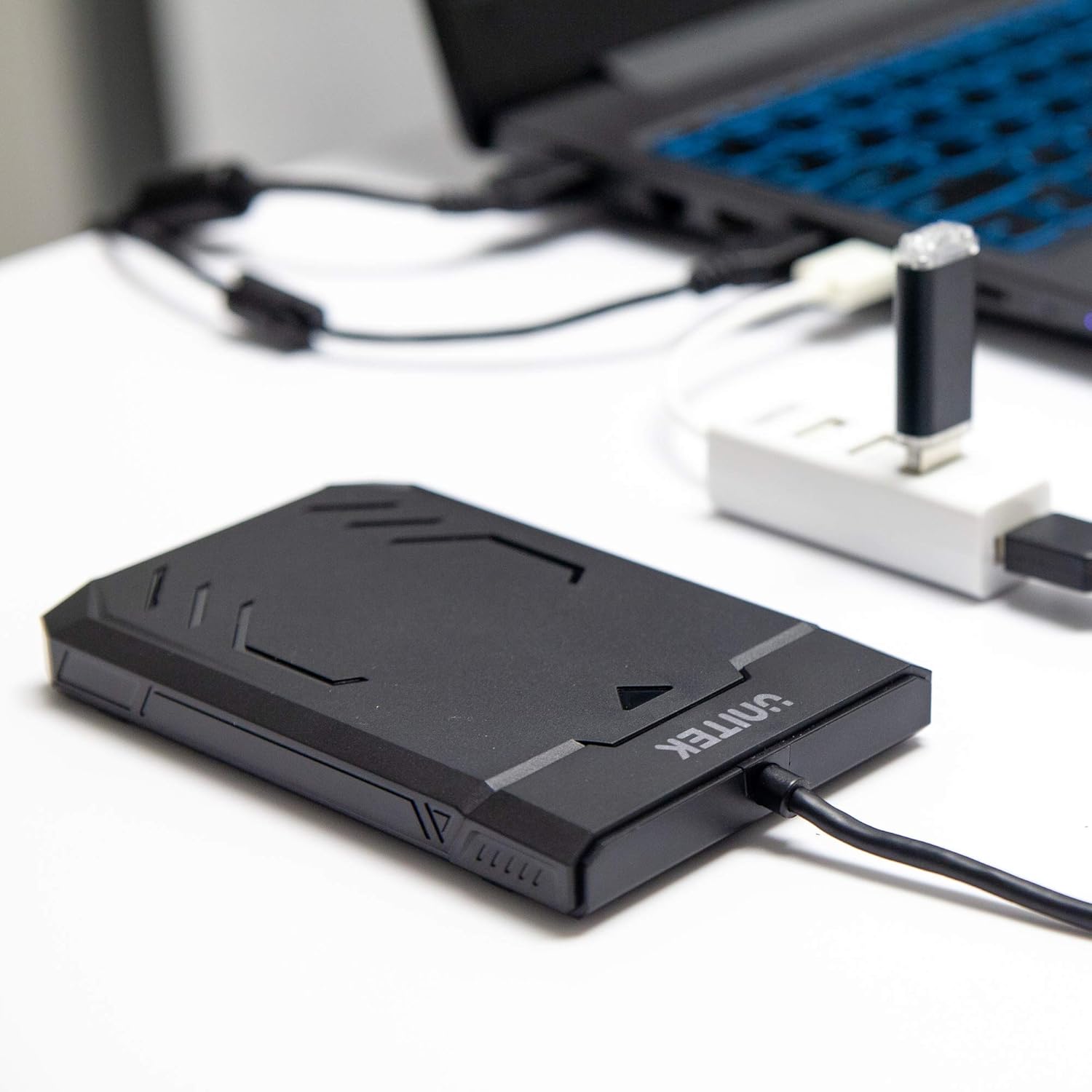
Image 1.1: Unitek Y-3036 enclosure connected to a laptop.
2. പാക്കേജ് ഉള്ളടക്കം
നിങ്ങളുടെ പാക്കേജിൽ എല്ലാ ഇനങ്ങളും ഉണ്ടെന്ന് ദയവായി പരിശോധിക്കുക:
- Unitek Y-3036 2.5-inch Hard Drive Enclosure with integrated USB 3.0 cable
- Foam pad for drive stability
- നിർദ്ദേശ മാനുവൽ (ഈ പ്രമാണം)

Image 2.1: Enclosure with integrated cable and foam pad.
3 സ്പെസിഫിക്കേഷനുകൾ
| മോഡൽ | Unitek Y-3036 |
| അനുയോജ്യമായ ഡ്രൈവ് തരം | 2.5-inch SATA I/II/III HDD/SSD (up to 9.5mm thickness) |
| ഇൻ്റർഫേസ് | USB 3.0 (യുഎസ്ബി 2.0-ന് പിന്നിലേക്ക് അനുയോജ്യം) |
| ഡാറ്റ കൈമാറ്റ നിരക്ക് | Up to 6Gbps (SATA III), supports UASP |
| അളവുകൾ (L x W x H) | 130mm x 85mm x 15mm (5.12" x 3.27" x 0.59") |
| മെറ്റീരിയൽ | പ്ലാസ്റ്റിക് |
| ഫീച്ചറുകൾ | Tool-free assembly, Plug & Play, LED indicator, Sleep function, Built-in USB cable |

ചിത്രം 3.1: ഉൽപ്പന്ന അളവുകൾ.
4. സജ്ജീകരണവും ഇൻസ്റ്റാളേഷനും
The Unitek Y-3036 enclosure features a tool-free design for easy installation of your 2.5-inch HDD or SSD.
- എൻക്ലോഷർ തുറക്കുക: എൻക്ലോഷർ തുറക്കാൻ അതിന്റെ മുകളിലെ കവർ പതുക്കെ സ്ലൈഡ് ചെയ്യുക.
- ഡ്രൈവ് തിരുകുക: Align your 2.5-inch SATA HDD or SSD with the SATA connector inside the enclosure. Carefully push the drive into the connector until it is firmly seated. Ensure the drive is oriented correctly.
- Add Foam Pad (Optional): If your drive is thinner than 9.5mm, you may use the included foam pad to secure it snugly within the enclosure and prevent movement. Place the foam pad on top of the drive before closing the cover.
- എൻക്ലോഷർ അടയ്ക്കുക: മുകളിലെ കവർ സുരക്ഷിതമായി ക്ലിക്ക് ചെയ്യുന്നത് വരെ തിരികെ സ്ഥലത്തേക്ക് സ്ലൈഡ് ചെയ്യുക.

Image 4.1: Enclosure open with a 2.5-inch HDD inserted.

ചിത്രം 4.2: വിശദമായത് view of drive insertion.
5. പ്രവർത്തന നിർദ്ദേശങ്ങൾ
Once your drive is installed in the enclosure, follow these steps to use it with your computer:
- കമ്പ്യൂട്ടറുമായി ബന്ധിപ്പിക്കുക: Plug the integrated USB 3.0 cable from the enclosure into an available USB port on your computer. For optimal performance, use a USB 3.0 port.
- LED സൂചകം: The enclosure features an LED indicator. When connected, the LED will illuminate, indicating power. It will flash during data transfer activity.
- ഡ്രൈവ് തിരിച്ചറിയൽ: Your operating system should automatically detect the new drive. If it's a new drive, you may need to initialize and format it through your operating system's disk management utility before it appears in 'My Computer' or 'Finder'.
- സുരക്ഷിതമായ നീക്കം: Always safely eject the drive from your operating system before disconnecting the USB cable to prevent data corruption.
6. പരിപാലനം
To ensure the longevity and optimal performance of your Unitek Y-3036 enclosure:
- വൃത്തിയാക്കൽ: ചുറ്റുപാടിന്റെ പുറംഭാഗം വൃത്തിയാക്കാൻ മൃദുവായതും ഉണങ്ങിയതുമായ തുണി ഉപയോഗിക്കുക. ലിക്വിഡ് ക്ലീനറുകളോ ലായകങ്ങളോ ഉപയോഗിക്കുന്നത് ഒഴിവാക്കുക.
- സംഭരണം: ഉപയോഗത്തിലില്ലാത്തപ്പോൾ, നേരിട്ടുള്ള സൂര്യപ്രകാശത്തിൽ നിന്നും കടുത്ത താപനിലയിൽ നിന്നും അകന്ന് തണുത്തതും വരണ്ടതുമായ സ്ഥലത്ത് ആവരണം സൂക്ഷിക്കുക.
- കൈകാര്യം ചെയ്യൽ: Handle the enclosure with care to avoid drops or impacts, which could damage the internal drive or the enclosure itself.
7. പ്രശ്നപരിഹാരം
If you encounter issues with your Unitek Y-3036 enclosure, refer to the following common problems and solutions:
- ഡ്രൈവ് കണ്ടെത്തിയില്ല:
- യുഎസ്ബി കേബിൾ എൻക്ലോഷറിലേക്കും കമ്പ്യൂട്ടറിലേക്കും സുരക്ഷിതമായി ബന്ധിപ്പിച്ചിട്ടുണ്ടെന്ന് ഉറപ്പാക്കുക.
- നിങ്ങളുടെ കമ്പ്യൂട്ടറിലെ മറ്റൊരു യുഎസ്ബി പോർട്ടിലേക്ക് കണക്റ്റുചെയ്യാൻ ശ്രമിക്കുക.
- Verify that the 2.5-inch HDD/SSD is properly seated in the enclosure's SATA connector.
- ഡ്രൈവ് തിരിച്ചറിഞ്ഞിട്ടുണ്ടോ, പക്ഷേ ഇനിഷ്യലൈസ് ചെയ്തിട്ടില്ലേ അതോ ഫോർമാറ്റ് ചെയ്തിട്ടില്ലേ എന്നറിയാൻ നിങ്ങളുടെ കമ്പ്യൂട്ടറിന്റെ ഡിസ്ക് മാനേജ്മെന്റ് (വിൻഡോസ്) അല്ലെങ്കിൽ ഡിസ്ക് യൂട്ടിലിറ്റി (മാകോസ്) പരിശോധിക്കുക.
- Test the enclosure with a different 2.5-inch SATA drive, or test your drive directly with another enclosure/adapter if available.
- മന്ദഗതിയിലുള്ള ട്രാൻസ്ഫർ വേഗത:
- നിങ്ങളുടെ കമ്പ്യൂട്ടറിൽ ഒരു USB 3.0 പോർട്ടുമായി ബന്ധിപ്പിച്ചിട്ടുണ്ടെന്ന് ഉറപ്പാക്കുക. USB 2.0 പോർട്ടുകൾ കുറഞ്ഞ വേഗതയിൽ പ്രവർത്തിക്കും.
- നിങ്ങളുടെ ഓപ്പറേറ്റിംഗ് സിസ്റ്റവും ഡ്രൈവറുകളും കാലികമാണെന്ന് ഉറപ്പാക്കുക.
- The actual speed depends on the performance of the installed HDD/SSD.
- LED ഇൻഡിക്കേറ്റർ പ്രകാശിക്കുന്നില്ല:
- Confirm the USB cable is fully plugged into a powered USB port.
- മറ്റൊരു USB പോർട്ട് പരീക്ഷിക്കുക.
8 സുരക്ഷാ വിവരങ്ങൾ
ഇനിപ്പറയുന്ന സുരക്ഷാ മാർഗ്ഗനിർദ്ദേശങ്ങൾ പാലിക്കുക:
- Do not expose the enclosure to water, moisture, or extreme temperatures.
- Avoid dropping or subjecting the enclosure to severe impacts.
- Do not attempt to open or modify the enclosure beyond the intended drive installation. This may void any warranty and could cause damage.
- കുട്ടികൾക്ക് ലഭ്യമാകാതെ സൂക്ഷിക്കുക.
9. വാറൻ്റിയും പിന്തുണയും
Unitek products are designed for reliability and performance. For warranty information or technical support, please refer to the official Unitek website or contact your local retailer. Keep your purchase receipt as proof of purchase for warranty claims.