
ആമുഖം
This manual provides essential instructions for the safe and efficient use of your MoKo Smart LED Light Bulb. This smart bulb offers customizable lighting with 16 million colors, adjustable brightness and color temperature, and convenient control via app or voice assistants like Alexa and Google Home. It operates on a 2.4GHz Wi-Fi network and does not require a separate hub.
സുരക്ഷാ വിവരങ്ങൾ
- ബൾബ് സ്ഥാപിക്കുന്നതിനോ നീക്കം ചെയ്യുന്നതിനോ മുമ്പ് പവർ ഓഫ് ചെയ്തിട്ടുണ്ടെന്ന് ഉറപ്പാക്കുക.
- പൂർണ്ണമായും അടച്ചിട്ട ഫിക്ചറുകളിൽ ഉപയോഗിക്കരുത്, കാരണം ഇത് ബൾബിന്റെ ആയുസ്സ് കുറച്ചേക്കാം.
- Not suitable for dimmers other than those controlled by the app or voice assistant.
- ബൾബ് വെള്ളത്തിലോ ഉയർന്ന ആർദ്രതയിലോ തുറന്നുവെക്കുന്നത് ഒഴിവാക്കുക.
- ഈ ഉപകരണം ഇൻഡോർ ഉപയോഗത്തിന് മാത്രമുള്ളതാണ്.
പാക്കേജ് ഉള്ളടക്കം
- MoKo Smart LED Light Bulb (BR30, E26 Base) x 1
- ഉപയോക്തൃ മാനുവൽ x 1
സ്പെസിഫിക്കേഷനുകൾ
| ഉൽപ്പന്ന അളവുകൾ | 14.48 x 10.16 x 10.16 സെ.മീ |
| ഇനത്തിൻ്റെ ഭാരം | 153.09 ഗ്രാം (5.4 ഔൺസ്) |
| ബൾബ് ആകൃതി വലിപ്പം | BR30 |
| ബൾബ് ബേസ് | E26 |
| വാട്ട്tage | 9 വാട്ട്സ് |
| ലൈറ്റ് തരം | എൽഇഡി |
| ഇളം നിറം | Multicolor (RGB), Warm White, Cool White |
| പ്രത്യേക ഫീച്ചർ | മങ്ങിയത് |
| കണക്റ്റിവിറ്റി ടെക്നോളജി | വൈഫൈ (2.4GHz മാത്രം) |
| നിയന്ത്രണ രീതി | App, Voice (Alexa, Google Home, SmartThings) |
സജ്ജമാക്കുക
- ബൾബ് സ്ഥാപിക്കുക: Screw the MoKo Smart LED Light Bulb into a standard E26 light socket. Ensure the power to the fixture is turned off before installation.
- ആപ്പ് ഡൗൺലോഡ് ചെയ്യുക: ആപ്പ് സ്റ്റോറിൽ (iOS) നിന്നോ ഗൂഗിൾ പ്ലേ സ്റ്റോറിൽ (ആൻഡ്രോയിഡ്) നിന്നോ "സ്മാർട്ട് ലൈഫ്" ആപ്പ് ഡൗൺലോഡ് ചെയ്യുക.
- രജിസ്റ്റർ ചെയ്യുക/ലോഗിൻ ചെയ്യുക: Open the "Smart Life" app and register for a new account or log in if you already have one.
- ജോടിയാക്കലിനായി തയ്യാറെടുക്കുക: Turn the light switch ON. The bulb should begin to blink rapidly. If it does not blink, manually turn the light switch OFF and ON repeatedly (typically 3-5 times) until the bulb starts blinking rapidly. This indicates it is in pairing mode.
- ആപ്പിൽ ഉപകരണം ചേർക്കുക: In the "Smart Life" app, tap the "+" icon in the top right corner to add a device. Select "Lighting" > "Light Source (Wi-Fi)".
- വൈഫൈയിലേക്ക് കണക്റ്റുചെയ്യുക: Confirm the bulb is blinking rapidly. Enter your 2.4GHz Wi-Fi network password. കുറിപ്പ്: The bulb only supports 2.4GHz Wi-Fi networks; 5GHz networks are not compatible.
- ജോടിയാക്കൽ: ആപ്പ് ബൾബിലേക്ക് കണക്റ്റ് ചെയ്യാൻ തുടങ്ങും. കണക്റ്റ് ചെയ്തുകഴിഞ്ഞാൽ, എളുപ്പത്തിലുള്ള നിയന്ത്രണത്തിനായി നിങ്ങൾക്ക് ബൾബിന്റെ പേര് മാറ്റാം.
- വോയ്സ് അസിസ്റ്റന്റുമാരുമായി സംയോജിപ്പിക്കുക (ഓപ്ഷണൽ):
- ആമസോൺ അലക്സയ്ക്കായി: Open the Alexa app, go to "Skills & Games," search for "Smart Life," enable the skill, and link your Smart Life account. Then, discover devices.
- ഗൂഗിൾ ഹോമിനായി: Open the Google Home app, tap "+" > "Set up device" > "Works with Google," search for "Smart Life," link your account, and assign the bulb to a room.
- സ്മാർട്ട് കാര്യങ്ങൾക്കായി: Open the SmartThings app, tap "+" > "Device," search for "Smart Life," and follow the on-screen instructions to connect.

ചിത്രം: കഴിഞ്ഞുview of MoKo Smart LED Light Bulb features, including color options, connectivity, and control methods.
പ്രവർത്തന നിർദ്ദേശങ്ങൾ
1. ആപ്പ് നിയന്ത്രണം
- ഓൺ/ഓഫ് ചെയ്യുക: Tap the bulb icon in the Smart Life app to toggle power.
- മങ്ങുന്നു: Adjust the brightness slider within the app to set the desired light intensity.
- നിറം മാറ്റം: Select from 16 million colors using the color wheel or preset scenes.
- വർണ്ണ താപനില: Adjust the white light from warm (2000K) to cool (6500K).
- ഷെഡ്യൂളിംഗ്: Set schedules for the bulb to automatically turn on/off at specific times, or to change modes.
- ഗ്രൂപ്പ് നിയന്ത്രണം: Create groups of multiple MoKo smart bulbs to control them simultaneously.
- ഉപകരണം പങ്കിടൽ: Share control of the bulb with family members through the app.
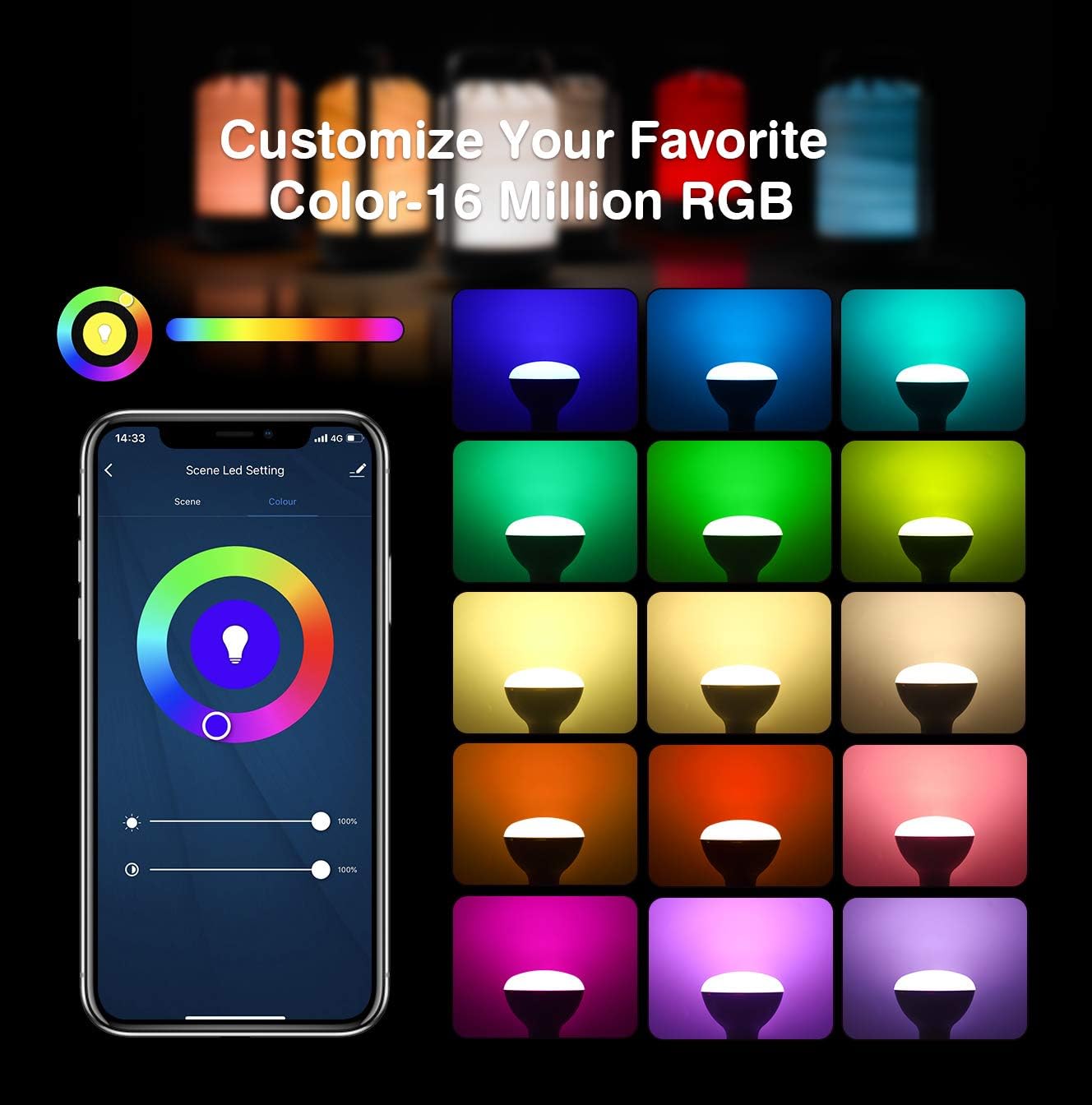
Image: App interface for customizing light color and brightness.

Image: App interface for adjusting color temperature and stepless dimming.
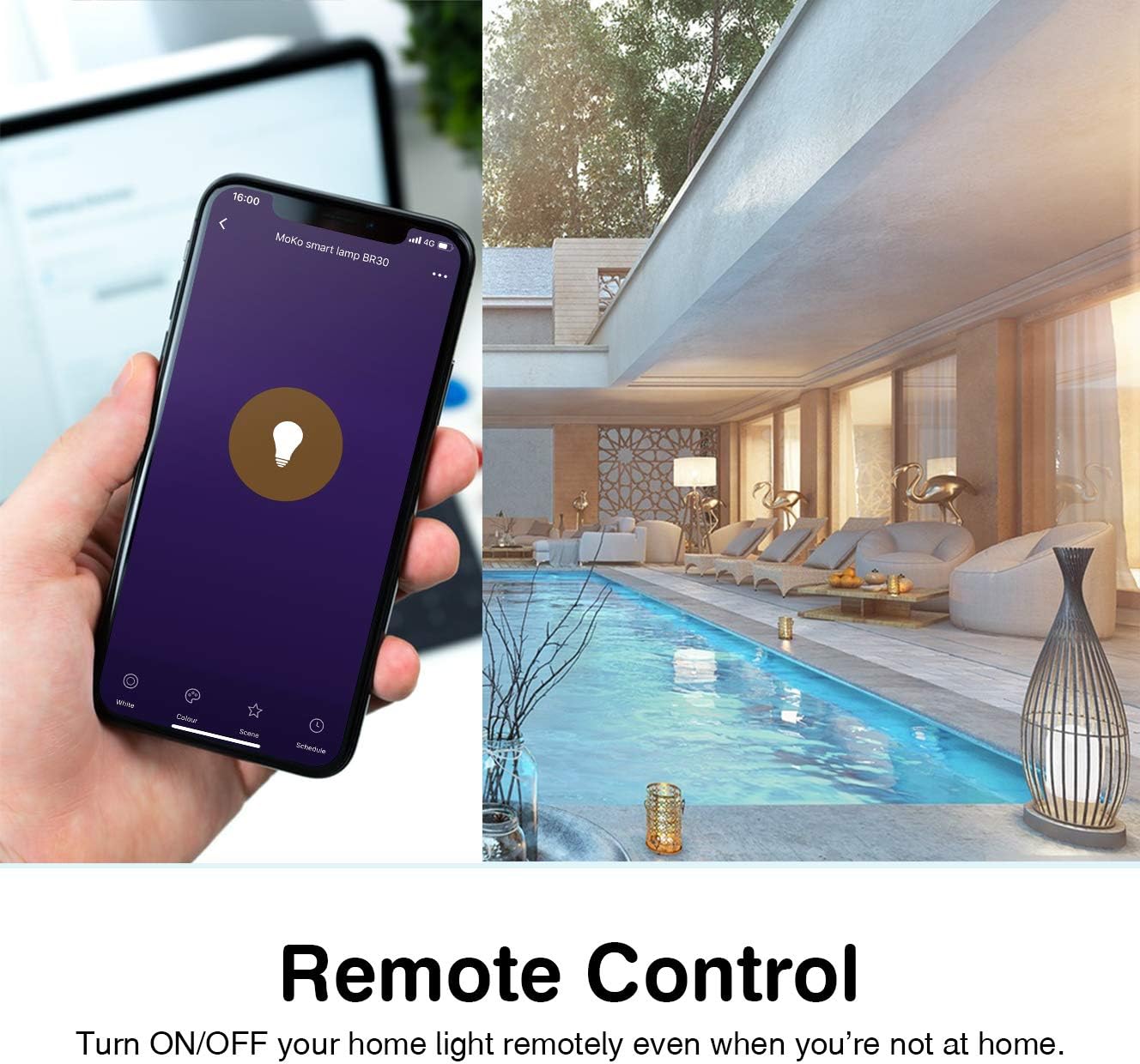
Image: Remote control functionality via the Smart Life app.

Image: Timing management and scheduling features.
2. ശബ്ദ നിയന്ത്രണം
Once integrated with Amazon Alexa or Google Assistant, you can control your bulb using voice commands. Ensure your voice assistant device is connected to the same Wi-Fi network as your smart bulb.
- "Alexa, turn on the [Bulb Name]."
- "Hey Google, dim the [Bulb Name] to 50%."
- "അലക്സാ, [ബൾബ് നെയിം] നീലയായി സജ്ജമാക്കുക."
- "Hey Google, change [Bulb Name] to warm white."

ചിത്രം: ആമസോൺ അലക്സയുമായും ഗൂഗിൾ അസിസ്റ്റന്റുമായും വോയ്സ് കൺട്രോൾ സംയോജനം.
3. ഗ്രൂപ്പ് നിയന്ത്രണവും ഉപകരണ പങ്കിടലും
The Smart Life app allows you to group multiple bulbs for simultaneous control and share access with other users.
- ഗ്രൂപ്പ് നിയന്ത്രണം: In the app, select multiple bulbs and create a group. You can then control the entire group with a single command or tap.
- ഉപകരണം പങ്കിടൽ: Navigate to the device settings in the app and select "Share Device" to invite family members to control the bulb.
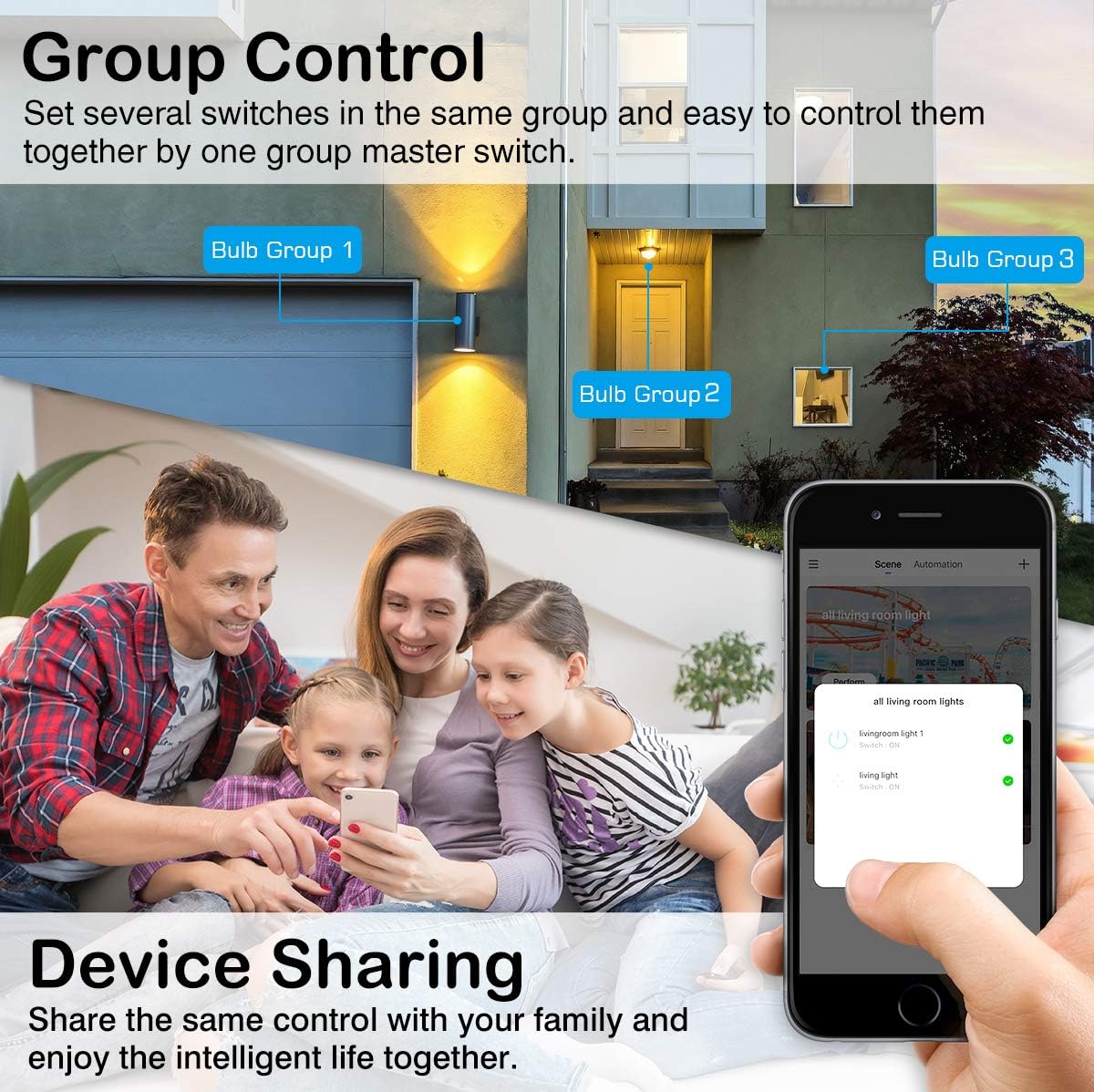
Image: Group control and device sharing features.
മെയിൻ്റനൻസ്
- വൃത്തിയാക്കൽ: വൃത്തിയാക്കുന്നതിനുമുമ്പ് ബൾബ് ഓഫ് ചെയ്ത് തണുപ്പിച്ചിട്ടുണ്ടെന്ന് ഉറപ്പാക്കുക. മൃദുവായതും ഉണങ്ങിയതുമായ തുണി ഉപയോഗിച്ച് തുടയ്ക്കുക. ലിക്വിഡ് ക്ലീനറുകൾ ഉപയോഗിക്കരുത്.
- ഫേംവെയർ അപ്ഡേറ്റുകൾ: Periodically check the Smart Life app for available firmware updates to ensure optimal performance and security.
- സംഭരണം: ബൾബ് ദീർഘനേരം സൂക്ഷിക്കുകയാണെങ്കിൽ, നേരിട്ട് സൂര്യപ്രകാശം ഏൽക്കാത്ത തണുത്തതും വരണ്ടതുമായ സ്ഥലത്ത് സൂക്ഷിക്കുക.
ട്രബിൾഷൂട്ടിംഗ്
- Bulb not blinking for setup: Manually turn the light switch OFF and ON 3-5 times until the bulb starts blinking rapidly. This puts it into pairing mode.
- Wi-Fi-ലേക്ക് കണക്റ്റുചെയ്യാൻ കഴിയില്ല:
- നിങ്ങളുടെ വൈഫൈ നെറ്റ്വർക്ക് 2.4GHz ആണെന്ന് ഉറപ്പാക്കുക. ബൾബ് 5GHz നെറ്റ്വർക്കുകളെ പിന്തുണയ്ക്കുന്നില്ല.
- കൃത്യതയ്ക്കായി നിങ്ങളുടെ വൈഫൈ പാസ്വേഡ് പരിശോധിക്കുക.
- സജ്ജീകരണ സമയത്ത് ബൾബ് നിങ്ങളുടെ വൈഫൈ റൂട്ടറിന് അടുത്തേക്ക് നീക്കുക.
- നിങ്ങളുടെ റൂട്ടർ പുനരാരംഭിച്ച് ജോടിയാക്കൽ പ്രക്രിയ വീണ്ടും ശ്രമിക്കുക.
- ബൾബുമായുള്ള കണക്ഷൻ നഷ്ടപ്പെടുന്നു:
- Verify your 2.4GHz Wi-Fi network is stable and active.
- Ensure the bulb is within range of your Wi-Fi router.
- Check for any obstructions or interference that might affect the Wi-Fi signal.
- Try resetting the bulb (turn OFF/ON 3-5 times) and re-pairing it with the app.
- ശബ്ദ നിയന്ത്രണം പ്രവർത്തിക്കുന്നില്ല:
- Ensure the Smart Life skill/service is enabled and linked correctly in your Alexa or Google Home app.
- Verify the bulb's name in the Smart Life app matches the name you are using for voice commands.
- Ensure your voice assistant device is online and connected to the same network.
- Colors or brightness not responding:
- Check the app for any error messages or connection issues.
- Ensure the bulb is powered on and connected to Wi-Fi.
- Try closing and reopening the Smart Life app.
വാറൻ്റിയും പിന്തുണയും
For warranty information or technical support, please refer to the contact details provided on the product packaging or the official MoKo webസൈറ്റ്. വാങ്ങിയതിന്റെ തെളിവായി നിങ്ങളുടെ വാങ്ങൽ രസീത് സൂക്ഷിക്കുക.