
1. ആമുഖം
Thank you for choosing the iGear Ensemble 20W Wooden Portable Soundbar. This manual provides essential information for setting up, operating, and maintaining your soundbar to ensure optimal performance and longevity. The iGear Ensemble is designed to deliver rich audio with extra bass, featuring versatile connectivity options and a portable design crafted from recycled wood.

ചിത്രം 1.1: മുൻഭാഗം view of the iGear Ensemble 20W Wooden Portable Soundbar.
2. ബോക്സിൽ എന്താണുള്ളത്?
പാക്കേജ് ഉള്ളടക്കങ്ങൾ ശ്രദ്ധാപൂർവ്വം പരിശോധിക്കുക. ഏതെങ്കിലും ഇനങ്ങൾ നഷ്ടപ്പെട്ടാലോ കേടുപാടുകൾ സംഭവിച്ചാലോ, ഉപഭോക്തൃ പിന്തുണയുമായി ബന്ധപ്പെടുക.
- 1 x iGear Ensemble Soundbar
- 1 x ചാർജിംഗ് കേബിൾ
- 1 x ഉപയോക്തൃ മാനുവൽ

Image 2.1: The iGear Ensemble Soundbar and its included charging cable.
3. സവിശേഷതകൾ
- 20W Extra Bass Speaker: Enjoy powerful and clear audio with enhanced bass.
- ബ്ലൂടൂത്ത് v5.0 കണക്റ്റിവിറ്റി: Seamless wireless connection to compatible devices.
- മൾട്ടി-ചാനൽ കണക്റ്റിവിറ്റി: Supports USB drives and TF/SD cards for diverse audio sources.
- In-Built FM Radio: നിങ്ങളുടെ പ്രിയപ്പെട്ട റേഡിയോ സ്റ്റേഷനുകളിലേക്ക് ട്യൂൺ ചെയ്യുക.
- റീചാർജ് ചെയ്യാവുന്ന 2400mAh ബാറ്ററി: Provides 3-5 hours of music playback on a single charge.
- Built-in Woofer: Delivers deeper and richer bass performance.
- ഭാരം കുറഞ്ഞതും പോർട്ടബിൾ: Easy to carry for music on the go.
- Wooden Material: Crafted from recycled wood for an elegant aesthetic.
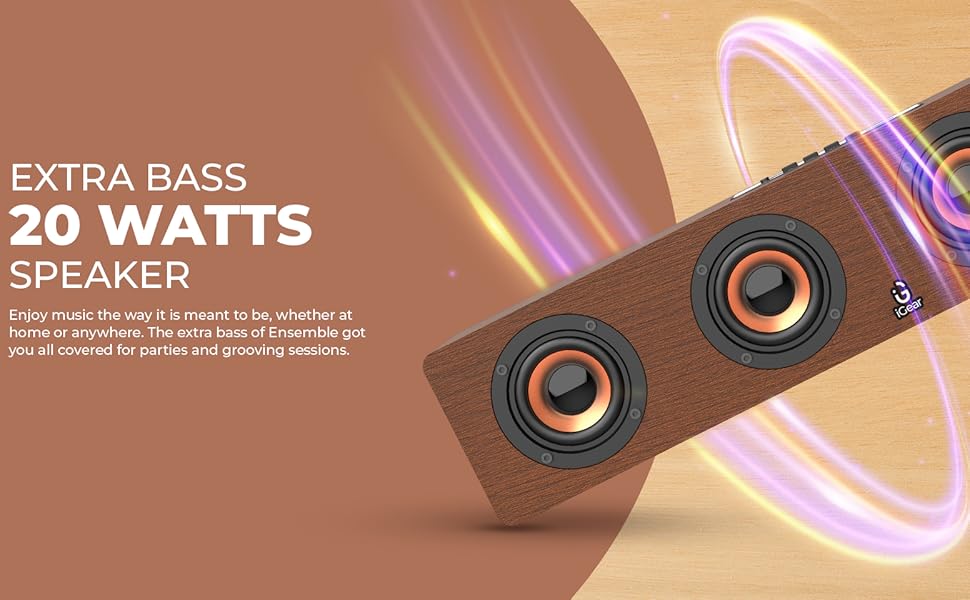
Image 3.1: The soundbar's 20 Watts output for extra bass.
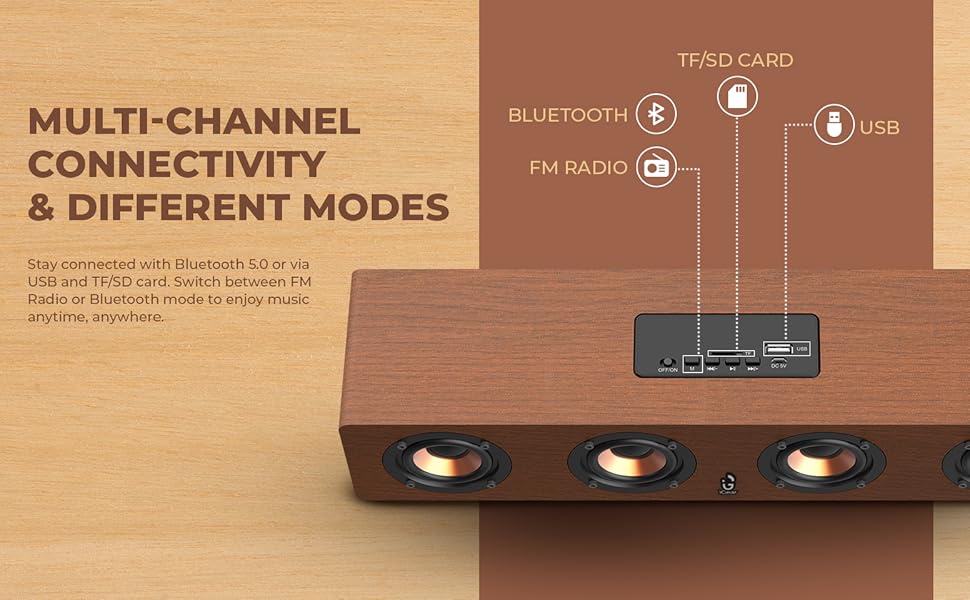
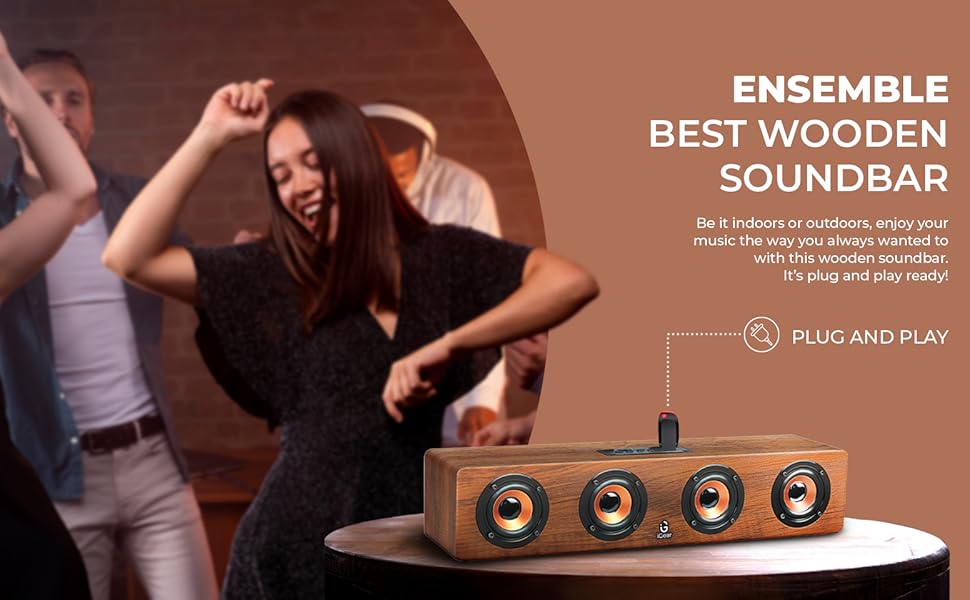
Image 3.2: The soundbar features a 2400 mAh battery for extended playtime.
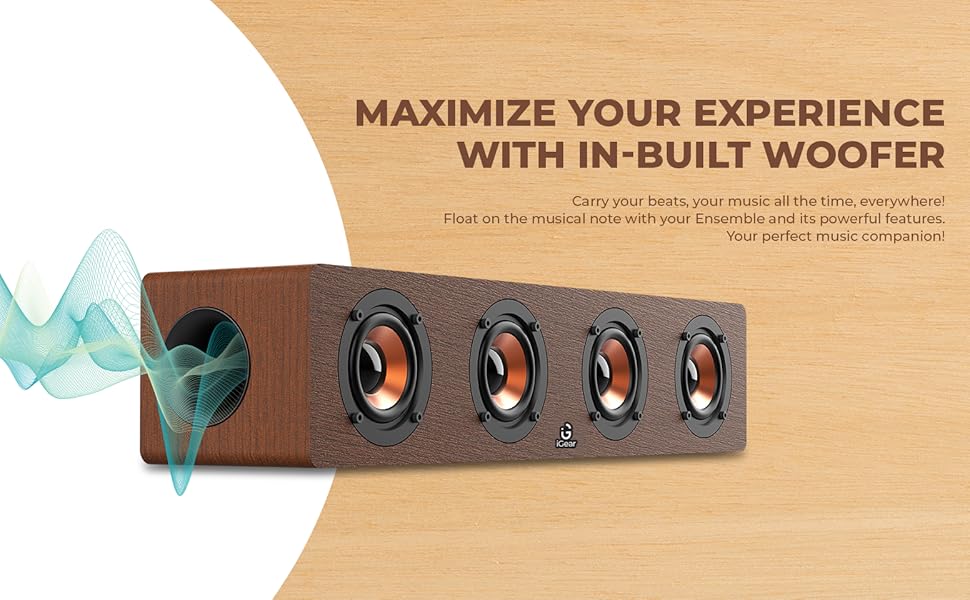
Image 3.3: The soundbar's in-built woofer for enhanced audio experience.
ചിത്രം 3.4: കഴിഞ്ഞുview of the soundbar's multi-channel connectivity options.
4. സജ്ജീകരണം
4.1 Charging the Soundbar
- Connect the provided charging cable to the DC 5V port on the soundbar.
- ചാർജിംഗ് കേബിളിന്റെ മറ്റേ അറ്റം ഒരു USB പവർ അഡാപ്റ്ററുമായി (ഉൾപ്പെടുത്തിയിട്ടില്ല) അല്ലെങ്കിൽ കമ്പ്യൂട്ടറിന്റെ USB പോർട്ടുമായി ബന്ധിപ്പിക്കുക.
- ചാർജിംഗ് ഇൻഡിക്കേറ്റർ ലൈറ്റ് പ്രകാശിക്കും. പൂർണ്ണമായി ചാർജ് ചെയ്യാൻ ഏകദേശം 5 മണിക്കൂർ എടുക്കും.
- പൂർണ്ണമായി ചാർജ് ചെയ്തുകഴിഞ്ഞാൽ, മോഡലിനെ ആശ്രയിച്ച് ഇൻഡിക്കേറ്റർ ലൈറ്റ് മാറുകയോ ഓഫാകുകയോ ചെയ്യാം. ചാർജിംഗ് കേബിൾ വിച്ഛേദിക്കുക.
4.2 പവർ ഓൺ/ഓഫ്
- To power on, slide the ON/OFF switch to the 'ON' position. You will hear an audible prompt.
- പവർ ഓഫ് ചെയ്യാൻ, ഓൺ/ഓഫ് സ്വിച്ച് 'ഓഫ്' സ്ഥാനത്തേക്ക് സ്ലൈഡ് ചെയ്യുക.
4.3 ബ്ലൂടൂത്ത് ജോടിയാക്കൽ
- Ensure the soundbar is powered on and in Bluetooth mode (indicated by a blue LED light or audible prompt). If not, press the 'M' (Mode) button to switch to Bluetooth mode.
- നിങ്ങളുടെ ഉപകരണത്തിൽ (സ്മാർട്ട്ഫോൺ, ടാബ്ലെറ്റ്, ലാപ്ടോപ്പ്), ബ്ലൂടൂത്ത് പ്രവർത്തനക്ഷമമാക്കി ലഭ്യമായ ഉപകരണങ്ങൾക്കായി തിരയുക.
- Select "iGear Ensemble" from the list of found devices.
- Once paired, you will hear a confirmation sound, and the Bluetooth indicator light will remain steady.
5. പ്രവർത്തന നിർദ്ദേശങ്ങൾ
5.1 മോഡ് തിരഞ്ഞെടുക്കൽ
Press the 'M' (Mode) button repeatedly to cycle through available modes: Bluetooth, FM Radio, USB, and TF/SD Card.
5.2 വോളിയം നിയന്ത്രണം
- Press and hold the 'Volume Down (-)' button to decrease the volume.
- Press and hold the 'Volume Up (+)' button to increase the volume.
5.3 പ്ലേബാക്ക് നിയന്ത്രണം
- Press the 'Play/Pause' button to play or pause audio.
- In Bluetooth/USB/TF/SD mode, short press 'Previous Track (-)' to go to the previous track.
- In Bluetooth/USB/TF/SD mode, short press 'Next Track (+)' to go to the next track.
5.4 എഫ്എം റേഡിയോ പ്രവർത്തനം
- 'M' ബട്ടൺ ഉപയോഗിച്ച് FM റേഡിയോ മോഡിലേക്ക് മാറുക.
- Press and hold the 'Play/Pause' button to automatically scan and save available FM stations.
- Use the 'Previous Track (-)' and 'Next Track (+)' buttons to navigate between saved stations.
5.5 USB/TF/SD Card Playback
- Insert a USB drive or TF/SD card (with audio files) into the respective port.
- The soundbar will automatically switch to USB or TF/SD mode and begin playback. If not, press the 'M' button to select the correct mode.
- Use the playback control buttons (Play/Pause, Previous/Next Track) as described above.
6. പരിപാലനം
- വൃത്തിയാക്കൽ: Use a soft, dry cloth to clean the surface of the soundbar. Do not use abrasive cleaners or solvents.
- സംഭരണം: Store the soundbar in a cool, dry place away from direct sunlight and extreme temperatures.
- ബാറ്ററി കെയർ: To prolong battery life, avoid fully discharging the battery frequently. Charge the soundbar regularly, even if not in use for extended periods.
- വെള്ളം ഒഴിവാക്കുക: This product is not waterproof. Keep it away from water and high humidity.
7. പ്രശ്നപരിഹാരം
| പ്രശ്നം | സാധ്യമായ കാരണം | പരിഹാരം |
|---|---|---|
| ശക്തിയില്ല | Battery is drained; Power switch is OFF. | Charge the soundbar; Slide the power switch to 'ON'. |
| ശബ്ദമില്ല | ശബ്ദം വളരെ കുറവാണ്; തെറ്റായ മോഡ് തിരഞ്ഞെടുത്തു; ഉപകരണം കണക്റ്റുചെയ്തിട്ടില്ല. | Increase volume; Press 'M' to select correct mode; Re-pair Bluetooth or re-insert USB/TF/SD card. |
| ബ്ലൂടൂത്ത് ജോടിയാക്കുന്നില്ല | Soundbar not in pairing mode; Device Bluetooth is off; Too far from device. | Ensure soundbar is in Bluetooth mode; Enable Bluetooth on your device; Move device closer to soundbar (within 10 meters). |
| എഫ്എം റേഡിയോ സ്റ്റാറ്റിക് | ദുർബലമായ സിഗ്നൽ. | Move the soundbar to a location with better reception; Re-scan for stations. |
8 സ്പെസിഫിക്കേഷനുകൾ
| ഫീച്ചർ | വിശദാംശങ്ങൾ |
|---|---|
| മോഡലിൻ്റെ പേര് | സമന്വയം |
| മോഡൽ നമ്പർ | iG-1130 |
| സ്പീക്കർ തരം | സറൗണ്ട് സൗണ്ട് |
| മൗണ്ടിംഗ് തരം | ടേബിൾടോപ്പ് മൗണ്ട് |
| മെറ്റീരിയൽ | Wood (recycled) |
| വയർലെസ് കമ്മ്യൂണിക്കേഷൻ | ബ്ലൂടൂത്ത് v5.0 |
| കണക്റ്റിവിറ്റി ടെക്നോളജി | ബ്ലൂടൂത്ത്, യുഎസ്ബി, വയർലെസ്സ് |
| സ്പീക്കർ പരമാവധി ഔട്ട്പുട്ട് പവർ | 20 വാട്ട്സ് |
| ബാറ്ററി ശേഷി | 2400 mAh ലിഥിയം അയോൺ |
| ബാറ്ററി ശരാശരി ആയുസ്സ് | 3-5 മണിക്കൂർ |
| ചാർജിംഗ് സമയം | 5 മണിക്കൂർ |
| ഉൽപ്പന്ന അളവുകൾ (D x W x H) | 10.2D x 40.6W x 10.2H സെന്റീമീറ്ററുകൾ |
| ഇനത്തിൻ്റെ ഭാരം | 1.1 കിലോഗ്രാം |
| നിയന്ത്രണ രീതി | സ്പർശിക്കുക |
| പ്രത്യേക സവിശേഷതകൾ | Bass Boost, In-Built FM Radio, In-Built Subwoofer, Supports TF/SD cards and USB Drives |

Image 8.1: Dimensions of the iGear Ensemble Soundbar.
9. വാറൻ്റിയും പിന്തുണയും
The iGear Ensemble Soundbar comes with a പരിമിത വാറൻ്റി. Please refer to the warranty card included in your package for specific terms and conditions. For any product-related queries, technical support, or warranty claims, please contact:
- നിർമ്മാതാവ്: Corporate Gifting Solutions, iGear Tech Private Limited
- വിലാസം: 204 Sai Corporate Park, Laxmi Nagar, Off Link Road, Goregaon West, Mumbai 400104
- ടോൾ ഫ്രീ നമ്പർ: 1800 22 8495
10. ഉൽപ്പന്നം കഴിഞ്ഞുview വീഡിയോ
ഒരു വിഷ്വൽ ഓവറിനായി ഈ ഔദ്യോഗിക ഉൽപ്പന്ന വീഡിയോ കാണുക.view of the iGear Ensemble Soundbar's features and design.
വീഡിയോ 10.1: ഒരു ഓവർview of the iGear Ensemble 20W Wooden Portable Soundbar, showcasing its design, features, and connectivity options.