
ആമുഖം
Thank you for choosing the CACTUS CAC-109-M01 Kids Digital LCD Watch. This manual provides essential information for setting up, operating, and maintaining your watch. This digital watch features a clear LCD display, stopwatch, alarm, and a backlight for visibility in low light conditions. It is also water resistant up to 10 ATM, making it suitable for various activities.
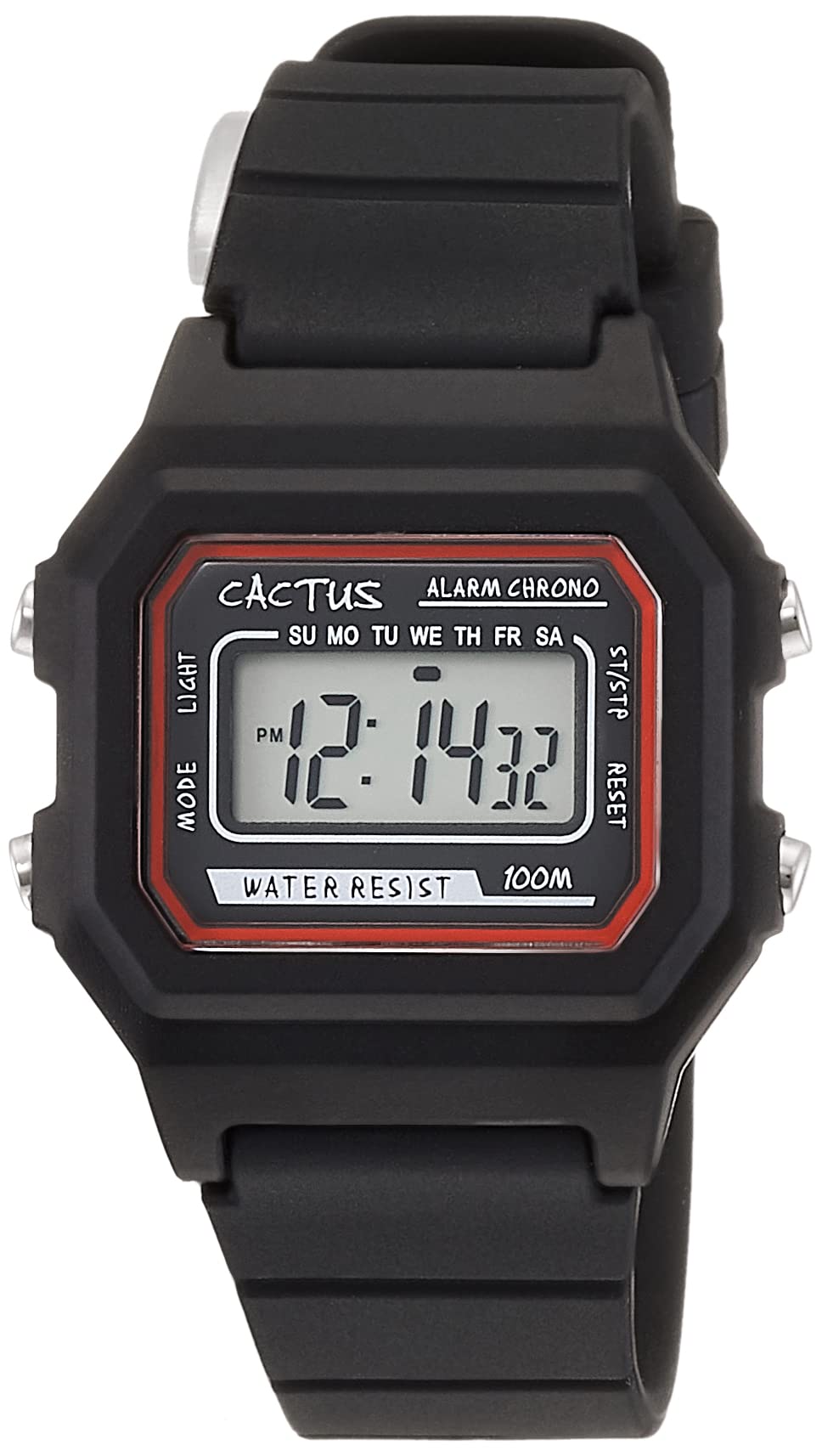
ചിത്രം 1: ഫ്രണ്ട് ആംഗിൾ view of the CACTUS CAC-109-M01 Digital Watch. This image shows the watch face with its digital display, buttons on the side, and the black silicone strap.
സജ്ജമാക്കുക
സമയവും തീയതിയും ക്രമീകരിക്കുന്നു
To ensure accurate timekeeping, follow these steps to set the time and date on your watch.

ചിത്രം 2: ക്ലോസ്-അപ്പ് ഫ്രണ്ട് view of the watch display and control buttons. The buttons are labeled MODE (top left), LIGHT (bottom left), RESET (top right), and START (bottom right).
- സാധാരണ സമയ ഡിസ്പ്ലേ മോഡിൽ, അമർത്തുക മോഡ് button three times to enter the time setting mode. The seconds digits will flash.
- അമർത്തുക പുനഃസജ്ജമാക്കുക സെക്കന്റുകൾ പൂജ്യത്തിലേക്ക് പുനഃസജ്ജമാക്കാൻ ബട്ടൺ.
- അമർത്തുക ആരംഭിക്കുക button to advance to the next setting (hours, minutes, month, date, day of the week).
- ഒരു അക്കം മിന്നിമറയുമ്പോൾ, അമർത്തുക പുനഃസജ്ജമാക്കുക മൂല്യം ക്രമീകരിക്കാനുള്ള ബട്ടൺ.
- Repeat step 3 and 4 until all desired settings (hours, minutes, month, date, day of the week) are adjusted.
- അമർത്തുക മോഡ് button once to exit the setting mode and return to normal time display.
പ്രവർത്തന നിർദ്ദേശങ്ങൾ
ബട്ടൺ പ്രവർത്തനങ്ങൾ
- MODE Button (Top Left): Cycles through display modes (Time, Alarm, Stopwatch, Time Setting).
- LIGHT Button (Bottom Left): Activates the backlight for a few seconds.
- റീസെറ്റ് ബട്ടൺ (മുകളിൽ വലത്): Used to reset values or select items during setting.
- START Button (Bottom Right): Used to start/stop functions or advance through settings.
അലാറം പ്രവർത്തനം
Your watch includes an alarm feature.
- സാധാരണ സമയ ഡിസ്പ്ലേയിൽ നിന്ന്, അമർത്തുക മോഡ് അലാറം മോഡിൽ പ്രവേശിക്കാൻ ഒരിക്കൽ ബട്ടൺ അമർത്തുക. അലാറം സമയം പ്രദർശിപ്പിക്കും.
- അമർത്തുക പുനഃസജ്ജമാക്കുക അലാറം ഓൺ/ഓഫ് ടോഗിൾ ചെയ്യുന്നതിനുള്ള ബട്ടൺ. സജീവമാകുമ്പോൾ ഒരു അലാറം ഐക്കൺ ദൃശ്യമാകും.
- അലാറം സമയം സജ്ജമാക്കാൻ, അമർത്തുക മോഡ് button twice from normal time display to enter alarm setting mode. The hour digits will flash.
- അമർത്തുക പുനഃസജ്ജമാക്കുക മണിക്കൂർ ക്രമീകരിക്കാനുള്ള ബട്ടൺ.
- അമർത്തുക ആരംഭിക്കുക മിനിറ്റ് ക്രമീകരണത്തിലേക്ക് മാറാൻ ബട്ടൺ.
- അമർത്തുക പുനഃസജ്ജമാക്കുക മിനിറ്റ് ക്രമീകരിക്കാനുള്ള ബട്ടൺ.
- അമർത്തുക മോഡ് അലാറം ക്രമീകരണ മോഡിൽ നിന്ന് പുറത്തുകടക്കാൻ ബട്ടൺ.
സ്റ്റോപ്പ് വാച്ച് ഫംഗ്ഷൻ
The stopwatch allows you to measure elapsed time.
- സാധാരണ സമയ ഡിസ്പ്ലേയിൽ നിന്ന്, അമർത്തുക മോഡ് സ്റ്റോപ്പ് വാച്ച് മോഡിൽ പ്രവേശിക്കാൻ രണ്ടുതവണ ബട്ടൺ അമർത്തുക. ഡിസ്പ്ലേ "00:00:00" കാണിക്കും.
- അമർത്തുക ആരംഭിക്കുക സമയം ആരംഭിക്കാൻ ബട്ടൺ അമർത്തുക.
- അമർത്തുക ആരംഭിക്കുക സമയം താൽക്കാലികമായി നിർത്താൻ വീണ്ടും ബട്ടൺ അമർത്തുക.
- അമർത്തുക പുനഃസജ്ജമാക്കുക button while paused to reset the stopwatch to "00:00:00".
- അമർത്തുക മോഡ് സ്റ്റോപ്പ്വാച്ച് മോഡിൽ നിന്ന് പുറത്തുകടക്കാൻ ബട്ടൺ.
ലൈറ്റ് ഫംഗ്ഷൻ
ഇരുണ്ട സാഹചര്യങ്ങളിൽ ഡിസ്പ്ലേ പ്രകാശിപ്പിക്കുന്നതിന്, അമർത്തുക വെളിച്ചം button (bottom left). The backlight will activate for a few seconds.
ജല പ്രതിരോധം
This watch is water resistant up to 10 ATM (100 meters). This means it is suitable for swimming, showering, and snorkeling. However, it is not recommended for diving. Avoid pressing buttons underwater, as this can compromise the water resistance seal.

Figure 3: The CACTUS CAC-109-M01 watch displayed on a wrist, showing its size and fit.
പരിചരണവും പരിപാലനവും
വൃത്തിയാക്കൽ
നിങ്ങളുടെ വാച്ച് വൃത്തിയാക്കാൻ, മൃദുവായ, ഡി-ടൈപ്പ് പേപ്പർ ഉപയോഗിച്ച് സൌമ്യമായി തുടയ്ക്കുക.amp cloth. Avoid using harsh chemicals, solvents, or abrasive cleaners, as these can damage the watch's finish or internal components. For the silicone strap, mild soap and water can be used, ensuring it is thoroughly rinsed and dried.
ബാറ്ററി മാറ്റിസ്ഥാപിക്കൽ
When the display becomes dim or the watch stops functioning, the battery may need replacement. Battery replacement should ideally be performed by a qualified watch technician to ensure the water resistance seal is maintained. Attempting to replace the battery yourself may void the warranty and compromise the watch's water resistance.
സംഭരണം
Store your watch in a cool, dry place away from direct sunlight, extreme temperatures, and strong magnetic fields.
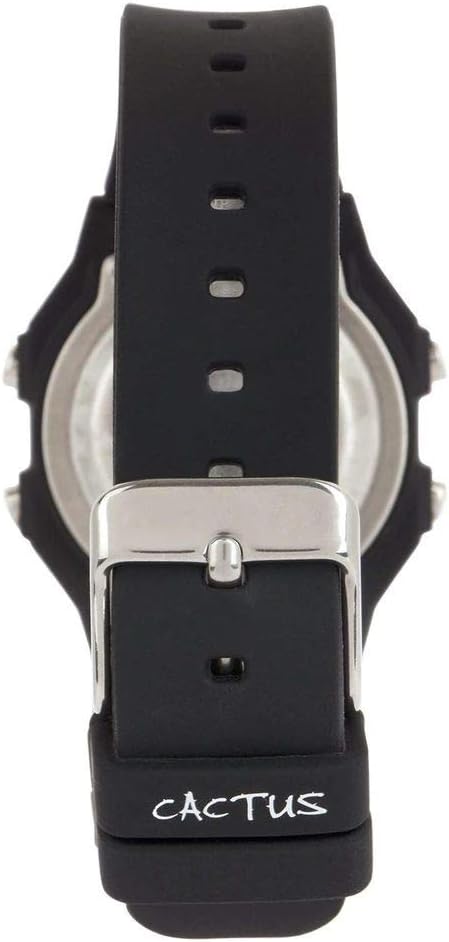
ചിത്രം 4: പിന്നിലേക്ക് view of the watch, illustrating the stainless steel case back and the buckle mechanism of the silicone strap.
ട്രബിൾഷൂട്ടിംഗ്
നിങ്ങളുടെ വാച്ചിൽ എന്തെങ്കിലും പ്രശ്നങ്ങൾ നേരിടുകയാണെങ്കിൽ, താഴെപ്പറയുന്ന പൊതുവായ പ്രശ്നങ്ങളും പരിഹാരങ്ങളും പരിശോധിക്കുക:
- വാച്ച് ഡിസ്പ്ലേ ശൂന്യമാണ് അല്ലെങ്കിൽ മങ്ങിയതാണ്: This usually indicates a low battery. Refer to the "Battery Replacement" section.
- ബട്ടണുകൾ പ്രതികരിക്കുന്നില്ല: Ensure the watch is not in a locked mode (if applicable, though this model typically does not have one). If the issue persists, a battery replacement might be needed, or a soft reset by removing and reinserting the battery (recommended to be done by a professional).
- സമയം തെറ്റാണ്: Re-set the time and date following the "Setting Time and Date" instructions. Ensure you are in the correct time zone.
- വാച്ചിനുള്ളിലെ വെള്ളം: If water appears inside the watch, immediately stop using it and take it to a professional watch repair service. This indicates a compromised water resistance seal.
ഉൽപ്പന്ന സവിശേഷതകൾ
| മോഡൽ നമ്പർ | CAC-109-M01 |
| ചലന തരം | ഡിജിറ്റൽ ക്വാർട്സ് |
| ഡിസ്പ്ലേ തരം | ഡിജിറ്റൽ എൽസിഡി |
| കേസ് മെറ്റീരിയൽ | റെസിൻ |
| ബാൻഡ് മെറ്റീരിയൽ | സിലിക്കൺ |
| ജല പ്രതിരോധ ആഴം | 100 Metres (10 ATM) |
| അധിക സവിശേഷതകൾ | Alarm, Stopwatch, Light |
| കേസ് വ്യാസം | 32 മില്ലിമീറ്റർ |
| കേസ് കനം | 11 മില്ലിമീറ്റർ |
| ഇനത്തിൻ്റെ ഭാരം | 24 ഗ്രാം |
വാറൻ്റിയും പിന്തുണയും
For warranty information or technical support, please refer to the documentation provided with your purchase or contact the retailer where the watch was acquired. Keep your proof of purchase for warranty claims.