
1. ആമുഖം
വാങ്ങിയതിന് നന്ദി.asing the MAX KM01 Bluetooth Karaoke Microphone. This device combines a microphone, speaker, and MP3 player into one portable unit, designed for an enjoyable karaoke experience. Please read this manual carefully before use to ensure proper operation and to maximize the product's lifespan.

Image 1.1: MAX KM01 Bluetooth Karaoke Microphone, showcasing അതിന്റെ മിനുസമാർന്ന ഡിസൈൻ.
2. ഉൽപ്പന്ന സവിശേഷതകൾ
- All-in-one karaoke experience: The MAX KM01 Bluetooth microphone combines a microphone, speaker, MP3 player, and LED light show, offering an ultimate karaoke experience.
- Wireless and Bluetooth enabled: Effortlessly connect the karaoke microphone to any Bluetooth device, such as smartphones or tablets, for hours of wireless entertainment.
- Fun LED light show: Features vibrant built-in LED lights that pulse to the rhythm of your voice, creating an immersive experience.
- Integrated MP3 player: Allows you to load your favorite tracks directly via USB or TF card for a complete karaoke experience without additional equipment.
- ഒതുക്കമുള്ളതും പോർട്ടബിൾ ഡിസൈൻ: Lightweight and easy to carry, suitable for children and adults for parties, gatherings, or home use.
- Echo Function: Enhance your vocals with adjustable echo effects.
- വോയ്സ് ചേഞ്ചർ: Experiment with different voice effects for added fun.
- റെക്കോർഡിംഗ് പ്രവർത്തനം: Record your performances for playback.
- സെൽഫി ഫംഗ്ഷൻ: Integrated button to trigger your phone's camera shutter.
3. പാക്കേജ് ഉള്ളടക്കം
പാക്കേജിൽ ഇനിപ്പറയുന്ന ഇനങ്ങൾ ഉണ്ടോ എന്ന് പരിശോധിക്കുക:
- MAX KM01 Bluetooth Karaoke Microphone
- യുഎസ്ബി ചാർജിംഗ് കേബിൾ
- ഉപയോക്തൃ മാനുവൽ
4. Controls and Ports Overview
Familiarize yourself with the buttons and ports on your MAX KM01 microphone.
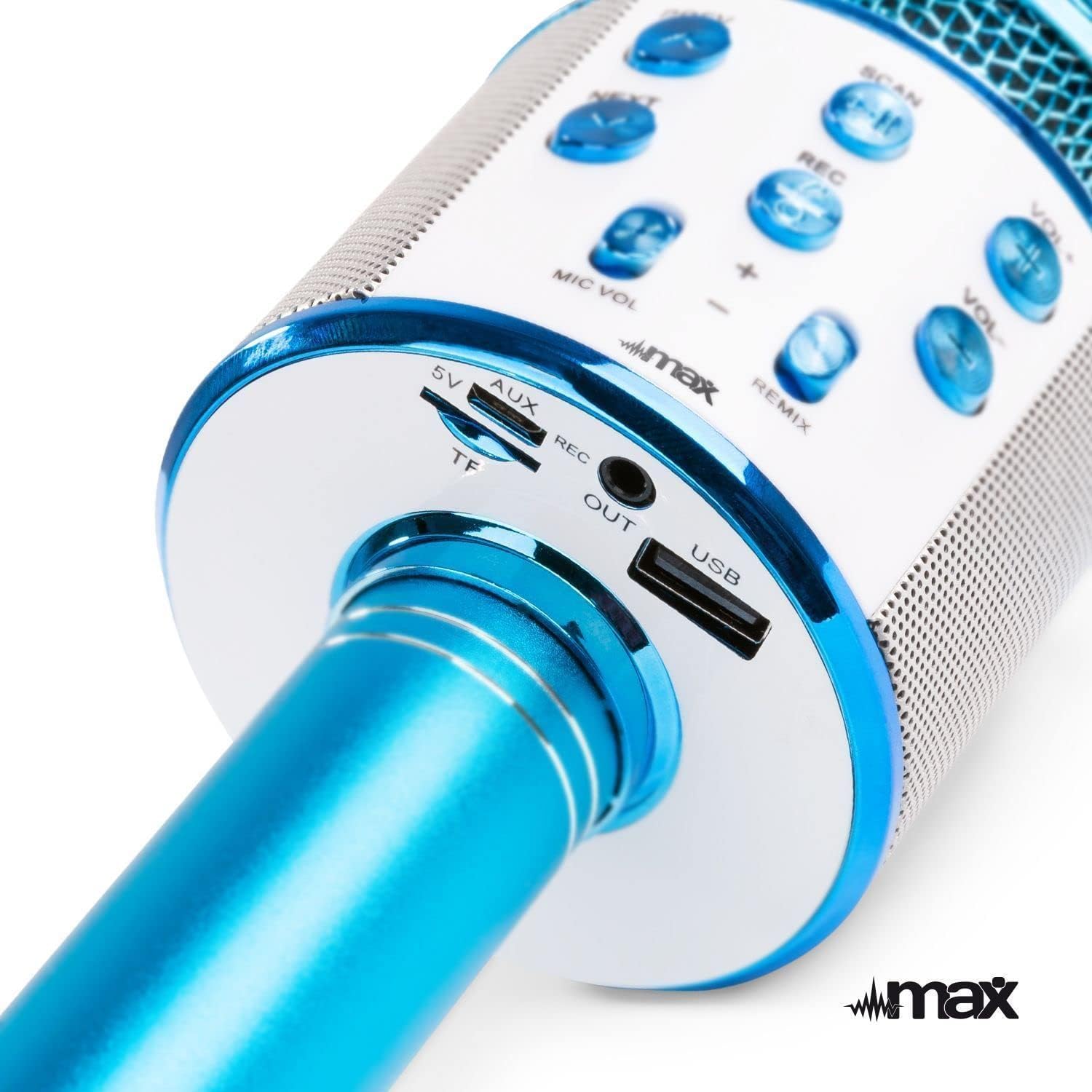
ചിത്രം 4.1: മുകളിൽ view of the microphone's control panel.
- പ്രിവ്: മുമ്പത്തെ ട്രാക്കിനായി ഹ്രസ്വമായി അമർത്തുക.
- അടുത്തത്: Short press for next track.
- SCAN / Play/Pause: Short press to play/pause music. Long press to activate selfie function.
- REC: റെക്കോർഡിംഗ് ആരംഭിക്കാൻ/നിർത്താൻ ഹ്രസ്വമായി അമർത്തുക.
- VOL+: സംഗീതത്തിന്റെ അളവ് വർദ്ധിപ്പിക്കുക.
- വോൾ-: സംഗീതത്തിന്റെ അളവ് കുറയ്ക്കുക.
- എംഐസി വോൾ +/-: മൈക്രോഫോൺ വോളിയം ക്രമീകരിക്കുക.
- REMIX (Echo): Adjust echo effect level.
- പവർ ബട്ടൺ: Long press to power on/off. Short press to switch modes (Bluetooth, MP3, FM).

ചിത്രം 4.2: താഴെ view of the microphone's input/output ports.
- 5V (Micro USB): പോർട്ട് ചാർജ് ചെയ്യുന്നു.
- TF (Micro SD Card Slot): Insert a TF card for MP3 playback.
- ഓക്സ് ഔട്ട്: Audio output port to connect to external speakers or headphones.
- USB: USB port for MP3 playback from a USB drive.
5. മൈക്രോഫോൺ ചാർജ് ചെയ്യുന്നു
The MAX KM01 microphone is powered by a built-in rechargeable Lithium-ion battery.
- Connect the supplied USB charging cable to the 5V (Micro USB) port on the microphone.
- USB കേബിളിന്റെ മറ്റേ അറ്റം ഒരു USB പവർ അഡാപ്റ്ററുമായി (ഉൾപ്പെടുത്തിയിട്ടില്ല) അല്ലെങ്കിൽ ഒരു കമ്പ്യൂട്ടറിന്റെ USB പോർട്ടുമായി ബന്ധിപ്പിക്കുക.
- The LED indicator will illuminate during charging and turn off once fully charged.
- പൂർണ്ണമായി ചാർജ് ചെയ്യുന്നതിന് സാധാരണയായി 2-3 മണിക്കൂർ എടുക്കും.
കുറിപ്പ്: Do not use damaged charging cables or chargers.
6. സജ്ജീകരണവും കണക്ഷനും
6.1 പവർ ഓൺ/ഓഫ്
- പവർ ഓണാക്കാൻ: Long press the Power button until the LED lights illuminate and you hear a power-on prompt.
- പവർ ഓഫ് ചെയ്യാൻ: Long press the Power button again until the LED lights turn off and you hear a power-off prompt.
6.2 ബ്ലൂടൂത്ത് ജോടിയാക്കൽ
Connect your smartphone or tablet to the microphone wirelessly.
- Ensure the microphone is powered on and in Bluetooth mode (indicated by a flashing blue LED or voice prompt). If not, short press the Power button to cycle modes.
- നിങ്ങളുടെ ഉപകരണത്തിൽ (സ്മാർട്ട്ഫോൺ, ടാബ്ലെറ്റ് മുതലായവ) ബ്ലൂടൂത്ത് പ്രവർത്തനക്ഷമമാക്കുക.
- ഇതിനായി തിരയുക "KM01" in the list of available Bluetooth devices.
- Select "KM01" to pair. You will hear a confirmation sound once successfully connected.
- Once paired, you can play music from your device through the microphone's speaker.
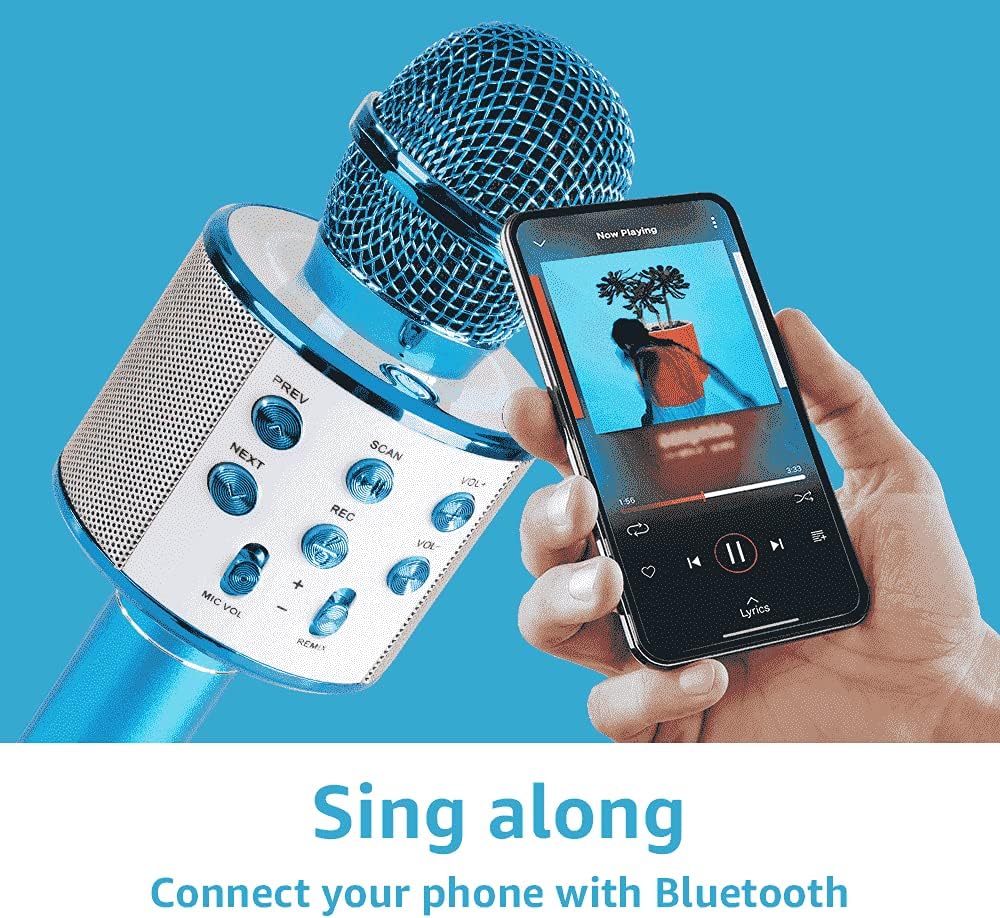
Image 6.1: Connecting the microphone to a smartphone via Bluetooth.
6.3 Using USB/TF Card for MP3 Playback
Play music directly from a USB flash drive or TF (Micro SD) card.
- Insert a USB flash drive or TF card (pre-loaded with MP3 music files) into the respective port on the microphone.
- The microphone will automatically switch to MP3 mode and begin playing music. If not, short press the Power button to cycle modes until you hear the MP3 mode prompt.
- ഉപയോഗിക്കുക PREV ഒപ്പം അടുത്തത് buttons to navigate tracks, and VOL+ / വോൾ- to adjust music volume.
7. മൈക്രോഫോൺ പ്രവർത്തിപ്പിക്കൽ
7.1 Singing and Karaoke
Once connected via Bluetooth or playing from a USB/TF card, you can start singing along.
- Hold the microphone close to your mouth for optimal sound pickup.
- ഉപയോഗിച്ച് നിങ്ങളുടെ മൈക്രോഫോണിന്റെ ശബ്ദം ക്രമീകരിക്കുക MIC VOL +/- സ്ലൈഡറുകൾ.
- ഉപയോഗിച്ച് സംഗീതത്തിന്റെ ശബ്ദം ക്രമീകരിക്കുക VOL+ / വോൾ- ബട്ടണുകൾ.
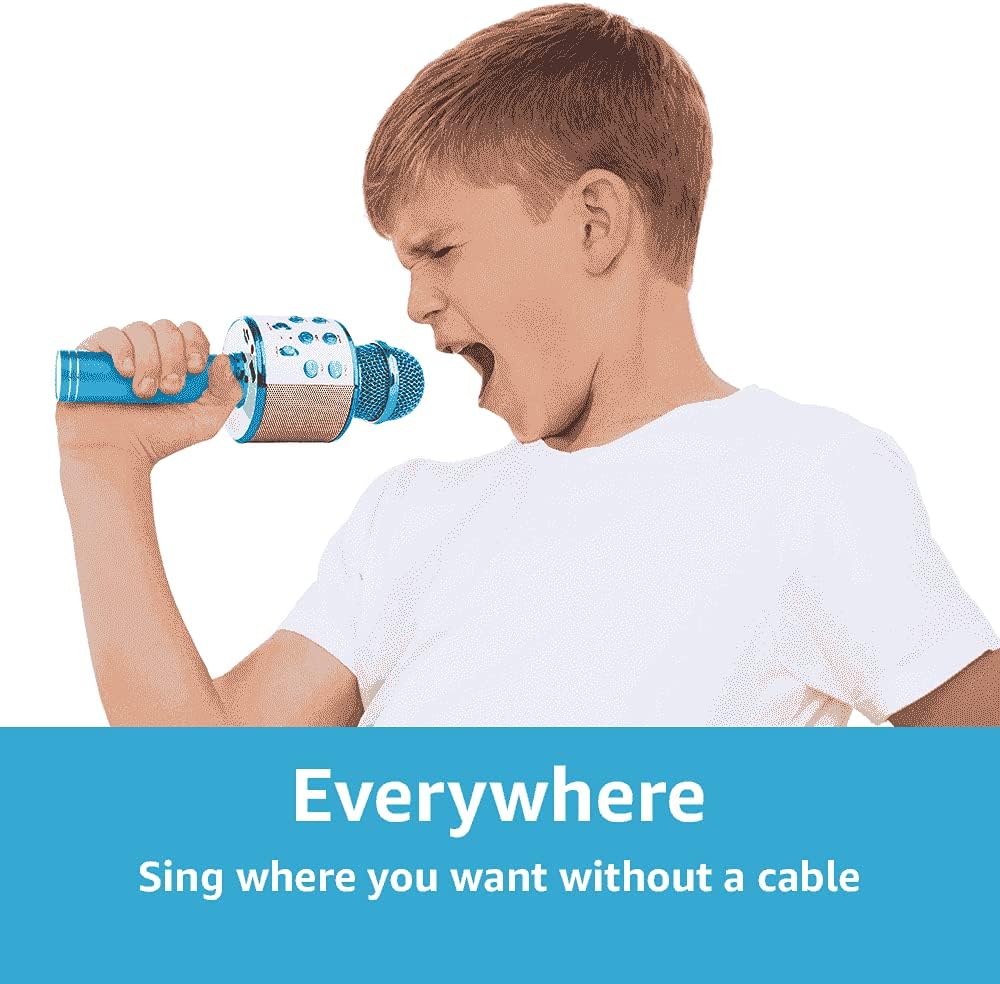
Image 7.1: The portable design allows for singing anywhere without cables.
7.2 Echo Function (REMIX)
Add a professional touch to your vocals with the adjustable echo effect.
- ഉപയോഗിക്കുക റീമിക്സ് slider to increase or decrease the echo intensity.

Image 7.2: Adjusting the echo (REMIX) function for enhanced vocals.
7.3 റെക്കോർഡിംഗ് പ്രവർത്തനം
Record your singing performances directly to a connected smartphone (via Bluetooth) or to a USB/TF card.
- Ensure a storage device (smartphone, USB, or TF card) is connected.
- ഷോർട്ട് അമർത്തുക REC റെക്കോർഡിംഗ് ആരംഭിക്കുന്നതിനുള്ള ബട്ടൺ.
- ഷോർട്ട് അമർത്തുക REC റെക്കോർഡിംഗ് നിർത്താൻ വീണ്ടും ബട്ടൺ.
- Recordings are typically saved in MP3 format.

Image 7.3: The REC button for recording your performances.
7.4 Selfie Function
Use the microphone as a remote shutter for your smartphone camera.
- Ensure the microphone is connected to your smartphone via Bluetooth.
- നിങ്ങളുടെ സ്മാർട്ട്ഫോണിന്റെ ക്യാമറ ആപ്ലിക്കേഷൻ തുറക്കുക.
- ദീർഘനേരം അമർത്തുക REC button on the microphone to trigger the camera shutter.

Image 7.4: Using the microphone's selfie function.
7.5 LED ലൈറ്റുകൾ
The integrated LED lights provide a dynamic visual effect that pulses with the music and your voice. These lights activate automatically when the microphone is powered on.
8. പ്രശ്നപരിഹാരം
| പ്രശ്നം | സാധ്യമായ കാരണം | പരിഹാരം |
|---|---|---|
| മൈക്രോഫോൺ ഓണാക്കുന്നില്ല. | ബാറ്ററി തീർന്നു. | Charge the microphone using the supplied USB cable. |
| ബ്ലൂടൂത്ത് വഴി ബന്ധിപ്പിക്കാൻ കഴിയില്ല. | Bluetooth is not enabled on your device or microphone. Microphone is not in pairing mode. Device is too far. | Ensure Bluetooth is active on both devices. Short press the Power button to enter Bluetooth pairing mode. Move devices closer (within 10 meters). |
| മൈക്രോഫോണിൽ നിന്ന് ശബ്ദമില്ല. | Microphone volume (MIC VOL) is too low. Microphone is muted. | Increase the MIC VOL slider. Check if any mute function is active on your connected device. |
| Music playback issues from USB/TF card. | തെറ്റാണ് file ഫോർമാറ്റ്. കാർഡ്/ഡ്രൈവ് ശരിയായി ചേർത്തിട്ടില്ല. | സംഗീതം ഉറപ്പാക്കുക files are in MP3 format. Reinsert the USB drive or TF card firmly. |
| Echo effect not working. | REMIX slider is set to minimum. | Adjust the REMIX slider to increase the echo effect. |
9 സ്പെസിഫിക്കേഷനുകൾ
| ഫീച്ചർ | വിശദാംശങ്ങൾ |
|---|---|
| ബ്രാൻഡ് | പരമാവധി |
| മോഡലിൻ്റെ പേര് | KM01 |
| കണക്റ്റിവിറ്റി ടെക്നോളജി | ബ്ലൂടൂത്ത്, യുഎസ്ബി |
| കണക്റ്റർ തരം | USB Type-A, Micro USB (charging) |
| പ്രത്യേക സവിശേഷതകൾ | Bluetooth, Rechargeable, LED Lights, MP3 Player, Echo Function, Recording, Selfie Function |
| അനുയോജ്യമായ ഉപകരണങ്ങൾ | Amplifier, Speaker, Personal Computer, Smartphone, Tablet |
| പോളാർ പാറ്റേൺ | ഏകദിശ |
| സിഗ്നൽ-ടു-നോയിസ് അനുപാതം | 120 ഡി.ബി |
| ഫ്രീക്വൻസി പ്രതികരണം | 10 KHz |
| ഫ്രീക്വൻസി റേഞ്ച് | 100Hz - 10kHz |
| ബാറ്ററി തരം | Lithium-ion (2 required, built-in) |
| ഉൽപ്പന്ന അളവുകൾ (L x W x H) | 8.5 x 9.5 x 24.5 സെ.മീ |
| ഭാരം | 370 ഗ്രാം |
| ആന്തരിക മെറ്റീരിയൽ | പ്ലാസ്റ്റിക് |
| നിർമ്മാതാവ് | ട്രോണിയോസ് ബി.വി |
10 സുരക്ഷാ വിവരങ്ങൾ
- വെള്ളം അല്ലെങ്കിൽ ഈർപ്പം ഉപകരണം തുറന്നുകാട്ടരുത്.
- ഉയർന്ന താപനിലയും നേരിട്ടുള്ള സൂര്യപ്രകാശവും ഒഴിവാക്കുക.
- ഉപകരണം സ്വയം വേർപെടുത്താനോ നന്നാക്കാനോ ശ്രമിക്കരുത്. യോഗ്യതയുള്ള സേവന ഉദ്യോഗസ്ഥരെ ബന്ധപ്പെടുക.
- ചെറിയ ഭാഗങ്ങളിൽ നിന്നുള്ള ശ്വാസംമുട്ടൽ അപകടങ്ങൾ തടയാൻ ചെറിയ കുട്ടികൾക്ക് ലഭ്യമാകാതെ സൂക്ഷിക്കുക.
- നൽകിയിരിക്കുന്ന ചാർജിംഗ് കേബിളോ സാക്ഷ്യപ്പെടുത്തിയ തത്തുല്യമായതോ മാത്രം ഉപയോഗിക്കുക.
- Dispose of batteries and electronic waste responsibly according to local regulations.
11. വാറൻ്റിയും പിന്തുണയും
For warranty information and technical support, please refer to the documentation provided at the time of purchase or contact your retailer.