
ആമുഖം
Thank you for choosing the Hoco ES7 Wireless Sports Earphones. These earphones are designed for active lifestyles, offering wireless connectivity and a comfortable on-ear fit. This manual provides essential information for setting up, operating, maintaining, and troubleshooting your device to ensure optimal performance.
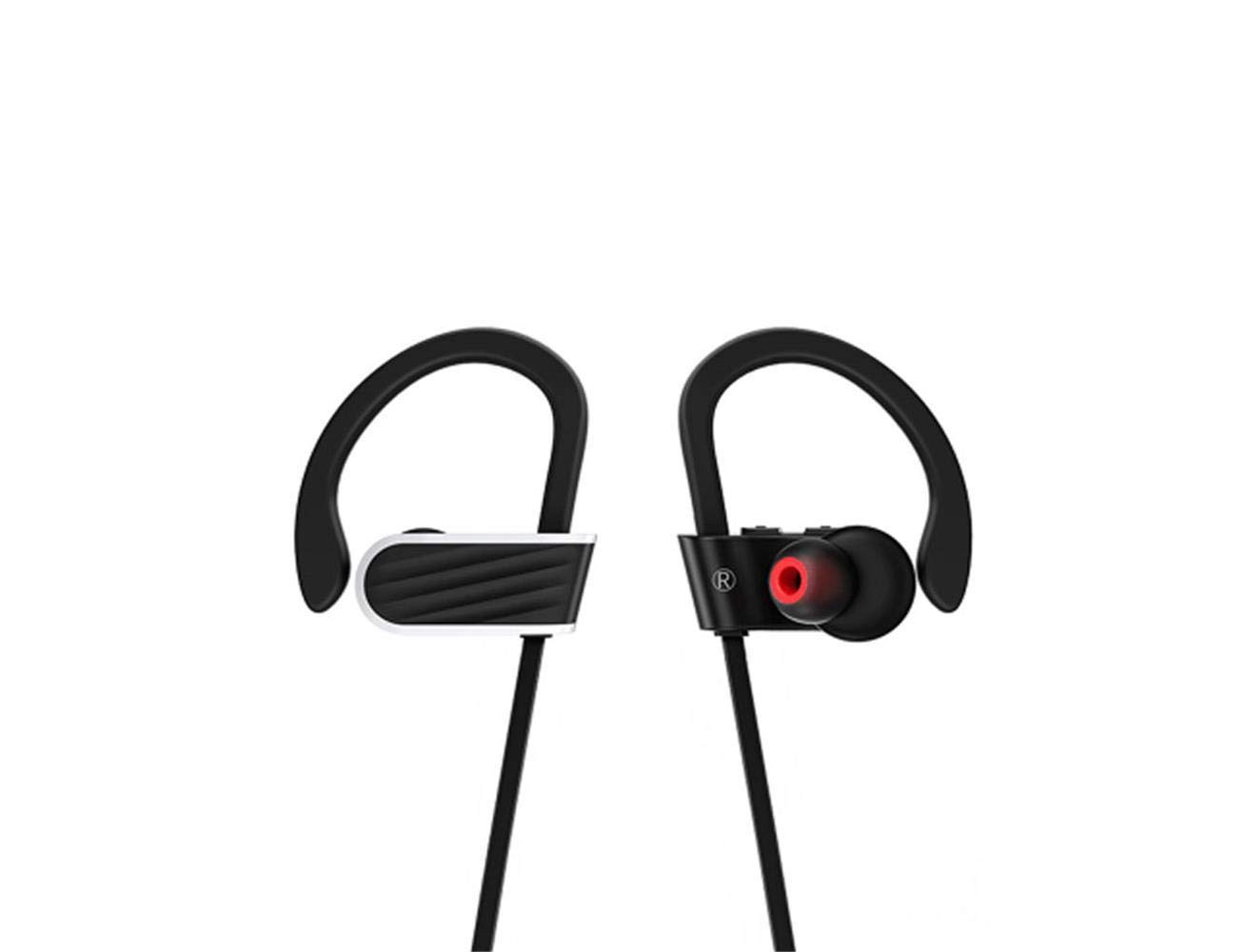
Image: Hoco ES7 Wireless Sports Earphones. These black earphones feature ear hooks for a secure fit during activities and are connected by a cable.
സജ്ജമാക്കുക
1. ഇയർഫോണുകൾ ചാർജ് ചെയ്യുന്നു
Before first use, fully charge the earphones. Connect the charging cable to the charging port on the earphones and a USB power source. The indicator light will show charging status and turn off or change color when fully charged.
2. ബ്ലൂടൂത്ത് ജോടിയാക്കൽ
- ഇയർഫോണുകൾ ഓഫാക്കിയിട്ടുണ്ടെന്ന് ഉറപ്പാക്കുക.
- Press and hold the multi-function button until the indicator light flashes red and blue alternately, indicating pairing mode.
- നിങ്ങളുടെ മൊബൈൽ ഉപകരണത്തിൽ, ബ്ലൂടൂത്ത് പ്രവർത്തനക്ഷമമാക്കി ലഭ്യമായ ഉപകരണങ്ങൾക്കായി തിരയുക.
- Select "Hoco ES7" from the list of devices.
- Once connected, the indicator light will flash blue slowly or turn off, and you will hear a confirmation tone.
പ്രവർത്തന നിർദ്ദേശങ്ങൾ
പവർ ഓൺ/ഓഫ്
- പവർ ഓൺ: നീല ഇൻഡിക്കേറ്റർ ലൈറ്റ് മിന്നുന്നത് വരെ മൾട്ടി-ഫംഗ്ഷൻ ബട്ടൺ ഏകദേശം 3 സെക്കൻഡ് അമർത്തിപ്പിടിക്കുക.
- പവർ ഓഫ്: ചുവന്ന ഇൻഡിക്കേറ്റർ ലൈറ്റ് മിന്നിമറയുന്നതുവരെ മൾട്ടി-ഫംഗ്ഷൻ ബട്ടൺ ഏകദേശം 5 സെക്കൻഡ് അമർത്തിപ്പിടിക്കുക, തുടർന്ന് ഓഫാകും.
സംഗീത പ്ലേബാക്ക്
- പ്ലേ/താൽക്കാലികമായി നിർത്തുക: മൾട്ടി-ഫംഗ്ഷൻ ബട്ടൺ ഒരിക്കൽ അമർത്തുക.
- അടുത്ത ട്രാക്ക്: വോളിയം + ബട്ടൺ അമർത്തിപ്പിടിക്കുക.
- മുമ്പത്തെ ട്രാക്ക്: വോളിയം ബട്ടൺ അമർത്തിപ്പിടിക്കുക.
- വോളിയം കൂട്ടുക: വോളിയം + ബട്ടൺ ചുരുക്കി അമർത്തുക.
- വോളിയം താഴേക്ക്: വോളിയം ബട്ടൺ ചെറുതായി അമർത്തുക.
കോൾ മാനേജുമെന്റ്
- ഉത്തരം/അവസാന കോൾ: മൾട്ടി-ഫംഗ്ഷൻ ബട്ടൺ ഒരിക്കൽ അമർത്തുക.
- കോൾ നിരസിക്കുക: മൾട്ടി-ഫംഗ്ഷൻ ബട്ടൺ 2 സെക്കൻഡ് അമർത്തിപ്പിടിക്കുക.
- അവസാന നമ്പർ വീണ്ടും ഡയൽ ചെയ്യുക: മൾട്ടി-ഫംഗ്ഷൻ ബട്ടൺ രണ്ടുതവണ അമർത്തുക.
മെയിൻ്റനൻസ്
- വൃത്തിയാക്കൽ: ഇയർഫോണുകൾ വൃത്തിയാക്കാൻ മൃദുവായതും ഉണങ്ങിയതുമായ തുണി ഉപയോഗിക്കുക. കഠിനമായ രാസവസ്തുക്കളോ ഉരച്ചിലുകളോ ഉള്ള വസ്തുക്കൾ ഉപയോഗിക്കരുത്.
- സംഭരണം: നേരിട്ടുള്ള സൂര്യപ്രകാശത്തിൽ നിന്നും കടുത്ത താപനിലയിൽ നിന്നും മാറി തണുത്തതും വരണ്ടതുമായ സ്ഥലത്ത് ഇയർഫോണുകൾ സൂക്ഷിക്കുക.
- ബാറ്ററി കെയർ: To prolong battery life, avoid fully discharging the earphones frequently. Charge them regularly, even if not in use for extended periods.
- ജല പ്രതിരോധം: These earphones are designed for sports but are not fully waterproof. Avoid submerging them in water.
ട്രബിൾഷൂട്ടിംഗ്
| പ്രശ്നം | സാധ്യമായ പരിഹാരം |
|---|---|
| ഇയർഫോണുകൾ പവർ ഓൺ ചെയ്യുന്നില്ല. | ഇയർഫോണുകൾ പൂർണ്ണമായും ചാർജ് ചെയ്തിട്ടുണ്ടെന്ന് ഉറപ്പാക്കുക. |
| ഉപകരണവുമായി ജോടിയാക്കാൻ കഴിയില്ല. | Make sure earphones are in pairing mode (flashing red/blue). Turn off and on Bluetooth on your device. Forget previous pairings and try again. |
| ശബ്ദമില്ല അല്ലെങ്കിൽ കുറഞ്ഞ ശബ്ദമില്ല. | Check volume levels on both earphones and your connected device. Ensure earphones are properly connected. |
| കോൾ നിലവാരം മോശമാണ്. | Ensure the microphone is not obstructed. Move closer to your connected device to avoid interference. |
സ്പെസിഫിക്കേഷനുകൾ
- മോഡൽ: ES7
- ബ്രാൻഡ്: ഹോക്കോ
- കണക്റ്റിവിറ്റി: വയർലെസ് (ബ്ലൂടൂത്ത്)
- ഫോം ഘടകം: ചെവിയിൽ
- മൈക്രോഫോൺ: ഉൾപ്പെടുന്നു (1)
- ശബ്ദം റദ്ദാക്കൽ: സജീവമായ ശബ്ദ റദ്ദാക്കലൊന്നുമില്ല
- അനുയോജ്യമായ ഉപകരണങ്ങൾ: മൊബൈൽ ഫോണുകൾ
- നിയന്ത്രണ രീതി: ടച്ച്/ബട്ടൺ
- മെറ്റീരിയൽ: ലോഹം
- നിറം: കറുപ്പ്
- ബാറ്ററി ശേഷി: 100mAh (as per product title)
- കളിസമയം: Up to 6 hours (as per product title)
- കേബിൾ നീളം: 55cm (as per product title)
- ഉൾപ്പെടുത്തിയ ഘടകങ്ങൾ: ചെവി തലയണകൾ
വാറൻ്റിയും പിന്തുണയും
For warranty information or technical support, please refer to the documentation provided with your purchase or contact Hoco customer service through their official website or authorized retailers. Keep your proof of purchase for warranty claims.