
1. ആമുഖം
This manual provides essential instructions for the safe and efficient assembly, operation, and maintenance of your MAIDeSITe T2 Pro Plus Dual Motor Electric Standing Desk Frame. Please read this manual thoroughly before use and retain it for future reference.
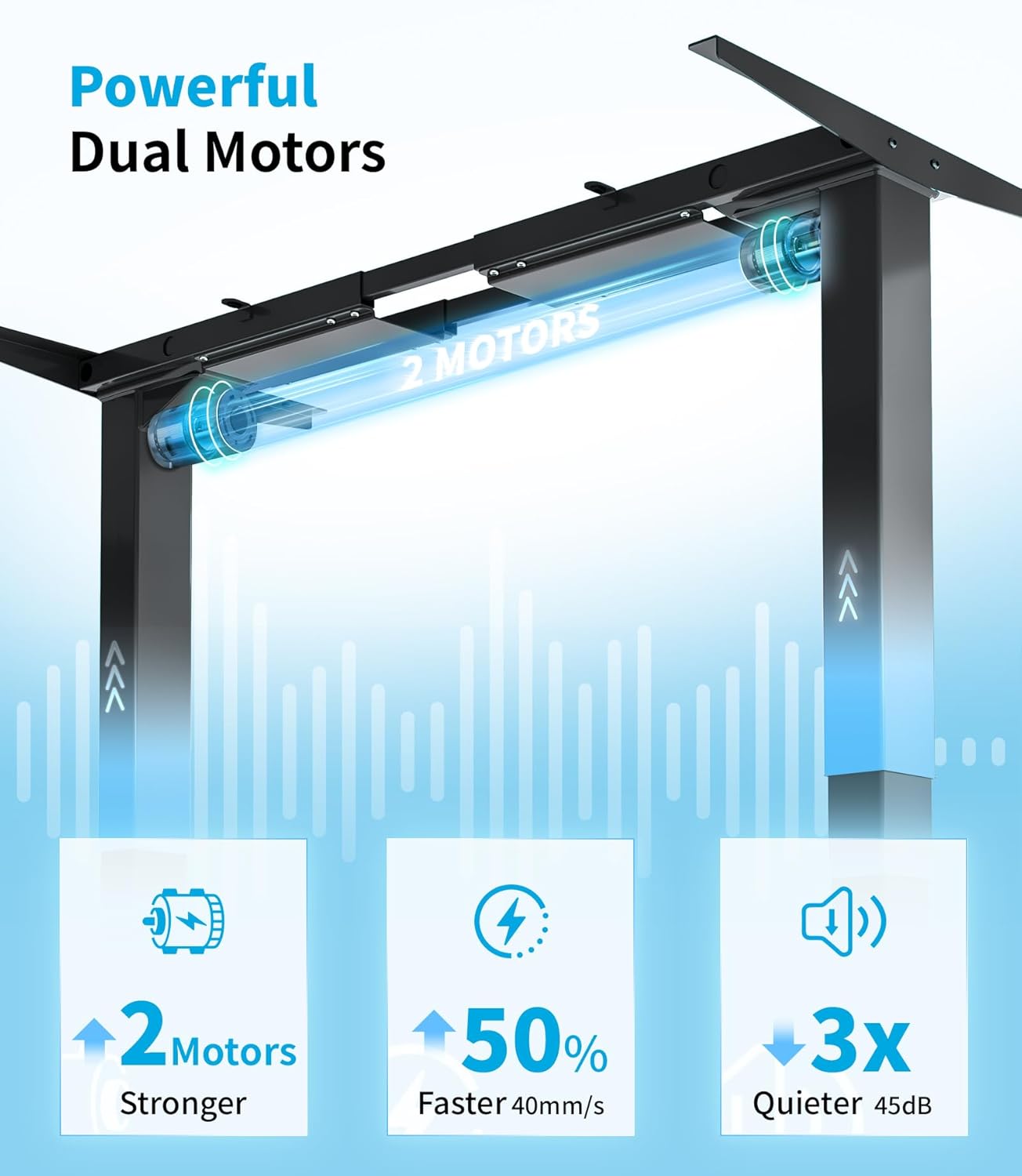
The MAIDeSITe T2 Pro Plus is a height-adjustable electric standing desk frame featuring a powerful dual-motor system for smooth and quiet operation. It is designed to support various desktop sizes and promote a healthier work environment by allowing seamless transitions between sitting and standing positions.
2. സുരക്ഷാ നിർദ്ദേശങ്ങൾ
- ഉപയോഗിക്കുന്നതിന് മുമ്പ് എല്ലാ ഘടകങ്ങളും സുരക്ഷിതമായി ഉറപ്പിച്ചിട്ടുണ്ടെന്ന് ഉറപ്പാക്കുക.
- ജോലി സമയത്ത് കുട്ടികളെയും വളർത്തുമൃഗങ്ങളെയും മേശയിൽ നിന്ന് അകറ്റി നിർത്തുക.
- Do not overload the desk. The maximum weight capacity is 125 kg.
- Ensure there are no obstructions in the desk's path during height adjustment.
- ഡെസ്ക് ഫ്രെയിമിൽ ഇരിക്കുകയോ നിൽക്കുകയോ ചെയ്യരുത്.
- വൃത്തിയാക്കുന്നതിനോ പരിപാലിക്കുന്നതിനോ മുമ്പായി വൈദ്യുതി വിച്ഛേദിക്കുക.
- നൽകിയിരിക്കുന്ന പവർ അഡാപ്റ്റർ മാത്രം ഉപയോഗിക്കുക.
- The desk features an anti-collision system. Do not attempt to override it.
- The control panel includes a child lock function for safety.
3. പാക്കേജ് ഉള്ളടക്കം
അസംബ്ലി ആരംഭിക്കുന്നതിന് മുമ്പ് എല്ലാ ഘടകങ്ങളും നിലവിലുണ്ടെന്നും കേടുപാടുകൾ സംഭവിച്ചിട്ടില്ലെന്നും ഉറപ്പാക്കുക.
- MAIDeSITe T2 Pro Plus Desk Frame (legs, crossbar, feet)
- Control Panel with Smart Keyboard
- ഡ്യുവൽ മോട്ടോർ സിസ്റ്റം
- പവർ അഡാപ്റ്ററും കേബിളുകളും
- Assembly Hardware (screws, tools if included)
- നിർദ്ദേശ മാനുവൽ (ഈ പ്രമാണം)
Note: Desktop surface is sold separately.
4. സജ്ജീകരണവും അസംബ്ലിയും
Assembly typically requires two people. Ensure you have adequate space and the necessary tools (e.g., screwdriver, hex keys, if not provided).
4.1 അൺപാക്കിംഗ്
Carefully remove all components from the packaging. Lay them out on a clean, soft surface to prevent scratches.
4.2 ഫ്രെയിം അസംബ്ലി
- Attach the feet to the bottom of each leg column using the provided screws.
- Connect the crossbar to the leg columns. Ensure proper alignment and secure all screws.
- Install the dual motors into the designated slots within the frame structure.
- Connect all motor and control panel cables to the main control box, ensuring they are routed neatly to avoid interference with movement.

4.3 Attaching the Desktop
Position your chosen desktop (not included) onto the assembled frame. Ensure it is centered and aligned. Mark the screw holes on the underside of the desktop. Drill pilot holes if necessary, then secure the desktop to the frame using appropriate screws.

4.4 കേബിൾ മാനേജ്മെന്റ്
Route all cables (power, control panel, and any peripheral cables) using the integrated cable management features or cable ties to prevent snagging during height adjustments. This ensures smooth operation and a tidy workspace.
5. പ്രവർത്തന നിർദ്ദേശങ്ങൾ
5.1 കൺട്രോൾ പാനൽ ഓവർview
The MAIDeSITe T2 Pro Plus features a multi-function control panel with an LCD display, up/down buttons, memory presets, a sit-stand reminder, child lock, and a USB charging port.
5.2 ഉയരം ക്രമീകരിക്കൽ
- അമർത്തിപ്പിടിക്കുക മുകളിലേക്ക് (^) or താഴേക്ക് (v) button to move the desk to your desired height. Release the button to stop.
- The LCD display will show the current height in centimeters.
5.3 മെമ്മറി പ്രീസെറ്റുകൾ സജ്ജീകരിക്കൽ
The control panel allows you to save up to four preferred height settings.
- ആവശ്യമുള്ള ഉയരത്തിൽ ഡെസ്ക് ക്രമീകരിക്കുക.
- അമർത്തുക 'SET' ബട്ടൺ. ഡിസ്പ്ലേ ഫ്ലാഷ് ചെയ്യും.
- Immediately press one of the memory buttons ('1', '2', '3', അല്ലെങ്കിൽ '4') നിലവിലെ ഉയരം ആ സ്ഥാനത്തേക്ക് സംരക്ഷിക്കാൻ.
- To recall a saved height, simply press the corresponding memory button. The desk will automatically move to that position.
5.4 Sit-Stand Reminder
To activate the sit-stand reminder:
- അമർത്തുക 'SET' ബട്ടൺ.
- ഉപയോഗിക്കുക മുകളിലേക്ക് (^) or താഴേക്ക് (v) buttons to cycle through reminder intervals (0.5h, 1h, 2h).
- അമർത്തുക 'SET' again to confirm your selection. The desk will beep to remind you to change position after the set interval.
5.5 ചൈൽഡ് ലോക്ക് ഫംഗ്ഷൻ
ചൈൽഡ് ലോക്ക് സജീവമാക്കാൻ, അമർത്തിപ്പിടിക്കുക 'എം' 3 സെക്കൻഡ് നേരത്തേക്ക് ബട്ടൺ. ഡിസ്പ്ലേ ഒരു ലോക്ക് ഐക്കൺ കാണിക്കും. നിർജ്ജീവമാക്കാൻ, അമർത്തിപ്പിടിക്കുക 'എം' ബട്ടൺ വീണ്ടും 3 സെക്കൻഡ്.
5.6 ആന്റി-കൊളിഷൻ സിസ്റ്റം
The desk is equipped with an anti-collision system. If the desk encounters an obstruction during adjustment, it will automatically stop and reverse slightly to prevent damage. Ensure the area around the desk is clear before operation.
6. പരിപാലനം
- വൃത്തിയാക്കൽ: Disconnect the power before cleaning. Wipe the desk frame with a soft, damp തുണി. ഉരച്ചിലുകൾ ഉണ്ടാക്കുന്ന ക്ലീനറുകളോ ലായകങ്ങളോ ഒഴിവാക്കുക.
- പരിശോധന: എല്ലാ സ്ക്രൂകളും കണക്ഷനുകളും ഇറുകിയതാണെന്ന് ഉറപ്പാക്കാൻ ഇടയ്ക്കിടെ പരിശോധിക്കുക. ആവശ്യമെങ്കിൽ വീണ്ടും മുറുക്കുക.
- കേബിൾ മാനേജുമെന്റ്: Ensure cables remain tidy and are not pinched or tangled, especially during height adjustments.
- ലൂബ്രിക്കേഷൻ: The motors and lifting columns are designed for maintenance-free operation and do not require lubrication.
7. പ്രശ്നപരിഹാരം
| പ്രശ്നം | സാധ്യമായ കാരണം | പരിഹാരം |
|---|---|---|
| ഡെസ്ക് അനങ്ങുന്നില്ല. | Power cable disconnected, child lock active, overload. | Check power connection. Deactivate child lock. Reduce weight on desk. |
| മേശ അസമമായി നീങ്ങുന്നു അല്ലെങ്കിൽ അസാധാരണമായ ശബ്ദം ഉണ്ടാക്കുന്നു. | Loose connections, obstruction, uneven weight distribution. | Check all screws and connections. Clear any obstructions. Redistribute weight evenly. |
| ആന്റി-കൊളിഷൻ സിസ്റ്റം ഇടയ്ക്കിടെ പ്രവർത്തനക്ഷമമാകുന്നു. | Obstruction in path, sensitive setting. | Ensure clear path. Refer to control panel settings for sensitivity adjustment (if available). |
| മെമ്മറി പ്രീസെറ്റുകൾ പ്രവർത്തിക്കുന്നില്ല. | Not saved correctly. | Re-save the memory presets following the instructions in Section 5.3. |
If the problem persists after attempting these solutions, please contact MAIDeSITe customer support.
8 സ്പെസിഫിക്കേഷനുകൾ
- മോഡൽ: T2 Pro Plus
- ബ്രാൻഡ്: മൈഡ് സൈറ്റ്
- തരം: 3-എസ്tage Dual Motor Electric Standing Desk Frame
- ഉയരം ക്രമീകരിക്കൽ ശ്രേണി: 62 സെ.മീ - 125 സെ.മീ
- Frame Width Adjustment Range: 100 സെ.മീ - 180 സെ.മീ
- Recommended Desktop Width: 100 സെ.മീ - 220 സെ.മീ
- Recommended Desktop Depth: 60 സെ.മീ - 100 സെ.മീ
- ലിഫ്റ്റിംഗ് വേഗത: 40 മിമി/സെ
- ശബ്ദ നില: < 45 dB
- പരമാവധി ഭാരം ശേഷി: 125 കി.ഗ്രാം
- മെറ്റീരിയൽ: 100% High-Quality Industrial Carbon Steel
- ഫീച്ചറുകൾ: 4 Memory Presets, Sit-Stand Reminder, Child Lock, Anti-Collision System, USB Charging Port
- സർട്ടിഫിക്കേഷനുകൾ: TÜV RHEINLAND, UKCA
- ഇനത്തിൻ്റെ ഭാരം: 29 കി.ഗ്രാം


9. വാറൻ്റിയും പിന്തുണയും
MAIDeSITe provides comprehensive warranty and technical support for your T2 Pro Plus desk frame.
- Desk Frame Warranty: 5 വർഷം
- മോട്ടോർ വാറന്റി: 3 വർഷം
- സാങ്കേതിക സഹായം: Lifetime technical support and installation guidance.
- തിരികെ നൽകൽ നയം: 90-day unconditional return policy.
- കസ്റ്റമർ സർവീസ്: 24 മണിക്കൂർ ഉപഭോക്തൃ സേവനം.
For any questions, assistance, or warranty claims, please contact MAIDeSITe customer service through your purchase platform or the official MAIDeSITe webസൈറ്റ്.