
ആമുഖം
The Mr. Pen Owl Shaped Manual Pencil Sharpener is designed for smooth and efficient sharpening of standard size pencils and colored pencils. Its compact design features a detachable blade unit for easy cleaning, ensuring a consistently sharp point. This sharpener is suitable for various users, including students and artists.
സജ്ജമാക്കുക
The Mr. Pen Owl Shaped Manual Pencil Sharpener comes pre-assembled and ready for immediate use. No complex setup is required. Simply remove it from its packaging.

ചിത്രം: മുൻഭാഗം view of the Mr. Pen Owl Shaped Manual Pencil Sharpener, showcasing അതിന്റെ ഡിസൈൻ.
പ്രവർത്തന നിർദ്ദേശങ്ങൾ
- പെൻസിൽ തിരുകുക: Gently insert the pencil into the sharpening hole located at the front of the owl's face.
- Turn Crank: Hold the sharpener firmly with one hand. With the other hand, turn the crank clockwise until the pencil is sharpened to your desired point. The sharpener is designed to provide a smooth sharpening experience for both standard and colored pencils.
- പെൻസിൽ നീക്കം ചെയ്യുക: Once sharpened, turn the crank counter-clockwise a few times to release the pencil, then carefully pull it out.

Image: A pencil being inserted into the sharpener for use.
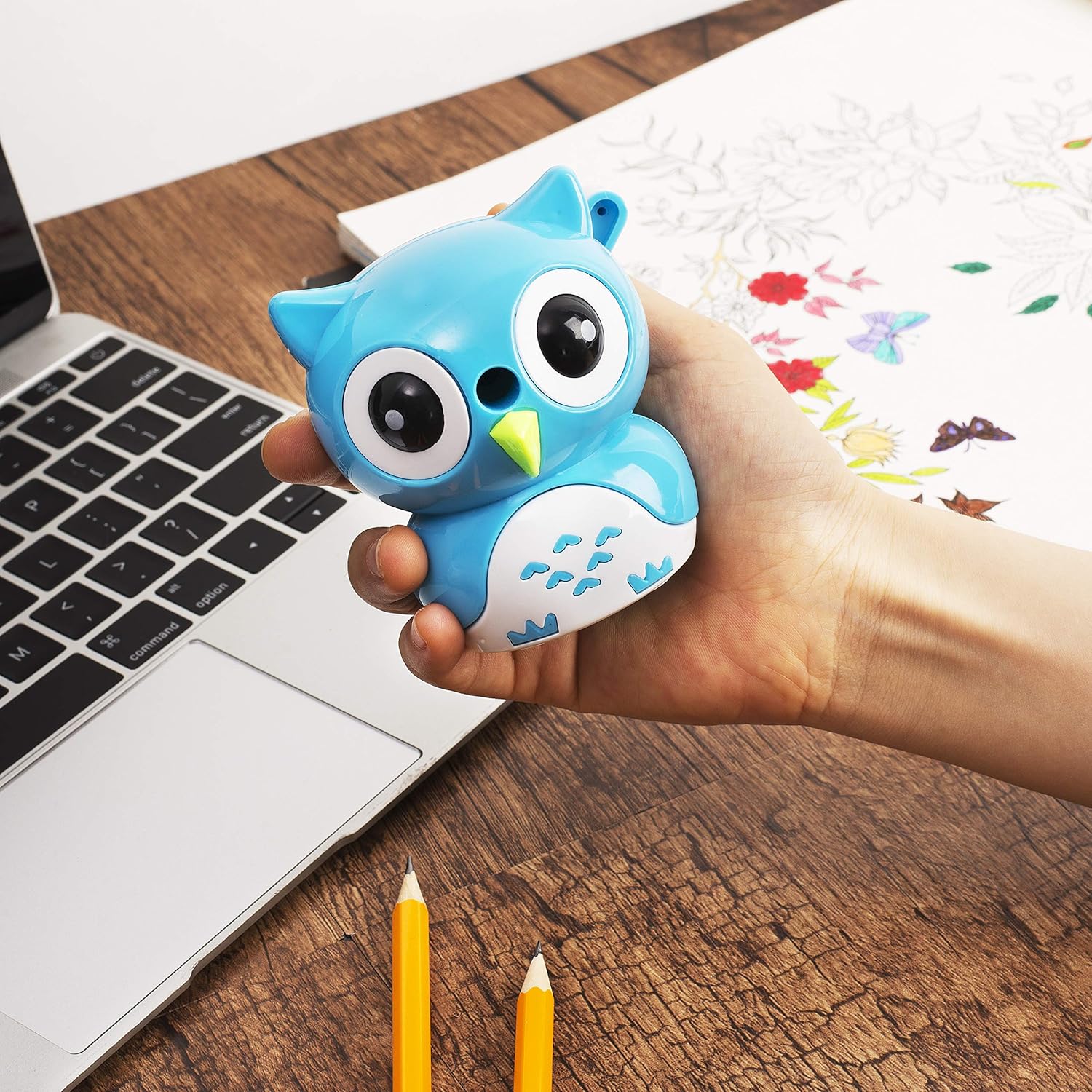
Image: Demonstrating how to hold the sharpener and turn the crank.
പ്രബോധന വീഡിയോകൾ
Video: Demonstration of an Owl Pencil Sharpener's features and use, including sharpening and cleaning.
Video: Mr. Pen Pencil Sharpener for Colored Pencils, showing its functionality.
മെയിൻ്റനൻസ്
To ensure optimal performance and longevity of your sharpener, regular cleaning is recommended.
- ശൂന്യമായ ഷേവിംഗുകൾ: The sharpener features a detachable shavings collector. Gently pull the bottom part of the owl sharpener to separate it from the top, revealing the collected pencil shavings. Dispose of the shavings in a waste bin.
- Clean Blade Unit: The blade unit is detachable for thorough cleaning. Carefully remove the blade unit and use a small brush or cloth to remove any lodged lead or debris.
- വീണ്ടും കൂട്ടിച്ചേർക്കുക: Once cleaned, reattach the blade unit and securely close the shavings collector by pushing the two parts back together until they click.

Image: The sharpener with the shavings collector open.

Image: The sharpener disassembled, showing the blade unit and how to remove broken lead for cleaning.
ട്രബിൾഷൂട്ടിംഗ്
- If the sharpener doesn't sharpen:
- Take the blade unit out.
- Carefully remove any broken lead that may be lodged within the blade unit.
- Reassemble the blade unit securely.
- Pencil not sharpening evenly:
- Ensure the pencil is inserted straight and held firmly while turning the crank.
- Check the blade unit for any debris or damage. Clean or replace if necessary.
സ്പെസിഫിക്കേഷനുകൾ
| ബ്രാൻഡ് | മിസ്റ്റർ പെൻ |
| മോഡൽ നമ്പർ | OS01 |
| മെറ്റീരിയൽ | പ്ലാസ്റ്റിക് |
| പവർ ഉറവിടം | മാനുവൽ |
| ഇനത്തിൻ്റെ ഭാരം | 2.39 ഔൺസ് |
| ഉൽപ്പന്ന അളവുകൾ | 3 x 3.5 x 3 ഇഞ്ച് |
| Compatible Pencils | Standard size pencils, Colored pencils |
വാറൻ്റിയും പിന്തുണയും
Specific warranty information for the Mr. Pen OS01 Owl Shaped Manual Pencil Sharpener is not provided in this manual. For any product-related inquiries, support, or warranty claims, please contact Mr. Pen customer service directly through their official webഉൽപ്പന്നം വാങ്ങിയ സൈറ്റ് അല്ലെങ്കിൽ റീട്ടെയിലർ.