
ആമുഖം
This manual provides detailed instructions for the ECHTPower Wireless Pro Controller, designed for use with Nintendo Switch and Switch OLED consoles. It covers setup, operation, maintenance, and troubleshooting to ensure an optimal gaming experience. Please read this manual carefully before using the product.
ഉൽപ്പന്നം കഴിഞ്ഞുview
Familiarize yourself with the controller's buttons and ports.

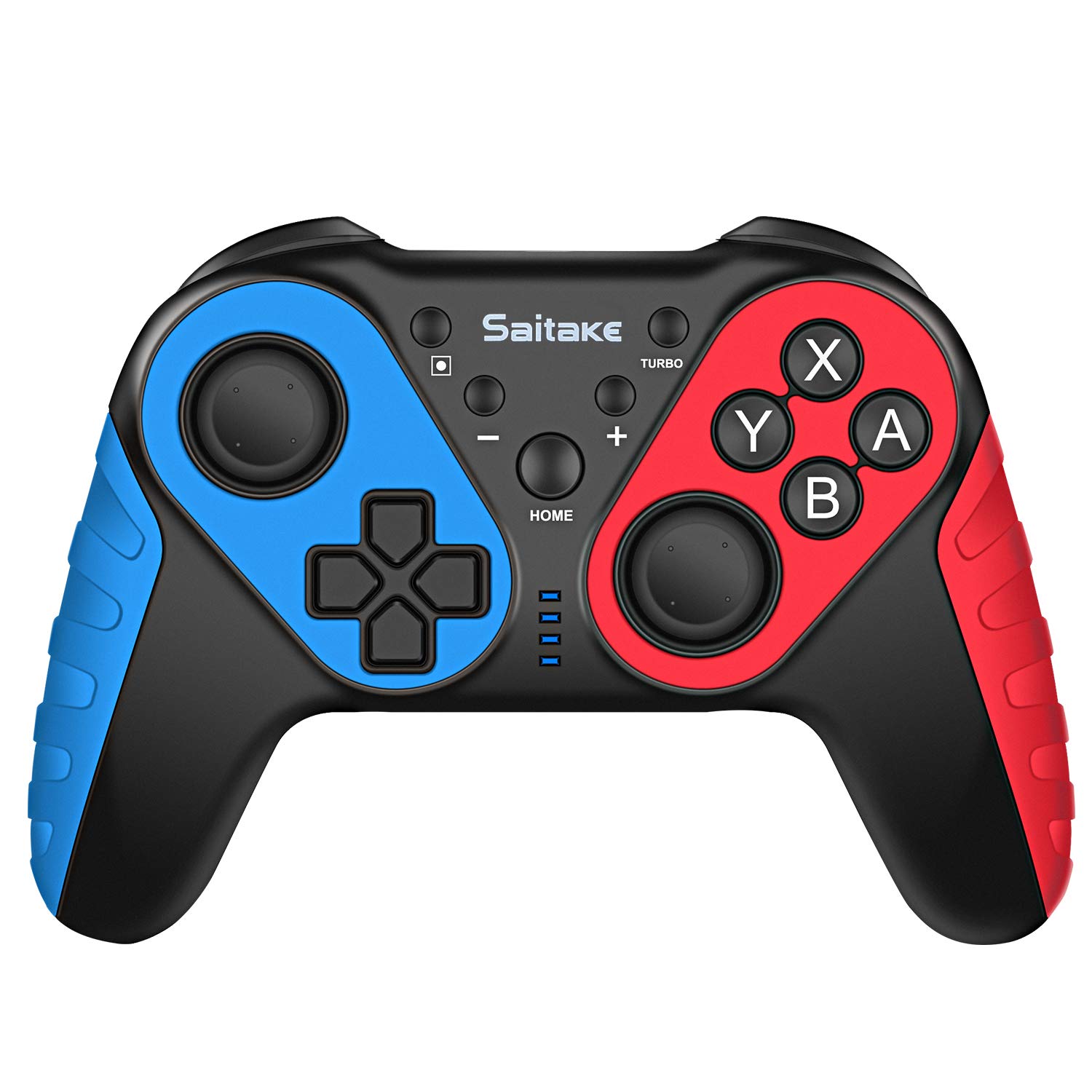
ചിത്രം: മുന്നിലും മുകളിലും view of the ECHTPower Wireless Pro Controller, highlighting the D-Pad, Home button, Left and Right Joysticks, A/B/X/Y buttons, Capture button, Turbo button, Plus and Minus buttons, R/L/RZ/LZ triggers, Type-C Charging Port, and Skid-Proof Design.
- ഡി-പാഡ്: ചലനത്തിനും മെനു നാവിഗേഷനുമുള്ള ദിശാസൂചന പാഡ്.
- ഇടത് ജോയിസ്റ്റിക്: Analog stick for precise movement.
- വലത് ജോയിസ്റ്റിക്: Analog stick for camera control and aiming.
- A/B/X/Y ബട്ടണുകൾ: Action buttons for in-game commands.
- ഹോം ബട്ടണ്: Returns to the Nintendo Switch Home menu.
- ക്യാപ്ചർ ബട്ടൺ: Takes screenshots or video clips.
- ടർബോ ബട്ടൺ: Activates/deactivates turbo function for rapid button presses.
- + / - ബട്ടണുകൾ: Plus and Minus buttons for in-game functions and menu navigation.
- R / L / RZ / LZ Buttons: ഗെയിമിലെ വിവിധ പ്രവർത്തനങ്ങൾക്കായി ഷോൾഡർ, ട്രിഗർ ബട്ടണുകൾ.
- ടൈപ്പ്-സി ചാർജിംഗ് പോർട്ട്: Used for charging the controller.
- NFC ഏരിയ: Located near the HOME button, used for Amiibo functionality.
സജ്ജമാക്കുക
1. Pairing with Nintendo Switch/OLED
- Ensure your Nintendo Switch/OLED console is powered on and updated to the latest system version.
- ഹോം മെനുവിൽ നിന്ന്, "കൺട്രോളറുകൾ" > "ഗ്രിപ്പ്/ഓർഡർ മാറ്റുക" തിരഞ്ഞെടുക്കുക.
- On the ECHTPower controller, press and hold the ഹോം ബട്ടൺ കൂടാതെ Y ബട്ടൺ simultaneously for 3-5 seconds until the LED indicators start flashing rapidly.
- The controller will automatically pair with the Switch. Once connected, the corresponding player LED(s) on the controller will light up solid.
2. പിസിയിലേക്ക് കണക്റ്റുചെയ്യുന്നു
The controller can also be connected to a Desktop PC or Notebook PC. Connection methods may vary depending on the PC's Bluetooth capabilities. For wired connection, use a USB-C cable.

ചിത്രം: Illustration showing the ECHTPower Wireless Pro Controller compatible with Nintendo Switch, Desktop PC, and Notebook PC, allowing for multiplayer gaming.
പ്രവർത്തന നിർദ്ദേശങ്ങൾ
1. ടർബോ ഫംഗ്ഷൻ
The Turbo function allows for continuous rapid pressing of a button. This can be useful in games requiring quick, repeated inputs.
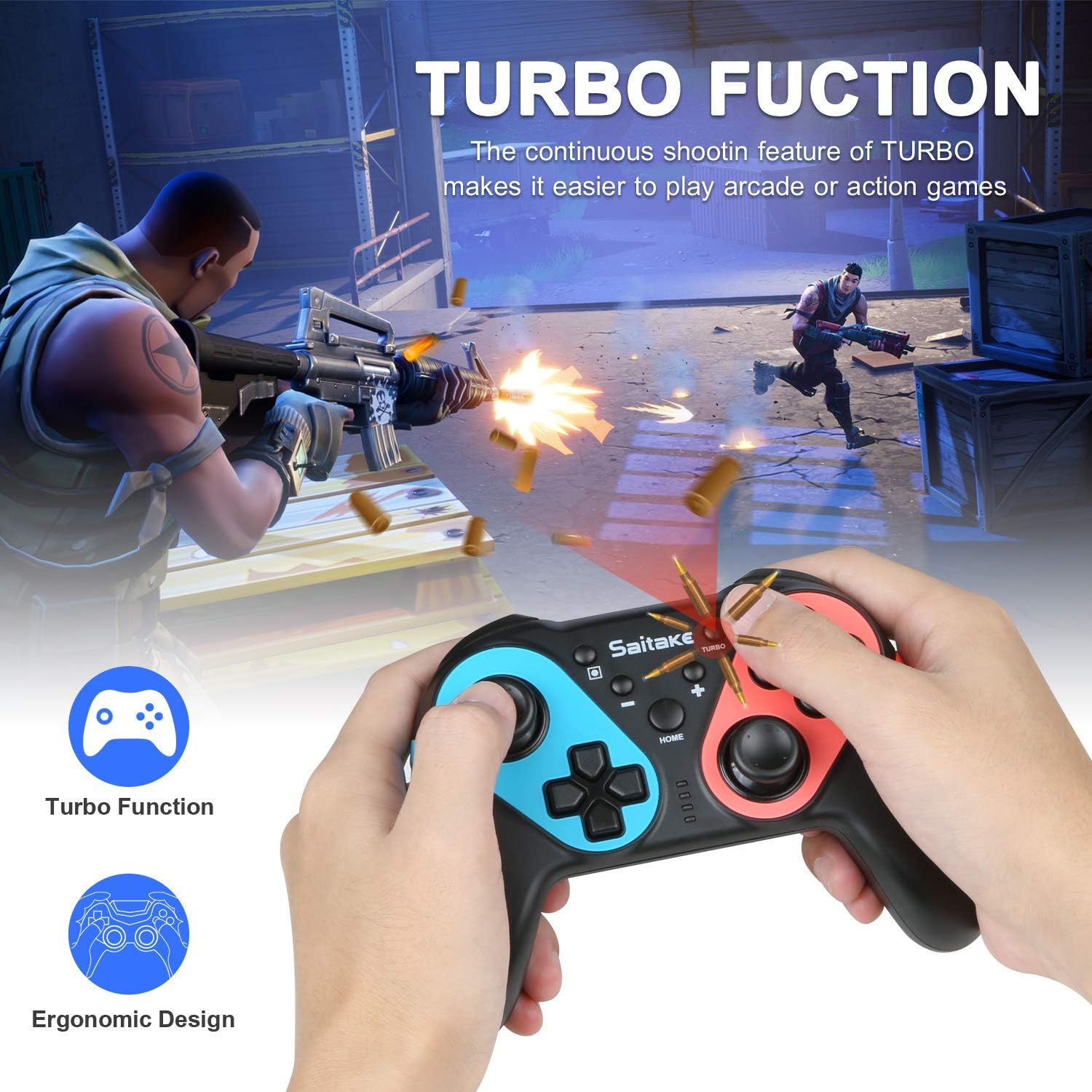
ചിത്രം: Depiction of the Turbo function in action, showing rapid firing in a game, alongside an ergonomic design.
- ടർബോ സജീവമാക്കാൻ: അമർത്തിപ്പിടിക്കുക ടർബോ ബട്ടൺ, then press the desired action button (A/B/X/Y/L/R/ZL/ZR). The button will now continuously input when held down.
- ടർബോ നിർജ്ജീവമാക്കാൻ: Repeat the activation steps (hold Turbo, then press the action button again).
2. ക്രമീകരിക്കാവുന്ന വൈബ്രേഷൻ
The controller features dual motors with three levels of vibration feedback (Weak, Moderate, Strong) to enhance your gaming experience.

ചിത്രം: Diagram illustrating the three adjustable vibration levels: Weak, Moderate, and Strong, with internal motor representation.
Specific instructions for adjusting vibration levels are typically found in the console's controller settings or through a button combination (refer to the product packaging or manufacturer's website if not detailed here).
3. NFC Function (Amiibo Support)
The controller includes built-in NFC functionality, allowing you to use Amiibo figures for in-game bonuses and features.
ചിത്രം: The ECHTPower Wireless Pro Controller with an NFC icon, surrounded by various Amiibo figures (Pikachu, Ryu, Mario, Link, Rathalos), demonstrating quick induction for equipment.
- To use an Amiibo, place the Amiibo figure on the NFC area of the controller (typically near the HOME button) when prompted by a compatible game.
4. 6-Axis Gyroscope and High Precise Joysticks
The controller features a sensitive 6-axis gyroscope for motion control and high-precision joysticks for accurate input, enhancing gameplay in titles that utilize these features.
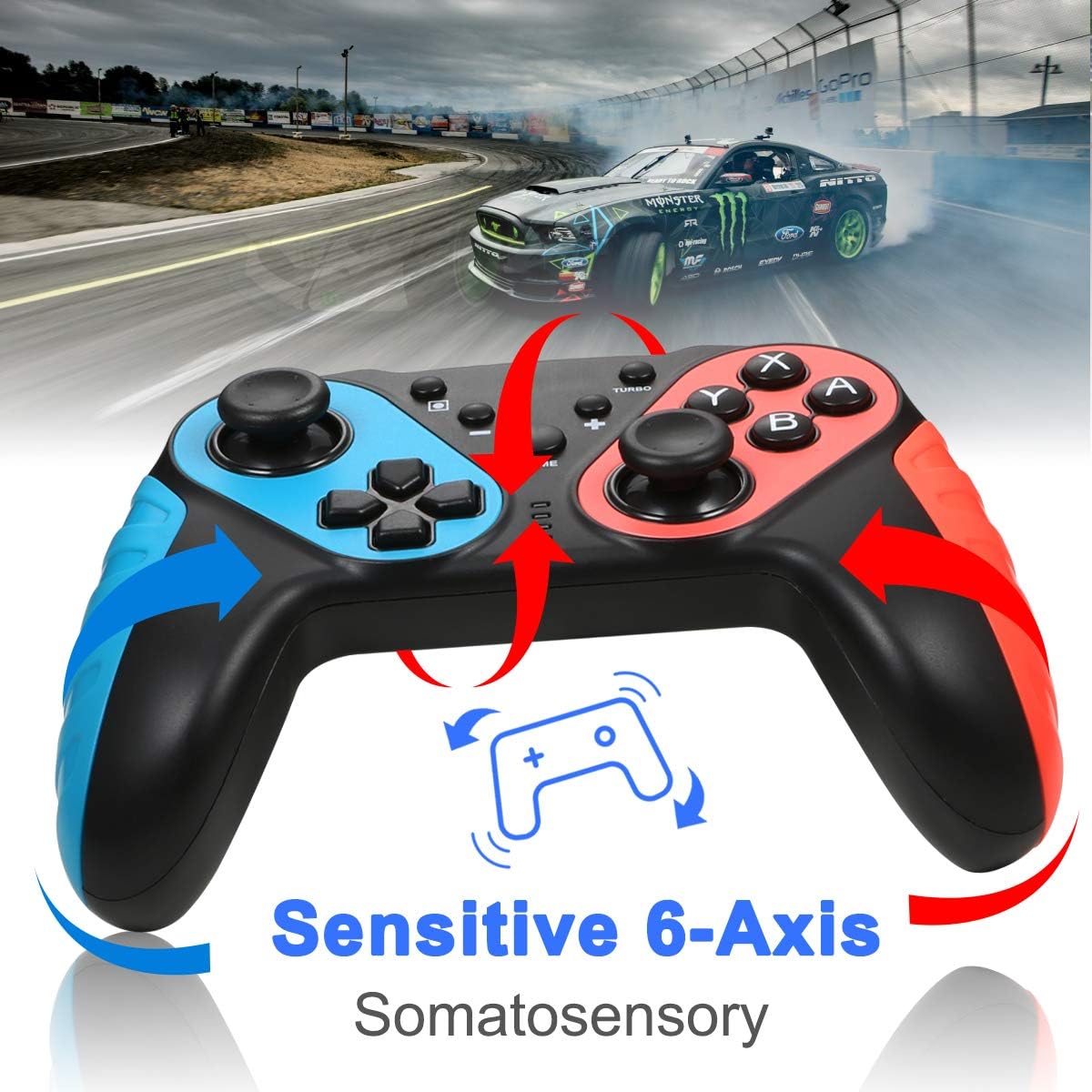
ചിത്രം: The ECHTPower Wireless Pro Controller with arrows indicating sensitive 6-axis somatosensory movement, suggesting motion control capabilities.

ചിത്രം: Close-up of the ECHTPower Wireless Pro Controller's joystick, highlighting its high precision with glowing effects.
5. കൺട്രോളർ ചാർജ് ചെയ്യുന്നു
- Connect the provided USB Type-C cable to the controller's charging port and the other end to a USB power source (e.g., Nintendo Switch dock, PC, USB wall adapter).
- The LED indicators on the controller will show charging status and turn off or change color when fully charged.
മെയിൻ്റനൻസ്
- Keep the controller dry and away from extreme temperatures.
- മൃദുവായതും ഉണങ്ങിയതുമായ തുണി ഉപയോഗിച്ച് കൺട്രോളർ വൃത്തിയാക്കുക. കഠിനമായ രാസവസ്തുക്കളോ ഉരച്ചിലുകളോ ഉള്ള വസ്തുക്കൾ ഉപയോഗിക്കരുത്.
- കൺട്രോളർ താഴെയിടുകയോ ശക്തമായ ആഘാതങ്ങൾക്ക് വിധേയമാക്കുകയോ ചെയ്യുന്നത് ഒഴിവാക്കുക.
- കേടുപാടുകൾ തടയാൻ ഉപയോഗത്തിലില്ലാത്തപ്പോൾ കൺട്രോളർ സുരക്ഷിതമായ സ്ഥലത്ത് സൂക്ഷിക്കുക.
ട്രബിൾഷൂട്ടിംഗ്
- കൺട്രോളർ കണക്റ്റുചെയ്യുന്നില്ല:
- കൺട്രോളർ ചാർജ്ജ് ചെയ്തിട്ടുണ്ടെന്ന് ഉറപ്പാക്കുക.
- Repeat the pairing process (HOME + Y).
- Check if the Switch console's system software is up to date.
- Move closer to the Switch console to ensure a strong Bluetooth signal.
- ബട്ടണുകളോ ജോയ്സ്റ്റിക്കുകളോ പ്രതികരിക്കുന്നില്ല:
- Restart the controller by holding the HOME button for 10 seconds, then re-pair.
- Ensure no physical obstructions are affecting button presses.
- Vibration is not working:
- Check in-game settings and Switch console settings to ensure vibration is enabled.
- Adjust vibration intensity if applicable.
- NFC (Amiibo) not detected:
- Ensure the Amiibo is placed correctly on the NFC area.
- Verify the game supports Amiibo functionality.
സ്പെസിഫിക്കേഷനുകൾ
| കണക്റ്റിവിറ്റി | Wireless (Bluetooth) / Wired (USB Type-C) |
| അനുയോജ്യത | Nintendo Switch, Nintendo Switch OLED, Desktop PC, Notebook PC |
| പ്രത്യേക സവിശേഷതകൾ | Turbo Function, 6-Axis Gyroscope, Dual Motor Vibration (3 levels), NFC (Amiibo Support), High Precise Joysticks, Ergonomic Design |
| ചാർജിംഗ് പോർട്ട് | യുഎസ്ബി ടൈപ്പ്-സി |
വാറൻ്റിയും പിന്തുണയും
For warranty information or technical support, please refer to the contact details provided on the product packaging or visit the official ECHTPower webസൈറ്റ്. വാറൻ്റി ക്ലെയിമുകൾക്കായി നിങ്ങളുടെ വാങ്ങൽ രസീത് സൂക്ഷിക്കുക.