
ആമുഖം
Thank you for choosing the DEPSTECH D04 1080P HD Webcam. നിങ്ങളുടെ ഉപകരണം സജ്ജീകരിക്കുന്നതിനും പ്രവർത്തിപ്പിക്കുന്നതിനും പരിപാലിക്കുന്നതിനും ആവശ്യമായ വിവരങ്ങൾ ഈ മാനുവൽ നൽകുന്നു. webcam to ensure optimal performance. The D04 webcam is designed to deliver sharp, crystal-clear video and natural audio for various applications, including video conferencing, online teaching, streaming, and gaming.
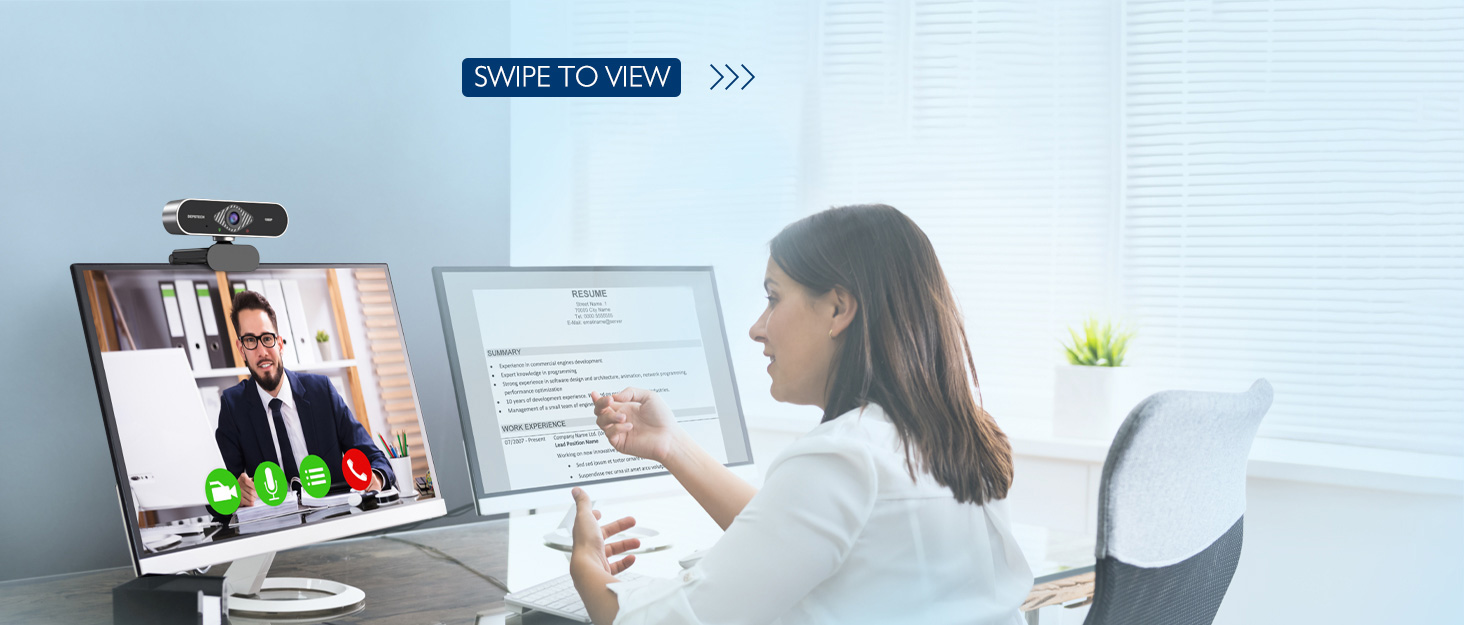
Image: DEPSTECH D04 Webcam in use for a video conference.
പ്രധാന സവിശേഷതകൾ:
- ഫുൾ HD 1080P വീഡിയോ: Delivers sharp and crystal-clear video at 30 frames per second with a 6-layer glass HD lens and 1/2.9” CMOS image sensor.
- Stereo Microphone with Noise Reduction: Features an automatic noise reduction function for clearer and more natural sound, even in noisy environments.
- Automatic Light Correction & HDR: Ensures excellent video quality even in dimly lit conditions.
- പ്ലഗ് ആൻഡ് പ്ലേ: No additional drivers or software required for most operating systems.
- വിശാലമായ അനുയോജ്യത: Works with MAC OS, Windows XP/7/8/10, and popular applications like Skype, YouTube, Yahoo!, and Zoom.
പാക്കേജ് ഉള്ളടക്കം
- ഡെപ്സ്ടെക് D04 Webക്യാമറ
- മിനി ട്രൈപോഡ്
- സ്വകാര്യത കവർ
- ഉപയോക്തൃ മാനുവൽ
സജ്ജീകരണ നിർദ്ദേശങ്ങൾ
1. Placement of the Webക്യാമറ
DEPSTECH D04 webcam features a flexible mounting clip that allows it to be placed on various devices or surfaces.
- ഒരു മോണിറ്റർ/ലാപ്ടോപ്പ് സ്ക്രീനിൽ: ക്ലിപ്പ് തുറന്ന് webcam on top of your monitor or laptop screen. Adjust the angle so the camera is stable and facing you.
- ഒരു ട്രൈപോഡിൽ: അറ്റാച്ചുചെയ്യുക webcam to the included mini tripod using the universal screw mount at the bottom of the clip. Place the tripod on a flat surface.
- പരന്ന പ്രതലത്തിൽ: The clip can also be folded to create a stand, allowing the webcam to sit directly on your desk or shelf.

ചിത്രം: Webcam mounted on a laptop screen.

ചിത്രം: Webcam mounted on a tripod.
2. ബന്ധിപ്പിക്കുന്നു Webക്യാമറ
DEPSTECH D04 webcam is a plug-and-play device, requiring no additional driver installation for most operating systems.
- എന്നതിൽ നിന്ന് USB കേബിൾ ബന്ധിപ്പിക്കുക webcam to an available USB port on your computer (desktop or laptop).
- Wait for your operating system to automatically detect and install the device. This usually takes a few seconds.
- Once detected, the webcam is ready for use with your preferred video communication or recording software.

Image: USB connection for the webക്യാം
പ്രവർത്തന നിർദ്ദേശങ്ങൾ
1. ഉപയോഗിക്കുന്നത് Webcam with Software
After connecting, your DEPSTECH D04 webcam will be recognized as a standard video and audio input device by most applications.
- Open your desired video conferencing, streaming, or recording application (e.g., Zoom, Skype, OBS, YouTube, Facetime).
- Navigate to the application's settings or preferences, usually under 'Audio' and 'Video' sections.
- Select "DEPSTECH D04 Webcam" or "USB 2.0 Camera" as your video input device.
- Select "USB 2.0 Camera Audio" as your microphone input device.
- ആപ്ലിക്കേഷനിൽ ആവശ്യാനുസരണം വീഡിയോ, ഓഡിയോ ക്രമീകരണങ്ങൾ ക്രമീകരിക്കുക.

Image: User engaged in a video call with the webക്യാം
2. സ്വകാര്യതാ കവർ
ദി webcam includes a privacy cover for enhanced security and peace of mind. Slide the cover over the lens when the webcam is not in use to prevent accidental recordings or unauthorized access.

ചിത്രം: Webcam with the privacy cover closed.
3. ഇൻഡിക്കേറ്റർ ലൈറ്റുകൾ
ദി webcam features indicator lights to show its status:
- ഗ്രീൻ ലൈറ്റ്: Indicates the camera is active and in use by an application.
- ചുവന്ന വെളിച്ചം: സൂചിപ്പിക്കുന്നു webcam is powered on and connected.
മെയിൻ്റനൻസ്
To ensure the longevity and optimal performance of your DEPSTECH D04 webcam, ഈ പരിപാലന മാർഗ്ഗനിർദ്ദേശങ്ങൾ പാലിക്കുക:
- ലെൻസ് വൃത്തിയാക്കൽ: മൃദുവായതും ലിന്റ് രഹിതവുമായ തുണി ഉപയോഗിച്ച് ലെൻസ് സൌമ്യമായി തുടയ്ക്കുക. ലെൻസിൽ പോറൽ വീഴ്ത്താൻ സാധ്യതയുള്ള കഠിനമായ രാസവസ്തുക്കളോ ഉരച്ചിലുകളോ ഉപയോഗിക്കുന്നത് ഒഴിവാക്കുക.
- ശരീരം വൃത്തിയാക്കൽ: പുറംഭാഗം വൃത്തിയാക്കാൻ മൃദുവായതും ഉണങ്ങിയതുമായ തുണി ഉപയോഗിക്കുക webക്യാം
- സംഭരണം: When not in use, especially for extended periods, store the webcam in a clean, dry place. Use the privacy cover to protect the lens.
- തീവ്രമായ അവസ്ഥകൾ ഒഴിവാക്കുക: തുറന്നുകാട്ടരുത് webതീവ്രമായ താപനില, ഈർപ്പം അല്ലെങ്കിൽ നേരിട്ടുള്ള സൂര്യപ്രകാശം എന്നിവയിൽ പിടിക്കുക.
ട്രബിൾഷൂട്ടിംഗ്
If you encounter issues with your DEPSTECH D04 webcam-ൽ, ഇനിപ്പറയുന്ന പൊതുവായ പരിഹാരങ്ങൾ കാണുക:
- Webക്യാമറ കണ്ടെത്തിയില്ല:
- ബന്ധിപ്പിക്കാൻ ശ്രമിക്കുക webനിങ്ങളുടെ കമ്പ്യൂട്ടറിലെ മറ്റൊരു USB പോർട്ടിലേക്ക് cam ബന്ധിപ്പിക്കുക.
- നിങ്ങളുടെ കമ്പ്യൂട്ടർ പുനരാരംഭിക്കുക.
- USB കേബിൾ സുരക്ഷിതമായി ബന്ധിപ്പിച്ചിട്ടുണ്ടെന്ന് ഉറപ്പാക്കുക.
- നിങ്ങളുടെ ഓപ്പറേറ്റിംഗ് സിസ്റ്റത്തിന്റെ ഉപകരണ മാനേജർ (Windows) അല്ലെങ്കിൽ സിസ്റ്റം വിവരങ്ങൾ (Mac) പരിശോധിച്ച് webകാം ലിസ്റ്റ് ചെയ്തിട്ടുണ്ട്.
- വീഡിയോ ഇല്ല/കറുത്ത സ്ക്രീൻ:
- സ്വകാര്യതാ കവർ തുറന്നിട്ടുണ്ടെന്ന് ഉറപ്പാക്കുക.
- എന്ന് പരിശോധിക്കുക webനിങ്ങളുടെ ആപ്ലിക്കേഷന്റെ ക്രമീകരണങ്ങളിൽ വീഡിയോ ഇൻപുട്ട് ഉപകരണമായി cam തിരഞ്ഞെടുത്തിരിക്കുന്നു.
- ആപ്ലിക്കേഷൻ അടച്ച് വീണ്ടും തുറക്കുക.
- ഓഡിയോ ഇല്ല/മോശം ഓഡിയോ നിലവാരം:
- Ensure "USB 2.0 Camera Audio" is selected as the microphone input in your application's settings.
- മൈക്രോഫോൺ പ്രവർത്തനക്ഷമമാക്കിയിട്ടുണ്ടെന്നും നിശബ്ദമാക്കിയിട്ടില്ലെന്നും ഉറപ്പാക്കാൻ നിങ്ങളുടെ കമ്പ്യൂട്ടറിന്റെ ശബ്ദ ക്രമീകരണങ്ങൾ പരിശോധിക്കുക.
- Adjust the microphone input volume in your application or system settings.
- മോശം വീഡിയോ നിലവാരം:
- Ensure you have adequate lighting in your environment. The webcam has auto light correction, but good ambient light helps.
- വൃത്തിയാക്കുക webകാം ലെൻസ്.
- Check your internet connection speed if streaming or video conferencing.
സ്പെസിഫിക്കേഷനുകൾ
| ബ്രാൻഡ് | DEPSTECH |
| മോഡൽ നമ്പർ | D04 |
| വീഡിയോ ക്യാപ്ചർ റെസല്യൂഷൻ | 1080p |
| ഇമേജ് ക്യാപ്ചർ വേഗത | 30 fps |
| ഫോട്ടോ സെൻസർ ടെക്നോളജി | CMOS (1/2.9” CMOS image sensor) |
| ഫോക്കസ് തരം | സ്ഥിരമായ ഫോക്കസ് |
| ലെൻസ് തരം | വൈഡ് ആംഗിൾ |
| കണക്റ്റിവിറ്റി ടെക്നോളജി | USB |
| പിന്തുണയ്ക്കുന്ന ഓഡിയോ ഫോർമാറ്റ് | സ്റ്റീരിയോ |
| പ്രത്യേക സവിശേഷതകൾ | Auto Light Correction, Noise Canceling Microphone, Tripod and Privacy Cover Included |
| ഓപ്പറേറ്റിംഗ് സിസ്റ്റം അനുയോജ്യത | Mac OS, Windows XP/7/8/10 |
| നിറം | കറുപ്പ് |
വാറൻ്റി വിവരങ്ങൾ
DEPSTECH D04 Webകാം വരുന്നു ഒരു 1 വർഷത്തെ വാറൻ്റി from the date of purchase. This warranty covers manufacturing defects and ensures the product is free from defects in material and workmanship under normal use. Please retain your proof of purchase for warranty claims. The warranty does not cover damage caused by misuse, accident, unauthorized modification, or external causes.
പിന്തുണ
For further assistance, technical support, or warranty inquiries, please contact DEPSTECH customer service. You can typically find contact information on the official DEPSTECH webസൈറ്റ് അല്ലെങ്കിൽ നിങ്ങൾ ഉൽപ്പന്നം വാങ്ങിയ റീട്ടെയിലർ വഴി.
Please have your model number (D04) and proof of purchase ready when contacting support.