
1. ആമുഖം
Thank you for choosing the Hiseeu IP Camera PTZ 3MP Full Color Night Vision Alexa Indoor Camera. This manual provides essential information for the proper installation, operation, and maintenance of your camera. Please read it thoroughly before use and retain it for future reference.
2. പാക്കേജ് ഉള്ളടക്കം
എല്ലാ ഇനങ്ങളും ഉണ്ടെന്നും നല്ല നിലയിലാണെന്നും ഉറപ്പാക്കാൻ പാക്കേജ് ഉള്ളടക്കങ്ങൾ പരിശോധിക്കുക:
- Hiseeu IP Camera (Main Unit)
- പവർ അഡാപ്റ്റർ
- ലാൻ കേബിൾ
- മൗണ്ടിംഗ് സ്ക്രൂകളും വാൾ പ്ലഗുകളും
- Waterproof Connector for LAN Cable
- ഉപയോക്തൃ മാനുവൽ (ജാപ്പനീസ്)
കുറിപ്പ്: The included user manual is in Japanese. This document serves as an English instruction guide.
This video demonstrates the unboxing of the Hiseeu IP Camera, showing the included accessories such as the power adapter and LAN cable. It then shows the initial power-on sequence of the camera, including the self-test rotation and light activation.
3. സജ്ജീകരണം
3.1 പ്രാരംഭ പവർ-ഓൺ
- ക്യാമറയുടെ പവർ ഇൻപുട്ട് പോർട്ടിലേക്ക് പവർ അഡാപ്റ്റർ ബന്ധിപ്പിക്കുക.
- ഒരു ഇലക്ട്രിക്കൽ ഔട്ട്ലെറ്റിൽ പവർ അഡാപ്റ്റർ പ്ലഗ് ചെയ്യുക.
- The camera will perform a self-test, rotating and activating its lights. Please wait approximately 2 minutes for the camera to complete its startup sequence.

A close-up of the camera showing the SD card slot for local storage (up to 128GB) and the reset button, which is protected by a waterproof cover.
3.2 App Registration and Camera Connection
To use the camera's smart features, you need to download the 'EseeCloud' app and connect the camera to your network.
- Download the free 'EseeCloud' application from Google Play or the App Store.
- Register an account within the app using your email address or phone number.
- Before connecting, ensure both the camera and your mobile device are near your WiFi router.
- In the app, select to add a new device. You may need to scan a QR code on the camera or manually enter its ID.
- Connect your mobile device to the camera's hotspot (e.g., 'IPCxxxxxx'). The initial password is '11111111'.
- Once connected to the camera's hotspot, return to the EseeCloud app and select your home WiFi network. Enter your WiFi password.
- The camera will attempt to connect to your WiFi network. This process may take 1-2 minutes. If connection fails, try again.
- After successful connection, you will be prompted to set a device name and a new password for the camera.

This diagram illustrates the three ways to connect the Hiseeu camera: directly via WiFi, using a LAN cable, or integrating it into a Hiseeu wireless NVR system.
3.3 NVR Pairing Method
This camera is compatible with Hiseeu, YESKAMO, HeimVision, ZOSI, and SMONET wireless camera systems.
- Using the provided pin, press and hold the reset button on the camera for 3-4 seconds to restore factory settings.
- Perform the initial setup as per your NVR system's instructions.
- Right-click the NVR mouse and select 'Add Wireless' to add the camera to your NVR system.
4. ഓപ്പറേഷൻ
4.1 വിദൂര Viewഇംഗും നിയന്ത്രണവും
കണക്റ്റുചെയ്തുകഴിഞ്ഞാൽ, നിങ്ങൾക്ക് കഴിയും view തത്സമയംtage and control the camera from anywhere using the EseeCloud app on your smartphone or tablet. CMS software is also available for Windows, and MAC CMS software can be requested via email to Hiseeu.
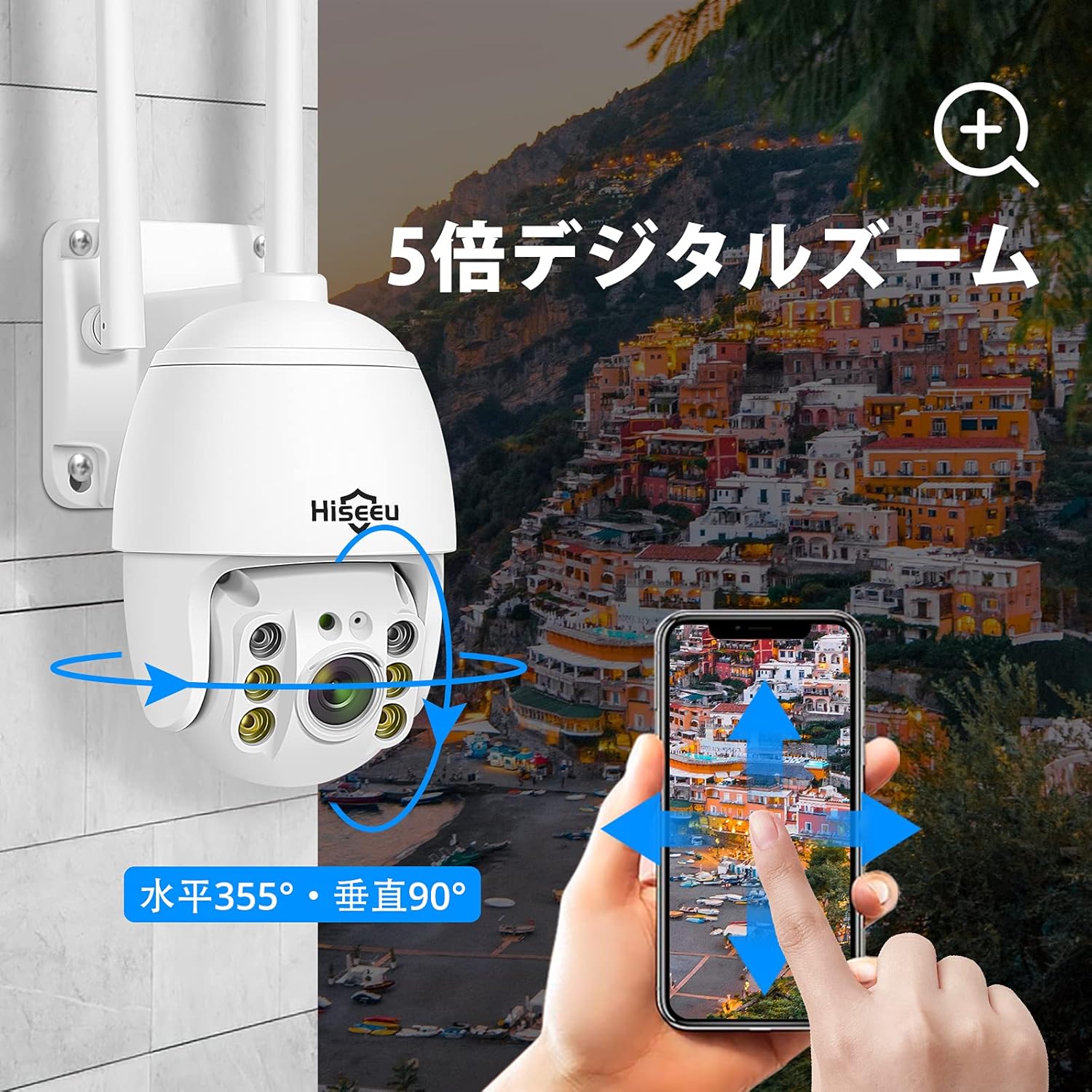
This image illustrates the Hiseeu PTZ camera's 5x digital zoom capability and its flexible pan (355°) and tilt (90°) movement, controllable through a smartphone application.
4.2 പാൻ, ടിൽറ്റ്, ഡിജിറ്റൽ സൂം
The camera offers 360° coverage with 320° horizontal pan and 90° vertical tilt. You can control these movements directly from the EseeCloud app. The camera also supports 5x digital zoom, which can be activated within the app.
4.3 നൈറ്റ് വിഷൻ മോഡുകൾ
The camera is equipped with 2 infrared LEDs and 4 white LEDs, supporting two night vision modes for clear images in various lighting conditions:
- പൂർണ്ണ വർണ്ണ രാത്രി ദർശനം: Utilizes the white LEDs to provide color images even in low-light environments.
- ഇൻഫ്രാറെഡ് നൈറ്റ് വിഷൻ: പൂർണ്ണമായ ഇരുട്ടിൽ കറുപ്പും വെളുപ്പും ചിത്രങ്ങൾ എടുക്കാൻ ഇൻഫ്രാറെഡ് LED-കൾ ഉപയോഗിക്കുന്നു.

This image demonstrates the camera's two night vision modes: full-color night vision using white LEDs and infrared night vision using IR LEDs for clear visibility in low light.
4.4 മോഷൻ ഡിറ്റക്ഷനും അലേർട്ടുകളും
The camera features advanced motion detection. When motion is detected, the camera will automatically send real-time notifications to your smartphone. You can customize specific detection zones within the app to reduce false alarms. Additionally, the built-in strobe light and loud siren can be activated to deter intruders.

The camera detects motion, activating a strobe light and sending an alert to a smartphone, illustrating its security features against intruders.
4.5 ടു-വേ ഓഡിയോ
The integrated microphone and speaker enable two-way audio communication. You can listen to the camera's surroundings and speak through the camera using the EseeCloud app, allowing for remote interaction.
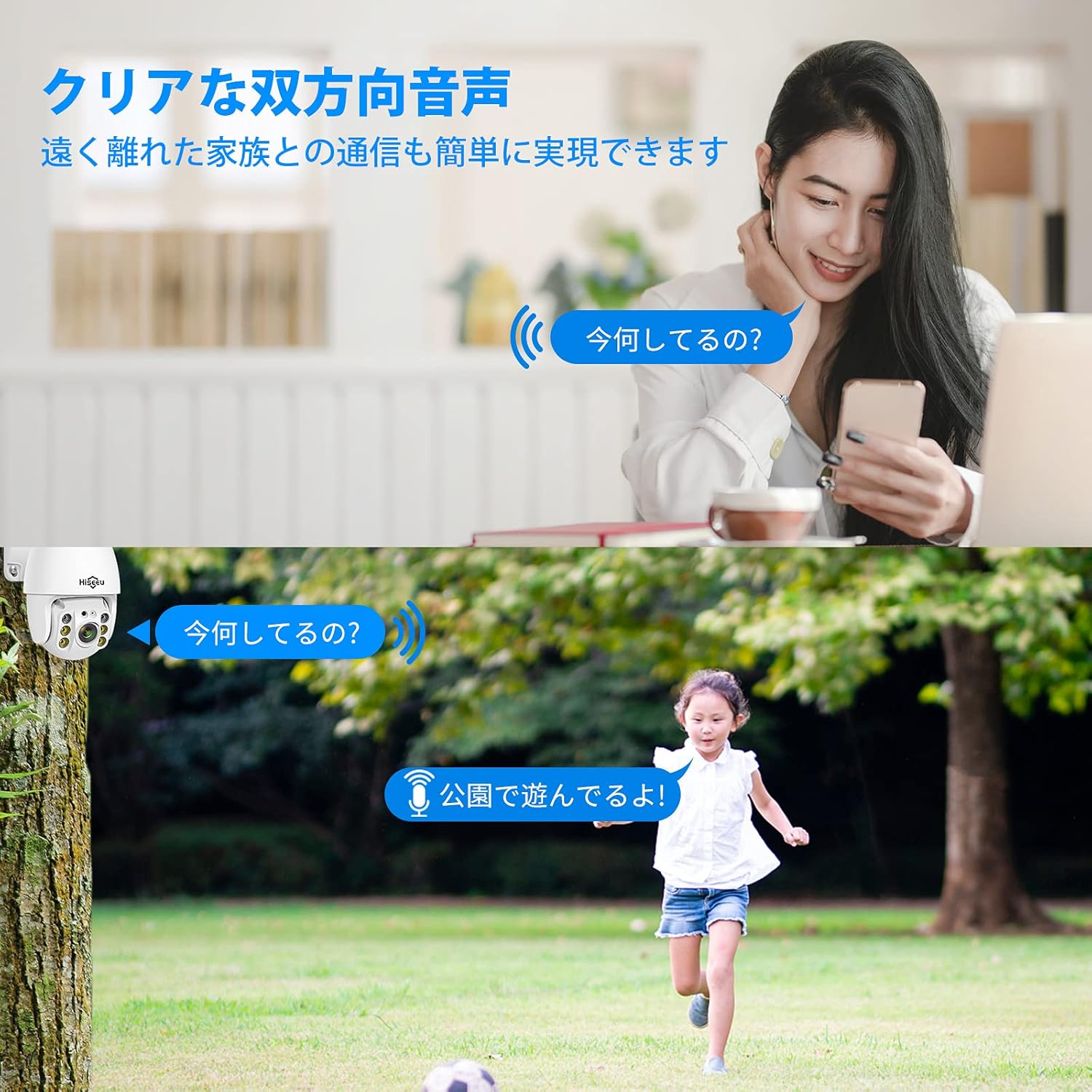
This image shows the camera's two-way audio function, allowing users to communicate remotely, for example, speaking to a child playing outdoors.
4.6 ലോക്കൽ സ്റ്റോറേജ്
The camera supports local recording to an SD card, up to 128GB. Insert the SD card into the designated slot on the camera. Ensure the SD card is formatted correctly for optimal performance.
5. പരിപാലനം
- വൃത്തിയാക്കൽ: ക്യാമറ ലെൻസും ബോഡിയും വൃത്തിയാക്കാൻ മൃദുവായതും ഉണങ്ങിയതുമായ തുണി ഉപയോഗിക്കുക. കഠിനമായ രാസവസ്തുക്കളോ അബ്രസീവ് ക്ലീനറുകളോ ഉപയോഗിക്കരുത്.
- ഫേംവെയർ അപ്ഡേറ്റുകൾ: Regularly check the EseeCloud app for available firmware updates to ensure optimal performance and security.
- SD കാർഡ് മാനേജുമെന്റ്: If using an SD card for recording, periodically review ഒപ്പം സംഭരിച്ച foo നിയന്ത്രിക്കുകtage. Replace the SD card if it shows signs of wear or malfunction.
- വൈദ്യുതി വിതരണം: ക്യാമറ ഒരു സ്ഥിരതയുള്ള പവർ സ്രോതസ്സുമായി ബന്ധിപ്പിച്ചിട്ടുണ്ടെന്ന് ഉറപ്പാക്കുക. ഇടയ്ക്കിടെയുള്ള വൈദ്യുതി തടസ്സങ്ങൾ ഒഴിവാക്കുക.
6. പ്രശ്നപരിഹാരം
| പ്രശ്നം | സാധ്യമായ കാരണം | പരിഹാരം |
|---|---|---|
| ക്യാമറ ഓണാക്കുന്നില്ല | No power, faulty adapter | Check power connection and adapter. Ensure the outlet is working. |
| വൈഫൈയിലേക്ക് കണക്റ്റ് ചെയ്യാനാവുന്നില്ല | Incorrect WiFi password, 5GHz network, camera too far from router | Verify WiFi password. Ensure you are connecting to a 2.4GHz network. Move camera closer to the router. Reset camera and try again. |
| ചലനം കണ്ടെത്തൽ അലേർട്ടുകളൊന്നുമില്ല | Motion detection disabled, sensitivity too low, incorrect detection zone | Enable motion detection in the app. Adjust sensitivity settings. Configure detection zones correctly. |
| മോശം ചിത്ര നിലവാരം | Dirty lens, low bandwidth, insufficient lighting | Clean the camera lens. Ensure stable internet connection. Check night vision settings. |
| ടു-വേ ഓഡിയോ പ്രവർത്തിക്കുന്നില്ല | Microphone/speaker disabled, app permissions | Check audio settings in the app. Ensure app has microphone permissions on your device. |
7 സ്പെസിഫിക്കേഷനുകൾ
- മോഡൽ നമ്പർ: WHD902A
- ബ്രാൻഡ്: ഹിസ്യു
- വീഡിയോ ക്യാപ്ചർ റെസല്യൂഷൻ: 3 എംപി (2304x1536പി)
- ലെൻസ്: 110° വൈഡ് ആംഗിൾ
- പാൻ/ടിൽറ്റ് ശ്രേണി: തിരശ്ചീനം 320°, ലംബം 90°
- ഡിജിറ്റൽ സൂം: 5x
- രാത്രി കാഴ്ച: 2 Infrared LEDs, 4 White LEDs (Full-Color & Infrared modes)
- കണക്റ്റിവിറ്റി ടെക്നോളജി: Wireless (2.4 GHz Wi-Fi only)
- കണക്ഷൻ പ്രോട്ടോക്കോൾ: വൈഫൈ
- അനുയോജ്യമായ ഉപകരണങ്ങൾ: Smartphone (Android/iOS), Tablet, Windows (CMS software), Mac (CMS software via email request)
- സംഭരണം: 128GB വരെ SD കാർഡ് പിന്തുണയ്ക്കുന്നു
- വാട്ടർപ്രൂഫ് റേറ്റിംഗ്: IP66
- ശുപാർശ ചെയ്യുന്ന ഉപയോഗം: ഇൻഡോർ, ഔട്ട്ഡോർ
- അലേർട്ട് തരം: Motion Only (with strobe light and siren)
- ഓഡിയോ: ടു-വേ ഓഡിയോ
- ശക്തി: DC 12V (പവർ അഡാപ്റ്റർ ഉൾപ്പെടുത്തിയിരിക്കുന്നു)
- ആവശ്യമായ ബാറ്ററികൾ: ഇല്ല
- വീഡിയോ ക്യാപ്ചർ ഫോർമാറ്റ്: MPEG-4
- UPC: 791378155859
- ASIN: B088D6WP8B

The camera is shown mounted outdoors, highlighting its IP66 waterproof rating suitable for both indoor and outdoor environments, and its continuous 24-hour recording feature.
8. വാറൻ്റിയും പിന്തുണയും
Hiseeu provides customer support for its products. For technical assistance, warranty claims, or any questions regarding your camera, please contact Hiseeu customer service. Refer to the contact information provided with your product packaging or on the official Hiseeu webസൈറ്റ്.