
1. ആമുഖം
This manual provides detailed instructions for the proper use, setup, operation, and maintenance of your Other HF-Q3 Wireless Bluetooth 2.1 Multifunction Sub-woofer Speaker. Please read this manual thoroughly before operating the device to ensure optimal performance and longevity.
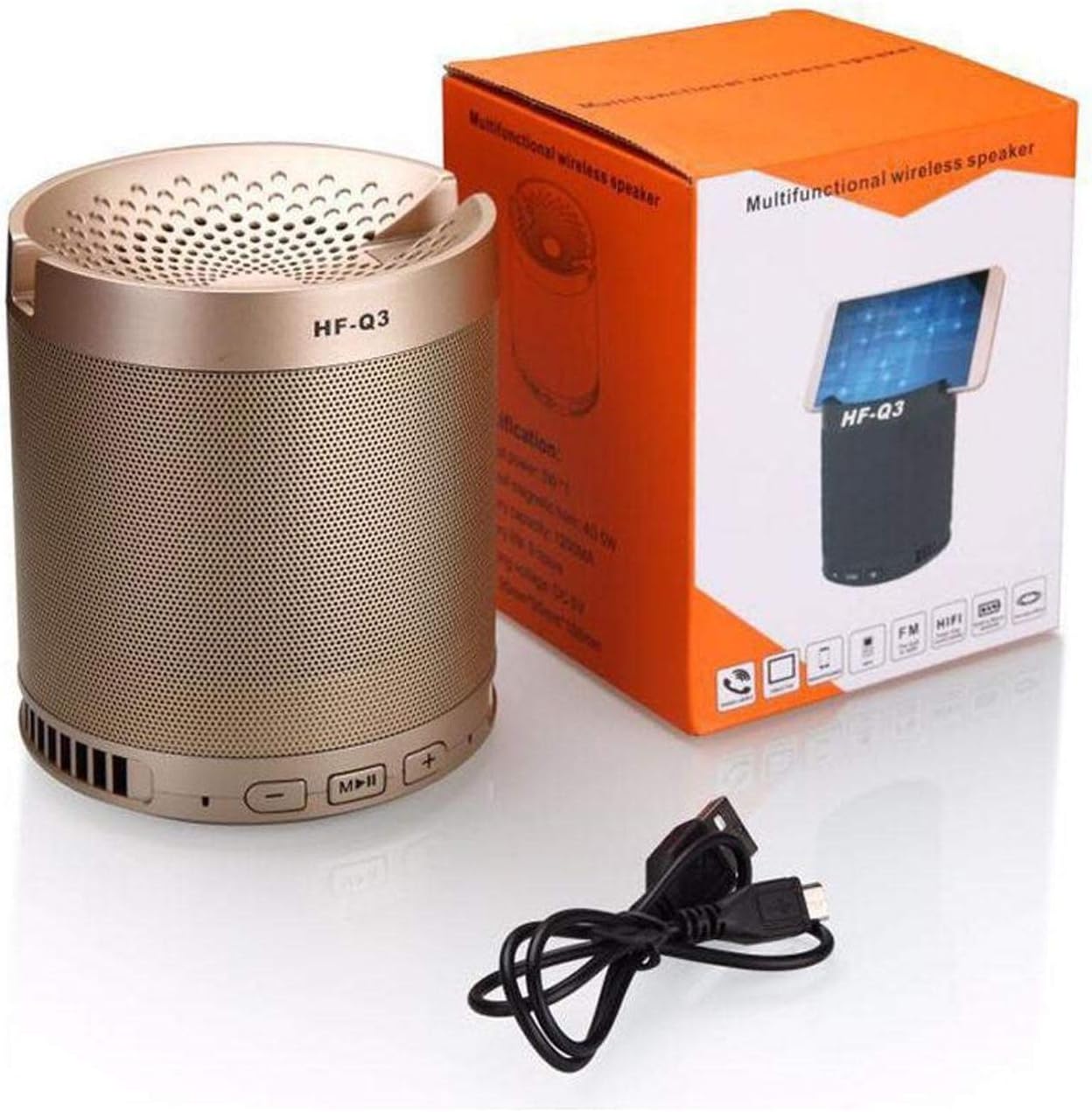
ചിത്രം 1.1: The HF-Q3 Wireless Bluetooth Speaker, its retail packaging, and a USB charging cable. This image illustrates the product as it appears when unboxed, highlighting its compact cylindrical design and included accessories.
2. ഉൽപ്പന്ന സവിശേഷതകൾ
- വയർലെസ് കണക്റ്റിവിറ്റി: Bluetooth for seamless audio streaming.
- Multifunction Design: Combines speaker functionality with a built-in phone stand.
- Sub-woofer Speaker: Designed to deliver enhanced bass audio.
- പോർട്ടബിൾ: എളുപ്പമുള്ള ഗതാഗതത്തിനായി ഒതുക്കമുള്ളതും ഭാരം കുറഞ്ഞതും.
- ഓഡിയോ ഇൻപുട്ട്: Supports Audio Jack (AUX) connection.
- പവർ ഔട്ട്പുട്ട്: Nominal output of 40-50 Watts.

ചിത്രം 2.1: The HF-Q3 speaker demonstrating its integrated phone stand feature. A smartphone is shown resting securely in the top groove of the speaker, illustrating its dual functionality.
3. പാക്കേജ് ഉള്ളടക്കം
പാക്കേജിൽ ഇനിപ്പറയുന്ന ഇനങ്ങൾ ഉണ്ടോ എന്ന് പരിശോധിക്കുക:
- HF-Q3 Wireless Bluetooth Speaker
- യുഎസ്ബി ചാർജിംഗ് കേബിൾ
- ഉപയോക്തൃ മാനുവൽ (ഈ പ്രമാണം)
4. സജ്ജീകരണം
4.1 സ്പീക്കർ ചാർജ് ചെയ്യുന്നു
- Connect the small end of the provided USB charging cable to the charging port on the speaker.
- USB കേബിളിന്റെ വലിയ അറ്റം ഒരു USB പവർ അഡാപ്റ്ററുമായി (ഉൾപ്പെടുത്തിയിട്ടില്ല) അല്ലെങ്കിൽ ഒരു കമ്പ്യൂട്ടറിന്റെ USB പോർട്ടുമായി ബന്ധിപ്പിക്കുക.
- The charging indicator light (if present) will illuminate, typically red, during charging.
- Once fully charged, the indicator light may change color (e.g., turn off or turn blue/green). Disconnect the speaker from the charger.
4.2 പവർ ഓൺ/ഓഫ്
- പവർ ഓണാക്കാൻ: Press and hold the Power button (often integrated with the Play/Pause button) for a few seconds until you hear an audible prompt or see an indicator light.
- പവർ ഓഫ് ചെയ്യാൻ: കേൾക്കാവുന്ന ഒരു പ്രോംപ്റ്റ് കേൾക്കുന്നതുവരെയോ ഇൻഡിക്കേറ്റർ ലൈറ്റ് ഓഫാകുന്നതുവരെയോ പവർ ബട്ടൺ വീണ്ടും കുറച്ച് സെക്കൻഡ് അമർത്തിപ്പിടിക്കുക.
5. പ്രവർത്തന നിർദ്ദേശങ്ങൾ

ചിത്രം 5.1: എ വിശദമായി view of the control panel located on the top edge of the HF-Q3 speaker. Buttons for volume control (- and +) and media playback (Play/Pause/Mode) are clearly visible, indicating their positions for user interaction.
5.1 ബ്ലൂടൂത്ത് ജോടിയാക്കൽ
- Ensure the speaker is powered on and in Bluetooth pairing mode. An indicator light (often blue) will flash rapidly, and you may hear an audible prompt.
- നിങ്ങളുടെ സ്മാർട്ട്ഫോണിലോ, ടാബ്ലെറ്റിലോ, അല്ലെങ്കിൽ മറ്റ് ബ്ലൂടൂത്ത് പ്രവർത്തനക്ഷമമാക്കിയ ഉപകരണത്തിലോ, ബ്ലൂടൂത്ത് ക്രമീകരണങ്ങളിലേക്ക് നാവിഗേറ്റ് ചെയ്യുക.
- Scan for available devices. You should see "HF-Q3" or a similar name appear in the list.
- Select "HF-Q3" to initiate pairing.
- Once paired, the speaker will emit an audible confirmation, and the Bluetooth indicator light will typically stop flashing and remain solid.
5.2 നിയന്ത്രണ ബട്ടണുകൾ ഉപയോഗിക്കുന്നു
- Play/Pause Button (M/||):
- Press once to Play or Pause audio.
- Press and hold to switch between modes (Bluetooth, AUX, FM Radio if available).
- വോളിയം കുറയ്ക്കൽ / മുമ്പത്തെ ട്രാക്ക് ബട്ടൺ (-):
- ശബ്ദം കുറയ്ക്കാൻ ഒരിക്കൽ അമർത്തുക.
- മുമ്പത്തെ ട്രാക്കിലേക്ക് പോകാൻ അമർത്തിപ്പിടിക്കുക.
- വോളിയം കൂട്ടുക / അടുത്ത ട്രാക്ക് ബട്ടൺ (+):
- ശബ്ദം കൂട്ടാൻ ഒരിക്കൽ അമർത്തുക.
- അടുത്ത ട്രാക്കിലേക്ക് പോകാൻ അമർത്തിപ്പിടിക്കുക.
5.3 AUX ഇൻപുട്ട് മോഡ്
- 3.5mm ഓഡിയോ കേബിളിന്റെ ഒരു അറ്റം (ഉൾപ്പെടുത്തിയിട്ടില്ല) സ്പീക്കറിലെ AUX പോർട്ടുമായി ബന്ധിപ്പിക്കുക.
- Connect the other end of the audio cable to the audio output jack of your device (e.g., smartphone, MP3 player).
- The speaker should automatically switch to AUX mode, or you may need to press the Mode button (often the Play/Pause button) to select AUX.
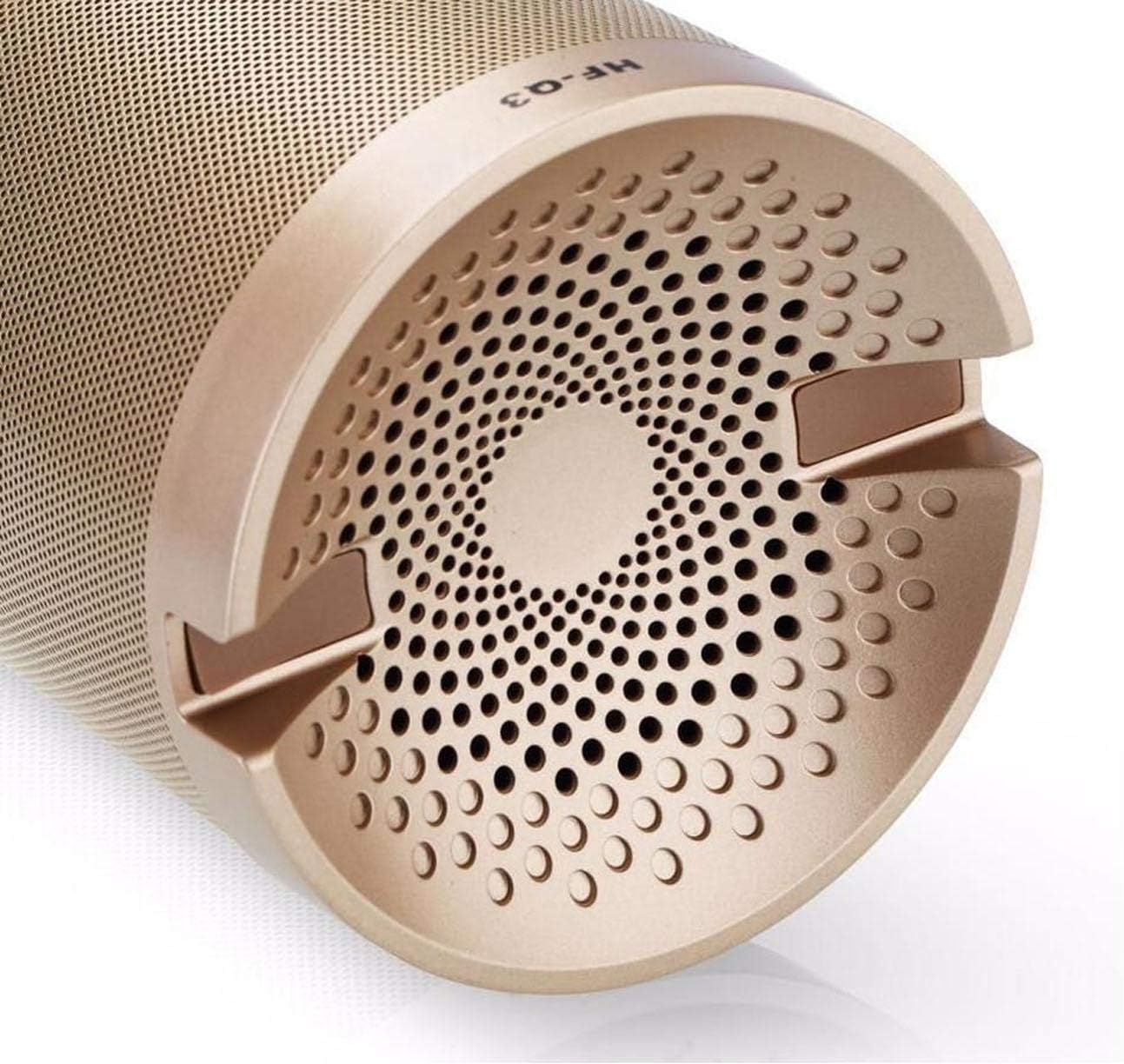
ചിത്രം 5.2: The underside of the HF-Q3 speaker, revealing the charging port and the AUX input port. This view is crucial for understanding how to connect power and external audio sources to the device.
6. പരിപാലനം
- വൃത്തിയാക്കൽ: സ്പീക്കറിന്റെ പ്രതലം തുടയ്ക്കാൻ മൃദുവായതും ഉണങ്ങിയതുമായ തുണി ഉപയോഗിക്കുക. അബ്രാസീവ് ക്ലീനറുകളോ ലായകങ്ങളോ ഉപയോഗിക്കരുത്.
- സംഭരണം: നേരിട്ടുള്ള സൂര്യപ്രകാശത്തിൽ നിന്നും കടുത്ത താപനിലയിൽ നിന്നും മാറി തണുത്തതും വരണ്ടതുമായ സ്ഥലത്ത് സ്പീക്കർ സൂക്ഷിക്കുക.
- ബാറ്ററി കെയർ: ബാറ്ററി ലൈഫ് വർദ്ധിപ്പിക്കാൻ, സ്പീക്കർ ഇടയ്ക്കിടെ പൂർണ്ണമായും ഡിസ്ചാർജ് ചെയ്യുന്നത് ഒഴിവാക്കുക. ദീർഘനേരം ഉപയോഗിച്ചിട്ടില്ലെങ്കിൽ പോലും പതിവായി ചാർജ് ചെയ്യുക.
- വാട്ടർ എക്സ്പോഷർ: This speaker is not waterproof. Avoid exposure to water or high humidity.
7. പ്രശ്നപരിഹാരം
| പ്രശ്നം | സാധ്യമായ കാരണം | പരിഹാരം |
|---|---|---|
| സ്പീക്കർ പവർ ഓൺ ചെയ്യുന്നില്ല. | ബാറ്ററി കുറവാണ് അല്ലെങ്കിൽ ചാർജ് ഇല്ല. | നൽകിയിരിക്കുന്ന USB കേബിൾ ഉപയോഗിച്ച് സ്പീക്കർ ചാർജ് ചെയ്യുക. |
| സ്പീക്കറിൽ നിന്ന് ശബ്ദമൊന്നുമില്ല. | Volume too low, incorrect mode, or device not connected. | Increase speaker and device volume. Ensure correct mode (Bluetooth/AUX) is selected. Re-pair Bluetooth or re-connect AUX cable. |
| ബ്ലൂടൂത്ത് വഴി ജോടിയാക്കാൻ കഴിയില്ല. | Speaker not in pairing mode, device Bluetooth off, or too far away. | Ensure speaker is in pairing mode (flashing indicator). Turn Bluetooth on your device. Move device closer to the speaker (within 10 meters). |
| മോശം ഓഡിയോ നിലവാരം. | Interference, low battery, or source audio quality. | Move speaker closer to the source device. Charge the speaker. Try a different audio source or file. |
8 സ്പെസിഫിക്കേഷനുകൾ
| മോഡലിൻ്റെ പേര്: | HF-Q3 |
| ബ്രാൻഡ്: | മറ്റുള്ളവ |
| സ്പീക്കർ തരം: | Bluetooth Speakers, Sub-woofer |
| കണക്റ്റിവിറ്റി ടെക്നോളജി: | Wireless (Bluetooth), Wired (Audio Jack) |
| നാമമാത്ര ഔട്ട്പുട്ട്: | 40 - 50 വാട്ട്സ് |
| ഓഡിയോ putട്ട്പുട്ട് മോഡ്: | സ്റ്റീരിയോ |
| അനുയോജ്യമായ ഉപകരണങ്ങൾ: | Smartphones, Tablets, Laptops, Televisions |
| രൂപം: | സിലിണ്ടർ |
| ഉൽപ്പന്ന ഭാരം: | ഏകദേശം 1.16 പൗണ്ട് |
9. വാറൻ്റിയും പിന്തുണയും
വാറന്റി വിവരങ്ങൾക്കും ഉപഭോക്തൃ പിന്തുണയ്ക്കും, വാങ്ങുന്ന സമയത്ത് നൽകിയിരിക്കുന്ന ഡോക്യുമെന്റേഷൻ പരിശോധിക്കുകയോ നിങ്ങളുടെ റീട്ടെയിലറെ ബന്ധപ്പെടുകയോ ചെയ്യുക. ഏതെങ്കിലും വാറന്റി ക്ലെയിമുകൾക്കായി നിങ്ങളുടെ വാങ്ങിയതിന്റെ തെളിവ് സൂക്ഷിക്കുക.
കൂടുതൽ സഹായത്തിന്, ദയവായി നിർമ്മാതാവിന്റെ വെബ്സൈറ്റ് സന്ദർശിക്കുക. webസൈറ്റ് അല്ലെങ്കിൽ അവരുടെ ഉപഭോക്തൃ സേവന വിഭാഗവുമായി ബന്ധപ്പെടുക.