
ആമുഖം
Thank you for choosing the GTRACING GT890MF Gaming Chair. This manual provides detailed instructions for the assembly, operation, maintenance, and troubleshooting of your new gaming chair. Please read this manual carefully before use to ensure proper function and longevity of the product. Keep this manual for future reference.
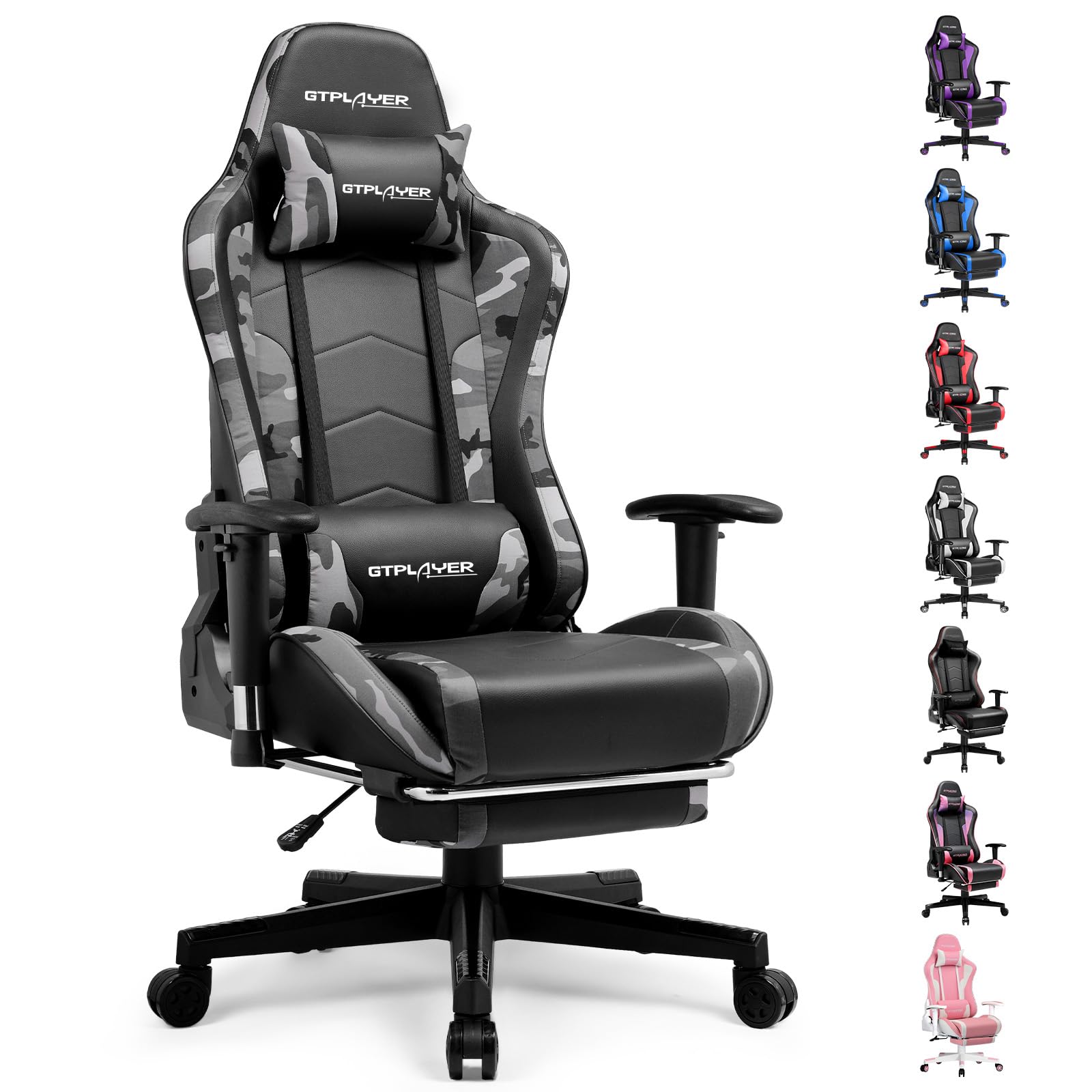
Image: The GTRACING GT890MF Gaming Chair, featuring a camouflage pattern, footrest, and integrated Bluetooth speakers, set up in a gaming environment.
സുരക്ഷാ വിവരങ്ങൾ
- ഇൻഡോർ ഉപയോഗത്തിന് മാത്രം.
- Maximum weight capacity: 300 lbs. Do not exceed this limit.
- Use caution when adjusting chair height and recline to prevent injury.
- ഉപയോഗിക്കുന്നതിന് മുമ്പ് എല്ലാ സ്ക്രൂകളും ബോൾട്ടുകളും സുരക്ഷിതമായി മുറുക്കിയിട്ടുണ്ടെന്ന് ഉറപ്പാക്കുക, ഇടയ്ക്കിടെ അയവ് ഉണ്ടോ എന്ന് പരിശോധിക്കുക.
- Keep hands and fingers clear of moving parts during adjustments.
- കസേരയിൽ നിൽക്കരുത്.
സജ്ജീകരണവും അസംബ്ലിയും
Assembly is required for this chair. Please follow the steps below carefully. It is recommended to have two people for assembly.
പാക്കേജ് ഉള്ളടക്കം

Image: An exploded diagram showing all components of the GTRACING GT890MF Gaming Chair, including the backrest, seat, armrests, base, wheels, gas lift, and footrest.
അസംബ്ലി ഘട്ടങ്ങൾ
- ആംറെസ്റ്റുകൾ ഘടിപ്പിക്കുക: Securely fasten the armrests to the seat base using the provided screws. Ensure they are oriented correctly.
- ബാക്ക്റെസ്റ്റ് സീറ്റുമായി ബന്ധിപ്പിക്കുക: Align the backrest with the seat mechanism and attach it using the designated bolts.
- ഫൂട്ട്റെസ്റ്റ് ഇൻസ്റ്റാൾ ചെയ്യുക: Slide the footrest into its designated slots under the seat.
- അടിസ്ഥാനം കൂട്ടിച്ചേർക്കുക: Insert the casters (wheels) into the star base. Place the gas lift cylinder into the center hole of the star base.
- സീറ്റ് ബേസിൽ ഘടിപ്പിക്കുക: കൂട്ടിച്ചേർത്ത സീറ്റും ബാക്ക്റെസ്റ്റും ഗ്യാസ് ലിഫ്റ്റ് സിലിണ്ടറിൽ ശ്രദ്ധാപൂർവ്വം വയ്ക്കുക, അത് ഉറച്ചുനിൽക്കുന്നുവെന്ന് ഉറപ്പാക്കുക.
- Attach Headrest and Lumbar Pillows: Position the headrest and lumbar support pillows as desired.
പ്രവർത്തന നിർദ്ദേശങ്ങൾ
Chair Adjustments
- സീറ്റ് ഉയരം ക്രമീകരിക്കൽ: Pull the lever located under the right side of the seat upwards to raise or lower the seat. Release the lever at the desired height.
- ബാക്ക്റെസ്റ്റ് റീക്ലൈൻ: Pull the lever on the right side of the chair upwards to recline the backrest. Lean back to the desired angle (90 to 160 degrees) and release the lever to lock it in place.
- ആംസ്ട്രെസ്റ്റ് ക്രമീകരണം: The armrests are multi-directional. Use the buttons or levers on the armrests to adjust their height, pivot, and slide forward/backward.
- ഫുട്റെസ്റ്റ് എക്സ്റ്റൻഷൻ: Pull the footrest out from under the seat when desired. Push it back in when not in use.
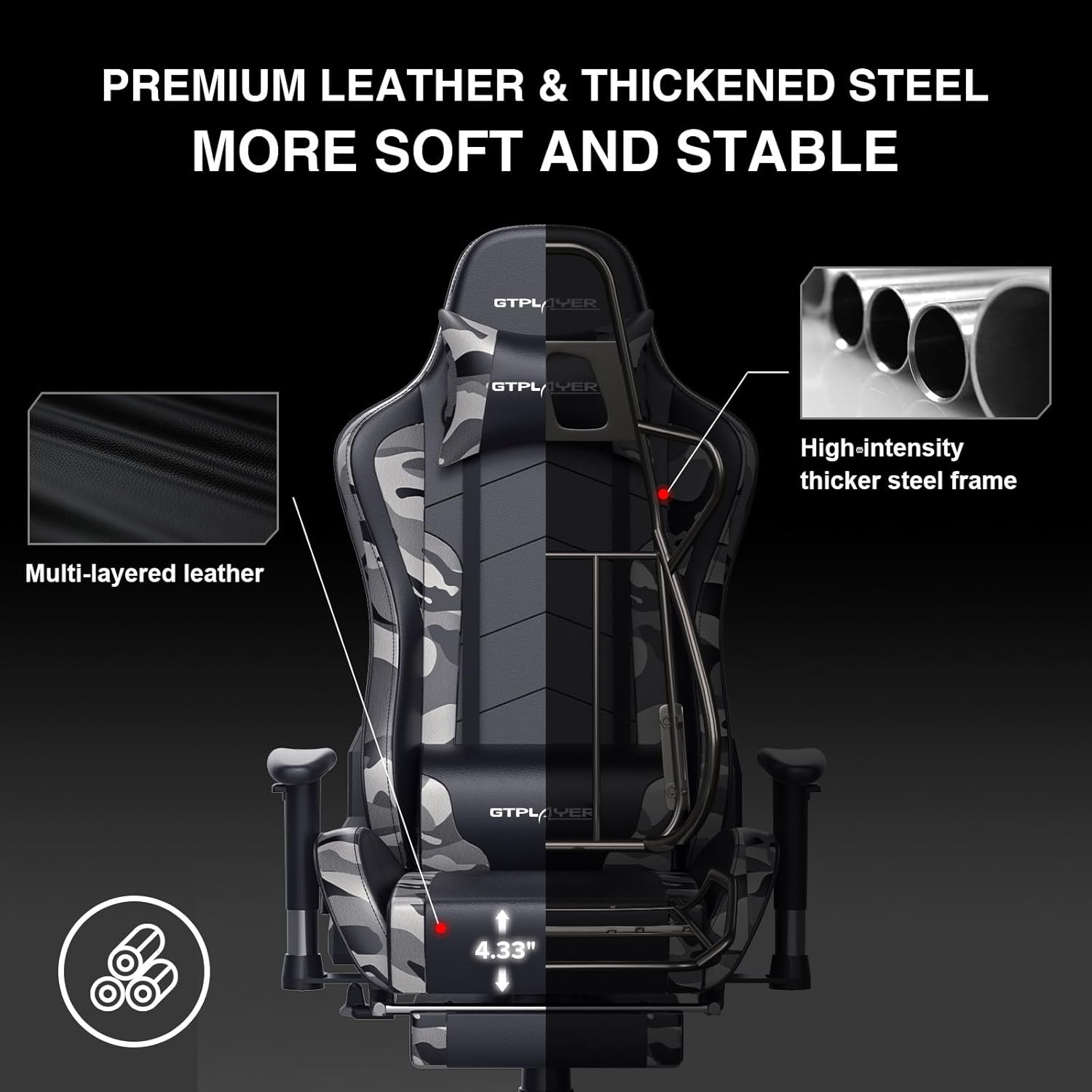
Image: The GTRACING GT890MF Gaming Chair demonstrating its backrest recline function, adjustable from 90 degrees for work to 155 degrees for resting.

ചിത്രം: ഒരു ക്ലോസ്-അപ്പ് view of the GTRACING GT890MF Gaming Chair's adjustable multi-directional armrests, highlighting their ability to move up, down, and pivot for optimal positioning.
ബ്ലൂടൂത്ത് സ്പീക്കർ ഓപ്പറേഷൻ
Your GTRACING GT890MF chair is equipped with dual Bluetooth 5.1 speakers for an immersive audio experience.
- പവർ ഓൺ: Locate the power button for the Bluetooth speakers, typically on the side or back of the chair. Press and hold to power on. A sound or indicator light will confirm activation.
- ജോടിയാക്കൽ മോഡ്: The speakers will automatically enter pairing mode when powered on for the first time, or if no device is connected. An indicator light will usually flash.
- ഉപകരണം ബന്ധിപ്പിക്കുക: On your smartphone, tablet, or other Bluetooth-enabled device, go to Bluetooth settings and search for available devices. Select "GTPLAYER" or a similar name to connect.
- ഓഡിയോ പ്ലേബാക്ക്: Once connected, audio from your device will play through the chair's speakers. Adjust volume from your connected device.
- പവർ ഓഫ്: Press and hold the power button again to turn off the speakers.

Image: The GTRACING GT890MF Gaming Chair with a visual representation of sound waves emanating from the integrated Bluetooth speakers in the headrest area.

Image: A detailed diagram illustrating the dual Bluetooth 5.1 speakers within the GTRACING GT890MF Gaming Chair, highlighting features like clear treble, stereo sound, HiFi audio, and dust prevention.

Image: A user seated in the GTRACING GT890MF Gaming Chair, with an illustration showing how the chair's Bluetooth speakers can connect to various devices like PC/TV, PS4/PS5/XBOX, and other Bluetooth 5.1 enabled devices. A separate USB Bluetooth transmitter is shown as an option for non-Bluetooth devices.
മെയിൻ്റനൻസ്
- വൃത്തിയാക്കൽ: പരസ്യം ഉപയോഗിച്ച് വൃത്തിയാക്കുകamp cloth. Avoid harsh chemicals or abrasive cleaners that may damage the faux leather upholstery.
- പരിശോധന: Periodically check all bolts and screws to ensure they are tight. Re-tighten if necessary.
- കാസ്റ്റർ കെയർ: സുഗമമായ റോളിംഗ് ഉറപ്പാക്കാൻ കാസ്റ്ററുകൾ രോമങ്ങളും അവശിഷ്ടങ്ങളും ഇല്ലാതെ സൂക്ഷിക്കുക.
- സംഭരണം: Store the chair in a dry, cool place away from direct sunlight to prevent material degradation.
ട്രബിൾഷൂട്ടിംഗ്
| പ്രശ്നം | സാധ്യമായ കാരണം | പരിഹാരം |
|---|---|---|
| കസേര ഉയരം ക്രമീകരിക്കുന്നില്ല. | ഗ്യാസ് ലിഫ്റ്റ് ലിവർ പ്രവർത്തിച്ചിട്ടില്ല അല്ലെങ്കിൽ ഗ്യാസ് ലിഫ്റ്റ് തകരാറിലായി. | Ensure the lever is fully pulled. If issue persists, contact support for gas lift replacement. |
| Backrest does not recline/lock | റീക്ലൈൻ ലിവർ ഘടിപ്പിച്ചിട്ടില്ല അല്ലെങ്കിൽ മെക്കാനിസം തടസ്സപ്പെട്ടിട്ടില്ല. | Ensure the recline lever is fully pulled/released. Check for obstructions in the recline mechanism. |
| Bluetooth speakers not pairing | Speakers not powered on, out of range, or already paired to another device. | Ensure speakers are charged and powered on. Move device closer to chair. Disconnect from other devices. Try restarting both chair speakers and your device. |
| കസേര ഇളകിയിരിക്കുന്നു | അയഞ്ഞ ബോൾട്ടുകൾ അല്ലെങ്കിൽ അസമമായ അസംബ്ലി. | എല്ലാ അസംബ്ലി ബോൾട്ടുകളും പരിശോധിച്ച് ഉറപ്പിക്കുക. കസേര പരന്നതും തുല്യവുമായ പ്രതലത്തിലാണെന്ന് ഉറപ്പാക്കുക. |
സ്പെസിഫിക്കേഷനുകൾ
- മോഡലിൻ്റെ പേര്: GT890MF
- ബ്രാൻഡ്: GTRACING
- നിറം: മറവി
- മെറ്റീരിയൽ: Faux Leather, Foam Fill, Steel Frame
- ഉൽപ്പന്ന അളവുകൾ (D x W x H): 20.87" x 21.65" x 53.15"
- സീറ്റ് ഉയരം: Adjustable, up to 22.04 inches
- സീറ്റിന്റെ ആഴം: 20.87 ഇഞ്ച്
- ഇനത്തിൻ്റെ ഭാരം: 47 പൗണ്ട്
- പരമാവധി ഭാരം ശുപാർശ: 300 പൗണ്ട്
- ബാക്ക് സ്റ്റൈൽ: Solid Back, Reclining (90 to 160 degrees)
- പ്രത്യേക സവിശേഷതകൾ: Adjustable Height, Adjustable Lumbar, Ergonomic Design, Foot Rest, Rolling Casters, Dual Bluetooth 5.1 Speakers
- അസംബ്ലി: ആവശ്യമാണ്

Image: A diagram illustrating the key dimensions of the GTRACING GT890MF Gaming Chair, including overall height, width, and depth.

Image: A detailed diagram showing various dimensions of the GTRACING GT890MF Gaming Chair, including seat height, armrest height, and backrest height, along with maximum load capacity (330 lbs) and recommended user height (6.2 ft).
വാറൻ്റിയും പിന്തുണയും
GTRACING offers a worry-free purchase experience for your gaming chair.
- 30-Day Policy: Free replacement or refund within 30 days of purchase.
- 1 വർഷത്തെ വാറൻ്റി: Free replacement or repair within 1 year of purchase for manufacturing defects.
For any questions, suggestions, or support needs, please feel free to contact our customer service team. We are dedicated to ensuring customer satisfaction.

Image: A group of customer service representatives wearing headsets, symbolizing available support.