
1. ആമുഖം
This manual provides essential information for the installation, operation, and maintenance of your Broadcom HBA 9500-8e Tri-Mode Storage Controller. This high-performance Host Bus Adapter (HBA) is designed to provide maximum connectivity and flexibility for servers and storage systems, supporting SATA, SAS, and NVMe devices over a PCIe 4.0 x7 interface.
ബോക്സിൽ എന്താണുള്ളത്
- Broadcom HBA 9500-8e Tri-Mode Storage Controller
- Documentation (this manual, if printed)
2. സജ്ജീകരണവും ഇൻസ്റ്റാളേഷനും
Follow these steps to properly install the Broadcom HBA 9500-8e into your system. Ensure your system is powered off and disconnected from the power source before beginning installation.
- സിസ്റ്റം തയ്യാറാക്കുക: Power down your computer and unplug all power cables. Open the computer case to access the motherboard's PCIe slots.
- Locate a PCIe Slot: Identify an available PCIe 4.0 x7 (or larger, compatible) slot on your motherboard.
- Install the HBA: Carefully align the HBA with the chosen PCIe slot. Apply even pressure to firmly seat the card into the slot until it clicks into place. Secure the card with the system's retention mechanism or screw.
- കേബിളുകൾ ബന്ധിപ്പിക്കുക: Connect the appropriate SAS/SATA/NVMe cables from the HBA to your storage devices. Ensure all connections are secure.
- അടച്ച് പവർ ഓൺ ചെയ്യുക: Close the computer case, reconnect all power cables, and power on the system.
- ഡ്രൈവർ ഇൻസ്റ്റാളേഷൻ: Once the operating system boots, install the necessary drivers for the Broadcom HBA 9500-8e. Drivers can typically be found on the official Broadcom support webസൈറ്റ്.
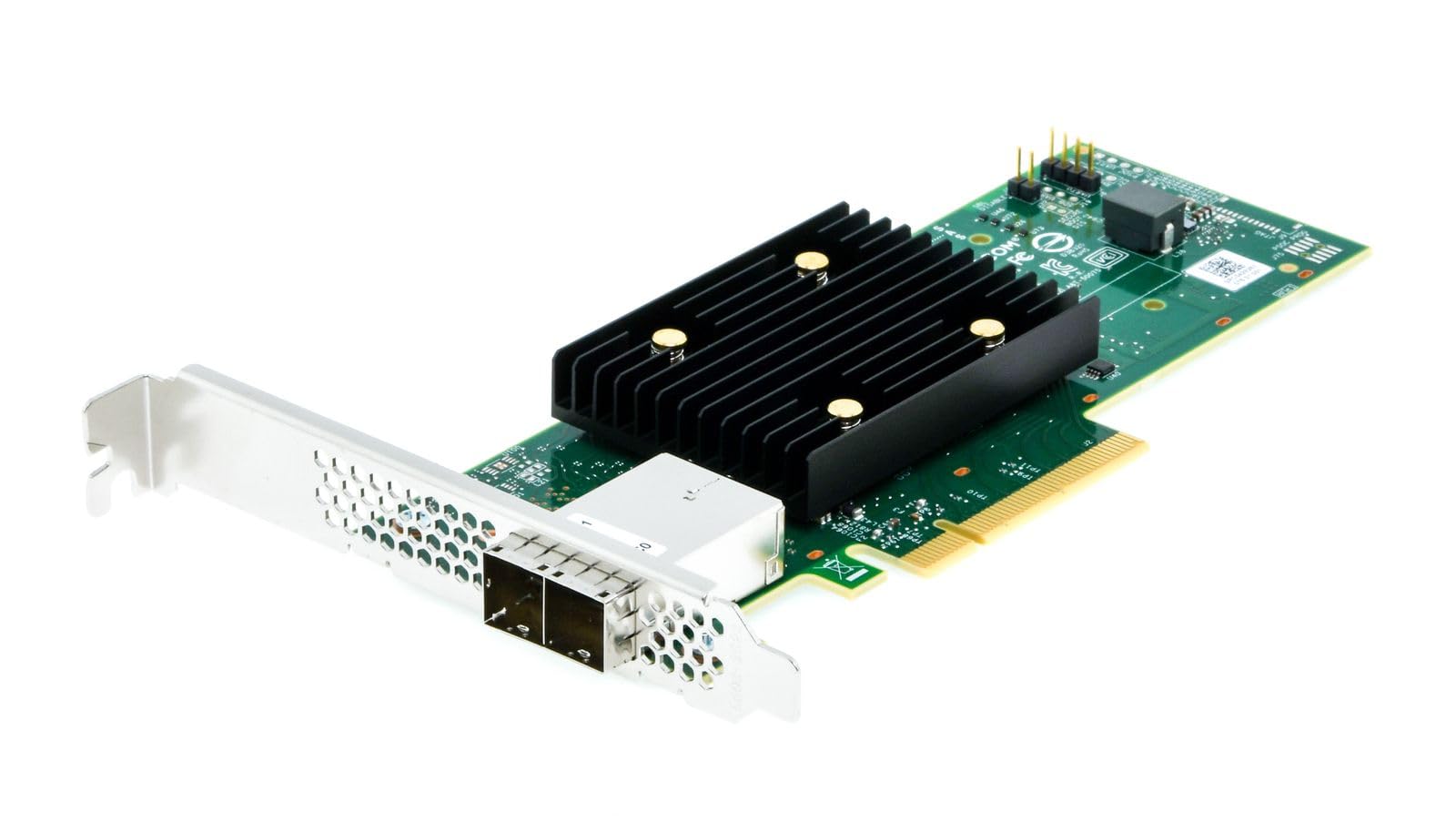
Figure 1: Broadcom HBA 9500-8e Tri-Mode Storage Controller (Top View)

Figure 2: Broadcom HBA 9500-8e Tri-Mode Storage Controller (Angled View)
3. Operating the HBA
The Broadcom HBA 9500-8e is designed for seamless integration into your server environment. Once installed and drivers are loaded, the operating system will detect the connected storage devices. This HBA supports a wide range of storage configurations.
- ഉപകരണ കണക്റ്റിവിറ്റി: The HBA can connect up to 1024 SAS/SATA devices or 32 NVMe devices, offering extensive storage expansion capabilities.
- Tri-Mode Support: It supports SAS 12Gb/s, SATA 6Gb/s, and PCIe 4.0 (NVMe) interfaces, allowing for flexible use with various storage technologies.
- Universal Bay Management (UBM): The HBA is UBM Ready, enabling integration into U.3 backplanes for enhanced flexibility and configuration options in compatible systems.
- ഓപ്പറേറ്റിംഗ് സിസ്റ്റം അനുയോജ്യത: Compatible with various operating systems including Linux, Ubuntu, and Windows. Ensure you have the correct drivers for your specific OS version.
4. പരിപാലനം
Proper maintenance ensures the longevity and optimal performance of your HBA.
- വൃത്തിയായി സൂക്ഷിക്കു: Periodically inspect the HBA for dust accumulation, especially on the heatsink. Use compressed air to gently clean the card while the system is powered off.
- ഫേംവെയർ അപ്ഡേറ്റുകൾ: Check the Broadcom support website regularly for firmware updates. Keeping the firmware current can improve performance, add features, and resolve potential issues. Follow Broadcom's instructions carefully when performing firmware updates.
- ഡ്രൈവർ അപ്ഡേറ്റുകൾ: Ensure your operating system drivers for the HBA are up-to-date.
- പരിസ്ഥിതി വ്യവസ്ഥകൾ: Operate the HBA within recommended temperature and humidity ranges as specified by Broadcom to prevent overheating or damage.
5. പ്രശ്നപരിഹാരം
If you encounter issues with your Broadcom HBA 9500-8e, refer to the following common troubleshooting steps:
- HBA Not Detected:
- Ensure the HBA is fully seated in the PCIe slot.
- Verify that the PCIe slot is functional by testing with another known good card if possible.
- Check BIOS/UEFI settings to ensure the PCIe slot is enabled.
- Confirm that the necessary drivers are installed for your operating system.
- Storage Devices Not Detected:
- Verify that all SAS/SATA/NVMe cables are securely connected to both the HBA and the storage devices.
- Ensure storage devices are powered on and functional.
- Check the HBA's firmware version and update if necessary.
- Consult your operating system's disk management tools to see if devices are recognized but uninitialized.
- പ്രകടന പ്രശ്നങ്ങൾ:
- Ensure the HBA is installed in a PCIe 4.0 x7 (or higher) slot to achieve optimal bandwidth.
- Verify that the latest drivers and firmware are installed.
- Check for system resource conflicts or other hardware bottlenecks.
- Ensure storage devices themselves are performing optimally.
For more advanced troubleshooting or persistent issues, refer to the Broadcom support webസൈറ്റ് അല്ലെങ്കിൽ അവരുടെ സാങ്കേതിക പിന്തുണയുമായി ബന്ധപ്പെടുക.
6 സ്പെസിഫിക്കേഷനുകൾ
Key technical specifications for the Broadcom HBA 9500-8e Tri-Mode Storage Controller:
| ഫീച്ചർ | വിവരണം |
|---|---|
| മോഡൽ നമ്പർ | 05-50075-01 |
| ഹാർഡ്വെയർ ഇന്റർഫേസ് | PCIe 4.0 x7 |
| പിന്തുണയ്ക്കുന്ന പ്രോട്ടോക്കോളുകൾ | SATA 6Gb/s, SAS 12Gb/s, NVMe (PCIe 4.0) |
| ചാനലുകൾ | 8 ചാനൽ |
| പിന്തുണയ്ക്കുന്ന പരമാവധി ഉപകരണങ്ങൾ | Up to 1024 SAS/SATA devices or 32 NVMe devices |
| അനുയോജ്യമായ ഉപകരണങ്ങൾ | Hard Drives, SSDs |
| ഓപ്പറേറ്റിംഗ് സിസ്റ്റങ്ങൾ | Linux, Ubuntu, Windows |
| ഇനത്തിൻ്റെ ഭാരം | 100 ഗ്രാം |
| പ്രത്യേക സവിശേഷതകൾ | Universal Bay Management (UBM) Ready |
7. വാറൻ്റിയും പിന്തുണയും
Broadcom products are covered by a manufacturer's warranty. For detailed information regarding warranty terms, conditions, and duration, please refer to the official Broadcom webസൈറ്റ് അല്ലെങ്കിൽ നിങ്ങളുടെ വാങ്ങലിൽ ഉൾപ്പെടുത്തിയിരിക്കുന്ന വാറന്റി ഡോക്യുമെന്റേഷൻ.
For technical support, driver downloads, firmware updates, and additional resources, please visit the official Broadcom support portal. Having your product model number (05-50075-01) and serial number ready will assist in a quicker resolution.
Broadcom Support Webസൈറ്റ്: www.broadcom.com/support