
ആമുഖം
Thank you for choosing the UXD CT887 Bluetooth Sport Earbuds. This manual provides essential information for setting up, operating, and maintaining your earbuds to ensure optimal performance and longevity. Please read this manual thoroughly before use.
സുരക്ഷാ വിവരങ്ങൾ
- Do not expose the earbuds to extreme temperatures or direct sunlight for extended periods.
- Avoid dropping or applying excessive force to the earbuds.
- Keep the earbuds away from children and pets.
- Do not attempt to disassemble or modify the earbuds. This will void the warranty.
- നൽകിയിരിക്കുന്ന ചാർജിംഗ് കേബിളോ സാക്ഷ്യപ്പെടുത്തിയ തത്തുല്യമായതോ മാത്രം ഉപയോഗിക്കുക.
- ഉയർന്ന ശബ്ദത്തിൽ ദീർഘനേരം കേൾക്കുന്നത് കേൾവിക്ക് തകരാറുണ്ടാക്കാം.
പാക്കേജ് ഉള്ളടക്കം
നിങ്ങളുടെ പാക്കേജിൽ എല്ലാ ഇനങ്ങളും ഉണ്ടെന്ന് ഉറപ്പാക്കുക:
- UXD CT887 Bluetooth Sport Earbuds
- മൈക്രോ-യുഎസ്ബി ചാർജിംഗ് കേബിൾ
- S/M Eartips (multiple pairs)
- S/M EarWings (multiple pairs)
- കോർഡ് മാനേജ്മെന്റ് ക്ലിപ്പ്
- ഉപയോക്തൃ മാനുവൽ

Image: The UXD CT887 Bluetooth Sport Earbuds, micro-USB charging cable, various sizes of eartips and ear wings, and the user manual are displayed.
ഉൽപ്പന്നം കഴിഞ്ഞുview
The UXD CT887 earbuds feature an in-ear design with a neckband for secure wear. They include integrated controls and a microphone for hands-free operation.
ചിത്രം: ഒരു ക്ലോസ്-അപ്പ് view of the UXD CT887 Bluetooth Sport Earbuds, highlighting their in-ear design and the UXD logo.

Image: The UXD CT887 earbuds shown with their magnetic backs, allowing them to clip together for convenient neck storage when not in use.
ഇയർബഡുകൾ ചാർജ് ചെയ്യുന്നു
Before first use, fully charge your earbuds. A full charge takes approximately 2 hours and provides up to 20 hours of playtime.
- Connect the micro-USB charging cable to the charging port on the earbuds.
- കേബിളിന്റെ മറ്റേ അറ്റം യുഎസ്ബി പവർ സ്രോതസ്സിലേക്ക് ബന്ധിപ്പിക്കുക (ഉദാ. കമ്പ്യൂട്ടർ, വാൾ അഡാപ്റ്റർ).
- The LED indicator will show charging status (refer to product for specific light behavior).
- പൂർണ്ണമായി ചാർജ് ചെയ്തുകഴിഞ്ഞാൽ, ചാർജിംഗ് കേബിൾ വിച്ഛേദിക്കുക.
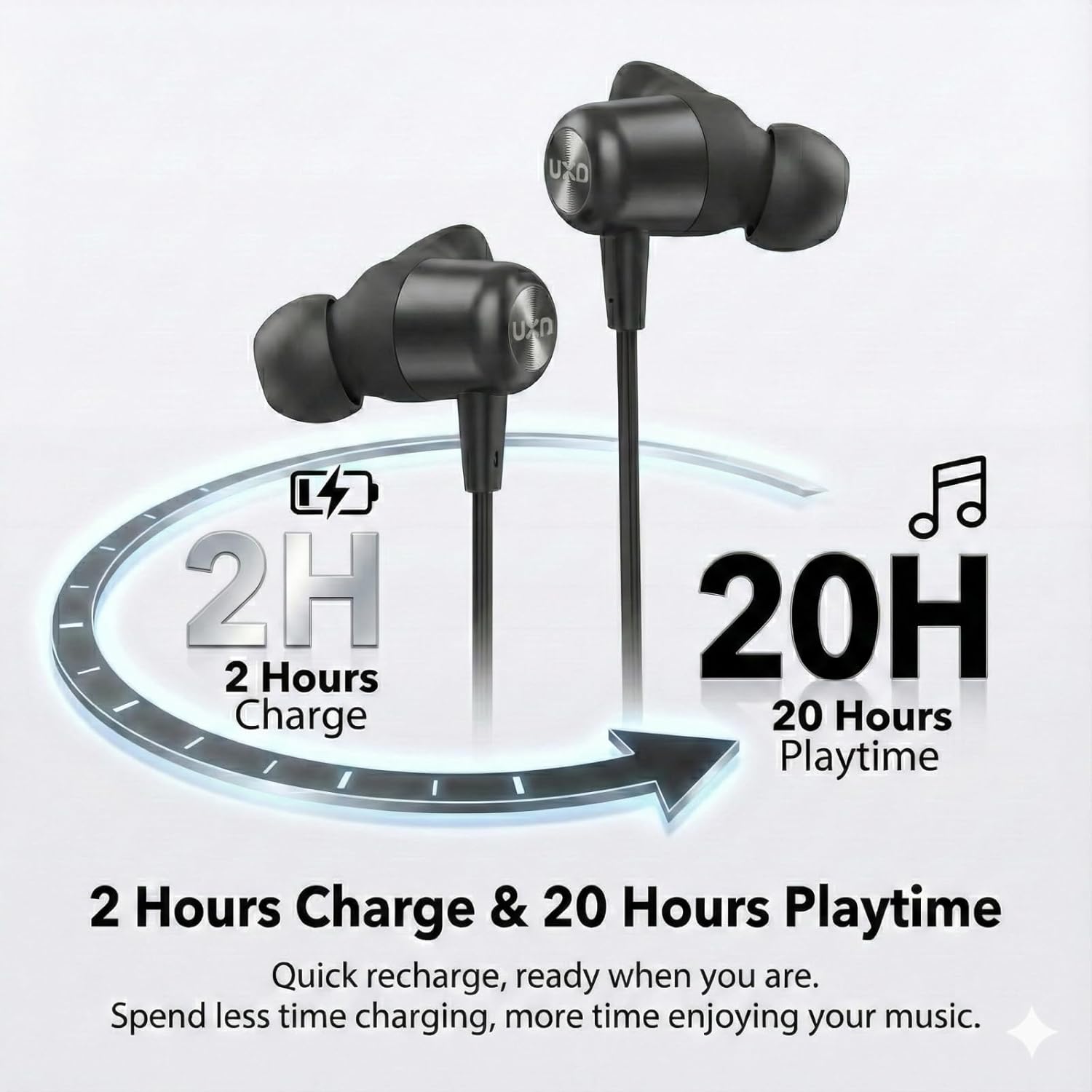
Image: An illustration depicting the charging time of 2 hours leading to 20 hours of playback time for the earbuds.
ഒരു ഉപകരണവുമായി ജോടിയാക്കുന്നു
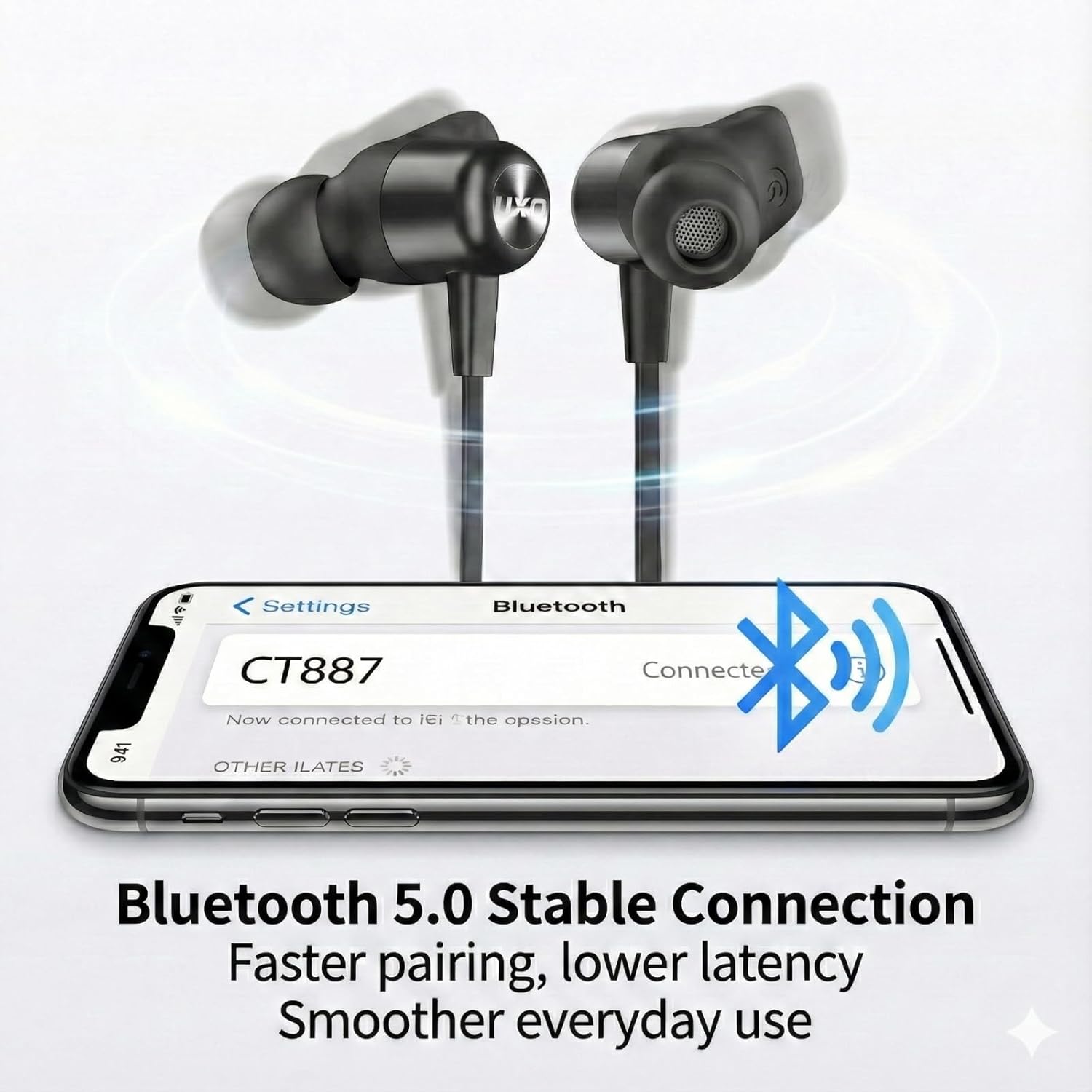
The UXD CT887 earbuds use Bluetooth 5.0 for a stable connection up to 10 meters (30 feet).
- ഇയർബഡുകൾ ചാർജ്ജ് ചെയ്തിട്ടുണ്ടെന്നും ഓഫാണെന്നും ഉറപ്പാക്കുക.
- Press and hold the multi-function button on the earbuds until the LED indicator flashes red and blue, indicating pairing mode.
- നിങ്ങളുടെ ഉപകരണത്തിൽ (സ്മാർട്ട്ഫോൺ, ടാബ്ലെറ്റ് മുതലായവ), ബ്ലൂടൂത്ത് പ്രവർത്തനക്ഷമമാക്കുക.
- ഇതിനായി തിരയുക available Bluetooth devices and select "CT887" from the list.
- കണക്റ്റ് ചെയ്തുകഴിഞ്ഞാൽ, LED ഇൻഡിക്കേറ്റർ സാധാരണയായി ഒരു കടും നീല വെളിച്ചം കാണിക്കും അല്ലെങ്കിൽ സാവധാനത്തിൽ ഫ്ലാഷ് ചെയ്യും.
- The earbuds will automatically reconnect to the last paired device when powered on, if the device's Bluetooth is active and within range.
Image: A smartphone screen displaying a successful Bluetooth connection to 'CT887', illustrating the stable Bluetooth 5.0 connection.
ഇയർബഡുകൾ ധരിക്കുന്നു
For optimal sound quality and a secure fit, especially during sports, choose the correct size eartips and ear wings.
- Select the eartips and ear wings that provide a comfortable and snug fit in your ears.
- Insert the earbuds into your ear canals and rotate them slightly to ensure the ear wings are securely tucked into your ear's concha.
- The neckband should rest comfortably around your neck.
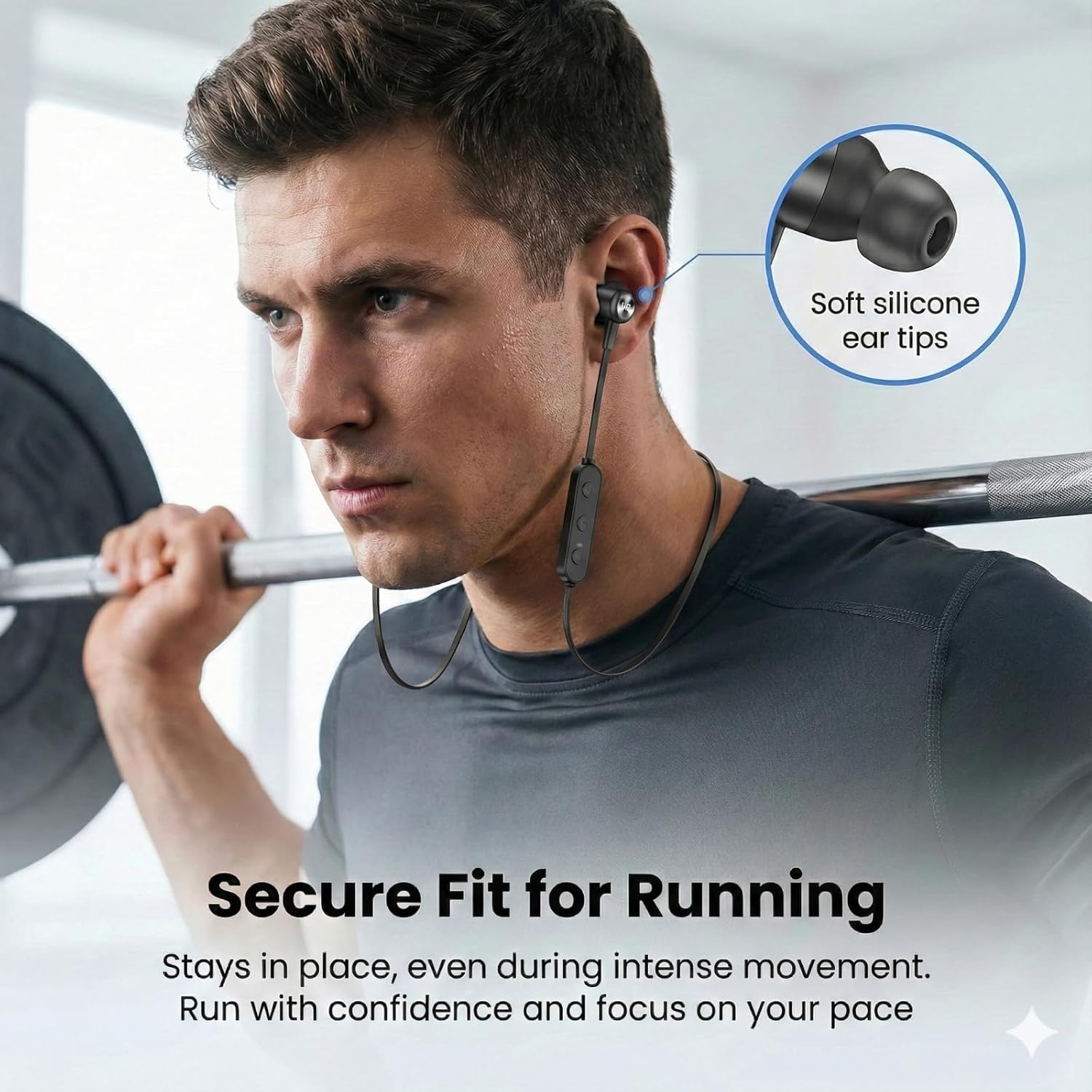
Image: A man wearing the UXD CT887 earbuds while lifting weights, demonstrating their secure fit during intense movement.
അടിസ്ഥാന പ്രവർത്തനം
പവർ ഓൺ/ഓഫ്
- പവർ ഓൺ: Press and hold the multi-function button until the LED indicator flashes blue.
- പവർ ഓഫ്: Press and hold the multi-function button until the LED indicator flashes red and then turns off.
സംഗീത പ്ലേബാക്ക്
- പ്ലേ/താൽക്കാലികമായി നിർത്തുക: മൾട്ടി-ഫംഗ്ഷൻ ബട്ടൺ ഒരിക്കൽ അമർത്തുക.
- അടുത്ത ട്രാക്ക്: '+' ബട്ടൺ അമർത്തിപ്പിടിക്കുക.
- മുമ്പത്തെ ട്രാക്ക്: '-' ബട്ടൺ അമർത്തിപ്പിടിക്കുക.
- വോളിയം കൂട്ടുക: '+' ബട്ടൺ ഒരിക്കൽ അമർത്തുക.
- വോളിയം താഴേക്ക്: '-' ബട്ടൺ ഒരിക്കൽ അമർത്തുക.
കോൾ മാനേജുമെന്റ്
The CVC 8.0 noise-cancelling microphone ensures clear phone calls.
- ഉത്തരം/അവസാന കോൾ: മൾട്ടി-ഫംഗ്ഷൻ ബട്ടൺ ഒരിക്കൽ അമർത്തുക.
- കോൾ നിരസിക്കുക: മൾട്ടി-ഫംഗ്ഷൻ ബട്ടൺ 2 സെക്കൻഡ് അമർത്തിപ്പിടിക്കുക.
- അവസാന നമ്പർ വീണ്ടും ഡയൽ ചെയ്യുക: മൾട്ടി-ഫംഗ്ഷൻ ബട്ടൺ രണ്ടുതവണ അമർത്തുക.
വാട്ടർപ്രൂഫ് ഫീച്ചർ (IPX7)
The UXD CT887 earbuds are IPX7 waterproof, protecting them from sweat, rain, and accidental splashes. This makes them suitable for sports and outdoor activities.
- IPX7 rating means the earbuds can be submerged in up to 1 meter of water for 30 minutes.
- Do not intentionally submerge the earbuds for extended periods or in depths greater than specified.
- Ensure the charging port cover is securely closed before exposure to water.
- After exposure to water, wipe the earbuds dry before charging.
മെയിൻ്റനൻസ്
വൃത്തിയാക്കൽ
- Wipe the earbuds with a soft, dry, lint-free cloth.
- Remove eartips and ear wings for separate cleaning with mild soap and water, then dry thoroughly before reattaching.
- ഉരച്ചിലുകളുള്ള ക്ലീനറുകളോ ലായകങ്ങളോ ഉപയോഗിക്കരുത്.
സംഭരണം
- Store the earbuds in a cool, dry place away from direct sunlight.
- When not in use, the magnetic design allows the earbuds to clip together around your neck for convenient storage and to prevent tangling.
- Avoid storing with sharp objects that could damage the cable or earbuds.
ട്രബിൾഷൂട്ടിംഗ്
| പ്രശ്നം | പരിഹാരം |
|---|---|
| ഇയർബഡുകൾ ഓണാകില്ല | ഇയർബഡുകൾ പൂർണ്ണമായും ചാർജ് ചെയ്തിട്ടുണ്ടെന്ന് ഉറപ്പാക്കുക. |
| ഉപകരണവുമായി ജോടിയാക്കാൻ കഴിയില്ല | Ensure earbuds are in pairing mode (flashing red/blue). Turn off and on Bluetooth on your device. Move closer to the device. |
| ശബ്ദമോ കുറഞ്ഞ വോളിയമോ ഇല്ല | Check volume levels on both earbuds and connected device. Ensure earbuds are properly connected. |
| ഇടവിട്ടുള്ള കണക്ഷൻ | Ensure no obstacles between earbuds and device. Move closer to the device. Avoid strong electromagnetic interference. |
| മൈക്രോഫോൺ പ്രവർത്തിക്കുന്നില്ല | ഇയർബഡുകൾ ശരിയായി ബന്ധിപ്പിച്ചിട്ടുണ്ടെന്നും നിങ്ങളുടെ ഫോണിലെ ഓഡിയോ ഇൻപുട്ട് ഉപകരണമായി തിരഞ്ഞെടുത്തിട്ടുണ്ടെന്നും ഉറപ്പാക്കുക. |
സ്പെസിഫിക്കേഷനുകൾ
- മോഡൽ: CT887
- ബ്രാൻഡ്: UXD
- കണക്റ്റിവിറ്റി: ബ്ലൂടൂത്ത് 5.0 (വയർലെസ്)
- ബ്ലൂടൂത്ത് ശ്രേണി: 10 മീറ്റർ വരെ (30 അടി)
- ബാറ്ററി: 150mAh ലിഥിയം അയൺ
- ചാർജിംഗ് സമയം: ഏകദേശം 2 മണിക്കൂർ
- കളിസമയം: 20 മണിക്കൂർ വരെ
- ജല പ്രതിരോധം: IPX7 (വാട്ടർപ്രൂഫ്)
- മൈക്രോഫോൺ: സിവിസി 8.0 നോയ്സ്-കാൻസലിംഗ്
- ഫ്രീക്വൻസി ശ്രേണി: 20 ഹെർട്സ് - 20,000 ഹെർട്സ്
- ഓഡിയോ ഡ്രൈവർ തരം: ചലനാത്മകം
- ചെവി സ്ഥാപിക്കൽ: ഇൻ-ഇയർ
- നിയന്ത്രണ രീതി: സ്പർശനം (സ്പർശം)
- ഭാരം: 15 ഗ്രാം
- അനുയോജ്യമായ ഉപകരണങ്ങൾ: iPhones, Android phones
- ഉൾപ്പെടുത്തിയ ഘടകങ്ങൾ: Micro-USB charging cable, in-ear headphones, eartips, ear wings, cord clip
വാറൻ്റിയും പിന്തുണയും
Your UXD CT887 Bluetooth Sport Earbuds come with a 30-day refund policy and a 3-month warranty from the date of purchase. For any product-related inquiries, technical support, or warranty claims, please contact our customer service. We are committed to providing responsive customer service to address your needs.
വാറന്റി ആവശ്യങ്ങൾക്കായി നിങ്ങളുടെ വാങ്ങിയതിന്റെ തെളിവ് സൂക്ഷിക്കുക.