
LEXIN ET COM
LEXIN ET-COM Bluetooth Motorcycle Intercom System User Manual
Model: ET COM | Brand: LEXIN
1. ആമുഖം
The LEXIN ET-COM is a Bluetooth motorcycle communication system designed to enhance your riding experience. It allows for two-way intercom communication between riders, hands-free phone calls, music streaming, and FM radio reception. This system incorporates advanced DSP and CVC noise cancellation technologies for clear audio, even at high speeds.
പ്രധാന സവിശേഷതകളിൽ ഇവ ഉൾപ്പെടുന്നു:
- ടു-വേ ഇന്റർകോം: Communicate with up to 2 riders within a 1200-meter range.
- ബ്ലൂടൂത്ത് V5.0: സ്ഥിരവും കാര്യക്ഷമവുമായ വയർലെസ് കണക്റ്റിവിറ്റി ഉറപ്പാക്കുന്നു.
- DSP & CVC Noise Cancellation: Reduces external noise for clear audio quality.
- നീണ്ട ബാറ്ററി ലൈഫ്: 800mAh battery provides up to 15 hours of music playback, 8 hours of talk time, and 300 hours of standby.
- എഫ്എം റേഡിയോ: Built-in FM radio for entertainment on the go.
- വോയ്സ് അസിസ്റ്റന്റ് പിന്തുണ: Access Siri and S Voice for hands-free control.
- IP67 ജല പ്രതിരോധം: വിവിധ കാലാവസ്ഥകളെ നേരിടാൻ രൂപകൽപ്പന ചെയ്തിരിക്കുന്നത്.
- Interchangeable Face Plates: Customize the unit's appearance with different colored housings.

Image: The LEXIN ET-COM unit securely mounted on the side of a motorcycle helmet.

Image: A visual representation of DSP and CVC advanced noise cancellation technology, showing how external noise is copied and canceled for improved audio clarity.
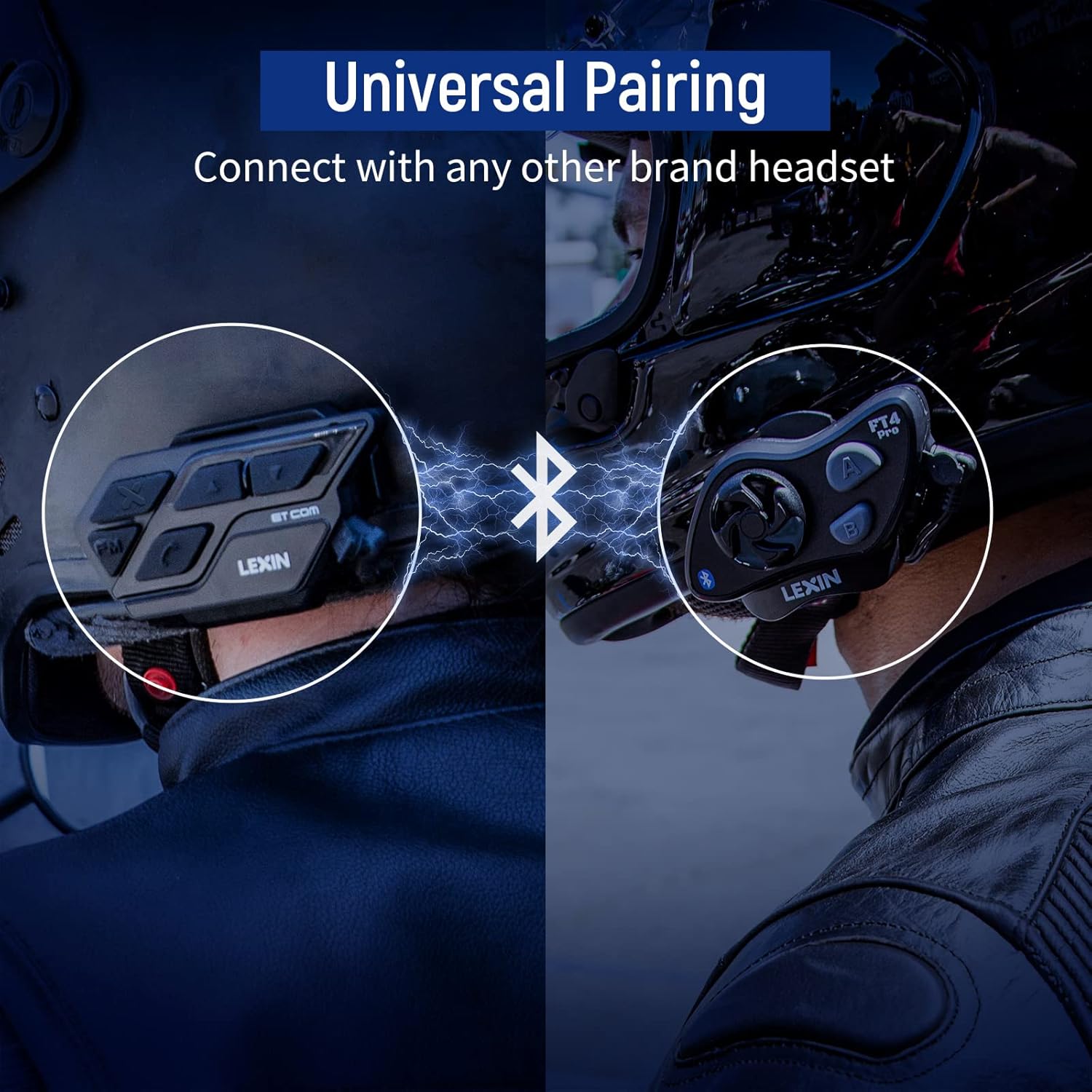
Image: A motorcycle helmet with the LEXIN ET-COM unit shown in rainy conditions, highlighting its IP67 water resistance for all-weather use.

Image: The LEXIN ET-COM unit displaying its 800mAh battery capacity, indicating 300 hours of standby time, 15 hours of music playback, and 1.5 hours of charging time.
2. പാക്കേജ് ഉള്ളടക്കം
നിങ്ങളുടെ പാക്കേജിൽ എല്ലാ ഇനങ്ങളും ഉണ്ടെന്ന് ദയവായി പരിശോധിക്കുക:
- LEXIN ET-COM Main Unit
- Microphone (Boom or Button type)
- Steel Needle (for housing removal)
- അല്ലെൻ കീ
- മൗണ്ടിംഗ് സ്ക്രൂകൾ
- Microphone Fixing Piece
- സ്പീക്കർ പാഡുകൾ
- മെറ്റൽ ക്ലിപ്പ്
- 3M പശ അടിത്തറ
- ഉപയോക്തൃ ഗൈഡ്
- ടൈപ്പ്-സി യുഎസ്ബി ഡാറ്റ കേബിൾ
- 5 Additional Decorative Color Housings

Image: A comprehensive diagram illustrating all components included in the LEXIN ET-COM package, along with a visual guide for helmet installation.
3. സജ്ജീകരണവും ഇൻസ്റ്റാളേഷനും
3.1 യൂണിറ്റ് ചാർജ് ചെയ്യുന്നു
Before first use, fully charge the ET-COM unit. Connect the provided Type-C USB data cable to the charging port on the unit and to a USB power source. The LED indicator will show charging status and turn off when fully charged.
3.2 Mounting to Helmet
The ET-COM unit can be mounted to your helmet using either the metal clip or the 3M adhesive base. Choose the method that best suits your helmet type and preference.
- ക്ലിപ്പ് മൗണ്ട്: Slide the metal clip between the helmet shell and the inner padding. Secure the ET-COM unit to the clip.
- പശ മൗണ്ട്: Clean the desired mounting area on the helmet surface. Peel off the protective film from the 3M adhesive base and firmly press the ET-COM unit onto the helmet. Hold for 30 seconds to ensure a strong bond.
3.3 Speaker and Microphone Installation
Install the speakers and microphone inside your helmet:
- Attach the speaker pads to the inside of the helmet, aligning them with your ears.
- Place the speakers into the pads.
- Position the microphone in front of your mouth, ensuring it is close but not touching. Use the microphone fixing piece if necessary.
- Connect the speaker and microphone cables to the corresponding ports on the ET-COM unit.
3.4 ഫോണുമായി ബ്ലൂടൂത്ത് ജോടിയാക്കൽ
To pair your ET-COM with your mobile phone:
- Ensure the ET-COM unit is off.
- Press and hold the Power button until the LED indicator flashes red and blue alternately, indicating pairing mode.
- On your phone, enable Bluetooth and search for new devices.
- Select "LEXIN ET-COM" from the list of available devices.
- Once paired, the LED indicator will flash blue slowly.
3.5 Intercom Pairing (Unit-to-Unit)
To pair two ET-COM units for intercom communication:
- Ensure both ET-COM units are off.
- On both units, press and hold the Intercom button until the LED indicators flash red and blue alternately.
- Briefly press the Intercom button on one of the units. The units will search for each other.
- Once paired, the LED indicators on both units will flash blue slowly.

Image: An illustration demonstrating the universal pairing capability of the LEXIN ET-COM, connecting with another brand's headset via Bluetooth.
4. പ്രവർത്തന നിർദ്ദേശങ്ങൾ
4.1 പവർ ഓൺ/ഓഫ്
- പവർ ഓൺ: എൽഇഡി നീല നിറത്തിൽ മിന്നുന്നത് വരെ ഏകദേശം 3 സെക്കൻഡ് നേരത്തേക്ക് പവർ ബട്ടൺ അമർത്തിപ്പിടിക്കുക.
- പവർ ഓഫ്: എൽഇഡി ചുവപ്പ് നിറത്തിൽ മിന്നിമറയുന്നതുവരെ പവർ ബട്ടൺ ഏകദേശം 3 സെക്കൻഡ് അമർത്തിപ്പിടിക്കുക, തുടർന്ന് ഓഫാകും.
4.2 വോളിയം നിയന്ത്രണം
- വോളിയം വർദ്ധിപ്പിക്കുക: Press the Volume Up button (+).
- വോളിയം കുറയ്ക്കുക: Press the Volume Down button (-).
4.3 മ്യൂസിക് പ്ലേബാക്ക്
- പ്ലേ/താൽക്കാലികമായി നിർത്തുക: Press the Multi-function button (often the central button).
- അടുത്ത ട്രാക്ക്: Press the Volume Up button (+) for 2 seconds.
- മുമ്പത്തെ ട്രാക്ക്: Press the Volume Down button (-) for 2 seconds.
4.4 എഫ്എം റേഡിയോ
- എഫ്എം റേഡിയോ ഓൺ/ഓഫ് ചെയ്യുക: FM ബട്ടൺ അമർത്തുക.
- സ്കാൻ സ്റ്റേഷനുകൾ: Press the Volume Up (+) or Volume Down (-) button briefly to change stations.
4.5 ഇന്റർകോം കമ്മ്യൂണിക്കേഷൻ
- ഇന്റർകോം ആരംഭിക്കുക: Briefly press the Intercom button.
- ഇന്റർകോം അവസാനിപ്പിക്കുക: Briefly press the Intercom button again.
4.6 ഫോൺ കോളുകൾ
- മറുപടി കോൾ: Briefly press the Multi-function button.
- കോൾ അവസാനിപ്പിക്കുക: Briefly press the Multi-function button.
- കോൾ നിരസിക്കുക: മൾട്ടി-ഫംഗ്ഷൻ ബട്ടൺ 2 സെക്കൻഡ് അമർത്തിപ്പിടിക്കുക.
- അവസാന നമ്പർ വീണ്ടും ഡയൽ ചെയ്യുക: മൾട്ടി-ഫംഗ്ഷൻ ബട്ടൺ ഇരട്ട-അമർത്തുക.
4.7 വോയ്സ് അസിസ്റ്റന്റ്
- Activate Voice Assistant (Siri/S Voice): Press and hold the Multi-function button for 2 seconds (when not on a call or intercom).
ചിത്രം: വിശദമായ ഒരു ചിത്രം view of the LEXIN ET-COM unit, highlighting the various control buttons for power, volume, FM, and intercom functions.
5. പരിപാലനം
5.1 വൃത്തിയാക്കൽ
മൃദുവായ, ഡി ഉപയോഗിച്ച് യൂണിറ്റ് തുടയ്ക്കുകamp cloth. Do not use harsh chemicals or abrasive cleaners. Ensure the charging port cover is securely closed to maintain water resistance.
5.2 ബാറ്ററി കെയർ
ബാറ്ററി ആയുസ്സ് വർദ്ധിപ്പിക്കാൻ:
- Charge the unit fully before long periods of storage.
- അങ്ങേയറ്റത്തെ താപനിലയിലേക്ക് യൂണിറ്റ് തുറന്നുകാട്ടുന്നത് ഒഴിവാക്കുക.
- Recharge the unit at least once every three months if not in regular use.
5.3 Changing Face Plates
The ET-COM unit features interchangeable decorative face plates:
- Carefully insert the steel needle into the small slot on the side of the unit to release the current face plate.
- Gently pry off the old face plate.
- Align the new face plate with the unit and press firmly until it clicks into place.

Image: A step-by-step guide demonstrating how to remove and replace the interchangeable 6-color face plates on the LEXIN ET-COM unit.
6. പ്രശ്നപരിഹാരം
| പ്രശ്നം | സാധ്യമായ കാരണം | പരിഹാരം |
|---|---|---|
| യൂണിറ്റ് പവർ ഓണാക്കുന്നില്ല | Low battery; Unit frozen | Charge the unit fully; Perform a reset by pressing and holding the Power button for 10 seconds. |
| സ്പീക്കറുകളിൽ നിന്ന് ശബ്ദമില്ല | Volume too low; Speakers not connected properly; Faulty speakers | Increase volume; Check speaker connections; Test with another audio source or contact support. |
| ഫോൺ/ഇന്റർകോം എന്നിവയുമായി ജോടിയാക്കാൻ കഴിയില്ല | Unit not in pairing mode; Bluetooth interference; Already paired to max devices | Ensure unit is in pairing mode (flashing red/blue); Move away from other Bluetooth devices; Clear previous pairings and try again. |
| Intercom range is short or connection is unstable | Obstructions (buildings, terrain); Weather conditions; Too many paired devices | Ensure clear line of sight; Reduce distance between units; Try re-pairing. |
| Poor audio quality / static | Microphone placement; Speaker placement; Environmental noise | Adjust microphone closer to mouth; Ensure speakers are centered over ears; DSP/CVC should mitigate noise, but extreme conditions may affect quality. |
7 സ്പെസിഫിക്കേഷനുകൾ
- മോഡലിൻ്റെ പേര്: ET COM
- ബ്ലൂടൂത്ത് പതിപ്പ്: V5.0
- കണക്റ്റിവിറ്റി ടെക്നോളജി: വയർലെസ്
- ഇന്റർകോം ശ്രേണി: Up to 1200 meters (0.7 miles) for 2 riders
- ബാറ്ററി തരം: ലിഥിയം-അയൺ
- ബാറ്ററി ശേഷി: 800 mAh
- സംഗീത പ്ലേബാക്ക് സമയം: 15 മണിക്കൂർ വരെ
- സംസാര സമയം: 8 മണിക്കൂർ വരെ
- സ്റ്റാൻഡ്ബൈ സമയം: 300 മണിക്കൂർ വരെ
- ചാർജിംഗ് സമയം: ഏകദേശം 1.5 മണിക്കൂർ
- ജല പ്രതിരോധ നില: IP67 (Impermeable)
- ശബ്ദം റദ്ദാക്കൽ: DSP & CVC
- നിയന്ത്രണ തരം: ശബ്ദ നിയന്ത്രണം
- ഹെഡ്ഫോൺ ജാക്ക്: USB
- ഫോം ഘടകം: സർക്കം-ഓറിക്കുലാർ
- പ്രായ പരിധി വിവരണം: മുതിർന്നവർ
8. വാറൻ്റിയും പിന്തുണയും
For warranty information and technical support, please refer to the official LEXIN webസൈറ്റിൽ ബന്ധപ്പെടുക അല്ലെങ്കിൽ നിങ്ങളുടെ റീട്ടെയിലറെ ബന്ധപ്പെടുക. ഏതെങ്കിലും വാറന്റി ക്ലെയിമുകൾക്കായി നിങ്ങളുടെ വാങ്ങിയതിന്റെ തെളിവ് സൂക്ഷിക്കുക.
If you encounter issues not covered in this manual, please reach out to LEXIN customer service for assistance.
Ask a question about this manual
Ask about setup, troubleshooting, compatibility, parts, safety, or missing instructions. Manuals+ will review the question and use this page’s manual context to help answer it.