
1. ആമുഖം
This manual provides detailed instructions for the installation, operation, and maintenance of your ATOTO S8 Gen 2 Ultra Plus Android Car Stereo (Model: S8G2109UP-A). Please read this manual thoroughly before using the product to ensure proper functionality and safety.
The ATOTO S8 Gen 2 is the second generation of ATOTO S8 Android car stereos, featuring a 12nm manufacturing process, an ARM Cortex Octa-Core processor for high efficiency and performance, and the ATOTO AICE 11.0 user interface based on Android Q. This unit offers a comprehensive multimedia and navigation experience for your vehicle.
2. ഉൽപ്പന്നം കഴിഞ്ഞുview
The ATOTO S8 Gen 2 Ultra Plus (S8G2109UP-A) is an advanced Android car stereo designed to integrate seamlessly into your vehicle's dashboard. It features a 10.1-inch QLED display with a resolution of 1280x720 and a 178° viewing angle, providing clear and vibrant visuals. The floating display design allows for adjustable height and viewകോണുകൾ.

ചിത്രം: മുൻഭാഗം view of the ATOTO S8 Gen 2 Ultra Plus car stereo unit.

Image: The ATOTO S8 Gen 2 Ultra Plus car stereo installed in a vehicle dashboard, showcasing അതിന്റെ വലിയ ഡിസ്പ്ലേ.
പ്രധാന സവിശേഷതകൾ:
- QLED ഡിസ്പ്ലേ: 10.1-inch 1280x720 resolution screen with 178° wide viewing ആംഗിൾ.
- ഒക്ടാ കോർ പ്രോസസർ: 12nm ARM Cortex Octa-Core for efficient performance.
- Dual Bluetooth: BT1 with aptX HD codec for high-quality audio, BT2 for internet tethering and device connections.
- ഇന്റർനെറ്റ് ആക്സസ്: Supports Wi-Fi, Bluetooth tethering, USB tethering, and an integrated 4G cellular modem (SIM card not included).
- Phone Integration: Wired and wireless Apple CarPlay and Android Auto support.
- DriveChat AI Assistant: Advanced voice control for safer driving.
- ആംഗ്യ നിയന്ത്രണം: Hand gesture sensor for basic operations like skipping tracks and adjusting volume.
- ക്യാമറ പിന്തുണ: Compatible with ATOTO AC-HD03LR camera for Virtual Surround-View (VSV) and Live Rear-View (LRV).
- Audio Enhancements: Digital Signal Processor (DSP) and Speed Compensated Volume Control (SCVC).
3. സജ്ജീകരണവും ഇൻസ്റ്റാളേഷനും
3.1 ബോക്സ് ഉള്ളടക്കം
ഇൻസ്റ്റാൾ ചെയ്യുന്നതിനുമുമ്പ്, എല്ലാ ഘടകങ്ങളും ലഭ്യമാണെന്ന് ഉറപ്പാക്കുക:
- ATOTO S8 Gen 2 Ultra Plus Car Stereo Unit
- ജിപിഎസ് ആൻ്റിന
- ബാഹ്യ മൈക്രോഫോൺ
- ലൈൻ ഔട്ട്പുട്ട് കൺവെർട്ടർ
- പവർ കേബിൾ
- 4 ജി എൽടിഇ ആന്റിന
- മൗണ്ടിംഗ് ബ്രാക്കറ്റുകളും സ്ക്രൂകളും
- യുഎസ്ബി കേബിളുകൾ
- ഉപയോക്തൃ മാനുവൽ (ഈ പ്രമാണം)

ചിത്രം: കഴിഞ്ഞുview of the components included in the ATOTO S8 Gen 2 Ultra Plus package.
3.2 ഇൻസ്റ്റലേഷൻ പരിഗണനകൾ
The S8 Gen 2 Ultra Plus features a 10.1-inch floating display. The double DIN base has dimensions of 178x100 mm, and the screen itself measures 252x155 mm. The floating design allows for adjustment of height and viewing angles (up/down).
പ്രധാന കുറിപ്പ്:
- In some vehicles, the edge of the large screen may obstruct air vents, emergency switch buttons, or other controls. Ensure your vehicle's dashboard layout accommodates the screen without inconvenience, or be prepared to accept such minor obstructions.
- When installing the display module, ensure all screw holes are properly secured and screws are tightened. Failure to do so may lead to display issues such as lines, frozen screens, or blurry images.

Image: Diagram illustrating the dimensions and adjustable nature of the ATOTO S8 floating display for vehicle fitment.
3.3 വയറിംഗ് ഡയഗ്രം
ശരിയായ വയറിംഗ് കണക്ഷനുകൾക്ക് താഴെ കൊടുത്തിരിക്കുന്ന ഡയഗ്രം കാണുക. തെറ്റായ വയറിംഗ് യൂണിറ്റിനോ നിങ്ങളുടെ വാഹനത്തിന്റെ ഇലക്ട്രിക്കൽ സിസ്റ്റത്തിനോ കേടുവരുത്തും.
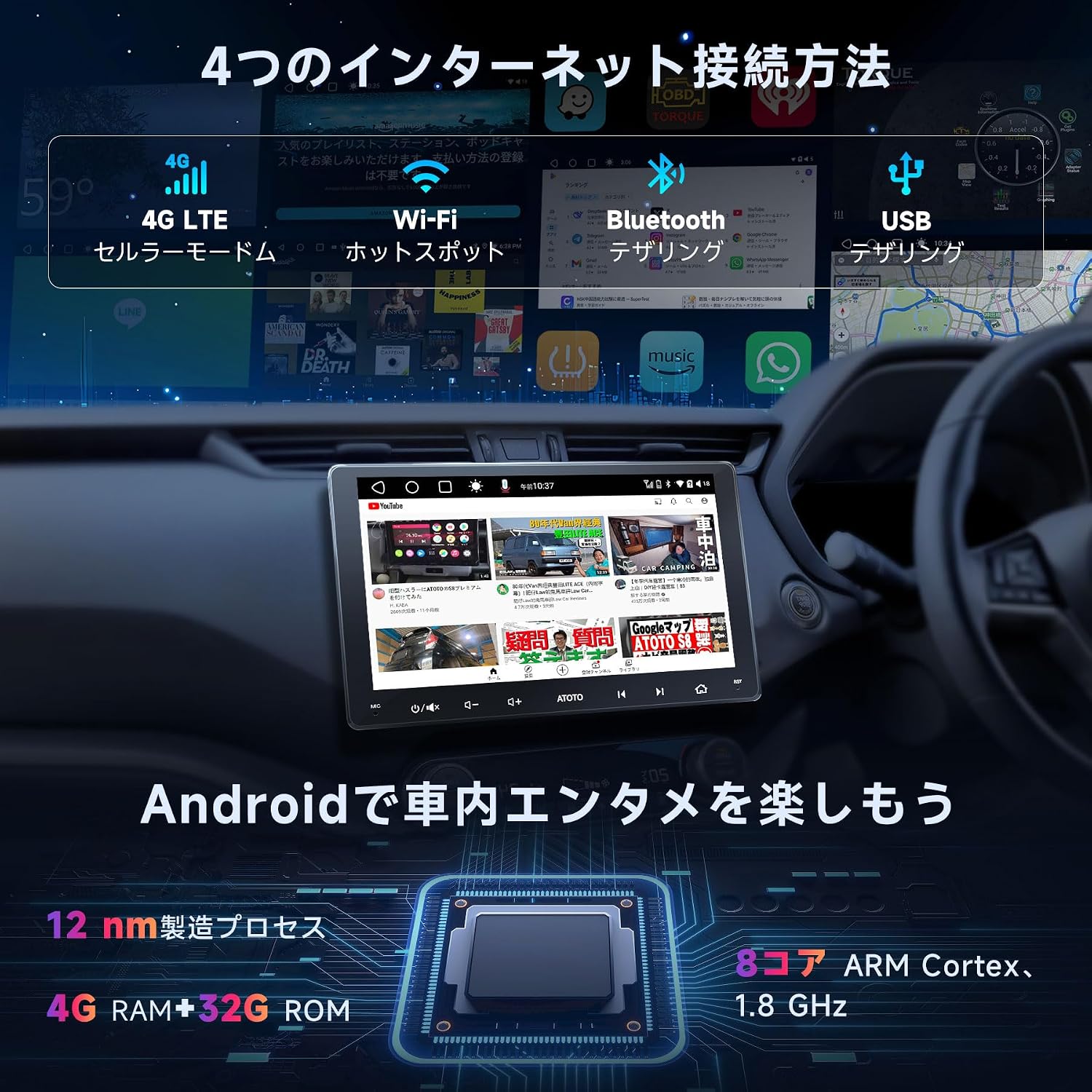
Image: Detailed wiring diagram for the ATOTO S8 Gen 2 Ultra Plus car stereo, showing connections for power, speakers, antennas, and external devices.
കീ കണക്ഷനുകൾ:
- ശക്തി: Connect the main power harness to your vehicle's power supply (constant 12V, accessory 12V, and ground).
- സ്പീക്കറുകൾ: Connect speaker wires to the corresponding vehicle speakers. The unit supports 5.1 surround sound.
- ആന്റിന: Connect the GPS antenna, Wi-Fi antenna, and 4G LTE antenna to their respective ports.
- ബാഹ്യ മൈക്രോഫോൺ: Plug in the external microphone for improved call quality and voice commands.
- USB പോർട്ടുകൾ: Multiple USB ports are available for data transfer, charging, and connecting external devices.
- പിൻഭാഗംview ക്യാമറ ഇൻപുട്ട്: Dedicated input for rearview cameras (e.g., ATOTO AC-HD03LR).
- സ്റ്റിയറിംഗ് വീൽ നിയന്ത്രണം: Connect to your vehicle's steering wheel control interface (if applicable) via the 3.5mm jack.
3.4 Versatile Connectivity
The ATOTO S8 Ultra Plus offers various inputs and outputs for enhanced functionality:
- USB DVR Camera: Connect a specific 1080P USB On-dash DVR camera for video preview പ്ലേബാക്കും.
- USB TPMS System: Connect a specific ATOTO USB TPMS system. Low tire pressure warnings will appear on the S8 screen with an audible alert.
- പിൻഭാഗംview ക്യാമറ: ഒരു പിൻഭാഗം ബന്ധിപ്പിക്കുകview camera with CVBS and HD video signal output for safe parking.
- സ്മാർട്ട്ഫോൺ മിററിംഗ്: Connect your Android/iOS smartphone via USB/Wi-Fi using EasyConnection to mirror your phone's screen.
- കാർപ്ലേ/ആൻഡ്രോയിഡ് ഓട്ടോ: Connect your iOS phone via USB or Bluetooth for wired/wireless CarPlay. Android Auto works with wired USB connection. This integrates your smartphone with the S8 display for calls, music, messages, and navigation.
- OBD II Diagnostic Scanner: Connect an OBD II engine code reader/diagnostic scanner via Bluetooth. Dual Bluetooth ensures stable communication with multiple Bluetooth connections.
- ഫാസ്റ്റ് ചാർജിംഗ്: Connect your phone to the dedicated Fast Charge USB interface for quick battery charging.
- Headrest Monitors: Connect to headrest monitors using ATOTO USB video output adapters (AC-AHV68: USB to HDMI; AC-AHV48: USB to RCA; both sold separately) to synchronize S8 display content.
4. പ്രവർത്തന നിർദ്ദേശങ്ങൾ
4.1 അടിസ്ഥാന പ്രവർത്തനങ്ങൾ
The unit features a touch-sensitive QLED display for intuitive control. Power-on is quick, typically within 2 seconds after ignition.

Image: The ATOTO S8 Android interface showing various applications and connectivity icons like Wi-Fi and Bluetooth.
4.2 ഇന്റർനെറ്റ് ആക്സസ്
The S8 Ultra Plus offers four methods for internet connectivity:
- Wi-Fi കണക്ഷൻ: Connect to available Wi-Fi networks.
- Bluetooth Tethering: Use your phone's Bluetooth to share its internet connection.
- USB ടെതറിംഗ്: Connect your phone via USB to share its internet connection.
- Integrated 4G Cellular Modem: Insert a 4G SIM card (not included) directly into the unit for independent internet access.

Image: Visual representation of the four internet connection methods: 4G LTE, Wi-Fi, Bluetooth Tethering, and USB Tethering.
Once connected, you can install numerous Android applications from the Google Play Store.

Image: The Google Play Store interface displayed on the ATOTO S8 unit, showing available applications.
4.3 ബ്ലൂടൂത്ത് കണക്റ്റിവിറ്റി
The S8 features dual Bluetooth modules:
- BT1: Supports the QCM aptX HD codec for 24-bit high-quality music streaming (requires a phone compatible with aptX HD).
- BT2: Primarily for internet tethering and connecting other Bluetooth devices.
This dual setup allows simultaneous connections to your phone and other Bluetooth accessories.

Image: The ATOTO S8 display showing music playback via Bluetooth, with controls and track information.
4.4 ആപ്പിൾ കാർപ്ലേയും ആൻഡ്രോയിഡ് ഓട്ടോയും
The S8 supports both wired and wireless Apple CarPlay and Android Auto, integrating your smartphone's features directly onto the car stereo display. This allows for navigation, calls, messages, and music control.

Image: Screenshots of Apple CarPlay and Android Auto interfaces on the ATOTO S8, demonstrating navigation, communication, and media functions.
കുറിപ്പ്:
While older package instructions might not mention it, the received car stereo unit is compatible with wireless Android Auto.
4.5 DriveChat AI Driving Assistant
Enhance your driving safety and convenience with the DriveChat app, your AI driving assistant. It offers advanced voice control to manage the car stereo, answer calls, control music, and more, allowing you to keep your hands on the wheel.
- Interact with multiple "Drivebots" for expert advice and specific needs.
- Customize activation words for a personalized experience.

Image: The DriveChat application interface, demonstrating AI voice control and intelligent conversations for driving assistance.
കുറിപ്പ്:
DriveChat is continuously under development with periodic updates. Ensure you update the app or system for the latest version.
4.6 ആംഗ്യ നിയന്ത്രണം
The S8 features a hand gesture sensor for convenient control of basic functions without touching the screen. This includes skipping tracks, adjusting system volume, and other operations.

Image: Diagram illustrating the hand gesture control functionality of the ATOTO S8, showing the operating plane and detection range.
4.7 Camera Features (VSV & LRV)
When used with the ATOTO AC-HD03LR camera (sold separately), the S8 Ultra Plus can display HD Virtual Surround-View (VSV) and Live Rear-View (LRV).
- Virtual Surround-View (VSV): An integrated panoramic image stitching algorithm processes images from the AC-HD03LR to reconstruct a virtual, nearly real-sized surround view.
- ലൈവ് റിയർ-View (LRV): Allows users to see the rearview while the vehicle is moving forward, eliminating obstructions from headrests and rear pillars, thereby increasing the visual field.

Image: Display showing Virtual Surround View (top) and Live Rear View (bottom) from compatible ATOTO cameras on the S8 screen.
4.8 ഓഡിയോ സവിശേഷതകൾ
- Digital Signal Processor (DSP): Provides advanced audio processing for a balanced and high-quality sound experience, regardless of speaker placement.
- Speed Compensated Volume Control (SCVC): Automatically adjusts the system volume as vehicle speed changes, compensating for road and wind noise.
- Advanced Equalizer: Offers separate 16-band EQ adjustments for front and rear audio channels.

Image: Visuals demonstrating the Digital Signal Processor (DSP) for time alignment, Speed Compensated Volume Control (SCVC), and the advanced equalizer interface on the ATOTO S8.
5. പരിപാലനം
To ensure the longevity and optimal performance of your ATOTO S8 Gen 2 Ultra Plus, follow these maintenance guidelines:
- സ്ക്രീൻ ക്ലീനിംഗ്: Use a soft, lint-free cloth to gently wipe the QLED screen. For stubborn smudges, slightly dampതുണിയിൽ വെള്ളം അല്ലെങ്കിൽ സ്ക്രീൻ-സേഫ് ക്ലീനർ ഉപയോഗിക്കുക. കഠിനമായ രാസവസ്തുക്കളോ ഉരച്ചിലുകളോ ഉള്ള വസ്തുക്കൾ ഒഴിവാക്കുക.
- സോഫ്റ്റ്വെയർ അപ്ഡേറ്റുകൾ: Regularly check for and install software updates via OTA (Over-The-Air) through the FindApps application. Updates often include performance improvements, bug fixes, and new features.
- സിസ്റ്റം റീസെറ്റ്: If the unit experiences persistent issues, a factory reset may resolve them. Refer to the troubleshooting section or contact support before performing a reset, as it will erase all user data and settings.
- പരിസ്ഥിതി വ്യവസ്ഥകൾ: യൂണിറ്റിന് തീവ്രമായ താപനില, ദീർഘനേരം നേരിട്ടുള്ള സൂര്യപ്രകാശം, അല്ലെങ്കിൽ അമിതമായ ഈർപ്പം എന്നിവ ഏൽക്കുന്നത് ഒഴിവാക്കുക.
- കേബിൾ കണക്ഷനുകൾ: എല്ലാ കേബിൾ കണക്ഷനുകളും സുരക്ഷിതമാണെന്നും കേടുപാടുകൾ സംഭവിച്ചിട്ടില്ലെന്നും ഉറപ്പാക്കാൻ ഇടയ്ക്കിടെ പരിശോധിക്കുക.

Image: Illustration of the software update process, emphasizing the importance of regular updates for optimal performance.
6. പ്രശ്നപരിഹാരം
This section addresses common issues you might encounter with your ATOTO S8 Gen 2 Ultra Plus. For more complex problems, please contact ATOTO customer support.
| പ്രശ്നം | സാധ്യമായ കാരണം | പരിഹാരം |
|---|---|---|
| യൂണിറ്റ് പവർ ഓണാക്കുന്നില്ല. | Incorrect power wiring, blown fuse, vehicle battery issue. | Check power cable connections (constant 12V, accessory 12V, ground). Inspect vehicle fuses. Ensure vehicle battery is charged. |
| ശബ്ദമോ വികലമായ ഓഡിയോയോ ഇല്ല. | Incorrect speaker wiring, volume too low, audio settings misconfigured. | Verify speaker connections. Adjust volume. Check EQ and DSP settings. Ensure correct audio source is selected. |
| ബ്ലൂടൂത്ത് കണക്ഷൻ പ്രശ്നങ്ങൾ. | ഉപകരണം ജോടിയാക്കൽ മോഡിലല്ല, തെറ്റായ ജോടിയാക്കൽ പ്രക്രിയ, ഇടപെടൽ. | Ensure both devices are in pairing mode. Delete previous pairings and re-pair. Move closer to the unit. Restart both devices. |
| GPS സിഗ്നൽ നഷ്ടം അല്ലെങ്കിൽ കൃത്യതയില്ലായ്മ. | GPS antenna not properly installed or obstructed, outdated maps. | ജിപിഎസ് ആന്റിന സുരക്ഷിതമായി ബന്ധിപ്പിച്ചിട്ടുണ്ടെന്നും വ്യക്തമായ ഒരു കണക്ഷൻ ഉണ്ടെന്നും ഉറപ്പാക്കുക. view of the sky. Update navigation software/maps. |
| Screen issues (lines, frozen, blurry). | Loose display module screws, software glitch. | Check and tighten the screws on the display module. Perform a soft reset (power cycle). If persistent, contact support. |
| CarPlay/Android Auto കണക്റ്റ് ചെയ്യുന്നില്ല. | Incorrect USB cable, phone settings, software incompatibility. | Use a high-quality USB cable. Ensure CarPlay/Android Auto is enabled on your phone. Update phone OS and unit firmware. |
7 സ്പെസിഫിക്കേഷനുകൾ
| ഫീച്ചർ | വിശദാംശങ്ങൾ |
|---|---|
| മോഡൽ നമ്പർ | S8G2109UP-A |
| ബ്രാൻഡ് | ATOTO |
| ഉൽപ്പന്ന അളവുകൾ | 12.6 x 17.8 x 10 സെ.മീ; 2.1 കി.ഗ്രാം |
| ഡിസ്പ്ലേ തരം | 10.1-inch QLED, 1280x720 resolution, 178° viewing ആംഗിൾ |
| പ്രോസസ്സർ | ARM Cortex Octa-Core (12nm manufacturing process) |
| ഓപ്പറേറ്റിംഗ് സിസ്റ്റം | Android Q (ATOTO AICE 11.0 UI) |
| കണക്റ്റിവിറ്റി ടെക്നോളജി | Bluetooth (Dual, aptX HD), USB, Wi-Fi, Integrated 4G LTE Modem |
| അനുയോജ്യമായ ഉപകരണങ്ങൾ | സ്മാർട്ട്ഫോൺ |
| പ്രത്യേക സവിശേഷതകൾ | Quick start (2s), Privacy protection, Digital Signal Processor (DSP), HD rearview input with Virtual Surround View (VSV), QLED screen, Hand gesture recognition, CarPlay, Android Auto, Integrated 4G LTE cellular modem. |
| ഓഡിയോ put ട്ട്പുട്ട് മോഡ് | Stereo, Surround (5.1 channels) |
| ഔട്ട്പുട്ട് പവർ | 180 വാട്ട്സ് |
| വീഡിയോ എൻകോഡിംഗ് | എച്ച്.264, എച്ച്.265/എച്ച്ഇവിസി |
| നിയന്ത്രണ രീതി | സ്പർശിക്കുക |
| യുപിസി / ജിടിഐഎൻ | 799257526356 |
8. വാറൻ്റിയും പിന്തുണയും
8.1 ഉൽപ്പന്ന വാറന്റി
The ATOTO S8 Gen 2 Ultra Plus comes with an 18-month product care period:
- 12 മാസം for manufacturing defects.
- An additional 6 മാസം of product care can be obtained by contacting ATOTO. This provides top-priority support, as ATOTO can access initial order details and the product's Serial Number (SN code).
Please retain your purchase receipt and product SN code for warranty claims.
8.2 ഉപഭോക്തൃ പിന്തുണ
For technical assistance, troubleshooting, or warranty inquiries, please contact ATOTO customer support through the following channels:
- Visit the official ATOTO webപിന്തുണാ ഉറവിടങ്ങൾക്കും ബന്ധപ്പെടാനുള്ള വിവരങ്ങൾക്കുമുള്ള സൈറ്റ്.
- "" കാണുക.ഇതിനായി തിരയുക help" section within the FindApps application on your device.
- എന്ന വിലാസത്തിൽ പിന്തുണ ഇമെയിൽ ചെയ്യുക support@atotoglobal.com.

Image: Steps to access ATOTO customer support, including purchasing information and direct inquiry options.
Image: Contact information for ATOTO support, including product care duration and update methods.