
ആമുഖം
The OIVO Switch Controller Grip is designed to enhance your Nintendo Switch handheld gaming experience. It provides an ergonomic and comfortable grip, integrating essential controller functions directly with your console for extended play sessions. This manual provides detailed instructions for setup, operation, maintenance, and troubleshooting.
ഉൽപ്പന്ന സവിശേഷതകൾ
- എർഗണോമിക് ഡിസൈൻ: Provides a comfortable and secure grip for prolonged handheld gaming.
- 6-Axis Gyro: Supports precise motion control for compatible games.
- Double Motor Vibration: Offers immersive haptic feedback during gameplay.
- Built-in Smart PD Chip: Enables safe and reliable high-speed charging of your Nintendo Switch while in the grip.
- Interchangeable Thumb Grips: Includes three different sizes for the right analog stick, allowing for personalized comfort and control.
- Direct Wired Connection: Connects directly to the Nintendo Switch via USB-C for stable and responsive input without wireless pairing.
പാക്കേജ് ഉള്ളടക്കം
- 1 x OIVO Switch Controller Grip (Model IV-SW128)
- 3 x Interchangeable Right Thumb Grips (High, Middle, Low)
- 1 x USB-C Charging Cable (for charging the Switch through the grip)
സജ്ജീകരണ നിർദ്ദേശങ്ങൾ
- Insert Nintendo Switch: Carefully slide your Nintendo Switch console into the OIVO Controller Grip until it is securely seated in the USB-C port. Ensure the console is aligned correctly to avoid damage.
- Enable Wired Communication:
- On your Nintendo Switch home screen, navigate to "System Settings" (the gear icon).
- Scroll down and select "Controllers and Sensors."
- Locate and enable the option "Pro Controller Wired Communication." This allows the grip to function as a wired Pro Controller.
- Customize Thumb Grips (Optional): If desired, replace the default right thumb grip with one of the included interchangeable grips (high, middle, or low) for preferred comfort and control.

To activate the grip, navigate to your Nintendo Switch System Settings, select 'Controllers and Sensors', and enable 'Pro Controller Wired Communication'.
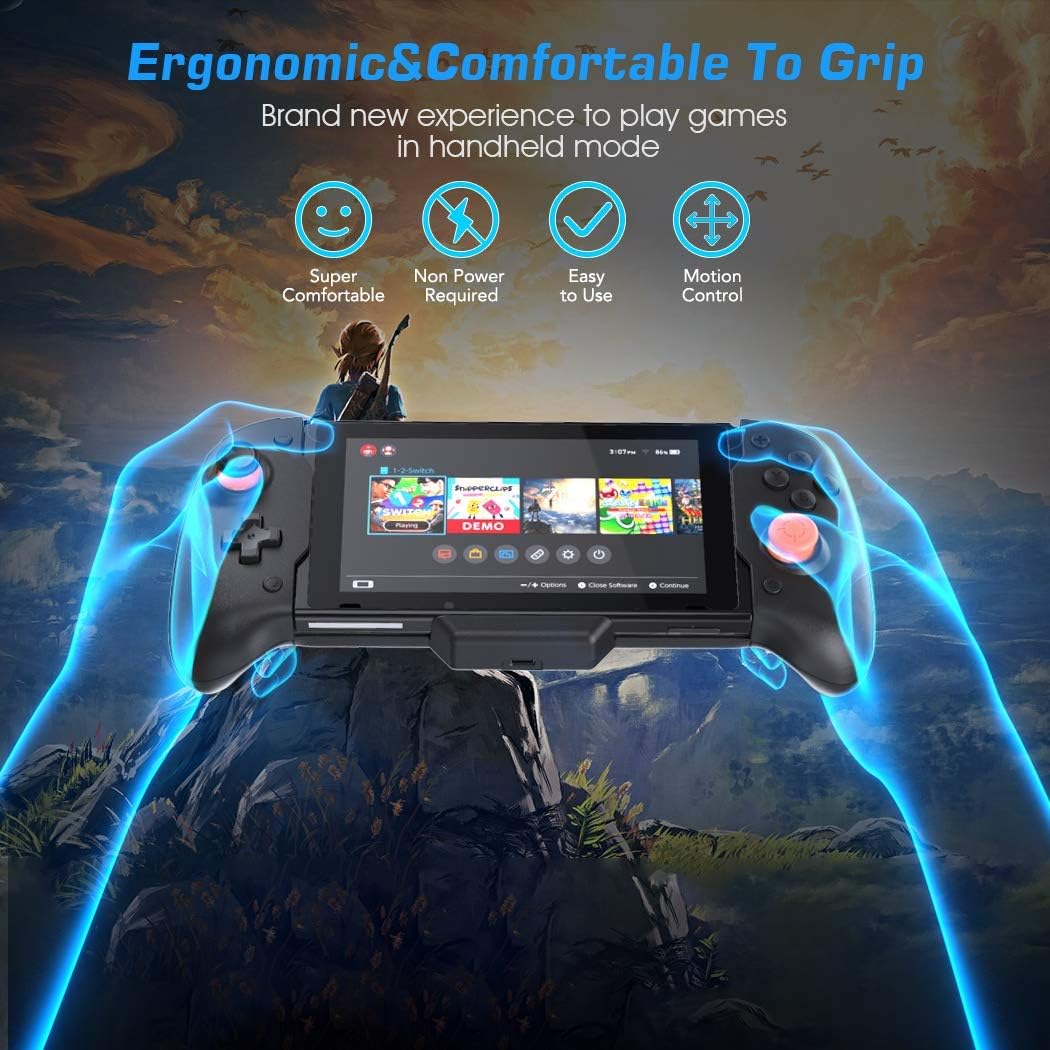
The OIVO Switch Controller Grip provides an ergonomic and comfortable experience for handheld gaming.
പ്രവർത്തന നിർദ്ദേശങ്ങൾ
അടിസ്ഥാന നിയന്ത്രണങ്ങൾ
Once the Nintendo Switch is securely inserted and 'Pro Controller Wired Communication' is enabled, the OIVO Controller Grip functions as a standard Pro Controller. All buttons, analog sticks, and triggers will be active and responsive for gameplay.
ചലന നിയന്ത്രണം
The integrated 6-axis gyro allows for motion-sensitive gameplay in compatible titles. Tilt and move the entire grip with the console to control in-game actions.

Experience precise motion control with the integrated 6-axis gyro, enhancing gameplay responsiveness.
വൈബ്രേഷൻ ഫീഡ്ബാക്ക്
The double motor vibration provides tactile feedback for in-game events, enhancing immersion. This feature is automatically active when supported by the game.

This image highlights key features: comfortable grip texture, protective pads for the console, double motor vibration for immersive feedback, and three sizes of interchangeable right thumb grips for personalized comfort.
സ്വിച്ച് ചാർജ് ചെയ്യുന്നു
The grip features a USB-C port at the bottom. Connect a compatible USB-C charging cable and power adapter to this port to charge your Nintendo Switch console while it is docked in the grip. The built-in Smart PD Chip ensures efficient charging.
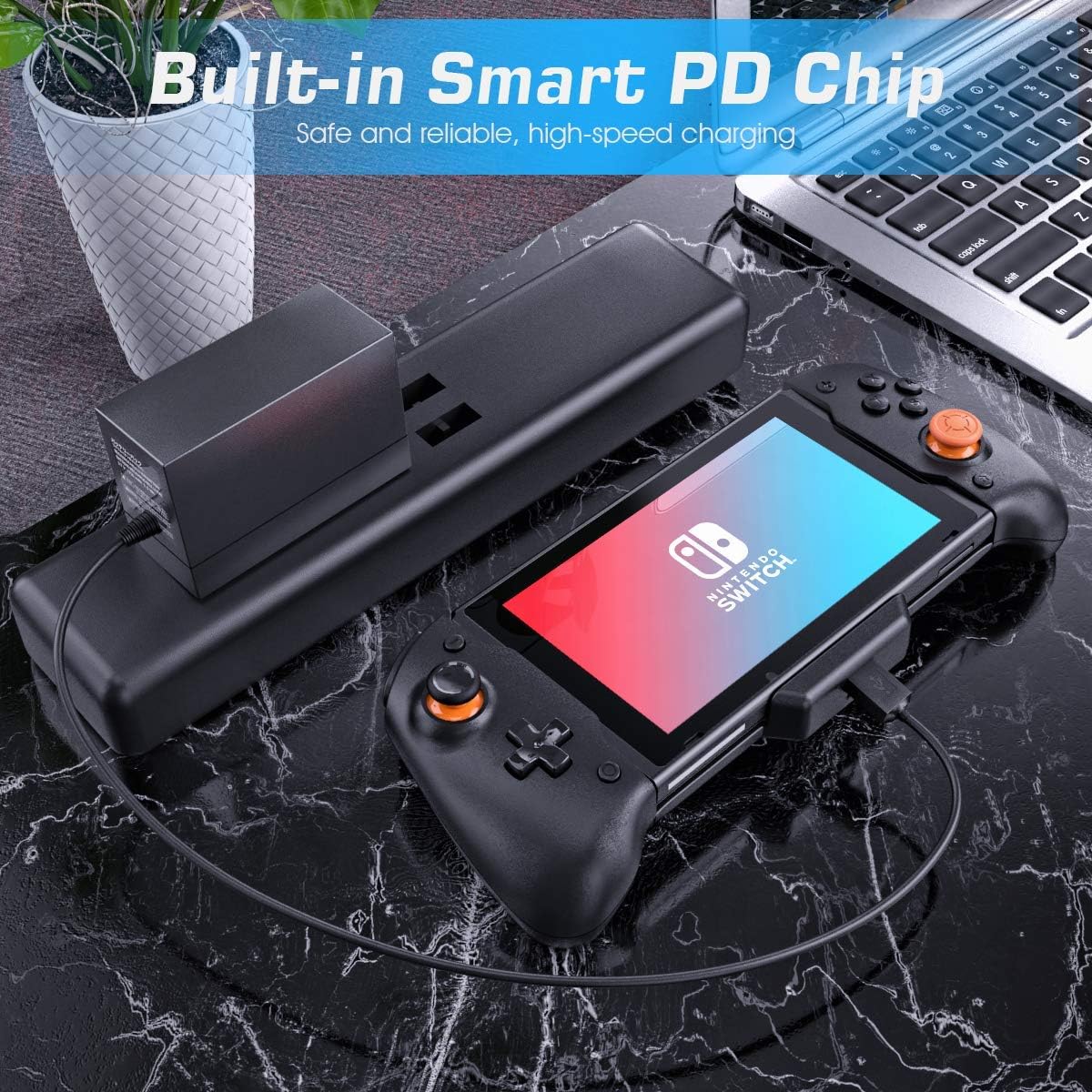
The built-in Smart PD Chip allows for safe and reliable high-speed charging of your Nintendo Switch while it is docked in the OIVO Controller Grip.
വീഡിയോ പ്രദർശനം
Official video demonstrating the OIVO Switch Controller Grip in use with the Nintendo Switch, highlighting its ergonomic design and features.
മെയിൻ്റനൻസ്
- വൃത്തിയാക്കൽ: Use a soft, dry cloth to wipe the surface of the grip. Avoid using harsh chemicals or abrasive materials.
- സംഭരണം: Store the grip in a cool, dry place away from direct sunlight and extreme temperatures when not in use.
- കൈകാര്യം ചെയ്യൽ: Always insert and remove your Nintendo Switch carefully to prevent damage to the console's USB-C port or the grip's connector.
ട്രബിൾഷൂട്ടിംഗ്
- Problem: Controller not responding or connecting.
- പരിഹാരം: Ensure your Nintendo Switch has "Pro Controller Wired Communication" enabled in the System Settings (Controllers and Sensors menu). Remove and re-insert the Switch into the grip to re-establish the connection. Verify the Switch is fully seated in the USB-C port.
- Problem: Input delay or unresponsiveness.
- പരിഹാരം: This can sometimes occur if the connection is loose. Try removing and re-inserting the Switch. Ensure no debris is obstructing the USB-C port on either the Switch or the grip. Restarting the Nintendo Switch console may also resolve the issue.
- Problem: Nintendo Switch is not charging while in the grip.
- പരിഹാരം: Confirm that a compatible USB-C charging cable and power adapter are securely connected to the grip's charging port and a power source. Check if the power adapter is functioning correctly. Ensure the Switch is properly inserted into the grip's USB-C connector.
- Problem: Joystick drifting or inaccurate input.
- പരിഹാരം: Perform joystick calibration through the Nintendo Switch System Settings (Controllers and Sensors > Calibrate Control Sticks). If the issue persists, ensure the grip is clean and free of debris around the joysticks. Contact customer support if the problem continues after calibration.
സ്പെസിഫിക്കേഷനുകൾ
| ബ്രാൻഡ് | OIVO |
| മോഡൽ നമ്പർ | IV-SW128 |
| അനുയോജ്യമായ ഉപകരണങ്ങൾ | നിൻ്റെൻഡോ സ്വിച്ച് |
| കൺട്രോളർ തരം | ഗെയിംപാഡ് |
| കണക്റ്റിവിറ്റി ടെക്നോളജി | USB (വയർഡ്) |
| നിറം | കറുപ്പ് |
| ബട്ടൺ അളവ് | 16 |
| ഹാർഡ്വെയർ പ്ലാറ്റ്ഫോം | ഗെയിമിംഗ് കൺസോൾ |
| പവർ ഉറവിടം | Corded Electric (for charging console via grip) |
| Gyro Axis | 6-ആക്സിസ് |
| വൈബ്രേഷൻ | ഇരട്ട മോട്ടോർ |
വാറൻ്റിയും പിന്തുണയും
For warranty information, technical support, or service inquiries, please contact OIVO customer support directly. Refer to the product packaging or the official OIVO webബന്ധപ്പെടാനുള്ള വിശദാംശങ്ങൾക്കുള്ള സൈറ്റ്.