
1. ആമുഖം
വാങ്ങിയതിന് നന്ദി.asing the TOPTRO X2 Mini Projector. This manual provides detailed instructions for setting up, operating, and maintaining your projector. Please read this manual thoroughly before use to ensure proper operation and to extend the lifespan of your device. Keep this manual for future reference.
സുരക്ഷാ വിവരങ്ങൾ
- l ചെയ്യുമ്പോൾ പ്രൊജക്ടർ ലെൻസിലേക്ക് നേരിട്ട് നോക്കരുത്amp ഓണാണ്.
- അമിതമായി ചൂടാകുന്നത് തടയാൻ പ്രൊജക്ടറിന് ചുറ്റും ശരിയായ വായുസഞ്ചാരം ഉറപ്പാക്കുക.
- പ്രൊജക്ടറിനെ മഴയിലോ ഈർപ്പത്തിലോ തുറന്നുവിടരുത്.
- പ്രൊജക്ടറിനൊപ്പം നൽകിയിരിക്കുന്ന പവർ അഡാപ്റ്റർ മാത്രം ഉപയോഗിക്കുക.
- Do not attempt to repair the projector yourself. Contact qualified service personnel for assistance.
- പ്രൊജക്ടർ താപ സ്രോതസ്സുകളിൽ നിന്നും നേരിട്ടുള്ള സൂര്യപ്രകാശത്തിൽ നിന്നും അകറ്റി നിർത്തുക.
2. പാക്കേജ് ഉള്ളടക്കം
നിങ്ങളുടെ പാക്കേജിൽ എല്ലാ ഇനങ്ങളും ഉണ്ടെന്ന് ഉറപ്പാക്കുക:
- TOPTRO X2 Mini Projector
- റിമോട്ട് കൺട്രോൾ
- പവർ കേബിൾ
- HDMI കേബിൾ
- എവി കേബിൾ
- ഉപയോക്തൃ മാനുവൽ
- ലെൻസ് ക്യാപ്

Image: The TOPTRO X2 Mini Projector shown with its carrying case and a smartphone displaying projected content. This image illustrates the compact size and portability of the projector, along with its primary function of displaying media.
3. ഉൽപ്പന്നം കഴിഞ്ഞുview
പ്രൊജക്ടർ ലേഔട്ട്
ചിത്രം: മുൻവശവും വശവും view of the TOPTRO X2 Mini Projector, highlighting the lens, focus ring, and ventilation grilles. This provides a visual guide to the projector's external components.
ഇൻപുട്ട്/ഔട്ട്പുട്ട് പോർട്ടുകൾ
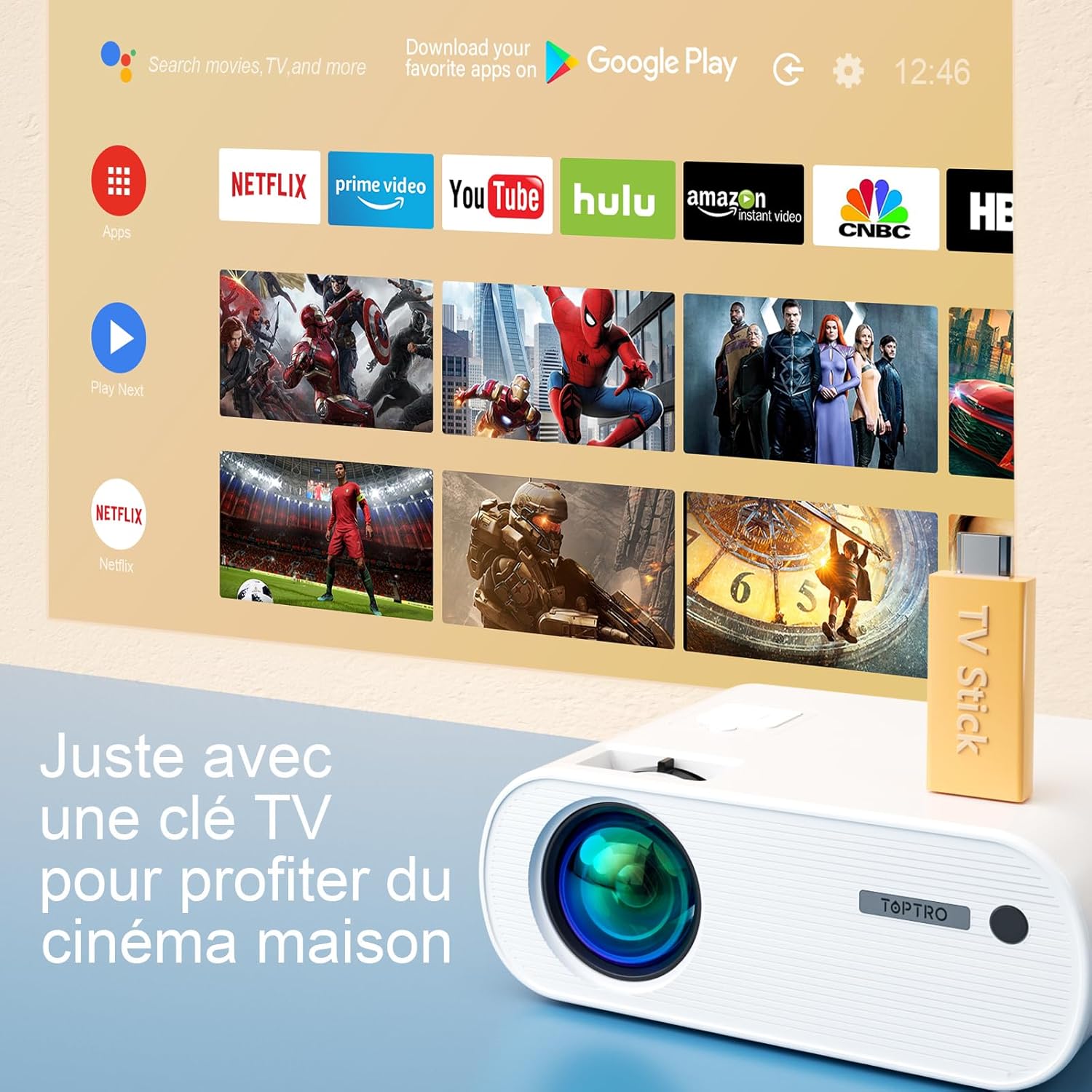
Image: Close-up of the rear panel of the TOPTRO X2 Mini Projector, showing various input/output ports including HDMI, USB, AV, and power input. This helps users identify where to connect their devices.
- പവർ ഇൻപുട്ട്
- HDMI പോർട്ട്
- USB പോർട്ട്
- എവി പോർട്ട്
- ഓഡിയോ ഔട്ട് (3.5mm)
- വിജിഎ പോർട്ട്
- SD കാർഡ് സ്ലോട്ട്
നിയന്ത്രണ പാനൽ

ചിത്രം: മുകളിൽ നിന്ന് താഴേക്ക് view of the TOPTRO X2 Mini Projector's control panel, showing navigation buttons and the power button. This image assists users in understanding the on-device controls.
The projector can be controlled using the onboard buttons or the included remote control.
4. പ്രാരംഭ സജ്ജീകരണം
4.1 പവർ ചെയ്യുന്നു
- Connect the power cable to the projector's power input and then to a power outlet.
- ഉപകരണം ഓണാക്കാൻ പ്രൊജക്ടറിലോ റിമോട്ട് കൺട്രോളിലോ പവർ ബട്ടൺ അമർത്തുക.
4.2 ഫോക്കസ് ക്രമീകരിക്കൽ
Rotate the focus ring on the projector lens until the projected image is clear and sharp.

Image: A hand adjusting the focus ring on the TOPTRO X2 Mini Projector, with a blurred image on the left and a sharp image on the right, demonstrating the effect of focus adjustment. This visual aid helps users understand how to achieve a clear picture.
4.3 കീസ്റ്റോൺ തിരുത്തൽ
The TOPTRO X2 features 4D Keystone Correction (±40° vertical and horizontal) and a 100% X/Y zoom function, adjustable via the remote control. This allows for a rectangular image even if the projector is not perfectly aligned with the screen.

Image: Diagram illustrating the effect of keystone correction, showing a distorted image being corrected into a perfect rectangle. This helps users visualize the function of keystone adjustment.
ക്രമീകരിക്കാൻ:
- Navigate to the "Keystone Correction" menu using the remote control.
- Adjust the vertical and horizontal parameters until the image is rectangular.
- Use the zoom function (100% X/Y) to adjust the image size without moving the projector.
4.4 പ്ലേസ്മെന്റ് ഓപ്ഷനുകൾ
The projector can be placed on a table or mounted to the ceiling.

Image: An image showing the TOPTRO X2 Mini Projector in two different setups: on a table and ceiling-mounted. This demonstrates the versatility of installation options for the projector.
5. പ്രവർത്തന നിർദ്ദേശങ്ങൾ
5.1 ഇൻപുട്ട് ഉറവിടം തിരഞ്ഞെടുക്കൽ
Press the "Source" button on the remote control or projector to select the desired input source (HDMI, USB, AV, VGA, Screen Mirroring).
5.2 ഉപകരണങ്ങൾ ബന്ധിപ്പിക്കുന്നു
5.2.1 HDMI കണക്ഷൻ
Connect your device (e.g., laptop, game console, TV Stick) to the projector's HDMI port using an HDMI cable.

Image: The TOPTRO X2 Mini Projector connected to a TV Stick, displaying various streaming service icons on a projected screen. This illustrates how to connect and use a TV stick for media consumption.
5.2.2 USB കണക്ഷൻ
മീഡിയ പ്ലേ ചെയ്യാൻ USB പോർട്ടിലേക്ക് ഒരു USB ഡ്രൈവ് ചേർക്കുക. files directly. The projector supports various video, audio, and image formats.
5.2.3 AV കണക്ഷൻ
Use the provided AV cable to connect devices with AV output (e.g., DVD player).
5.2.4 വിജിഎ കണക്ഷൻ
Connect a computer to the VGA port using a VGA cable.
5.2.5 Wireless Connection (WiFi Screen Mirroring)
The TOPTRO X2 supports wireless screen mirroring for Android and iOS devices.

Image: The TOPTRO X2 Mini Projector wirelessly connected to multiple devices (smartphone, tablet, laptop), projecting a scenic image. This demonstrates the projector's WiFi screen mirroring capability for various devices.
- Select "Screen Mirroring" as the input source.
- Follow the on-screen instructions to connect your smartphone or tablet to the projector's WiFi network, then enable screen mirroring on your device.
5.2.6 ബ്ലൂടൂത്ത് ഓഡിയോ കണക്ഷൻ
മെച്ചപ്പെട്ട ഓഡിയോ അനുഭവത്തിനായി ബാഹ്യ ബ്ലൂടൂത്ത് സ്പീക്കറുകളോ ഹെഡ്ഫോണുകളോ ബന്ധിപ്പിക്കുക.

Image: The TOPTRO X2 Mini Projector wirelessly connected via Bluetooth to external speakers and headphones, with sound waves emanating from the projector. This illustrates the projector's Bluetooth audio output feature.
- നിങ്ങളുടെ ബ്ലൂടൂത്ത് ഓഡിയോ ഉപകരണം ജോടിയാക്കൽ മോഡിലാണെന്ന് ഉറപ്പാക്കുക.
- പ്രൊജക്ടറിൽ, ബ്ലൂടൂത്ത് ക്രമീകരണ മെനുവിലേക്ക് നാവിഗേറ്റ് ചെയ്യുക.
- ജോടിയാക്കാൻ ലിസ്റ്റിൽ നിന്ന് നിങ്ങളുടെ ഉപകരണം തിരഞ്ഞെടുക്കുക.
5.3 മെനു നാവിഗേഷൻ
Use the arrow keys and "OK" button on the remote control or projector to navigate through the on-screen menus for settings such as picture mode, sound mode, and system settings.
6. പരിപാലനം
6.1 ലെൻസ് വൃത്തിയാക്കൽ
Use a soft, lint-free cloth or lens cleaning paper to gently wipe the projector lens. Avoid using abrasive cleaners.
6.2 ഡസ്റ്റ് ഫിൽറ്റർ വൃത്തിയാക്കൽ
The TOPTRO X2 features a removable dust filter to prevent dust accumulation and black spots on the projection. Regularly clean the filter to maintain optimal performance.
- Locate the removable dust filter cover on the side of the projector.
- Gently remove the cover and the filter.
- Clean the filter using a soft brush or compressed air.
- Reinsert the filter and close the cover securely.
6.3 വെന്റിലേഷൻ
Ensure that the projector's ventilation openings are not blocked to allow for proper airflow and prevent overheating. The projector is equipped with a circulation cooling system and three independent smart fans to manage temperature.
7. പ്രശ്നപരിഹാരം
| പ്രശ്നം | സാധ്യമായ കാരണം | പരിഹാരം |
|---|---|---|
| സ്ക്രീനിൽ ചിത്രമൊന്നുമില്ല | പവർ കണക്റ്റ് ചെയ്തിട്ടില്ല; തെറ്റായ ഇൻപുട്ട് ഉറവിടം; ലെൻസ് ക്യാപ്പ് ഓണാണ് | പവർ കണക്ഷൻ പരിശോധിക്കുക; ശരിയായ ഇൻപുട്ട് ഉറവിടം തിരഞ്ഞെടുക്കുക; ലെൻസ് ക്യാപ്പ് നീക്കം ചെയ്യുക |
| മങ്ങിയ ചിത്രം | Focus not adjusted; Incorrect projection distance | Adjust focus ring; Adjust projector distance or use zoom function |
| Distorted image (trapezoid shape) | പ്രൊജക്ടർ സ്ക്രീനിന് ലംബമല്ല. | Use keystone correction function |
| ശബ്ദമില്ല | Volume too low; Muted; Incorrect audio output selected | Increase volume; Unmute; Check audio settings and connections |
| റിമോട്ട് കൺട്രോൾ പ്രവർത്തിക്കുന്നില്ല | Batteries dead; Obstruction between remote and projector | ബാറ്ററികൾ മാറ്റിസ്ഥാപിക്കുക; വ്യക്തമായ കാഴ്ച രേഖ ഉറപ്പാക്കുക. |
| അമിത ചൂടാക്കൽ മുന്നറിയിപ്പ് | Blocked ventilation; Prolonged use | Ensure vents are clear; Allow projector to cool down |
8 സ്പെസിഫിക്കേഷനുകൾ
| ഫീച്ചർ | വിശദാംശങ്ങൾ |
|---|---|
| ബ്രാൻഡ് | ടോപ്ട്രോ |
| മോഡൽ | X2 |
| നേറ്റീവ് റെസല്യൂഷൻ | 1920 x 1080P (പൂർണ്ണ HD) |
| പിന്തുണയുള്ള റെസല്യൂഷൻ | 4K അൾട്രാ HD വരെ |
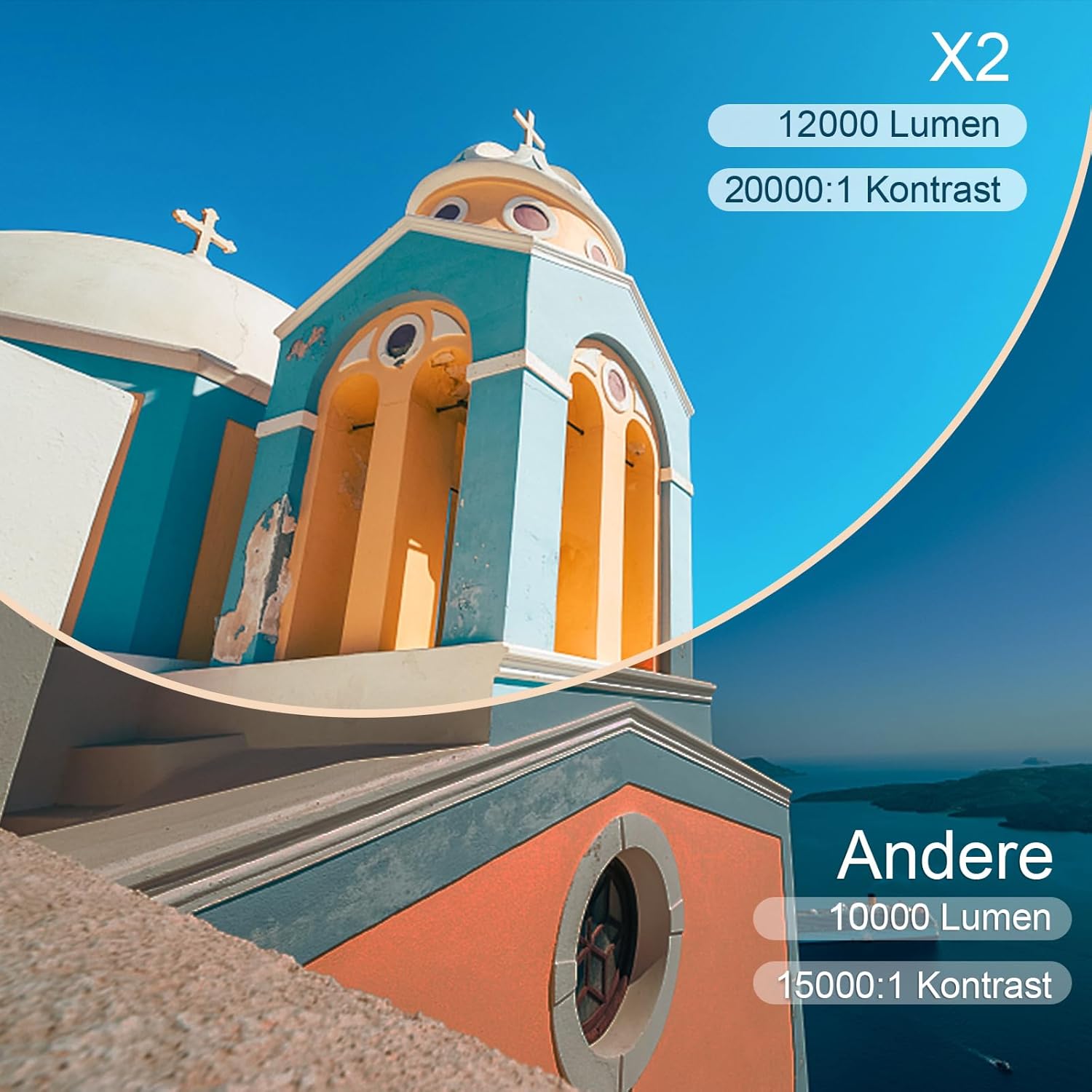
| തെളിച്ചം | 6800 Lumens (Note: Marketing claims may vary, e.g., 7000 or 12000 lumens) |
| കോൺട്രാസ്റ്റ് റേഷ്യോ | 8000:1 |
| പ്രൊജക്ഷൻ വലിപ്പം | 300 ഇഞ്ച് വരെ |
| പ്രൊജക്ഷൻ ദൂരം | Recommended 3.5m, Max 7m |
| കീസ്റ്റോൺ തിരുത്തൽ | 4D (±40° Vertical & Horizontal) |
| സൂം പ്രവർത്തനം | 100% X/Y |
| Lamp ജീവിതം | 90,000 മണിക്കൂർ (LED) |
| സ്പീക്കറുകൾ | Built-in 10W Dual Subwoofer with SRS Sound |
| കണക്റ്റിവിറ്റി | HDMI, USB, AV, VGA, WiFi, Bluetooth |
| നിറം | ചാരനിറം |
9. വാറൻ്റിയും പിന്തുണയും
വാറൻ്റി വിവരങ്ങൾ
Please refer to the warranty card included in your package for detailed warranty terms and conditions. The warranty typically covers manufacturing defects for a specified period from the date of purchase.
ഉപഭോക്തൃ പിന്തുണ
If you encounter any issues or have questions regarding your TOPTRO X2 Mini Projector, please contact TOPTRO customer support. Contact information can usually be found on the official TOPTRO webസൈറ്റ് അല്ലെങ്കിൽ വാറന്റി കാർഡിൽ.
When contacting support, please have your model number (X2) and purchase details ready.