
Yenkee YSP 2025
Yenkee YSP 2025 2.0 PC Speaker System User Manual
Model: YSP 2025
1. ആമുഖം
വാങ്ങിയതിന് നന്ദി.asing the Yenkee YSP 2025 2.0 PC Speaker System. This manual provides detailed instructions for setting up, operating, and maintaining your new speakers. Please read this manual thoroughly before use to ensure proper operation and to maximize the lifespan of your product.
The Yenkee YSP 2025 speaker system is designed to enhance your multimedia audio experience with powerful and clear sound. It features versatile connectivity options including Bluetooth 5.0, 3.5mm audio input, TF card reader, and USB port for various audio sources.
2 സുരക്ഷാ വിവരങ്ങൾ
സുരക്ഷിതമായ പ്രവർത്തനം ഉറപ്പാക്കുന്നതിനും കേടുപാടുകൾ തടയുന്നതിനും, ദയവായി ഇനിപ്പറയുന്ന സുരക്ഷാ മുൻകരുതലുകൾ പാലിക്കുക:
- സ്പീക്കറുകൾ വെള്ളം, ഈർപ്പം അല്ലെങ്കിൽ തീവ്രമായ താപനില എന്നിവയിൽ തുറന്നുകാട്ടരുത്.
- റേഡിയേറ്ററുകൾ, ഹീറ്റ് രജിസ്റ്ററുകൾ, സ്റ്റൗകൾ അല്ലെങ്കിൽ മറ്റ് ഉപകരണങ്ങൾ (ഉൾപ്പെടെ) പോലുള്ള താപ സ്രോതസ്സുകൾക്ക് സമീപം സ്പീക്കറുകൾ സ്ഥാപിക്കരുത്. ampലൈഫയറുകൾ) ചൂട് ഉത്പാദിപ്പിക്കുന്നത്.
- നിർമ്മാതാവ് വ്യക്തമാക്കിയ അറ്റാച്ച്മെൻ്റുകൾ/ആക്സസറികൾ മാത്രം ഉപയോഗിക്കുക.
- മിന്നൽ കൊടുങ്കാറ്റുകളുടെ സമയത്തോ ദീർഘനേരം ഉപയോഗിക്കാത്ത സമയത്തോ ഈ ഉപകരണം അൺപ്ലഗ് ചെയ്യുക.
- എല്ലാ സേവനങ്ങളും യോഗ്യതയുള്ള സേവന ഉദ്യോഗസ്ഥർക്ക് റഫർ ചെയ്യുക. പവർ സപ്ലൈ കോർഡ് അല്ലെങ്കിൽ പ്ലഗ് കേടാകുക, ദ്രാവകം ഒഴുകുകയോ ഉപകരണങ്ങൾ ഉപകരണത്തിലേക്ക് വീഴുകയോ ചെയ്യുക, ഉപകരണം മഴയോ ഈർപ്പമോ സമ്പർക്കം പുലർത്തുക, സാധാരണയായി പ്രവർത്തിക്കാത്തത് എന്നിങ്ങനെയുള്ള ഏതെങ്കിലും വിധത്തിൽ ഉപകരണത്തിന് കേടുപാടുകൾ സംഭവിക്കുമ്പോൾ സേവനം ആവശ്യമാണ്. , അല്ലെങ്കിൽ ഉപേക്ഷിച്ചു.
- വെന്റിലേഷൻ തുറസ്സുകളൊന്നും തടയരുത്. നിർമ്മാതാവിന്റെ നിർദ്ദേശങ്ങൾക്കനുസൃതമായി ഇൻസ്റ്റാൾ ചെയ്യുക.
- പ്രത്യേകിച്ച് പ്ലഗുകൾ, കൺവീനിയൻസ് റെസെപ്റ്റക്കിളുകൾ, ഉപകരണത്തിൽ നിന്ന് പുറത്തുകടക്കുന്ന ഇടം എന്നിവയിൽ നടക്കുകയോ നുള്ളുകയോ ചെയ്യുന്നതിൽ നിന്ന് പവർ കോർഡ് സംരക്ഷിക്കുക.
3. പാക്കേജ് ഉള്ളടക്കം
പായ്ക്ക് അൺപാക്ക് ചെയ്യുമ്പോൾ പാക്കേജ് ഉള്ളടക്കം പരിശോധിക്കുക. ഏതെങ്കിലും ഇനങ്ങൾ നഷ്ടപ്പെട്ടിട്ടുണ്ടെങ്കിലോ കേടായിട്ടുണ്ടെങ്കിലോ, നിങ്ങളുടെ റീട്ടെയിലറെ ബന്ധപ്പെടുക.
- Yenkee YSP 2025 2.0 PC Speaker System (2 speakers)
- റിമോട്ട് കൺട്രോൾ
- 3.5 എംഎം ഓഡിയോ കേബിൾ
- പവർ കേബിൾ
- ഉപയോക്തൃ മാനുവൽ
4. ഉൽപ്പന്നം കഴിഞ്ഞുview
Familiarize yourself with the components and controls of your Yenkee YSP 2025 speaker system.

ചിത്രം 4.1: ഫ്രണ്ട് view of the Yenkee YSP 2025 speakers, showing the main speaker with control panel on the side and the secondary speaker.
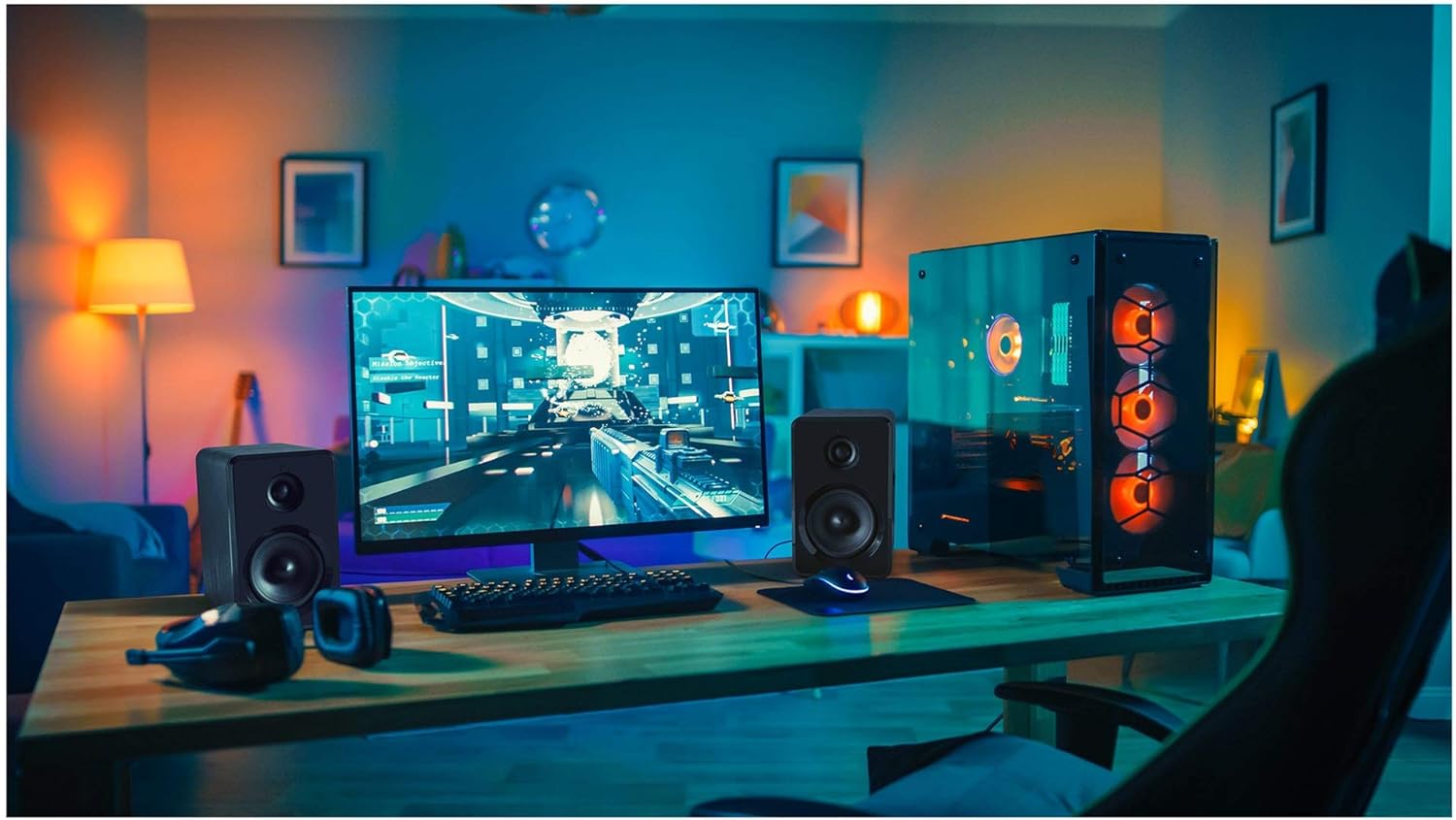
ചിത്രം 4.2: Yenkee YSP 2025 speakers integrated into a typical desktop computer setup, demonstrating their compact size and placement beside a monitor.

ചിത്രം 4.3: The retail packaging for the Yenkee YSP 2025 speakers, highlighting key features and including an image of the remote control.
4.1 Main Speaker Controls and Ports
The main speaker houses the primary controls and connectivity ports:
- വോളിയം നോബ്: മൊത്തത്തിലുള്ള വോളിയം ക്രമീകരിക്കുന്നു.
- മോഡ് ബട്ടൺ: Cycles through input modes (Bluetooth, AUX, USB, TF).
- പ്ലേ/താൽക്കാലികമായി നിർത്തുക ബട്ടൺ: Controls playback in Bluetooth, USB, and TF modes.
- മുമ്പത്തെ/അടുത്ത ട്രാക്ക് ബട്ടണുകൾ: Navigates tracks in Bluetooth, USB, and TF modes.
- USB പോർട്ട്: യുഎസ്ബി ഫ്ലാഷ് ഡ്രൈവ് പ്ലേബാക്കിനായി.
- ടിഎഫ് കാർഡ് സ്ലോട്ട്: For TF (microSD) card playback.
- AUX ഇൻപുട്ട് (3.5mm): കേബിൾ വഴി ബാഹ്യ ഓഡിയോ ഉപകരണങ്ങൾ ബന്ധിപ്പിക്കുന്നതിന്.
- പവർ ഇൻപുട്ട്: പവർ അഡാപ്റ്ററുമായി ബന്ധിപ്പിക്കുന്നു.
- സ്പീക്കർ ഔട്ട്പുട്ട്: Connects to the secondary speaker.
4.2 വിദൂര നിയന്ത്രണം
ഉൾപ്പെടുത്തിയിരിക്കുന്ന റിമോട്ട് കൺട്രോൾ വിവിധ ഫംഗ്ഷനുകളിലേക്ക് സൗകര്യപ്രദമായ ആക്സസ് നൽകുന്നു:
- പവർ ഓൺ/ഓഫ്
- മോഡ് തിരഞ്ഞെടുക്കൽ
- വോളിയം കൂട്ടുക/താഴ്ത്തുക
- നിശബ്ദമാക്കുക
- പ്ലേ/താൽക്കാലികമായി നിർത്തുക
- മുമ്പത്തെ/അടുത്ത ട്രാക്ക്
- EQ Presets (if available)
5. സജ്ജീകരണം
5.1 സ്പീക്കർ പ്ലേസ്മെന്റ്
For optimal sound quality, place the speakers on a stable, flat surface. Position them equidistant from your listening position, forming an equilateral triangle for the best stereo imaging. Ensure there is adequate ventilation around the speakers.
5.2 സ്പീക്കറുകൾ ബന്ധിപ്പിക്കുന്നു
- Connect the cable from the secondary speaker to the "Speaker Output" port on the main speaker.
- Connect the power cable to the "Power Input" on the main speaker, then plug the other end into a standard wall outlet (100-240V).
5.3 ഓഡിയോ ഉറവിടങ്ങൾ ബന്ധിപ്പിക്കുന്നു
5.3.1 ഓക്സ് കണക്ഷൻ
Use the included 3.5mm audio cable to connect your device (e.g., computer, smartphone, MP3 player) to the "AUX Input" port on the main speaker.
5.3.2 USB/TF Card Connection
Insert a USB flash drive or TF (microSD) card into the respective port on the main speaker. The system will automatically switch to USB/TF mode and begin playing supported audio files.
6. പ്രവർത്തന നിർദ്ദേശങ്ങൾ
6.1 പവർ ഓൺ/ഓഫ്
Press the Power button on the remote control or the main speaker to turn the speakers on or off.
6.2 മോഡ് തിരഞ്ഞെടുക്കൽ
Press the "MODE" button on the main speaker or the remote control to cycle through the available input modes: Bluetooth, AUX, USB, and TF.
6.3 വോളിയം നിയന്ത്രണം
Rotate the volume knob on the main speaker clockwise to increase volume and counter-clockwise to decrease. Alternatively, use the Volume Up/Down buttons on the remote control.
6.4 ബ്ലൂടൂത്ത് ജോടിയാക്കൽ
- Switch the speaker system to Bluetooth mode. The indicator light will flash, indicating it's ready for pairing.
- On your Bluetooth-enabled device (e.g., smartphone, tablet, computer), enable Bluetooth and search for available devices.
- Select "Yenkee YSP 2025" from the list of devices.
- Once paired, the indicator light will stop flashing and remain solid. You can now play audio wirelessly from your device.
6.5 USB/TF Playback
When a USB flash drive or TF card is inserted, the speakers will automatically switch to the corresponding mode and begin playing audio files. Use the Play/Pause and Previous/Next Track buttons on the main speaker or remote control to manage playback.
7. പരിപാലനം
ശരിയായ അറ്റകുറ്റപ്പണി നിങ്ങളുടെ സ്പീക്കറുകളുടെ ദീർഘായുസ്സും പ്രകടനവും ഉറപ്പാക്കുന്നു:
- വൃത്തിയാക്കൽ: Use a soft, dry cloth to clean the speaker surfaces. Do not use abrasive cleaners, waxes, or solvents.
- സംഭരണം: If storing the speakers for an extended period, unplug them from the power outlet and store them in a cool, dry place, away from direct sunlight and extreme temperatures.
- വെൻ്റിലേഷൻ: അമിതമായി ചൂടാക്കുന്നത് തടയാൻ വെൻ്റിലേഷൻ ഓപ്പണിംഗുകൾ തടഞ്ഞിട്ടില്ലെന്ന് ഉറപ്പാക്കുക.
8. പ്രശ്നപരിഹാരം
If you encounter issues with your Yenkee YSP 2025 speakers, refer to the following common problems and solutions:
| പ്രശ്നം | സാധ്യമായ കാരണം | പരിഹാരം |
|---|---|---|
| ശബ്ദമില്ല |
|
|
| വികലമായ ശബ്ദം |
|
|
| ബ്ലൂടൂത്ത് ജോടിയാക്കൽ പ്രശ്നങ്ങൾ |
|
|
| USB/TF കാർഡ് പ്ലേ ചെയ്യുന്നില്ല. |
|
|
9 സ്പെസിഫിക്കേഷനുകൾ
Detailed technical specifications for the Yenkee YSP 2025 speaker system:
| മോഡൽ നമ്പർ | YSP 2025 |
| സ്പീക്കർ തരം | 2.0 PC Speaker System |
| ഔട്ട്പുട്ട് പവർ (RMS) | 40 W |
| ഫ്രീക്വൻസി പ്രതികരണം | 60 ഹെർട്സ് - 20 കിലോ ഹെർട്സ് |
| ബ്ലൂടൂത്ത് പതിപ്പ് | 5.0 |
| കണക്റ്റിവിറ്റി ഓപ്ഷനുകൾ | Bluetooth, 3.5mm AUX, USB, TF Card |
| അളവുകൾ (ഓരോ സ്പീക്കറും) | 115 x 185 x 159 mm (W x H x D) |
| ആകെ ഭാരം | 2.5 കി.ഗ്രാം |
| വൈദ്യുതി വിതരണം | എസി 100-240V |
| നിയന്ത്രണ രീതി | പുഷ് ബട്ടൺ, റിമോട്ട് കൺട്രോൾ |
| നിറം | കറുപ്പ് |
10. വാറൻ്റിയും പിന്തുണയും
Yenkee products are manufactured to the highest quality standards. For information regarding warranty terms and conditions, please refer to the warranty card included with your product or contact your local retailer. Keep your purchase receipt as proof of purchase.
For technical support or service inquiries, please contact the retailer where you purchased the product or visit the official Yenkee webബന്ധപ്പെടാനുള്ള വിവരങ്ങൾക്കുള്ള സൈറ്റ്.
Ask a question about this manual
Ask about setup, troubleshooting, compatibility, parts, safety, or missing instructions. Manuals+ will review the question and use this page’s manual context to help answer it.