
1. പ്രധാന സുരക്ഷാ നിർദ്ദേശങ്ങൾ
Please read these instructions carefully before using the Beurer LR 210 HEPA Air Purifier. Keep this manual for future reference and ensure it is accessible to all users.
- ഉറച്ച, ലെവൽ ഉപരിതലത്തിൽ എല്ലായ്പ്പോഴും എയർ പ്യൂരിഫയർ സ്ഥാപിക്കുക.
- എയർ ഇൻലെറ്റ് അല്ലെങ്കിൽ ഔട്ട്ലെറ്റ് വെൻ്റുകൾ തടയരുത്.
- ഉപകരണം വെള്ളത്തിൽ നിന്നും ഈർപ്പത്തിൽ നിന്നും അകറ്റി നിർത്തുക. നനഞ്ഞ കൈകളാൽ പ്രവർത്തിക്കരുത്.
- Do not use the device near flammable gases or vapors.
- വൃത്തിയാക്കുന്നതിനോ അറ്റകുറ്റപ്പണികൾ നടത്തുന്നതിനോ മുമ്പ് ഉപകരണം അൺപ്ലഗ് ചെയ്യുക.
- ഈ ഉപകരണം, അവരുടെ സുരക്ഷയ്ക്ക് ഉത്തരവാദിയായ ഒരു വ്യക്തി ഉപകരണത്തിൻ്റെ ഉപയോഗത്തെ സംബന്ധിച്ച മേൽനോട്ടമോ നിർദ്ദേശമോ നൽകിയിട്ടില്ലെങ്കിൽ, ശാരീരികമോ ഇന്ദ്രിയപരമോ മാനസികമോ ആയ കഴിവുകൾ കുറഞ്ഞതോ അനുഭവത്തിൻ്റെയും അറിവിൻ്റെയും അഭാവം ഉള്ള വ്യക്തികൾക്ക് (കുട്ടികൾ ഉൾപ്പെടെ) ഉപയോഗിക്കാൻ ഉദ്ദേശിച്ചുള്ളതല്ല.
- Only use original Beurer replacement filters.
2. ഉൽപ്പന്നം കഴിഞ്ഞുview
The Beurer LR 210 is a compact HEPA air purifier designed to improve indoor air quality. It features a multi-layer filter system, an ion function, and various operating modes for optimal performance.
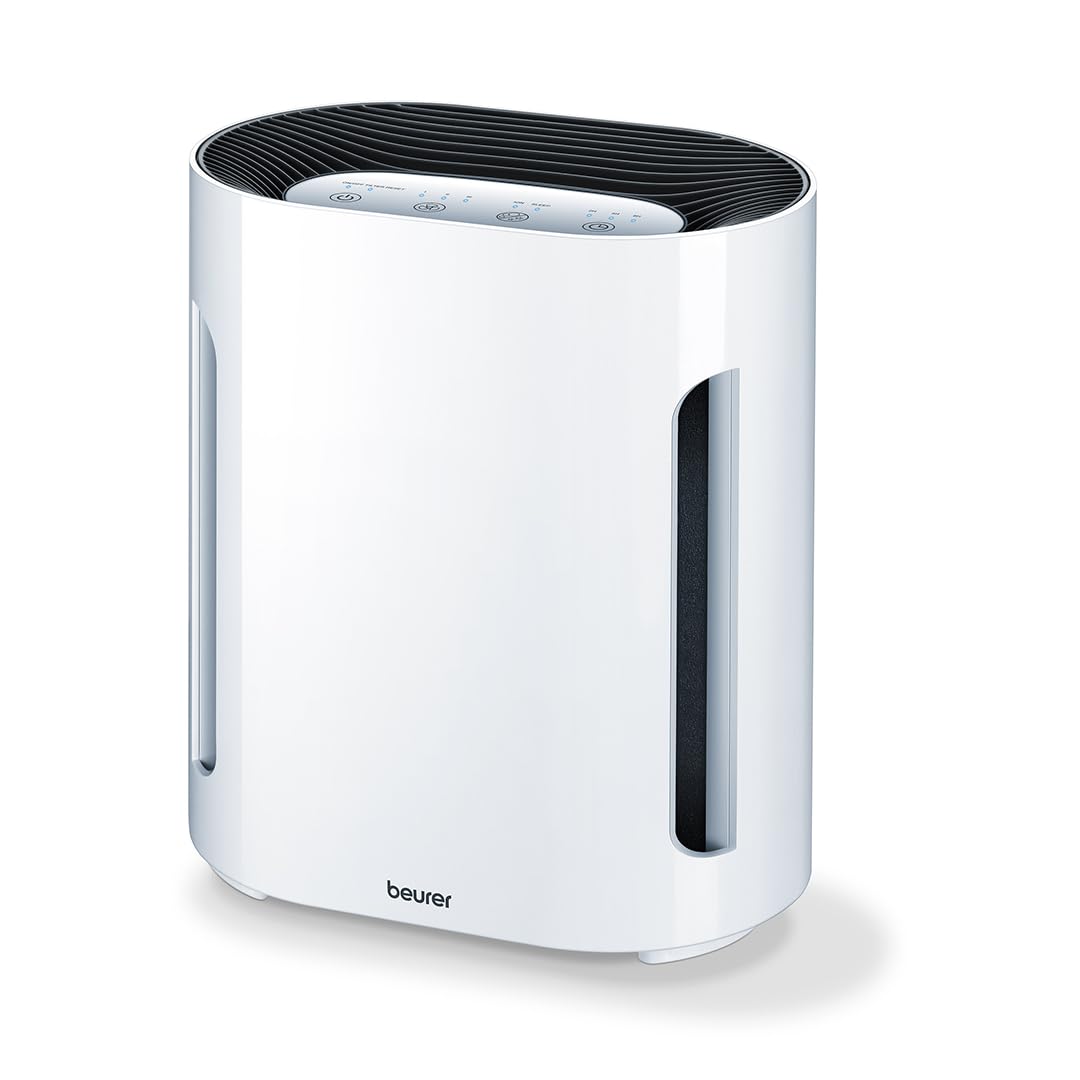
ചിത്രം 2.1: മുൻഭാഗം view of the Beurer LR 210 HEPA Air Purifier. This image shows the compact design of the air purifier, suitable for various room settings.

Figure 2.2: Beurer LR 210 Air Purifier highlighting its selectable ion function, ability to stop viruses and fine dust, and 99.95% filter performance.
2.1 ഘടകങ്ങൾ
- പ്രധാന യൂണിറ്റ്
- 3-Layer Filter System (Pre-filter, Activated Carbon filter, HEPA filter)
- പവർ അഡാപ്റ്റർ

Figure 2.3: Illustration of the Beurer LR 210's 3-layer filter system, including the pre-filter, activated carbon filter, and HEPA filter, designed for comprehensive air purification.
3. സജ്ജീകരണം
3.1 അൺപാക്കിംഗ്
- എയർ പ്യൂരിഫയർ അതിന്റെ പാക്കേജിംഗിൽ നിന്ന് ശ്രദ്ധാപൂർവ്വം നീക്കം ചെയ്യുക.
- Remove all packaging materials, including any protective films or wraps.
- Check the device and all accessories for any signs of damage. If damaged, do not use the device and contact customer support.
3.2 ഫിൽട്ടർ ഇൻസ്റ്റാളേഷൻ
The filters are typically pre-installed but may be wrapped in plastic for protection during shipping. Ensure all plastic wrapping is removed before first use.
- Turn the air purifier upside down and twist the base cover counter-clockwise to unlock it.
- Remove the base cover and carefully pull out the filter assembly.
- Remove any plastic packaging from the filter layers.
- Reinsert the filter assembly into the device, ensuring it is seated correctly.
- ബേസ് കവർ മാറ്റി സുരക്ഷിതമായി ലോക്ക് ചെയ്യാൻ ഘടികാരദിശയിൽ തിരിക്കുക.
3.3 പ്ലേസ്മെൻ്റ്
- Place the air purifier on a stable, flat, and dry surface.
- Ensure there is at least 20 cm (8 inches) of clear space around all sides of the device for optimal airflow.
- Avoid placing the device directly next to walls, furniture, or curtains that could obstruct air intake or output.
- ഉപകരണം നേരിട്ട് സൂര്യപ്രകാശത്തിലോ താപ സ്രോതസ്സുകൾക്ക് സമീപമോ സ്ഥാപിക്കരുത്.
3.4 പവർ കണക്ഷൻ
- Connect the power adapter to the power input port on the back of the air purifier.
- Plug the power adapter into a suitable electrical outlet (100-240V AC, 50/60Hz).
- ഉപകരണം ഇപ്പോൾ സ്റ്റാൻഡ്ബൈ മോഡിലാണ്.
4. ഉപകരണം പ്രവർത്തിപ്പിക്കുന്നു
The control panel is located on the top of the device and features touch-sensitive buttons.

Figure 4.1: Beurer LR 210 Air Purifier showcasing its ultra-quiet night mode and timer functions (2, 4, 8 hours).
4.1 പവർ ഓൺ/ഓഫ്
- അമർത്തുക പവർ ബട്ടൺ (symbol: circle with a vertical line) to turn the device on. The device will start in the lowest fan speed.
- അമർത്തുക പവർ ബട്ടൺ ഉപകരണം ഓഫാക്കാൻ വീണ്ടും.
4.2 ഫാൻ വേഗത ക്രമീകരണം
The device has 3 fan speed levels.
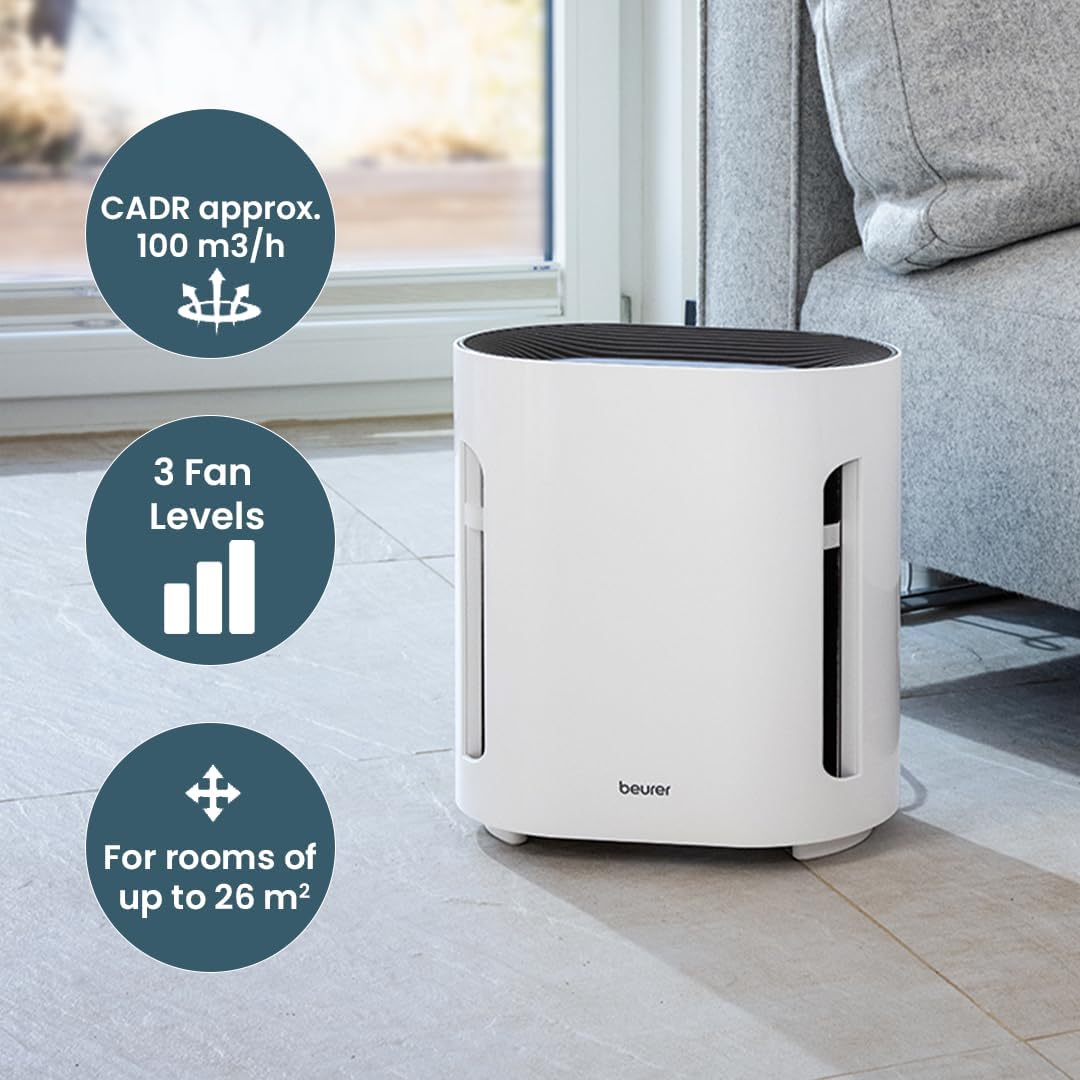
Figure 4.2: Beurer LR 210 Air Purifier illustrating its CADR (approx. 100 m³/h), 3 fan levels, and suitability for rooms up to 26 m².
- അമർത്തുക ഫാൻ സ്പീഡ് ബട്ടൺ (symbol: fan blades or bars) repeatedly to cycle through the fan speeds: Level 1 (low), Level 2 (medium), Level 3 (high).
4.3 ടൈമർ പ്രവർത്തനം
Set the device to automatically turn off after a specified period.
- അമർത്തുക ടൈമർ ബട്ടൺ (ചിഹ്നം: ക്ലോക്ക്) repeatedly to select a timer duration: 2 hours, 4 hours, or 8 hours.
- അനുബന്ധ ഇൻഡിക്കേറ്റർ ലൈറ്റ് പ്രകാശിക്കും.
- To deactivate the timer, press the button until no timer indicator light is on.
4.4 നൈറ്റ് മോഡ്
For quiet operation during sleep, activate Night Mode.
- അമർത്തുക നൈറ്റ് മോഡ് ബട്ടൺ (symbol: moon or crescent) to activate. The fan speed will automatically switch to the lowest setting, and all indicator lights will dim or turn off.
- Press the button again to deactivate Night Mode.
4.5 Ion Function
The selectable ion function helps to further purify the air by releasinഗ്രാം നെഗറ്റീവ് അയോണുകൾ.

Figure 4.3: Beurer LR 210 Air Purifier demonstrating its selectable ion function, which provides relief for allergy sufferers by targeting pollen, domestic dust, and animal hair.
- അമർത്തുക Ion button (symbol: ion or atom) to turn the ion function on or off.
- The indicator light will show the status of the ion function.
5. പരിപാലനം
പതിവ് അറ്റകുറ്റപ്പണികൾ മികച്ച പ്രകടനം ഉറപ്പാക്കുകയും നിങ്ങളുടെ എയർ പ്യൂരിഫയറിന്റെ ആയുസ്സ് വർദ്ധിപ്പിക്കുകയും ചെയ്യുന്നു.
5.1 ഫിൽട്ടർ മാറ്റിസ്ഥാപിക്കൽ
The filter system has a limited lifespan and needs to be replaced periodically. The filter replacement indicator light (often red) will illuminate when it's time to change the filter.
- പവർ ഔട്ട്ലെറ്റിൽ നിന്ന് എയർ പ്യൂരിഫയർ അൺപ്ലഗ് ചെയ്യുക.
- Turn the device upside down and twist the base cover counter-clockwise to unlock.
- Remove the old filter assembly.
- Insert a new, original Beurer LR 210 filter assembly, ensuring it is seated correctly.
- ബേസ് കവർ മാറ്റി സുരക്ഷിതമായി ലോക്ക് ചെയ്യാൻ ഘടികാരദിശയിൽ തിരിക്കുക.
- ഉപകരണം തിരികെ പ്ലഗ് ഇൻ ചെയ്യുക.
- To reset the filter indicator, press and hold the ഫിൽട്ടർ റീസെറ്റ് ബട്ടൺ (അല്ലെങ്കിൽ പവർ ബട്ടൺ for 5 seconds, depending on model) until the indicator light turns off.
5.2 പുറംഭാഗം വൃത്തിയാക്കൽ
- വൃത്തിയാക്കുന്നതിന് മുമ്പ് ഉപകരണം അൺപ്ലഗ് ചെയ്യുക.
- ഒരു മൃദുവായ, ഡി ഉപയോഗിച്ച് ബാഹ്യ പ്രതലങ്ങൾ തുടയ്ക്കുകamp തുണി.
- അബ്രാസീവ് ക്ലീനറുകൾ, ലായകങ്ങൾ, കഠിനമായ രാസവസ്തുക്കൾ എന്നിവ ഉപയോഗിക്കരുത്.
- Ensure no water enters the interior of the device.
5.3 സംഭരണം
- If storing the device for an extended period, unplug it and clean it thoroughly.
- നേരിട്ടുള്ള സൂര്യപ്രകാശത്തിൽ നിന്നും കടുത്ത താപനിലയിൽ നിന്നും അകന്ന്, തണുത്തതും വരണ്ടതുമായ സ്ഥലത്ത് ഇത് സൂക്ഷിക്കുക.
- It is recommended to replace the filter before storing or after long periods of inactivity.
6. പ്രശ്നപരിഹാരം
പൊതുവായ പ്രശ്നങ്ങളും അവയുടെ പരിഹാരങ്ങളും അറിയാൻ ഈ വിഭാഗം കാണുക.
| പ്രശ്നം | സാധ്യമായ കാരണം | പരിഹാരം |
|---|---|---|
| ഉപകരണം ഓണാക്കില്ല. | വൈദ്യുതി വിതരണം ഇല്ല. | Check if the power adapter is securely plugged into the device and the wall outlet. Try a different outlet. |
| മോശം വായു ശുദ്ധീകരണ പ്രകടനം. | Filters are dirty or clogged. Filters are still in plastic packaging. | Replace the filter system. Ensure all plastic wrapping is removed from new filters. |
| പ്രവർത്തന സമയത്ത് അസാധാരണമായ ശബ്ദം. | Obstruction in fan. Device not on a stable surface. | Unplug and check for foreign objects. Ensure device is on a flat, stable surface. |
| ഫിൽറ്റർ മാറ്റിയതിനു ശേഷവും ഫിൽറ്റർ മാറ്റിസ്ഥാപിക്കൽ സൂചകം ഓണായി തന്നെ തുടരും. | ഫിൽട്ടർ ഇൻഡിക്കേറ്റർ പുനഃസജ്ജമാക്കിയിട്ടില്ല. | Refer to Section 5.1 for instructions on how to reset the filter indicator. |
If the problem persists after attempting these solutions, please contact Beurer customer support.
7 സ്പെസിഫിക്കേഷനുകൾ
| മോഡൽ: | LR 210 |
| ഉൽപ്പന്ന അളവുകൾ: | 13.58 x 12.2 x 8.27 ഇഞ്ച് (34.5 x 31 x 21 സെ.മീ) |
| ഇനത്തിൻ്റെ ഭാരം: | 7.05 പൗണ്ട് (3.2 കിലോഗ്രാം) |
| വാട്ട്tage: | 60 വാട്ട്സ് |
| ശബ്ദ നില: | 52 Decibels (max) |
| ഫിൽട്ടർ തരം: | 3-layer filter system (Pre-filter, Activated Carbon filter, HEPA filter) |
| കണിക നിലനിർത്തൽ വലിപ്പം: | 0.3 മൈക്രോൺ |
| Filter Performance: | 99.95% |
| നിയന്ത്രണ രീതി: | Touch, Button Control |
| ശുപാർശ ചെയ്യുന്ന മുറിയുടെ വലിപ്പം: | 26 m² വരെ |
| CADR (ക്ലീൻ എയർ ഡെലിവറി നിരക്ക്): | Approx. 100 m³/h |
8. വാറൻ്റിയും പിന്തുണയും
Beurer provides a limited warranty for this product. Please refer to the warranty card included in your product packaging for specific terms and conditions, including the warranty period and coverage details.
For technical support, replacement parts, or warranty claims, please contact Beurer customer service. Contact information can typically be found on the official Beurer webസൈറ്റ് അല്ലെങ്കിൽ ഉൽപ്പന്ന പാക്കേജിംഗിൽ.
When contacting support, please have your product model number (LR 210) and proof of purchase readily available.