
1. ആമുഖവും അവസാനവുംview
The Lexar JumpDrive S80 USB 3.2 Gen 1 Flash Drive is designed for efficient and secure data storage and transfer. It offers high-speed performance, making it suitable for transferring large files such as 4K video clips quickly. This drive incorporates advanced security features to protect your data and is compatible with a wide range of devices.

Image 1.1: The Lexar JumpDrive S80 USB 3.2 Gen 1 Flash Drive, showcasing അതിന്റെ ഒതുക്കമുള്ള ഡിസൈൻ.
2. ഉൽപ്പന്ന സവിശേഷതകൾ
- ഹൈ-സ്പീഡ് പ്രകടനം: Utilizes USB 3.2 Gen 1 technology for fast content storage and transfer.
- Read/Write Speeds: Up to 150MB/s read and 60MB/s write speeds, significantly faster than standard USB 2.0 drives.
- വിപുലമായ സുരക്ഷ: Features 256-bit AES encryption software to protect files against corruption, loss, and deletion.
- പിൻവലിക്കാവുന്ന ഡിസൈൻ: A protective, retractable design safeguards the USB connector when not in use.
- വിശാലമായ അനുയോജ്യത: Backward compatible with USB 3.1, USB 3.0, and USB 2.0 devices.
- ശേഷികൾ: Available in various capacities, including 256GB.
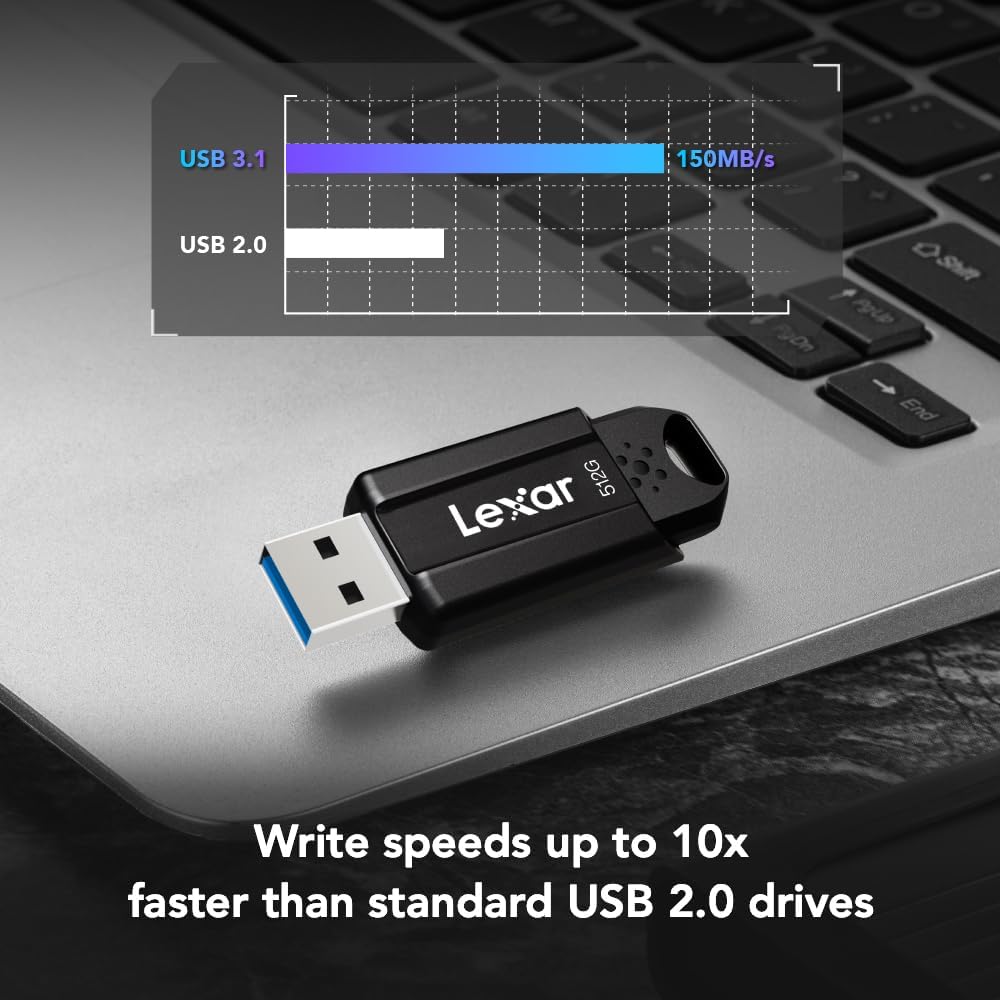
Image 2.1: Visual representation of the Lexar JumpDrive S80's faster write speeds compared to USB 2.0 drives.
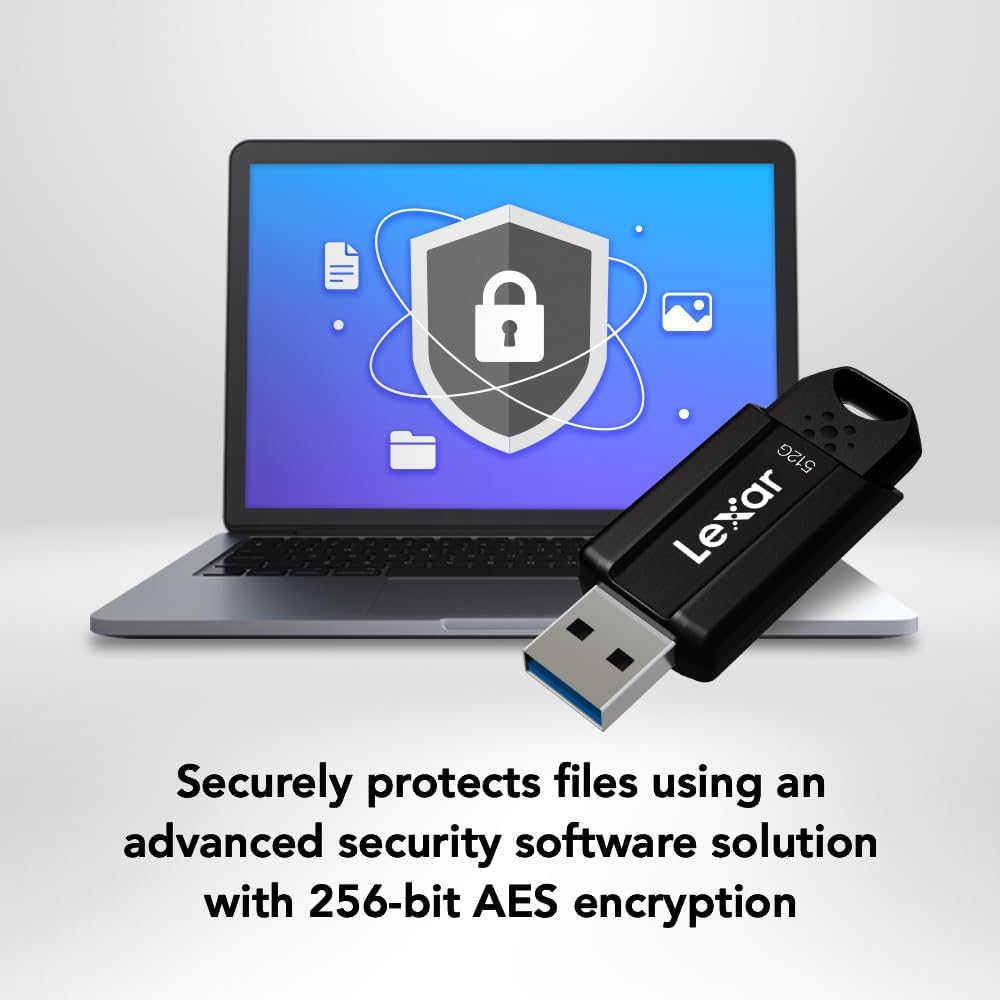
Image 2.2: The Lexar JumpDrive S80 connected to a laptop, illustrating its advanced security features with a shield icon.
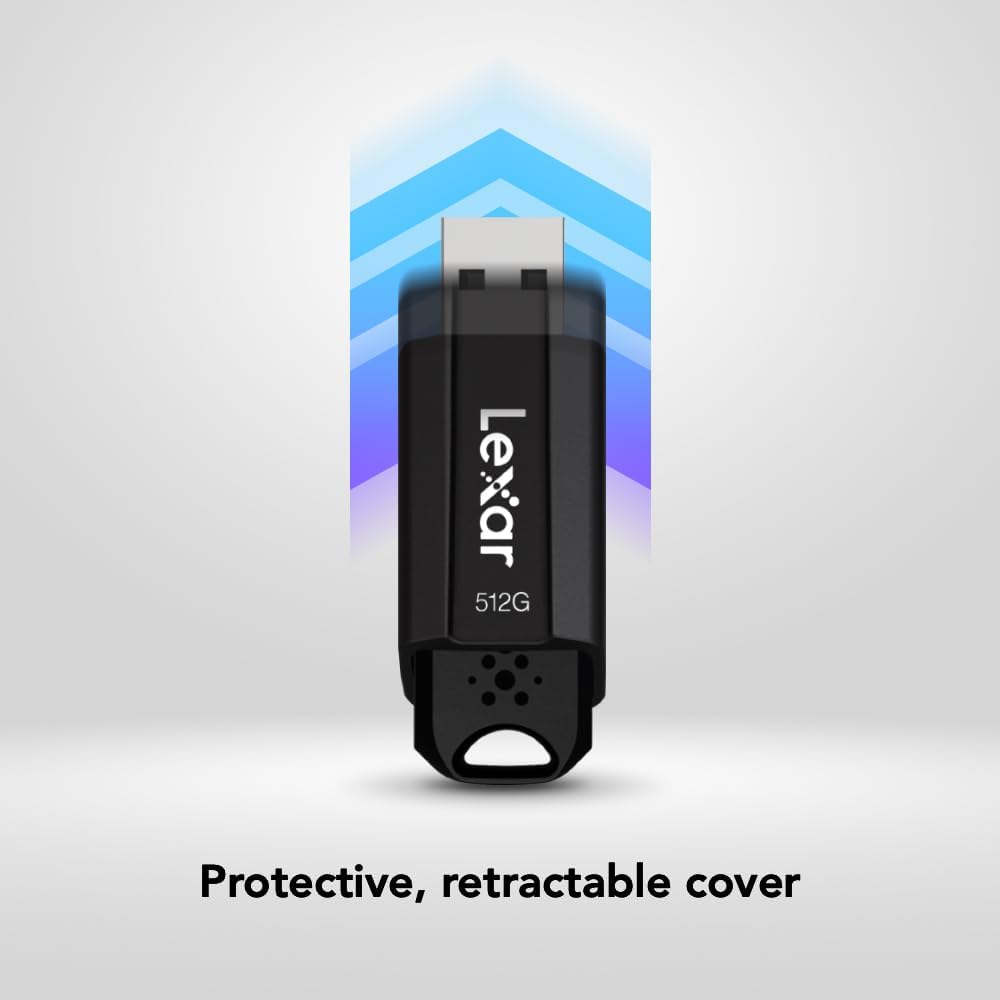
Image 2.3: A hand demonstrating the retractable design of the Lexar JumpDrive S80, protecting the USB connector.

Image 2.4: An array of Lexar JumpDrive S80 units, highlighting the availability of various storage capacities.
3. സജ്ജീകരണം
The Lexar JumpDrive S80 is a plug-and-play device, requiring no special drivers for most operating systems. Follow these steps to set up your drive:
- ഡ്രൈവ് തിരുകുക: Gently slide the USB connector out from its protective casing. Insert the drive into an available USB 3.2 Gen 1 (or compatible USB 3.0/2.0) port on your computer or device.
- യാന്ത്രിക തിരിച്ചറിയൽ: Your operating system (Windows, macOS, Linux) should automatically detect the drive and make it available for use.
- ഡ്രൈവ് ആക്സസ് ചെയ്യുന്നു: The drive will appear as a removable storage device in 'This PC' (Windows) or on your desktop/Finder (macOS).
4. പ്രവർത്തന നിർദ്ദേശങ്ങൾ
4.1. കൈമാറ്റം Files
- Open the Drive: Double-click on the drive icon to open its contents.
- പകർത്തുക Files: വലിച്ചിടുക files or folders from your computer to the drive, or copy and paste them.
- പുരോഗതി നിരീക്ഷിക്കുക: A progress bar will indicate the transfer status. For large files, transfer speeds will be optimized by USB 3.2 Gen 1.
4.2. Using Security Software (Lexar DataShield)
The Lexar JumpDrive S80 includes advanced security software with 256-bit AES encryption to protect your sensitive files. This software allows you to create a password-protected safe area on your drive.
- സോഫ്റ്റ്വെയർ ഇൻസ്റ്റാൾ ചെയ്യുക: If not pre-installed, the security software can typically be found on the drive itself or downloaded from the Lexar support webസൈറ്റ്. ഇൻസ്റ്റാളേഷനായി ഓൺ-സ്ക്രീൻ നിർദ്ദേശങ്ങൾ പാലിക്കുക.
- Create a Safe: Launch the Lexar DataShield application. You will be prompted to create a secure partition (safe) and set a password.
- സ്റ്റോർ Fileസുരക്ഷിതമായി: വലിച്ചിടുക files into the secure partition. These files will be automatically encrypted.
- Accessing Secure Files: To access encrypted files, launch the DataShield application and enter your password.
- Secure Deletion: Files deleted from the secure partition are securely erased and cannot be recovered.
4.3. Safe Removal
ഡാറ്റ കേടാകുന്നത് തടയാൻ ഡ്രൈവ് ഭൗതികമായി നീക്കം ചെയ്യുന്നതിനുമുമ്പ് എല്ലായ്പ്പോഴും സുരക്ഷിതമായി അത് പുറത്തെടുക്കുക.
- വിൻഡോസ്: Right-click the drive icon in 'This PC' or the system tray and select 'Eject'.
- മാകോസ്: ഡ്രൈവ് ഐക്കൺ ട്രാഷിലേക്ക് വലിച്ചിടുക, അല്ലെങ്കിൽ ഫൈൻഡറിൽ ഡ്രൈവ് പേരിന് അടുത്തുള്ള എജക്റ്റ് ബട്ടൺ ക്ലിക്കുചെയ്യുക.
5. പരിപാലനം
- ശാരീരിക സംരക്ഷണം: Utilize the retractable design to protect the USB connector from dust and damage when not in use.
- തീവ്രമായ അവസ്ഥകൾ ഒഴിവാക്കുക: Do not expose the drive to extreme temperatures, moisture, or strong magnetic fields.
- പതിവ് ബാക്കപ്പുകൾ: While the drive is reliable, it is always recommended to maintain backups of critical data on multiple storage devices.
- വൃത്തിയായി സൂക്ഷിക്കു: If necessary, gently wipe the exterior of the drive with a soft, dry cloth.
6. പ്രശ്നപരിഹാരം
6.1. ഡ്രൈവ് തിരിച്ചറിയപ്പെട്ടിട്ടില്ല
- കണക്ഷൻ പരിശോധിക്കുക: ഡ്രൈവ് പൂർണ്ണമായും USB പോർട്ടിൽ ചേർത്തിട്ടുണ്ടെന്ന് ഉറപ്പാക്കുക.
- Try Another Port: Connect the drive to a different USB port on your computer.
- കമ്പ്യൂട്ടർ പുനരാരംഭിക്കുക: ചിലപ്പോൾ ഒരു ലളിതമായ പുനരാരംഭം തിരിച്ചറിയൽ പ്രശ്നങ്ങൾ പരിഹരിക്കും.
- ഉപകരണ മാനേജർ (വിൻഡോസ്) / സിസ്റ്റം വിവരങ്ങൾ (മാകോസ്) പരിശോധിക്കുക: Verify if the drive is listed, even if not assigned a drive letter.
- ഡ്രൈവറുകൾ അപ്ഡേറ്റ് ചെയ്യുക: നിങ്ങളുടെ കമ്പ്യൂട്ടറിന്റെ USB ഡ്രൈവറുകൾ കാലികമാണെന്ന് ഉറപ്പാക്കുക.
6.2. മന്ദഗതിയിലുള്ള ട്രാൻസ്ഫർ വേഗത
- Use USB 3.2 Gen 1 Port: For optimal speeds, ensure the drive is connected to a USB 3.2 Gen 1 (or USB 3.0) port. These ports are often blue.
- മറ്റ് യുഎസ്ബി ഉപകരണങ്ങൾ ഒഴിവാക്കുക: Disconnect other high-bandwidth USB devices during large transfers.
- File വലുപ്പവും തരവും: നിരവധി ചെറിയ കാര്യങ്ങൾ കൈമാറ്റം ചെയ്യുന്നു fileഒരു വലിയ ഫയലിനെ കൈമാറുന്നതിനേക്കാൾ വേഗത കുറവായിരിക്കും s file ഒരേ മൊത്തം വലിപ്പം.
- ഡിസ്ക് ഫ്രാഗ്മെന്റേഷൻ: On older systems, disk fragmentation can affect performance.
6.3. Cannot Access Secure Partition
- പാസ്വേഡ് സ്ഥിരീകരിക്കുക: Ensure you are entering the correct password for the Lexar DataShield software.
- സോഫ്റ്റ്വെയർ ഇൻസ്റ്റാളേഷൻ: Confirm the Lexar DataShield software is correctly installed and running.
7 സ്പെസിഫിക്കേഷനുകൾ
| ഫീച്ചർ | വിശദാംശങ്ങൾ |
|---|---|
| ബ്രാൻഡ് | ലെക്സർ |
| മോഡലിൻ്റെ പേര് | JumpDrive S80 USB 3.1 |
| ഇനം മോഡൽ നമ്പർ | LJDS080256G-BNBNU |
| മെമ്മറി സ്റ്റോറേജ് കപ്പാസിറ്റി | 256 ജിബി |
| വായന വേഗത | സെക്കൻഡിൽ 150 മെഗാബൈറ്റുകൾ വരെ |
| റൈറ്റ് സ്പീഡ് | സെക്കൻഡിൽ 60 മെഗാബൈറ്റുകൾ വരെ |
| കണക്റ്റിവിറ്റി ടെക്നോളജി | USB |
| ഹാർഡ്വെയർ ഇന്റർഫേസ് | USB 3.1 ടൈപ്പ് എ |
| പ്രത്യേക ഫീച്ചർ | 256-ബിറ്റ് എഇഎസ് എൻക്രിപ്ഷൻ |
| നിറം | കറുപ്പ് |
| ഉൽപ്പന്ന അളവുകൾ (LxWxH) | 2.22 x 0.81 x 0.41 ഇഞ്ച് |
| ഇനത്തിൻ്റെ ഭാരം | 0.32 ഔൺസ് |
| നിർമ്മാതാവ് | Lexar International |
| ആദ്യ തീയതി ലഭ്യമാണ് | ജൂലൈ 15, 2020 |
8. വാറൻ്റിയും പിന്തുണയും
The Lexar JumpDrive S80 USB 3.2 Gen 1 Flash Drive comes with a മൂന്ന് വർഷത്തെ പരിമിത വാറൻ്റി. For detailed warranty information, technical support, or to download the latest security software, please visit the official Lexar webസൈറ്റ്.
ഓൺലൈൻ ഉറവിടങ്ങൾ: For additional support and FAQs, refer to the Lexar support page.
9. ഉൽപ്പന്ന വീഡിയോ
Video 9.1: An official product video from Lexar International showcasing the features and benefits of the Lexar JumpDrive S80. This video provides a visual overview of the drive's design, speed, and security capabilities.