
1. ആമുഖം
Thank you for choosing the KSIX Thermometer HR Fitness Band. This device is designed to help you monitor your physical activity, body temperature, heart rate, and sleep patterns. Please read this manual carefully before using the product to ensure proper operation and maintenance.
2. പാക്കേജ് ഉള്ളടക്കം
- KSIX Thermometer HR Fitness Band
- ഉപയോക്തൃ മാനുവൽ
- ചാർജിംഗ് കേബിൾ
3. ഉൽപ്പന്നം കഴിഞ്ഞുview
The KSIX Thermometer HR Fitness Band features a 1.4-inch TFT color display and a durable design. It includes sensors for continuous body temperature and heart rate monitoring. The band is also water-resistant up to 1 meter for 30 minutes.

ചിത്രം 3.1: മുൻഭാഗം view of the KSIX Thermometer HR Fitness Band with a clock display.
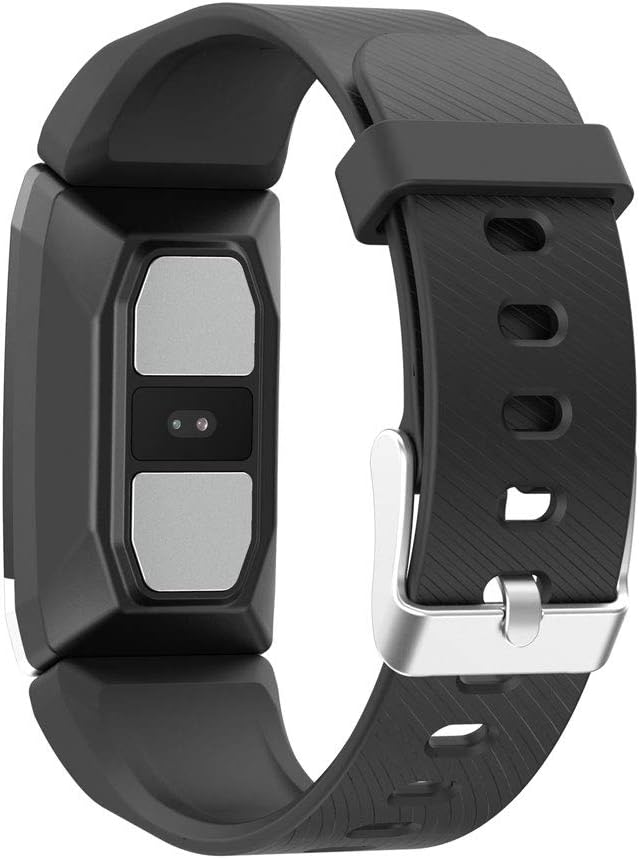
ചിത്രം 3.2: പിൻഭാഗം view of the fitness band, highlighting the integrated sensors for health monitoring.
പ്രധാന സവിശേഷതകൾ:
- ശരീര താപനില നിരീക്ഷണം: Integrated sensor for continuous temperature tracking.
- Dynamic Heart Rate Monitoring: 24-hour continuous heart rate tracking.
- മൾട്ടി-സ്പോർട്ട് മോഡ്: Records duration, steps, and heart rate during various sports activities.
- ഉറക്ക ട്രാക്കിംഗ്: Monitors sleep duration and quality.
- ജല പ്രതിരോധം: IP67 rated, submersible up to 1 meter for 30 minutes.
- അറിയിപ്പുകൾ: Receive alerts for calls and messages when connected to your smartphone.
4. സജ്ജീകരണം
4.1 ഉപകരണം ചാർജ് ചെയ്യുന്നു
Before first use, fully charge your fitness band. Connect the charging cable to the designated port on the band and to a USB power source. The battery icon on the screen will indicate charging status. A full charge typically takes approximately 2 hours.
4.2 ആപ്പ് ഇൻസ്റ്റാളേഷനും ജോടിയാക്കലും
- ഡൗൺലോഡ് ചെയ്യുക വെയർഫിറ്റ് 2.0 app from your smartphone's app store (compatible with Android 5.1+ and iOS 8.0+).
- നിങ്ങളുടെ സ്മാർട്ട്ഫോണിൽ ബ്ലൂടൂത്ത് പ്രവർത്തനക്ഷമമാക്കിയിട്ടുണ്ടെന്ന് ഉറപ്പാക്കുക.
- Open the Wearfit 2.0 app and follow the on-screen instructions to create an account or log in.
- Navigate to the device pairing section within the app and search for your KSIX Thermometer HR Fitness Band.
- Select your device from the list to establish a Bluetooth 4.0 connection.
- Once paired, the band will synchronize with your smartphone, and you can customize settings and view ഡാറ്റ.
5. പ്രവർത്തന നിർദ്ദേശങ്ങൾ
5.1 ഇന്റർഫേസ് നാവിഗേറ്റ് ചെയ്യൽ
The fitness band features a touch-sensitive screen. Swipe up, down, left, or right to navigate through different functions and menus. Tap to select an option or confirm an action.
5.2 Monitoring Body Temperature
The band continuously monitors your body temperature. To view your current temperature, navigate to the temperature screen on the device. Historical data and trends can be viewed in the Wearfit 2.0 app.
5.3 ഹൃദയമിടിപ്പ് നിരീക്ഷണം
The dynamic heart rate monitor tracks your pulse 24 hours a day. Access the heart rate screen on the band to see your real-time heart rate. Detailed graphs and average readings are available in the Wearfit 2.0 app.
5.4 മൾട്ടി-സ്പോർട്ട് മോഡ്
Activate multi-sport mode from the device menu to track specific activities. This mode records duration, step count, and heart rate during your workout. End the activity to save the data, which will then sync to the Wearfit 2.0 app.
5.5 സ്ലീപ്പ് ട്രാക്കിംഗ്
Wear the band while sleeping to automatically track your sleep patterns. The device records sleep duration and quality. View detailed sleep analysis in the Wearfit 2.0 app.
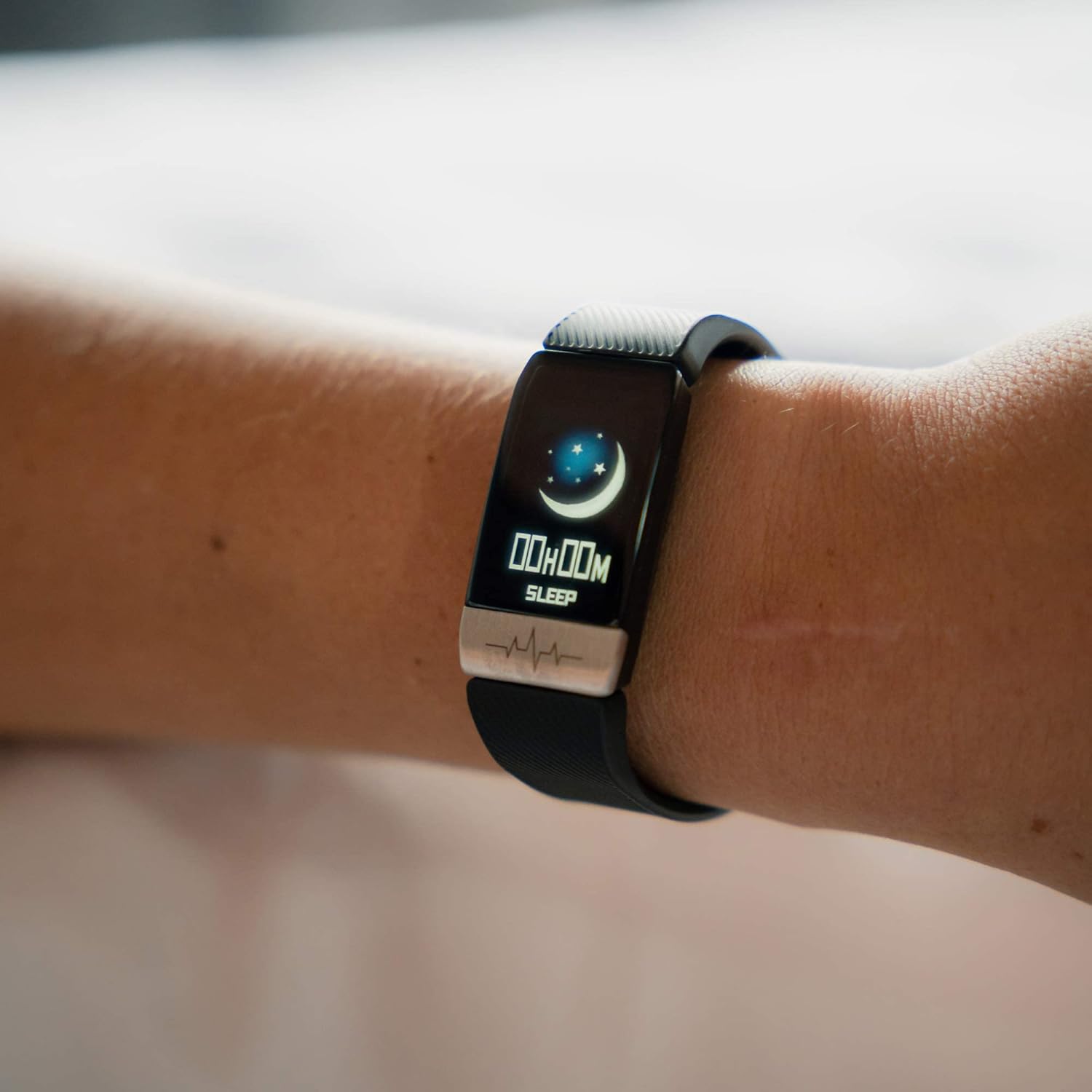
Figure 5.1: The fitness band displaying sleep tracking information on the user's wrist.
5.6 അറിയിപ്പുകൾ
Once paired with your smartphone, the band can display notifications for incoming calls, messages, and app alerts. Ensure notification permissions are enabled in the Wearfit 2.0 app and your phone's settings.
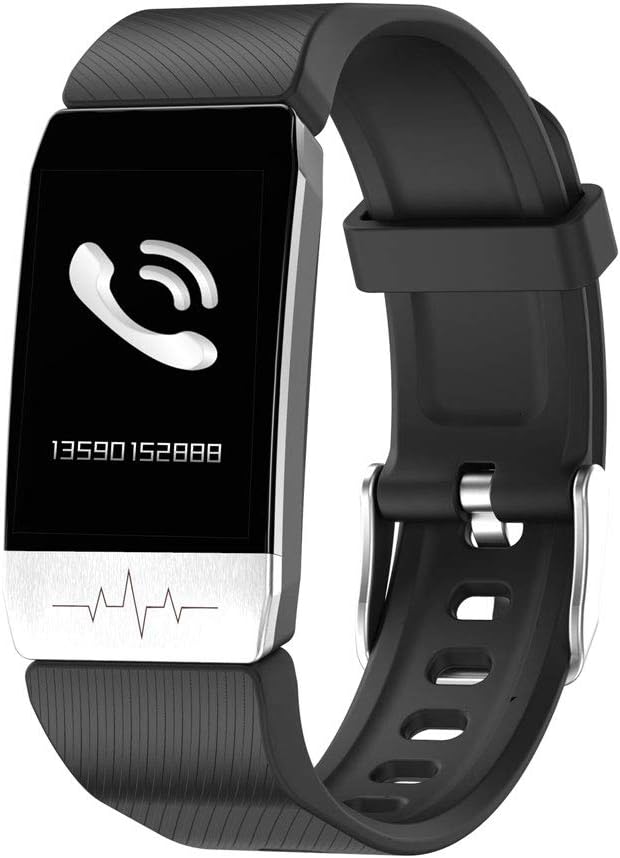
Figure 5.2: The fitness band showing an incoming call notification.
6. പരിപാലനം
6.1 വൃത്തിയാക്കൽ
Regularly clean your fitness band with a soft, damp cloth. Avoid using harsh chemicals or abrasive materials, as these can damage the device. Ensure the charging contacts are clean and dry before charging.
6.2 ജല പ്രതിരോധം
The KSIX Thermometer HR Fitness Band is IP67 water-resistant, meaning it can be submerged in water up to 1 meter deep for a maximum of 30 minutes. It is suitable for daily use, such as washing hands or showering. However, it is not recommended for diving, high-pressure water activities, or prolonged submersion.

Figure 6.1: The fitness band submerged in water, showcasing its water-resistant design.
7. പ്രശ്നപരിഹാരം
- ഉപകരണം ഓണാക്കുന്നില്ല: Ensure the device is fully charged. Connect it to the charger and wait a few minutes before attempting to power it on again.
- സ്മാർട്ട്ഫോണുമായി ജോടിയാക്കാൻ കഴിയില്ല:
- നിങ്ങളുടെ ഫോണിൽ ബ്ലൂടൂത്ത് പ്രവർത്തനക്ഷമമാക്കിയിട്ടുണ്ടെന്ന് ഉറപ്പാക്കുക.
- Make sure the Wearfit 2.0 app is installed and running.
- Check if the band's battery is not critically low.
- Try restarting both your phone and the fitness band.
- Ensure the band is not already paired with another device.
- Inaccurate readings (temperature/heart rate):
- Ensure the band is worn snugly on your wrist, but not too tight.
- ബാൻഡിന്റെ പിൻഭാഗത്തുള്ള സെൻസറുകൾ വൃത്തിയാക്കുക.
- Avoid extreme temperatures or rapid changes in environment.
- Note that these devices are not medical instruments and readings are for reference only.
- അറിയിപ്പുകൾ ദൃശ്യമാകുന്നില്ല:
- Verify that the band is successfully paired with your phone.
- Check notification settings within the Wearfit 2.0 app.
- Ensure your phone's system settings allow the Wearfit 2.0 app to send notifications.
8 സ്പെസിഫിക്കേഷനുകൾ
| ഫീച്ചർ | വിശദാംശങ്ങൾ |
|---|---|
| മോഡൽ നമ്പർ | TP-8427542106342_BXSTBAND_Vendor |
| പ്രദർശിപ്പിക്കുക | 1.4-inch TFT Color |
| ബാറ്ററി ശേഷി | 90 mAh |
| ബാറ്ററി ലൈഫ് | 5 ദിവസം വരെ |
| കണക്റ്റിവിറ്റി | ബ്ലൂടൂത്ത് 4.0 |
| ജല പ്രതിരോധം | IP67 (up to 1m for 30 minutes) |
| അനുയോജ്യത | ആൻഡ്രോയിഡ് 5.1+ / ഐഒഎസ് 8.0+ |
| സെൻസറുകൾ | Body Temperature, Heart Rate, Micro Vibration |
| സ്ട്രാപ്പ് മെറ്റീരിയൽ | സ്റ്റെയിൻലെസ്സ് സ്റ്റീൽ |
| കേസ് മെറ്റീരിയൽ | സ്റ്റെയിൻലെസ്സ് സ്റ്റീൽ |
| അളവുകൾ (പാക്കേജ്) | 13.2 x 10.1 x 4.8 സെ.മീ |
| ഭാരം | 60 ഗ്രാം |
9. വാറൻ്റിയും പിന്തുണയും
The KSIX Thermometer HR Fitness Band comes with a 2 വർഷത്തെ വാറൻ്റി from the date of purchase, covering manufacturing defects. This warranty does not cover damage caused by misuse, accidents, unauthorized modifications, or normal wear and tear.
For technical support, warranty claims, or further assistance, please contact your retailer or visit the official KSIX webബന്ധപ്പെടാനുള്ള വിവരങ്ങൾക്കുള്ള സൈറ്റ്.
നിർമ്മാതാവ്: ATLANTIS INTERNACIONAL